

The best compliance LMS is the one that can show an auditor who had to complete which training, on which version, and by what date. It also shows whether they did, and when the requirement comes due again. Libraries, dashboards and AI features all matter less than that record, because a missing renewal date is the finding you’ll be asked to explain.
The audit is yours even when the training isn’t. Platforms sold as compliance training LMS software fall into three kinds.
Records systems hold the evidence and deliver no courses. Delivery platforms run the courses and renew them on a schedule. Enterprise suites do both and quote every price.
This guide gives you what an auditor asks for, four tests that decide the purchase, and fourteen platforms grouped by the evidence each one produces, with every published price.
Build a compliance module from your own policy document – then decide which system should hold its completion record.
What a Compliance LMS Is, and What It Isn’t
A compliance LMS is compliance training software built around an obligation rather than a catalog. It assigns required training to the people a rule covers and sets a due date. It records completion with a timestamp, renews the requirement on a schedule, and produces a report that someone outside your team can read.
A general LMS proves someone finished a course. A compliance LMS proves the right person finished the right version before the deadline, and shows who’s missing. That second half is the one most platforms handle worst, because “who hasn’t done it” is a question about people and requirements, not courses.
It won’t make your organization compliant, and it won’t tell you what your regulator requires.
This guide describes software, not the law. It isn’t legal advice. How often a requirement renews, who it covers and how long records must be kept are questions for your compliance lead or counsel. Get those answers written down before any vendor sees them.
So what: before the first demo, write one line per requirement. Who it covers, how often it renews, and what you’d hand over if asked. Your training plan template is a good place to keep it, and it’s the page a vendor should demo against.
What an Auditor Asks For
An auditor rarely asks to see your platform. They ask for a document about one person or one rule. Show me this operator was trained on lockout before working the line. Show me everyone who handles customer data and when they last did privacy training.
Everything below is what that document has to contain. Send it to vendors before the demo.
The five fields every training record needs
A record that holds up in front of an outside reader carries five things. Most platforms show the first and last convincingly and skip the middle.
| What the record needs | What a pass looks like in a demo | What goes wrong without it |
|---|---|---|
| Assignment by role, site or job function | You add a requirement to “forklift operator” and everyone in that role inherits it | Every hire, leaver and transfer becomes a manual edit, and one gets missed |
| A due date | Each requirement carries a deadline, not just a completion timestamp | Without a deadline there’s no such thing as overdue |
| A renewal rule | A calendar interval, or a trigger when the content version changes | A rewritten policy leaves people certified against the old one |
| An exception list | One screen showing who’s overdue right now, by name | You can prove who did it, not who didn’t |
| An export a third party can read | A file you can hand over without explaining your platform | A login for the auditor isn’t evidence, it’s a tour |
Your training matrix is the paper version of those five fields. It also has the state spreadsheets tend to leave out: expired. If your matrix already shows who’s expired and why, you know what the software has to reproduce.
Which version of the course they took
A completion date without a version is half a record. Say your lockout procedure was rewritten in March. If the refresher cycle doesn’t come round until November, everyone who took the old course looks current against a document that no longer exists.
Kaizen Software’s Training Manager handles this directly. Retraining can be required on calendar time, on course version, or one time only. SkyPrep’s page on FDA’s 21 CFR Part 11, the rule for electronic records and signatures, lists versioning beside audit-trail reports.
Ask every vendor: if I publish a new version of this course today, what happens to the people who took the old one?
Proof the right person completed it, and accepted the policy
A completion recorded against a shared login proves a course was finished, not who finished it. For most employers, one account per person is enough. Under 21 CFR Part 11, the signature itself becomes part of the record.
Absorb, Cornerstone, Docebo and SkyPrep all publish 21 CFR Part 11 support, and Docebo adds EU Annex 11 on top. SkyPrep spells out the most: unique user IDs and lockout controls on the way in, configurable e-signatures at the point of sign-off, then versioning and audit-trail reports sitting behind both. 360Learning publishes a narrower version: self check-in with an e-signature for classroom sessions.
Policy acknowledgements need the same care. A signed, timestamped confirmation against a named version is evidence. A quiz question someone clicked through isn’t, though both show as “complete”. Ask to see an acknowledgement in the export, with the policy version beside it.
A history nobody can quietly edit
An administrator can mark someone complete. The auditor will want to know who did it, and when. A record with no change history asks them to take it on trust.
Kaizen’s Training Manager includes an audit-trail report of data changes, and SkyPrep lists audit-trail reports on its Part 11 page. eloomi, a platform not otherwise in this guide, states that it keeps audit logs for five years. Ask each vendor how long its change log is kept, and whether an admin can delete an entry.
What happens to a leaver’s record
This one catches people out. Many platforms bill per named user, so the obvious way to free a seat is to delete someone who’s left. But that person’s training history may be exactly what an auditor asks for next year.
Absorb’s terms let a seat pass to a new user replacing a former user who has “been deleted from the User Database”. eloomi anonymizes deleted users after 72 months by default. Neither is wrong. Both mean your proof depends on a setting you should know about before you delete anyone.
Ask two things. Does deactivating a user free the seat without deleting the history? And how long are a deleted user’s records kept?
An export that opens without your login
Ask for the compliance report as a file. Open it on a machine that has never touched the platform and check that a stranger could read it: name, requirement, version, due date, completion date, status.
If you’d have to explain the columns, the auditor will ask about them too. Our guide to LMS reporting covers what a completion report should contain. xAPI versus SCORM explains why some activity data never leaves the platform that recorded it.
So what: that’s your demo script. Ask every vendor to show all of it live, against a sample of your own requirements.
The Four Tests That Decide the Purchase
Four tests separate the platforms. The first two are about evidence. The third is about who writes the training, and the fourth is whether you can buy it at all.
1. Does the renewal happen without you?
“Compliance tracking” can mean four different mechanisms. Only some of them renew a requirement without an admin doing something.
| Renewal mechanism | How it works | Who publishes it in this guide |
|---|---|---|
| Renewal period with automatic re-enrollment | The certificate expires on a set interval, the platform warns ahead and re-enrolls the person | Thrive, iSpring LMS, CYPHER Learning, TalentLMS |
| Content-version trigger | A new version of the course makes everyone on the old one due again | Kaizen Training Manager |
| Assignment by role, location and policy | Requirements attach to attributes, so new people inherit them | Cornerstone |
| Course recurrence | The course is re-sent on a schedule, with no credential behind it | Litmos |
Thrive’s description is the clearest in the category. It says the platform “automatically flags upcoming expiries, sends reminders and re-enrols employees into refresher training.” CYPHER Learning publishes “compliance validity windows and countdown reminders” with automated expiration and renewal. TalentLMS makes it a setting: a certificate runs from “Forever” to a set period, and a checkbox re-assigns the course when it expires.
The trap is the last row. Litmos documents course expiration, due dates and equivalencies. That’s a course re-sent every so many months. It works for an annual refresher, but there’s no record for the certification itself, no license number, and no place for a credential earned elsewhere.
The rule: internal refreshers only need course recurrence. Certifications with their own expiry need renewal periods with automatic re-enrollment. Procedures that change mid-cycle need a version trigger too.
2. Can the evidence leave the building?
Every platform here has a reporting screen. The test is whether the report is built for someone who doesn’t use the platform.
CYPHER Learning lists 50 pre-built reports, scheduled reports and credit-hour tracking. SkyPrep schedules reports and exports them as CSV, XLSX or PDF. iSpring LMS reports down to single quiz and simulation attempts. Cornerstone describes “real-time proof of compliance for audits”, and Kaizen prints compliance status reports built to be handed over.
What separates them is what the report is built around. A course report answers “how many people finished this”. A requirement report answers “is this person compliant”, and that’s the one an auditor reads.
The rule: ask for the report grouped by person, then requirement, with an overdue filter. If the vendor has to build it in a custom report tool, count the admin hours, because you’ll rebuild it every cycle. The training metrics you report upward are a different list.
3. Who writes the content?
This is where compliance purchases get over-bought. A library of thousands of courses covers generic regulation well. It doesn’t touch the training auditors ask about most: your lockout procedure, your data-handling policy, the fix from your last inspection.
The libraries vary more than the marketing suggests.
| Platform | Content included or sold alongside | Worth knowing |
|---|---|---|
| Docebo | Content Marketplace, 30,000-plus courses from OpenSesame and Go1 | Compliance training in 50-plus languages |
| Cornerstone | Subscriptions: Silver 6,800+, Gold 27,500+, Platinum 28,500+ courses | Silver covers corporate compliance; no tier publishes a price |
| Thrive | Thrive Content, 2,500-plus resources and six sector suites | $27,000 at a 1-150 learner band; the rules it names are British |
| Litmos | “Hundreds of ready-made courses” across compliance, safety, service and more | Described as “maintained and updated for you” |
| Tovuti | Tovuti Stream, 101 pre-built courses | Included in the published plan |
| iSpring LMS | Own course library, plus Udemy, Go1, LinkedIn Learning and GoodHabitz | Tracking named for HIPAA, OSHA, FDA, AML, GDPR, CQC, ISO and HSE topics |
| SkyPrep | SkyPrep Library, plus OpenSesame, Go1 and Marcom | Library sold as its own product |
| CYPHER Learning | None bundled; Go1, Coursera, edX, LinkedIn Learning, OpenSesame, Udemy | Its pricing table says “Content not included” |
| 360Learning | No owned catalog; Go1, OpenSesame, LinkedIn Learning and Udemy connectors | Built around experts writing their own courses |
Two warnings sit in that table. Thrive names Natasha’s Law and Challenge 21/25, which are UK rules, so a US employer should expect that content to answer a different regulator. And “maintained and updated for you” belongs in writing: who updates the course when the rule changes, how you’re told, and whether the new version triggers retraining.
The rule: license library content for rules that are the same everywhere, like harassment prevention, privacy basics and general safety. Write the training for anything that names your site, equipment or procedure. Most regulated employers need both, which is why employee training software sorted by job treats records, delivery and authoring as separate purchases.
4. Can you buy it at your headcount?
The floor ends more conversations than any feature. Docebo recommends itself to organizations training at least 250 learners, more guidance than a hard floor. SkyPrep’s floors are 100 active users on Lite and Premium and 1,000-plus on its Enterprise Learning Suite. iSpring LMS publishes nothing below 100 users, and TalentLMS Enterprise starts at 1,000, with a flexible option from 500.
The meter matters as much, and compliance is where it bites. iSpring LMS counts a user as active “if s/he has logged in at least once during a month”. In the month your annual refresher is due, everyone logs in.
Here’s what published prices come to for a 100-person employer, as of September 2026.
| Platform | What 100 learners costs | Per learner per year |
|---|---|---|
| TalentLMS Pro, billed annually | $449 a month less 20%: $4,310.40 a year | $43.10 |
| TalentLMS Pro, billed monthly | $449 × 12 = $5,388 a year | $53.88 |
| Tovuti | $7,500 a year for the first 100 learners | $75.00 |
| iSpring LMS | $6.91 per user per month: $8,286 a year | $82.86 |
| 360Learning Team | $8 × 100 users × 12 months = $9,600 a year | $96.00 |
| Training Manager by Kaizen Software | $995 once, unlimited users | Not comparable: records only |
That table leaves out every platform without a published price, which is most of the enterprise end. It also leaves out the cost of writing your own courses. For the arithmetic at 25, 100 and 250 users across twenty vendors, see what an LMS costs.
The rule: get the floor and the definition of an active user in one email before the demo. If the meter counts active users, price it at your busiest compliance month, not your average one.
Vendor Security Certificates Answer a Different Question
A SOC 2 report, an ISO 27001 certificate and a FedRAMP authorization all answer the same narrow question: how well the vendor protects its own systems. None of them says whether your training meets your regulator’s rules. IT will ask for them, so forward the question rather than treating a badge as proof of compliance.
Here’s what each vendor publishes about itself.
| Platform | What the vendor publishes | What it doesn’t |
|---|---|---|
| Litmos | SOC 2 Type II with a stated 12-month audit window and auditor; ISO 27001:2022 | HIPAA, FedRAMP; its Cloud Terms of Service bar patient health information |
| Cornerstone | SOC 2 Type 2; ISO 27001, 27017, 27018, 27701, 42001; FedRAMP authorized; DoD IL4; 21 CFR Part 11; a VPAT | Hosting region, uptime figure |
| Docebo | SOC 2 Type II; ISO 27001, 27017, 27018, 27701, 9001; 21 CFR Part 11 and EU Annex 11 support; PCI DSS Level 2 | HIPAA or a business associate agreement; WCAG level or VPAT |
| Absorb | SOC 2 Type 2; WCAG 2.1; GDPR; 21 CFR Part 11; PCI | ISO 27001, HIPAA, FedRAMP |
| SkyPrep | SOC 2 Type II; a 21 CFR Part 11 page; a downloadable VPAT | HIPAA |
| Tovuti | SOC 2 Type 2; ISO 27001; VPAT 508; WCAG 2.1 AA; FedRAMP authorization through Knox Systems’ cloud | Uptime percentage |
| CYPHER Learning | SOC 2 Type 2; WCAG 2.1 AA; TX-RAMP | ISO 27001; HIPAA |
| iSpring LMS | ISO 27001; ISO 27701 | SOC 2 |
| 360Learning | SOC 2 Type II; ISO 27001 | HIPAA, FedRAMP |
| TalentLMS | ISO/IEC 27001:2022 and three other ISO certificates; CSA STAR Level 1, a self-assessment | SOC 2 |
| Mini Course Generator | None published | SOC 2, ISO 27001, a security page |
Employee Training Manager, Kaizen Software and Thrive aren’t in the table. Ask each for its security documentation in the same email as the demo request.
Hosting region and uptime are compared in the cloud-based LMS guide. For accessibility, check the level, not the word: “WCAG 2.1” and “WCAG 2.1 AA” aren’t the same claim, as our accessibility guide explains. If patient data is involved, the healthcare LMS comparison covers business associate agreements. For the full shortlist across every use case and industry, the best LMS platforms comparison runs fifteen vendors through the same kind of tests; at enterprise scale specifically, the enterprise LMS comparison goes deeper on SSO and audit trails.
14 Compliance LMS Platforms, Grouped by the Evidence They Produce
Which is the best LMS for compliance training depends on what you’re missing. For the register alone, Kaizen’s Training Manager or Employee Training Manager. For renewal automation with a published price, iSpring LMS or Tovuti at 100-plus learners, or TalentLMS below that. For 21 CFR Part 11 at enterprise scale, Cornerstone or Docebo.
Every price, plan limit, renewal mechanic and security statement below comes from the vendor’s own pages and published agreements, quoted as printed; where a vendor publishes nothing, the entry says so.
Mini Course Generator is our product; it is listed for the job it does, not ranked above the others.
The groups run from systems that hold only the record, to delivery platforms with a published price, to suites that quote, to a tool for writing the training nobody else can.
| Platform | Built for | Renewal, as published | Evidence | Content | Entry price |
|---|---|---|---|---|---|
| Employee Training Manager | Records only, no course delivery | Competencies and licenses held as records | Compliance and capability records | None | From $49/month, up to 30 employees |
| Training Manager (Kaizen Software) | Records database | Calendar time, course version or one time | Printable status reports, audit trail | None | $495 single user, $995 unlimited, once |
| iSpring LMS | 100+ users | Re-enrollment with certificate-expiry tracking | Attempt-level reports | Own library plus four marketplaces | $6.91/user/month at 100 users |
| TalentLMS | Teams buying without a call | Re-assignment on certification expiry | Certificates with a set duration | Content integrations | Free for 5 users; Core $119/month |
| Tovuti | 100+ learners, one annual number | Automated assignments and reminders | Certification and compliance tracking | 101 pre-built courses | $7,500/year for 100 learners |
| Thrive | UK-regulated employers | Renewal periods, reminders, re-enrollment | Expiry flags | 2,500+ resources, sold separately | $77,900 platform |
| 360Learning | Experts writing the training | Not published | E-signature at classroom check-in | Connectors only | $8/user/month, up to 100 users |
| Litmos | Mid-market regulated employers | Course expiration and due dates | SOC 2 Type II with audit window | Hundreds of ready-made courses | Contact for pricing |
| Cornerstone | Enterprises buying a talent suite | Auto-assign by role, location, policy | 21 CFR Part 11; audit proof | 6,800 to 28,500+ courses | Quote only |
| Docebo | 250+ learners | Ask to see it run | 21 CFR Part 11 and Annex 11 support | 30,000+ courses | Quote only |
| Absorb | Mid-market and life sciences | Ask to see it run | 21 CFR Part 11; observation checklists | Partner libraries | Quote only |
| SkyPrep | 100+ active users | Auto-enrollment and alerts | Audit trails, versioning, e-signatures | Own library plus partners | Quote only; floors of 100 and 1,000 |
| CYPHER Learning | Multi-audience mid-market | Validity windows, reminders, auto-renewal | 50 pre-built reports, dashboards | None bundled | Quote only |
| Mini Course Generator | Policy training only you can write | None built in | Certificates, learner tracking | Built from your documents | On the pricing page |
Records Systems: The Register Without the Courses
Two products that deliver no courses, which is why they’re here. If training already happens and the problem is proving it, these are the shortest route to a record.
1. Employee Training Manager
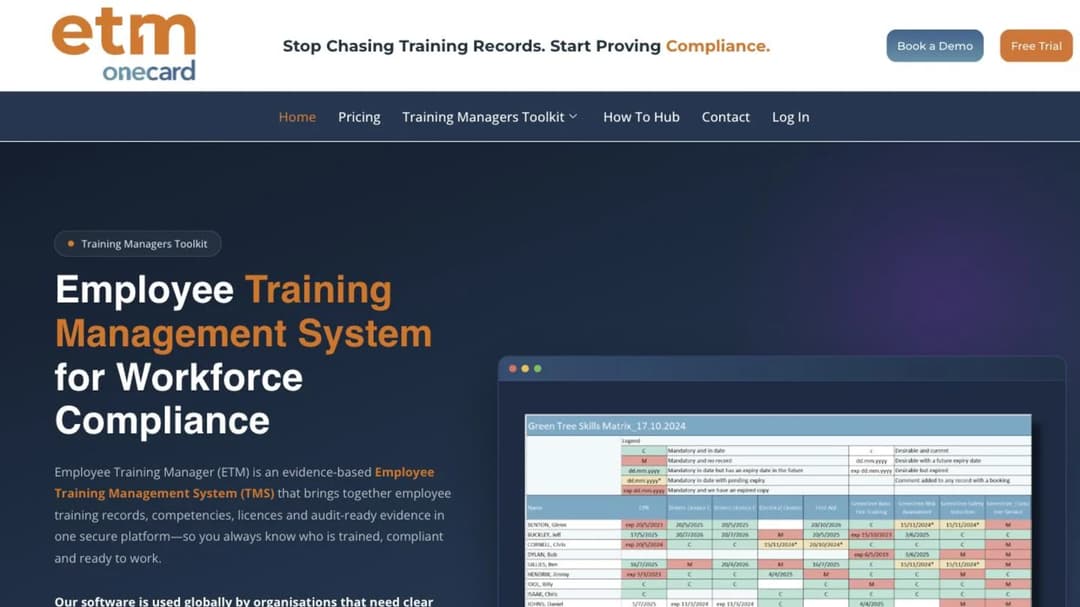
Best for: manufacturing, construction, logistics, utilities and healthcare teams whose deliverable is an audit-ready record, not a course catalog.
Top Features
- Training management system for records, competencies, licenses and compliance evidence
- Cloud-hosted, with no course delivery by design
- Sits beside an existing LMS rather than replacing it
- Published entry price for a named headcount
- 14-day trial with no credit card
Employee Training Manager draws the line between the two products more plainly than anyone: “A Learning Management System (LMS) delivers training content. A Training Management System (TMS) manages the evidence of training, competency, compliance and workforce capability.”
You’re buying a register, not a library. If training already happens in classrooms, toolbox talks or another platform, and what’s missing is one place showing who holds which competency, this is the category.
In a feature grid next to a mid-market LMS it looks thin, because it doesn’t do what the grid measures. Next to a spreadsheet the week before an inspection, it looks like the serious option.
Pricing: from $49 a month for up to 30 employees, with a 14-day free trial and no credit card, as of September 2026. Larger teams have to ask.
Pros
- A published price for a stated headcount
- Built around competencies and licenses, not completions
- States plainly that it isn’t a learning platform
Cons
- Delivers no training, so a company without an LMS needs a second system
- The published figure stops at 30 employees
- Records and delivery sit in two systems, so completions have to reach it from somewhere
2. Training Manager by Kaizen Software
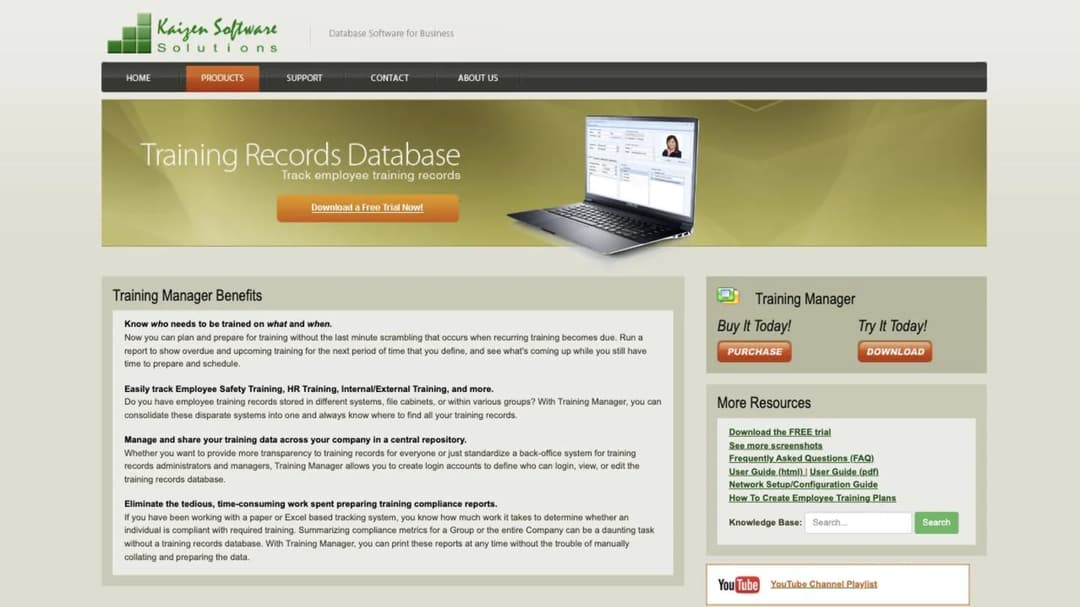
Best for: small and mid-sized operations that need a register to survive an inspection and would rather buy it once than subscribe.
Top Features
- Assignment by individual, job function or group
- Retraining on calendar time, course version or one time only
- Printable compliance status reports and employee transcripts
- Audit-trail report of data changes
- Class-session reminders sent through your own Outlook
Training Manager is a training-records database, run on your network or as a web edition. It tracks status across the company, drills down to one person, and prints reports built to show compliance. It also tracks training cost by group, person, course or supervisor.
The retraining rule is why it’s here. Retraining can fire on a new course version, not just a date. When a procedure is rewritten, everyone who took the old version becomes due again, with no spreadsheet edit. Most learning platforms can’t express that rule.
There’s no e-learning delivery in it. You bring the training, and it holds the proof.
Pricing: a perpetual license, as of September 2026. Standard Edition for one user is $495 and Enterprise Edition for unlimited users is $995, bought once. The Web Edition is priced “Based on personnel”. A trial version can be downloaded.
Pros
- $995 once for unlimited users, with nothing to renew
- Version-triggered retraining as well as calendar intervals
- An audit trail of changes to the records themselves
Cons
- No course delivery, authoring or learner experience
- The network edition assumes IT support a small HR team may lack
- The web edition publishes no price
Delivery Platforms With Renewal Built In and a Published Price
Five platforms that run courses, renew requirements and publish at least one number you can budget with. They differ on floor, meter and where the content comes from.
3. iSpring LMS
Best for: employers of 100 to 500 people who want recertification, reporting and authoring from one vendor, at a price they can model before the call.
Top Features
- Automated compliance assignment with re-enrollment and certificate-expiry tracking
- Reports down to single quiz and simulation attempts
- iSpring Suite authoring included: courses, quizzes, simulations and video
- Own course library plus Udemy, Go1, LinkedIn Learning and GoodHabitz
- Native iOS and Android apps with offline learning
Among platforms that show a price, iSpring LMS gives the fullest answer to the first test. Assignment, re-enrollment and certificate expiry are documented as one automated loop. Its compliance line names the rules customers train on: HIPAA, OSHA, FDA, AML, GDPR, CQC, ISO and HSE. Those are training topics, not certifications iSpring LMS holds.
iSpring Learn became iSpring LMS in October 2025, so an older quote is the same product.
Model the meter before you sign. A user counts as active “if s/he has logged in at least once during a month”, and in refresher month that’s everyone. Its subscription agreement also “expressly disclaims any express or implied warranty regarding system and/or software services availability”, so there’s no uptime commitment in the contract.
Pricing: as of September 2026, $6.91 per user per month at 100 users ($8,286 a year). It’s $4.46 at 300 users ($16,050 a year) and $3.97 at 500 ($23,790 a year). Nothing is published below 100 users. The 30-day trial asks for a phone number, and the FAQ rules out government, nonprofit and academic discounts.
Pros
- Renewal and certificate expiry documented as one feature
- Three published price points with the annual total beside each
- Authoring and a course library in the same subscription
Cons
- No plan below 100 users
- ISO 27001 and ISO 27701 published, with no SOC 2 claim
- No availability warranty in the contract
4. TalentLMS
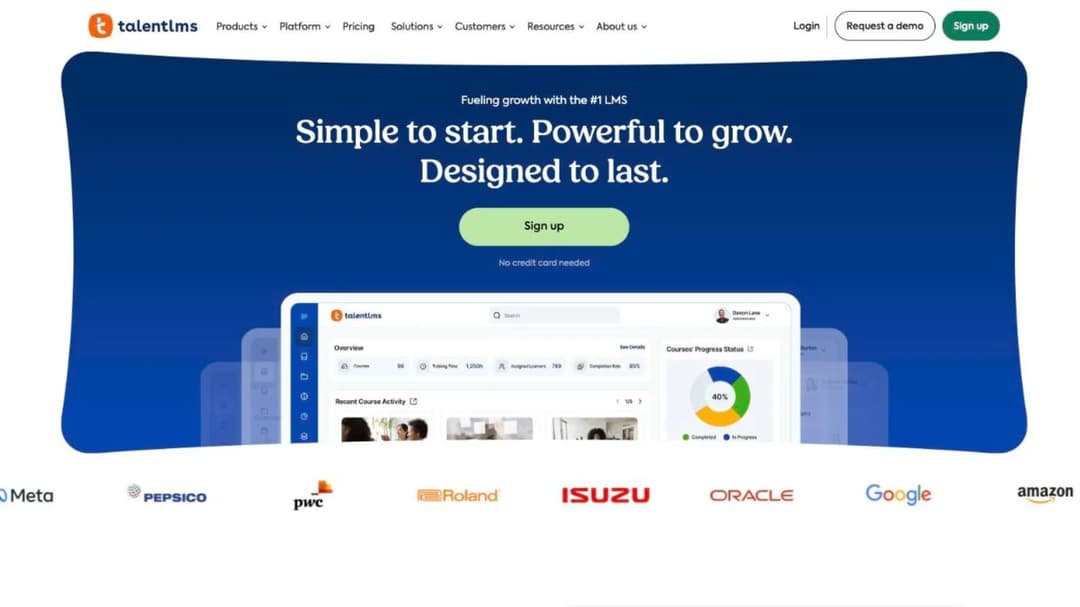
Best for: teams under 100 people who need recertification to run on its own and want to buy this week without a sales call.
Top Features
- Certificate duration from “Forever” to a set period
- Automatic course re-assignment when a certification expires
- Published plan ladder with per-user overage
- Free plan for 5 users and 10 courses
- Content integrations including OpenSesame and LinkedIn Learning
TalentLMS turns recertification into a setting. Give a certificate a lifespan, tick the box that re-assigns the course on expiry, and the renewal runs. For a small team with a few annual requirements, that’s most of the first test passed on day one.
The limits are in the export. SCORM is version 1.2 and import only, and TalentLMS’s own documentation says “it’s not possible to create SCORM files directly on TalentLMS.” That matters less for the record than for the day you change platforms.
It publishes ISO/IEC 27001:2022, three other ISO certificates and CSA STAR Level 1, which is a self-assessment. There’s no SOC 2 report.
Pricing: as of September 2026, a free plan covers 5 users and 10 courses. Core is $119 a month for 1 to 40 users and Grow is $229 for 1 to 70. Pro is $449 for 1 to 100, plus $6 per additional user. Annual billing takes 20% off, and Enterprise starts at 1,000 users, or 500 on the flexible option.
Pros
- Expiry-driven re-assignment as a built-in setting
- The full price ladder published, including the free plan
- Buy and configure the same day
Cons
- SCORM 1.2 import only, with no export
- No SOC 2 report, and STAR Level 1 is self-assessed
- Plan and user band both move the price
5. Tovuti
Best for: employers of around 100 learners who want renewal automation, a built-in library and one annual number, including US public-sector buyers.
Top Features
- Automated assignments and reminders
- Certifications and compliance tracking in the base plan
- Tovuti Stream library of 101 pre-built courses
- SOC 2 Type 2, ISO 27001, VPAT 508 and WCAG 2.1 AA published
- FedRAMP authorization through Knox Systems’ cloud infrastructure
Tovuti is one of very few platforms here that prints an all-in annual figure. Its single plan includes the two features this guide cares about most: automated assignments and reminders, and certification and compliance tracking. There’s no cheaper tier where they disappear.
For a US public-sector buyer, the authorization detail matters. Tovuti states it “is FedRAMP Authorized through Knox Systems’ secure, approved FedRAMP cloud infrastructure”, announced in July 2025. Authorization through a partner’s environment isn’t the same paperwork as your own, so ask which your agency needs.
It publishes no uptime percentage and no per-learner rate above the first 100. Get that rate before you sign, because the published number stops where growth starts.
Pricing: “$7,500 / year for your first 100 learners, then scales”, billed annually, as of September 2026. AI authoring (WayPoints AI) and LMS-as-a-Service are priced separately, and there’s no self-serve trial.
Pros
- One annual figure with compliance tracking included
- A built-in library of 101 courses
- WCAG 2.1 AA and VPAT 508 published
Cons
- No published rate above 100 learners
- No uptime percentage
- No trial without a sales conversation
6. Thrive
Best for: UK employers, or UK-regulated sites, that need certificate expiry managed across locations and can pay for a platform that prints its price.
Top Features
- Renewal periods with expiry flags, reminders and re-enrollment
- Certification tracking with expiry management across franchise locations
- Thrive Content: 2,500-plus resources and six sector suites
- 60-plus integrations, including Workday, SAP SuccessFactors, BambooHR and Okta
- Native iOS and Android apps with offline download
Thrive makes the clearest renewal claim of any platform here: “Certificates expire. Thrive knows when.” You set renewal periods, and the platform flags expiries, sends reminders and re-enrolls people into the refresher. If chasing certificate dates across sites is the job, that’s the most complete answer anyone publishes.
Its content answers a British regulator. The rules named on its hospitality page are Natasha’s Law and Challenge 21/25, and pricing defaults to pounds. For a UK employer that’s a fit, and the hospitality LMS comparison covers it for hotels and restaurants. A US employer should plan to write or license the regulation-specific courses.
Thrive publishes prices without a form, which is rare at this end of the market. It doesn’t publish the billing frequency, a per-user rate or a seat minimum.
Pricing: as of September 2026, the Thrive platform is $77,900 and Thrive Content is $27,000 for a 1-150 learner band. Billing frequency isn’t stated.
Pros
- The most complete published description of renewal automation
- Prices shown without a form or a sales call
- Broad HR system and identity integrations
Cons
- The highest published platform price in this guide
- Compliance content built around UK rules
- Billing frequency and per-user rate not published
7. 360Learning
Best for: employers whose compliance training is mostly written by the people who own the procedure, and who want a per-user price with no minimum.
Top Features
- Collaborative authoring: subject-matter experts write, L&D reviews
- Classroom and virtual sessions with self check-in and e-signature
- Course versioning, plus SCORM, xAPI, cmi5 and AICC delivery
- Content connectors for Go1, OpenSesame, LinkedIn Learning and Udemy
- SOC 2 Type II and ISO 27001 published
360Learning answers the third test differently. The people who know the process write the first draft, and L&D reviews it. For a site-specific procedure, that’s often who should write it.
For evidence, it publishes self check-in “with audit-proof e-signature” for instructor-led sessions. That covers the toolbox talk most platforms record as a manual tick. It doesn’t publish a certificate-expiry or re-enrollment feature, so ask to see renewal run.
If it’s on your list, the 360Learning alternatives split along the same line between writing training and buying it.
Pricing: as of September 2026, Team is $8 per user per month for up to 100 users, monthly, with “no minimum number of users required”. Business and Enterprise are custom. A 30-day trial is offered.
Pros
- A published per-user rate with no minimum
- E-signature at classroom check-in
- Experts can write the procedure training themselves
Cons
- No published certificate-expiry or re-enrollment feature
- No owned course library
- Business and Enterprise pricing is custom
Regulated-Industry Suites: Quote Only
Six platforms that sell to larger employers and life sciences, publish the widest security statements and no price. Expect a demo before a number.
8. Litmos
Best for: mid-market regulated employers who want a ready-made compliance library and a SOC 2 report with its audit window printed.
Top Features
- A curated library of “hundreds of ready-made courses” across compliance, safety and service
- Course expiration, due dates and equivalencies
- SOC 2 Type II and ISO 27001:2022, with audit period and auditor named
- Your choice of EU, Australian or US data hosting
- Enrollment triggered from Workday, ADP and BambooHR
Litmos suits the annual mandatory cycle well. Courses are assigned from HR data, the library covers the common rules, and the security page is unusually detailed. Its SOC 2 Type II covers a “full 12-month audit period 4/1/2024-3/31/2025”, audited by Aprio.
Read the first test closely, though. What Litmos documents is course expiration, due dates and equivalencies: a course re-sent on a schedule. There’s no credential record and no license number, so a certification earned outside Litmos has no home of its own.
Three contract facts matter. Continuing Education and Competencies and Skills appear only from Platinum up. Excess seats cost 1.5 times the per-user fee if the order form sets no other rate. And its Cloud Terms of Service bar protected health information, which is decisive if patient data is in scope.
Pricing: three tiers, Foundation, Platinum and Platinum AI, each listed as “Contact for Pricing”. A subscription rolls into another year unless you give 90 days’ notice.
Pros
- A ready-made compliance library maintained by the vendor
- SOC 2 Type II with audit window, auditor and scope published
- A choice of hosting region
Cons
- Course recurrence rather than credential-based recertification
- Excess seats at 1.5 times the fee
- No price at any tier
9. Cornerstone
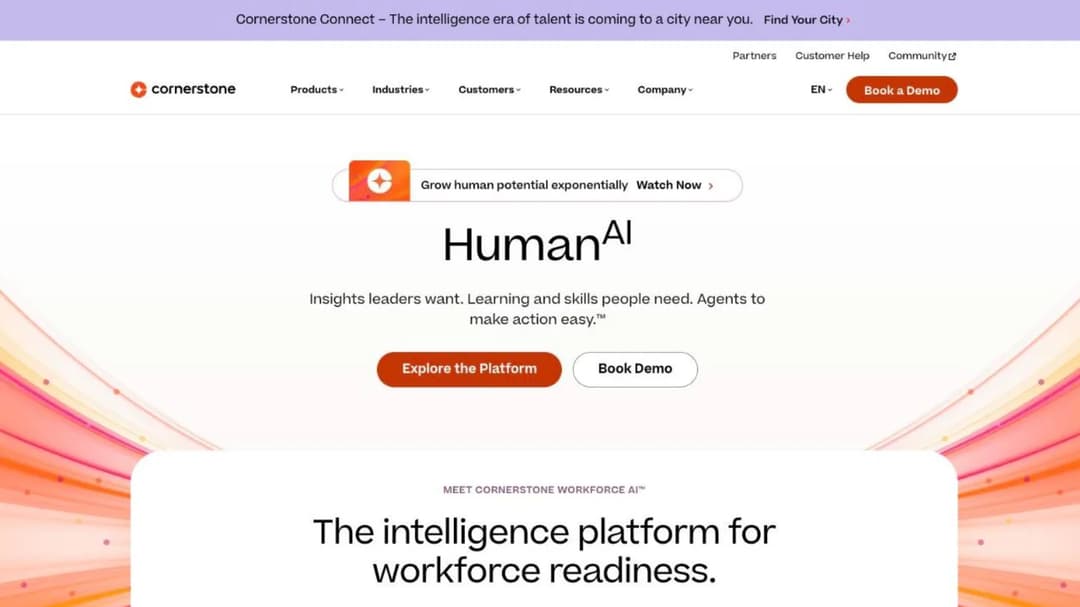
Best for: enterprises and public-sector bodies buying a talent suite in which compliance training is one module among several.
Top Features
- Auto-assign required training by role, location and policy
- “Real-time proof of compliance for audits”
- Content subscriptions from 6,800 to 28,500-plus courses
- 21 CFR Part 11, FedRAMP authorization and DoD IL4
- SOC 2 Type 2 and five ISO certificates, including ISO 42001 for its AI
Cornerstone’s compliance module is built around the first field of the auditor’s record. Requirements attach to role, location and policy, so a new hire at a site inherits that site’s training without an admin touching it. Cornerstone calls the output “real-time proof of compliance for audits”.
It also publishes the widest security list here, and states FedRAMP and DoD IL4 authorization in its own name. For a federal buyer, that can settle the shortlist.
The trade-off is scope and price. Learning is one module in a talent suite with performance, recruiting and succession. Its FAQ says “Each organization will have a different cost depending on needs and size,” and the content subscriptions carry course counts but no price.
Pricing: quote only, as of September 2026. Content subscriptions are Silver (6,800-plus courses, including corporate compliance), Gold (27,500-plus) and Platinum (28,500-plus), none priced.
Pros
- Assignment by role, location and policy
- FedRAMP authorization, DoD IL4 and 21 CFR Part 11 published
- A large compliance content shelf
Cons
- No price for the platform or the content
- A talent suite may be more than a compliance buyer needs
- No hosting region or uptime figure published
10. Docebo
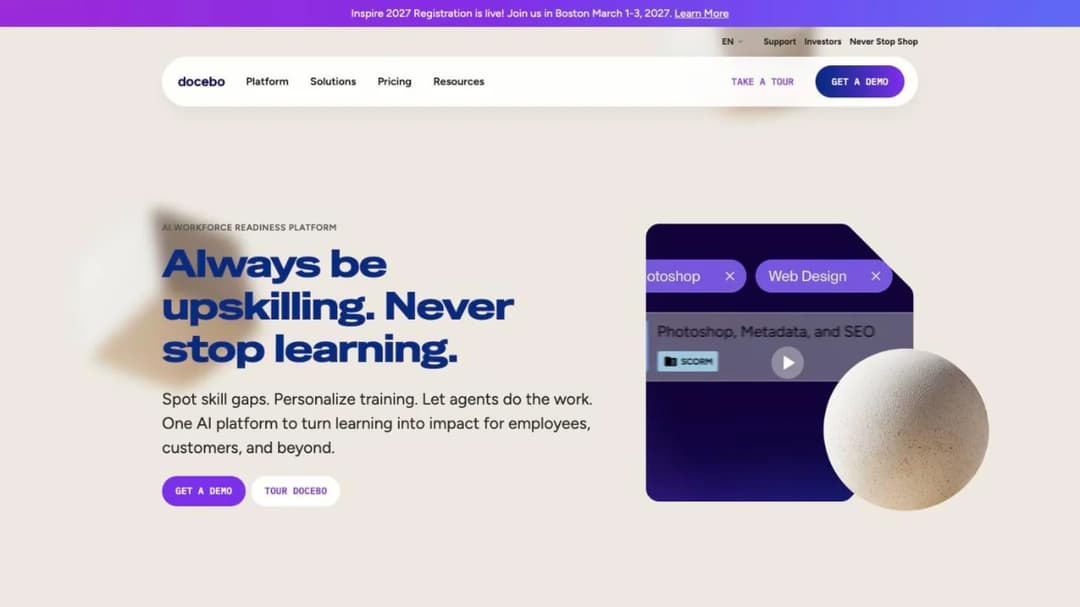
Best for: regulated employers of 250-plus learners who need compliance training in many languages and a very large content marketplace.
Top Features
- Compliance training in 50-plus languages
- Content Marketplace of 30,000-plus courses from OpenSesame and Go1
- Support for FDA 21 CFR Part 11 and EU Annex 11
- SOC 2 Type II, ISO 27001 and four other ISO certificates, PCI DSS Level 2
- Monthly, yearly or registered active-user billing
Docebo is the biggest name in the category. For a multinational with obligations in several languages, its content and language coverage are hard to match. Support for both 21 CFR Part 11 and EU Annex 11 matters to life sciences firms working on both sides of the Atlantic.
Its public material says more about content than about renewal. Make recertification the first thing you ask to see: one certificate expiring and the re-enrollment firing. It publishes no HIPAA statement and no business associate agreement.
Where it stops is commercial, not technical. There’s no published price and the meter is negotiated, and Docebo suggests it suits organizations training at least 250 learners — guidance on fit, not a hard floor. The Docebo alternatives go through its contract clause by clause.
Pricing: quote only. Billing on monthly, yearly or registered active users, agreed in the contract.
Pros
- Compliance training in 50-plus languages
- 21 CFR Part 11 and EU Annex 11 support published
- A 30,000-course marketplace
Cons
- A 250-learner floor
- No price and a negotiated meter
- No HIPAA statement or business associate agreement
11. Absorb
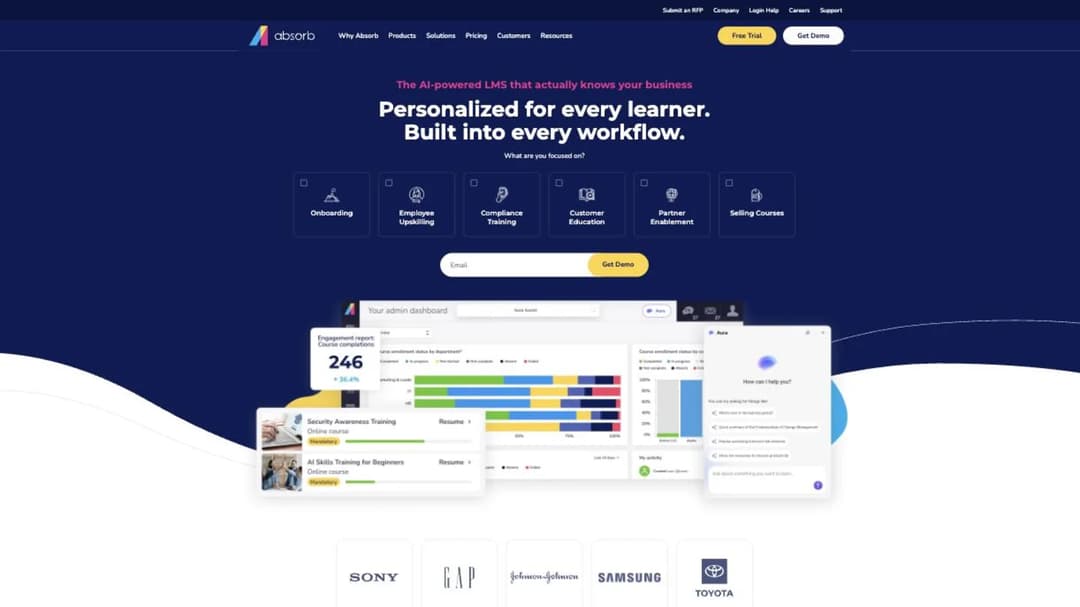
Best for: medtech, pharma and other life sciences employers that need 21 CFR Part 11 e-signatures and observed competency checks in a mainstream corporate LMS.
Top Features
- 21 CFR Part 11 support, with SOC 2 Type 2, WCAG 2.1, GDPR and PCI
- Observation-checklist competency module
- SCORM 1.2 and 2004, with Absorb Create publishing to SCORM, xAPI and HTML5
- Connectors to Workday, UKG, ADP and SuccessFactors
- 24/7 support included at no extra cost
Absorb’s site now sits at absorbai.com, but the product is still called Absorb LMS and the company you contract with is still Absorb Software Inc; an older quote naming Absorb LMS describes the same company. For compliance it earns its place on two things: 21 CFR Part 11 support for electronic signatures, and an observation checklist that records a supervisor watching someone do the task — often the evidence a skills requirement needs.
Three lines in the terms decide what you’re signing up for. Seats “cannot be decreased during the relevant subscription term”, so the number to buy is the headcount you have, not the one you’re planning. Freeing a seat means deleting the person who held it, which is the leaver question again. And historical data import stops at 10 hours, after which most services run $200 an hour.
It publishes no ISO 27001, HIPAA or FedRAMP statement and no uptime percentage. The Absorb alternatives cover the full terms.
Pricing: not published. The pricing form asks for a learner band, from 1-50 up to 25,000-plus, before anything else.
Pros
- 21 CFR Part 11 and observed competency checklists
- SCORM in and out, including SCORM 2004
- 24/7 support included
Cons
- Seats can’t be reduced mid-term, and freeing one means deleting a user
- Services beyond the included hours at $200 an hour
- No price, and no ISO 27001, HIPAA or FedRAMP statement
12. SkyPrep
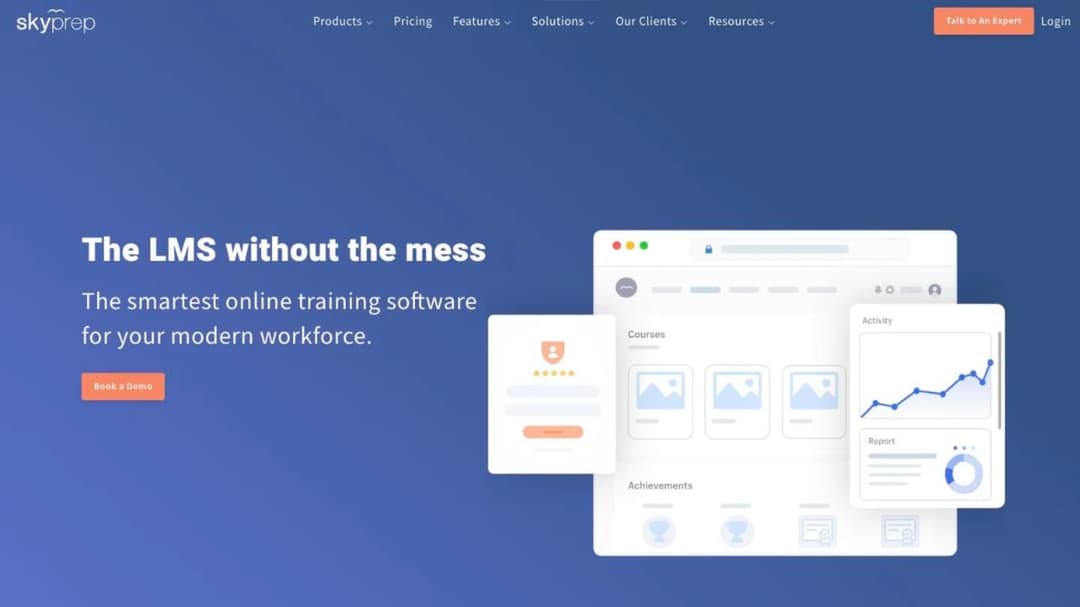
Best for: regulated employers of 100-plus active users, FDA-regulated ones especially, who want audit trails and e-signatures at mid-market scale.
Top Features
- A 21 CFR Part 11 page naming audit trails, versioning and configurable e-signatures
- Login and inactivity lockout controls and unique user IDs
- Course auto-enrollment and automated alerts
- Scheduled reports exported as CSV, XLSX or PDF
- SkyPrep Library plus OpenSesame, Go1 and Marcom content
SkyPrep gives the most specific account of audit evidence among the mid-market platforms. Its 21 CFR Part 11 page lists what a Part 11 reviewer asks about in one place: audit trails, versioning, e-signatures, lockout controls and unique user IDs. Scheduled, exportable reports cover the last field of the auditor’s record.
The contract is the other half. The terms renew automatically unless either party gives notice “no less than sixty (60) days prior to the expiration of the then-current term”. Fees can rise “by up to 15%” at renewal, and there’s no refund on early termination. Put the notice date in your calendar, and check it doesn’t land in audit month.
Billing is on active users, with an overage fee above your limit unless you upgrade before the invoice.
Pricing: not published. Floors are 100 active users on Lite and Premium and 1,000-plus on the Enterprise Learning Suite. A 14-day free trial is offered.
Pros
- Audit trails, versioning and e-signatures described in one place
- Scheduled, exportable reports
- SOC 2 Type II and a downloadable VPAT
Cons
- No price at any tier
- Up to 15% increase at renewal, on 60 days’ notice
- Active-user overage in a busy month
13. CYPHER Learning
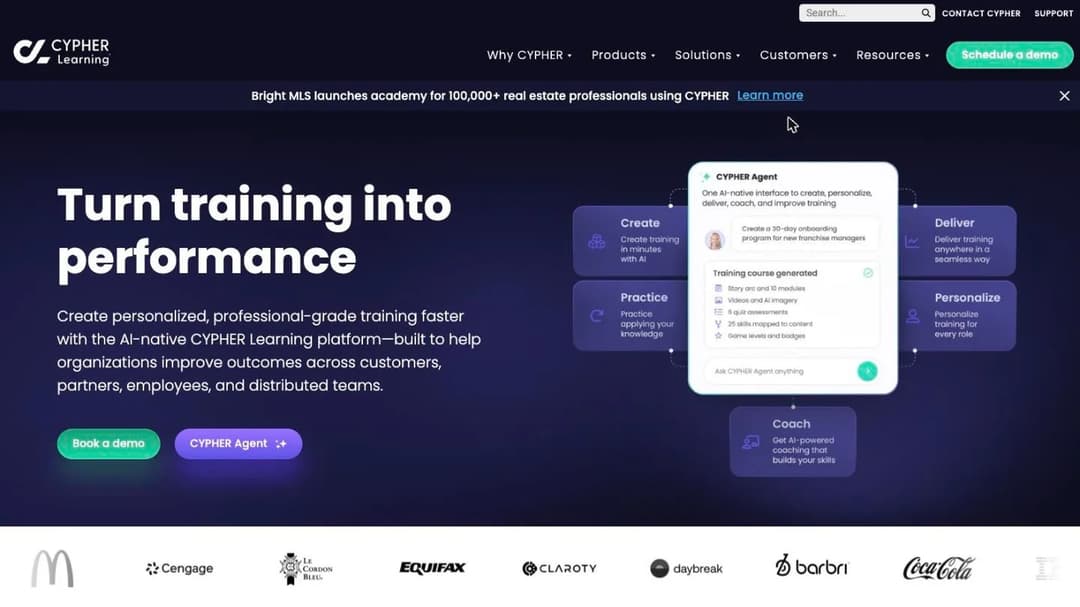
Best for: mid-market employers training staff, franchisees and partners on one platform, who want renewal windows and compliance dashboards without buying a library.
Top Features
- “Compliance validity windows and countdown reminders”
- Automated course expiration and renewal, and compliance dashboards
- 50 pre-built reports, saved and scheduled reports, credit-hour tracking
- 15-plus assessment types
- SOC 2 Type 2, WCAG 2.1 AA and TX-RAMP
CYPHER Learning describes compliance in this guide’s own terms. Validity windows set how long a completion counts, and reminders warn before it lapses. Courses then expire and renew automatically, with dashboards and 50 pre-built reports on top, plus credit-hour tracking for requirements measured in hours.
Plan for the content gap. There’s no bundled library, and its pricing table says “Content not included” beside the third-party integrations. So the renewal engine works on day one, and the courses it renews are yours to build or license. When the same platform also trains partners, the extended enterprise LMS guide covers what changes.
It publishes SOC 2 Type 2, WCAG 2.1 AA and TX-RAMP, and no ISO 27001 or HIPAA claim.
Pricing: not published. Two tiers, Enhanced and Enterprise, both behind “Get pricing”, and the trial route leads to a sales form.
Pros
- Renewal windows, reminders and automatic expiry described together
- 50 pre-built reports plus scheduling
- WCAG 2.1 AA stated at a conformance level
Cons
- No content included
- No price and no self-serve trial
- No ISO 27001 or HIPAA claim
The Training Only You Can Write
One product, for a job none of the thirteen above is built for: turning your own policy or procedure into a course before the audit asks about it.
14. Mini Course Generator
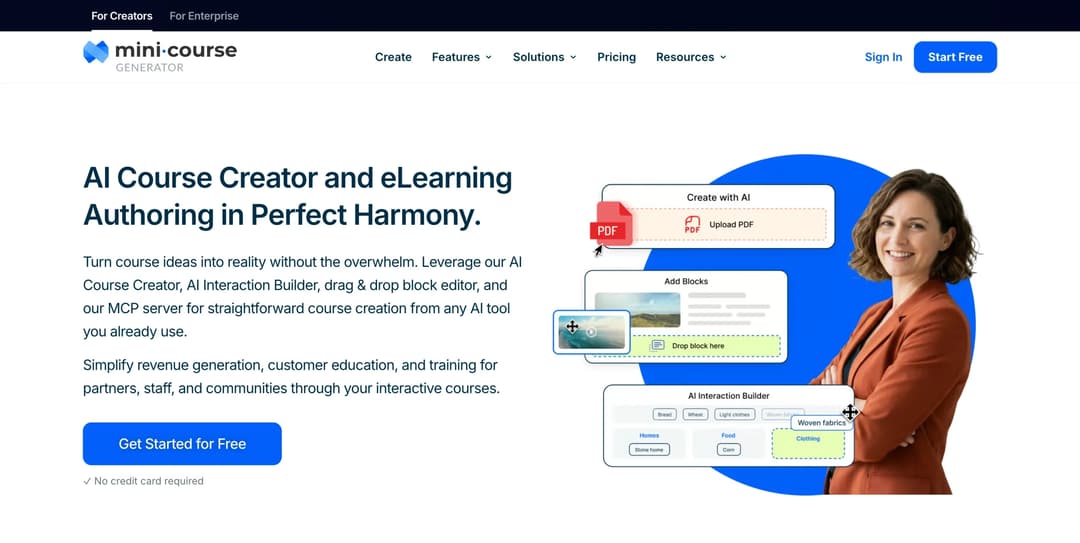
Best for: an L&D manager or compliance lead who has to turn a changed policy or an inspection finding into training this week, to run here or inside an existing compliance LMS.
Top Features
- AI Course Creator and PDF to Course Creator for policies, SOPs and handbooks
- Certificates & Badges and micro-credentialing, with learner tracking and analytics
- Gateways that restrict a course to specific learners
- SCORM or PDF export, plus a SCORM block that plays packages built elsewhere
- Automations through Zapier, Make and webhooks
Mini Course Generator is an AI course creator with a learning platform attached. Point it at a policy PDF or a procedure, edit the draft, and send it to the people it covers the same day. That’s the gap every library leaves, because the course an auditor names is usually one only you can write.
Gateways limit a course to the learners a requirement covers. Certificates, badges and learner tracking record who finished. Automations through Zapier, Make and webhooks can pass course events to the system that holds your record.
If you already run a platform above, the export is the useful part. The pricing FAQ says “Your content is always yours, whatever your subscription status. You can export mini-courses as PDF files or SCORM packages at any time.” Build the procedure course here, export it, and let your compliance LMS own the renewal and the report. The SCORM file explainer covers what that handoff carries.
Every plan opens with 14 days of full access and no credit card. Plans and what each includes are on the pricing page.
Pros
- Turns an existing policy document into an editable course in one sitting
- Certificates, learner tracking and analytics on every course
- SCORM export, so the course can run inside the platform that holds the record
Cons
- Not a records system: no recertification schedule by role, no overdue register, no audit export
- No built-in compliance course library, so every course starts from your material
- No e-signature or policy attestation workflow, and it publishes no SOC 2 report, no ISO 27001 certificate and no security page
How to Choose a Compliance LMS
Four questions, in the order they narrow the field. Nothing on a feature list matters until all four have an answer.
Are you buying the record, the delivery, or both?
Start with what’s missing. If training already happens and the audit problem is proving it, you’re buying a register, and the two records systems above do that without moving your courses.
If nothing delivers the training yet, you need a platform that runs courses and renews requirements. If the platform exists but the courses don’t, the gap is authoring, and SCORM authoring tools are a separate shortlist.
Shift-based teams add their own constraints, covered in frontline employee training, the mobile LMS comparison, retail training platforms and the manufacturing LMS comparison for plant-floor sign-off requirements. Multi-site operators should read the franchise training program guide, because requirements often differ by location. Regulated finance teams should also see LMS platforms for financial services, and safety-critical operations the safety training LMS comparison.
The rule: finish the sentence “we are missing the ___” before you contact a vendor. Records, delivery or courses. That word removes two of the groups above.
Does the renewal match how your requirements expire?
Mark each requirement on your list. It’s an internal refresher on a fixed cycle, a certification with its own expiry, a procedure that changes with its document, or a credential earned somewhere else.
Course recurrence handles the first. The second needs renewal periods with automatic re-enrollment, the third a version trigger, and the fourth a credential record. Most employers have at least two kinds.
New-hire requirements add another layer, which the onboarding LMS comparison covers. If people earn certificates from outside providers, online training with a certificate explains what those do and don’t prove.
The rule: in the demo, ask the vendor to expire one certificate and publish a new version of one course. Then ask who became due. If either needs a workaround, count it as missing.
Can you buy it, and can you leave it?
The floor comes first. Docebo’s own guidance points at 250 learners and up, SkyPrep’s hard floor is 100 active users, and iSpring LMS publishes nothing below 100.
Under the floor, no feature matters, and the platforms that sell to a small business is the shorter list. If budget is the limit, free LMS options show what you give up.
Then the exit. SkyPrep needs 60 days’ notice and allows up to 15% more at renewal. Absorb’s seats can’t be reduced mid-term. Litmos renews for a year on 90 days’ notice.
None of that is unusual, which is why it’s worth checking against your audit calendar. A notice window that closes in refresher month is a decision you’ll make badly.
The rule: get three dates in writing before signing: the notice deadline, the renewal date and the last day you can export completion history. If any falls in audit month, negotiate it.
Will it connect to where your people data lives?
Assignment by role only works if the platform knows each person’s role, site and start date. That lives in your HR system. If the sync is manual, every hire, transfer and leaver becomes a job someone forgets.
Ask whether the HR connection is native or runs through a connector, which plan includes it, and who maps the fields. What an LMS integration involves is worth reading first.
The rule: ask the vendor to show a new hire arriving from your HR system and inheriting the right requirements automatically. If the demo needs a CSV upload, the first field of the auditor’s record is manual.
Now Over to You: A Shortlist That Survives the First Request
Write your requirements down first: who each one covers, how it renews, and what you’d hand over. Send every vendor the auditor checklist above. Ask them to run it live against your requirements, including one expired certificate and one new course version.
Put the floor and the meter in the same email. Cross off anyone who can’t sell at your headcount, or whose active-user billing your compliance month can’t absorb. Most shortlists end at three names after that.
Then handle the part no platform supplies. The procedure that changed last month and the finding from your last inspection both need a course before the next audit. Draft them from the documents you already have, and see what an AI LMS handles for you when the source is a policy PDF.
Frequently Asked Questions
What is a compliance LMS?
It’s a learning management system built to prove required training happened. It assigns training by role or site, sets due dates, records completion with a timestamp, renews requirements and exports a report an auditor can read. A general LMS records that someone finished a course. A compliance LMS records that the right person finished the right version on time.
What is the best LMS for compliance training?
It depends on what’s missing. For the record alone, Kaizen’s Training Manager or Employee Training Manager. For renewal automation with a published price, iSpring LMS or Tovuti at 100-plus users, or TalentLMS for smaller teams. For 21 CFR Part 11, SkyPrep, Absorb, Cornerstone or Docebo.
Can we track compliance training in a spreadsheet?
Up to a point. A training matrix template with an expired state covers most of what an auditor needs for a small team. It stops working when nobody notices a date passing, when a policy changes mid-cycle, or when the record has to show who changed it. That’s usually the point to buy a records system.
Is off-the-shelf compliance content enough?
For rules that are the same everywhere, often yes. Libraries from Docebo, Cornerstone, Litmos, Tovuti and iSpring LMS cover the common topics. They don’t cover your procedures, equipment or corrective actions, which auditors ask about by name. A branching scenario tool helps when that training is a decision rather than a fact.
Does a compliance LMS need SOC 2?
Your IT team may require it, but it’s about how the vendor protects data, not whether your training is compliant. Litmos, Cornerstone, Docebo, Absorb, SkyPrep, Tovuti, CYPHER Learning and 360Learning publish SOC 2. iSpring LMS and TalentLMS publish ISO 27001 instead. Ask which your reviewer accepts before the demo.
Sources
- Employee Training Manager website and pricing
- Kaizen Software Training Manager product and purchase pages
- iSpring LMS pricing page, compliance training page, data security page and services subscription agreement
- TalentLMS pricing page, security page and certification documentation
- Tovuti pricing page, compliance page and FedRAMP announcement
- Thrive pricing page and hospitality and franchise pages
- 360Learning pricing, enterprise, security and product pages
- Litmos plans page, trust and security page, content authoring page and Cloud Terms of Service (December 2024)
- Cornerstone LMS page, compliance management page, content subscriptions and security and privacy page
- Docebo pricing FAQ, product pages and compliance and security page
- Absorb LMS compliance page, SCORM page and Terms and Conditions (absorbai.com)
- SkyPrep pricing page, security page, 21 CFR Part 11 page and terms and conditions
- CYPHER Learning pricing, features and security pages
- eloomi IT security page
- Mini Course Generator pricing page and product documentation


