

A mobile learning management system is sold as one thing and is four. Most teams picture the third shape, training a worker can finish in a basement stockroom with no signal that still produces a completion record, and then sign the first, a course that opens in the phone’s browser. Both are legitimate products. They are not the same purchase, and the difference surfaces on the day someone asks you to produce the record.
The timing is what makes the mistake expensive. Axonify surveyed 450 frontline managers across US retail, hospitality and food service in 2024 and found 44% hiring more seasonal workers than the year before, 61% saying applicant quality had dropped, and 65% reporting they felt overwhelmed heading into peak season. Underneath the spikes, churn is steadier than the folklore suggests: the US Bureau of Labor Statistics puts the annual average monthly quits rate for accommodation and food services at 4.2% in 2025, down from 5.8% in 2021. Steady churn plus seasonal waves means you’ll be starting new people on their own phones, in volume, several times a year.
This guide names the four shapes with a test you can run on each in under a minute, sorts 14 platforms by the shape they actually ship, and gives you the one question that separates the four platforms here that keep an offline record from every other name on the page.
Send a course to a phone with a link, no app and no login – the access model is the part that decides whether a new starter finishes anything.
What Is a Mobile Learning Management System?
A mobile learning management system is a platform that delivers assigned training to a phone or tablet and records who completed what. That is the whole job. Get the lesson onto the device your staff already carry, and get the completion back into a report you can defend.
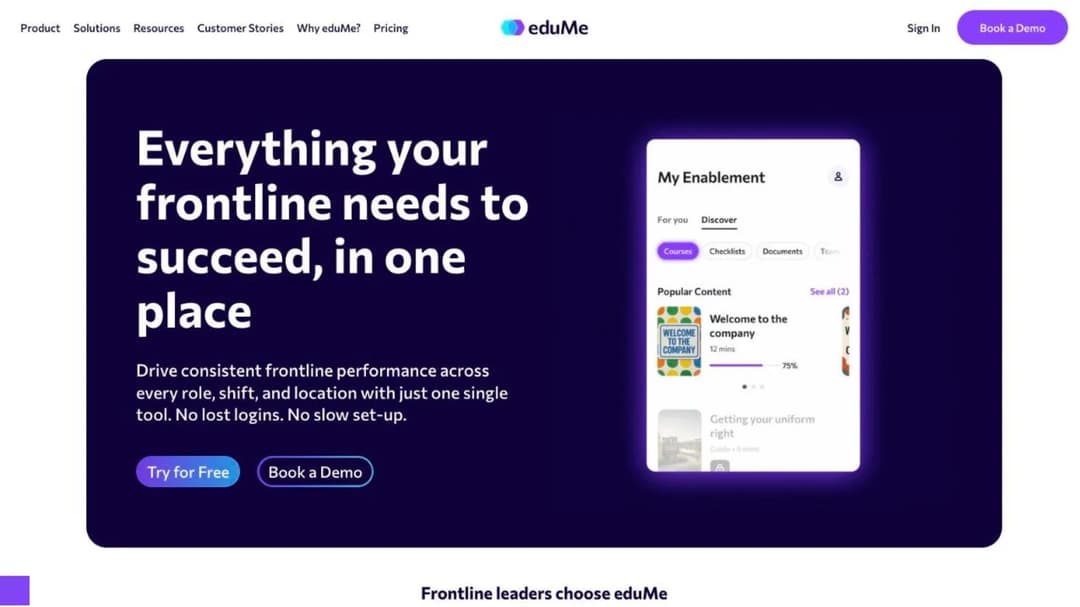
The twist is that “has a mobile app” and “reaches the phone” are two different questions, and two of the most frontline-specialized platforms in the category answer the second by refusing the first. eduMe puts it in writing: “While other platforms require learners to download an app, make an account and remember yet another password, eduMe does not… Learners are able to access training in one tap through tools like Workday and Microsoft Teams, within your proprietary employee app, or alternatively via SMS, email or QR code.”
Bites is blunter: “No apps. No login. Delivered where employees already are – WhatsApp, Teams, SMS.”
Those aren’t small-business compromises. eduMe names Uber, Hilton, 7-Eleven, Home Depot, Grubhub and Marriott among its customers. So before you compare feature grids, stop treating mobile as one column with a tick in it. The column hides the decision.
“Mobile” Names Four Different Products
Four delivery shapes are sold under the same adjective. Each one has a test you can run yourself, from a public page or an app-store listing, in about a minute. Run all four on any platform someone has put in front of you.
A course that opens in the phone’s browser
A link or an embed opens the lesson in whatever browser is already on the handset. There’s no install, no app-store account and no company email address in the way. Training can arrive in a text message, a WhatsApp thread, a QR code taped to the break-room wall, or inside the employee app your staff already open every shift.
The test: can a worker start it from a text message, on a personal phone, with no login?
This is the shape eduMe and Bites have built their whole architecture around, and it’s the shape share links and embedded course widgets produce. The trade is real in both directions: nothing to install, and nothing to fall back on when the signal drops.
If your problem is that new starters never finish anything because provisioning takes a week, this shape solves it on day one. If your problem is a stockroom with no bars of signal, it doesn’t solve anything at all.
A real app in the app stores
Actual iOS and Android builds, a real install, a real login, and usually a push notification. Most enterprise platforms in this article are in this group.
The test: pull up the store listing and read the last-updated date.
Fifteen seconds catches a whole class of dead feature. eduMe’s own app is the sharpest example in the category: version 1.40.0, first released in December 2017, last updated in November 2024, with two ratings on the iPhone listing. The company’s marketing says learners don’t download an app, and the store agrees with the marketing rather than with the feature grid.
An app in the store proves nothing on its own. A listing that hasn’t moved in a year and a half is a feature nobody is maintaining, and you’ll be the one explaining that to a regional manager mid-rollout.
Offline that keeps the record
Content downloads, the worker completes it with no connection, and the completion record survives and reaches the system when the phone reconnects. That last clause is the product. An offline reader and an offline completion with sync are different purchases, and vendors use the same word for both.
The test: does the vendor write a sentence about what happens to the record, not just about reading the content?
Four platforms in this article write that sentence: TalentLMS, Absorb, Mitti and Open LMS. Their exact wording is quoted further down, because here the wording is the product.
An offline completion is a harder problem than an online one, because the record has to sit on the device and be reconciled later instead of written live. That split between content and records is the one SCORM and xAPI draw.
If a missing completion record costs you an audit finding, this is the only group on the shortlist, and the sentence above is what you’re buying.
The device the company owns
Not a phone at all. A kiosk in the back office, a tablet bolted to the wall, a rugged handheld scanner that three people share across a shift. The platform question stops being “does it have an app” and becomes “does its access model assume one person, one phone, one inbox?”
The test: who owns the handset, and can a worker get in without a company email address?
Two vendors have shipped something specific for this. Axonify’s platform page says “Mobile, tablet, kiosk, desktop – the same experience everywhere,” its Zebra Technologies integration promises to “deliver daily training and communications directly on the Zebra devices your frontline uses every day,” and its app listing opens with “NOTE: to use this app you’ll need an access code provided by your employer” rather than asking for an email address. Connecteam ships a separate “Connecteam Kiosk” listing alongside its main worker app, a build whose entire purpose is one device used by a whole shift.
If your shift shares two scanners and half your staff have no work email, the access model matters more than the feature list, and only two platforms here have built for it in product rather than in a sales call.
Shape three is what buyers picture. Shape one is what they usually sign. The gap stays invisible until a completion goes missing in a cold-chain warehouse or a basement stockroom, and by then the contract is signed.
What a Phone-First Rollout Actually Buys You
The case for putting training on phones is usually made in adoption language. The operational case is narrower and easier to defend in a budget conversation, and it comes down to five things.
Completion stops depending on a desk
The only adoption figure any platform in this category publishes belongs to Axonify, and it’s worth reading as what it is: a vendor’s account of its own best customer. Axonify says of Foot Locker that 95% of its North American employees log in, an average of 12.4 times a month, across 44,000 people. Of Marriott, it reports 9,000 locations, more than 800,000 employees, 38 languages and a 20% increase in knowledge.
Treat those as a benchmark and you’ll be disappointed. Treat them as a number to put in front of a vendor who publishes nothing, and ask what monthly log-in rate its comparable customers see.
The other public signal is how many people have rated the learner app, and the spread across these platforms runs to three orders of magnitude: Connecteam 58,108 iPhone ratings, Axonify 28,043, TalentLMS 7,893, 360Learning 6,868, down through Typsy at five, eloomi at four and eduMe at two.
Two platforms on the same comparison grid, with the same tick in the mobile column, can be three orders of magnitude apart in how many frontline workers have ever opened the app. If the rollout mechanics are the part you’re worried about, how frontline training actually gets delivered is the companion question to which platform you buy.
A hiring wave becomes a link, not a rollout
Seasonal hiring is where access models get tested. In Axonify’s 2024 survey of 450 US frontline managers, 44% were taking on more seasonal workers than the previous year and 65% reported feeling overwhelmed before peak season even started. Against a background quits rate of 4.2% a month across accommodation and food services in 2025, the wave lands on top of a floor that never stops.
The question isn’t whether your platform can enroll 60 people. It’s what enrolling them costs in admin time, because provisioning accounts and chasing password resets for a cohort that’s gone by February is the line item that decides whether week-one training happens at all.
If the setting is a store estate specifically, the headcount math works differently and that is its own comparison. The new-starter content itself overlaps heavily with what you already run for permanent hires, which is the argument for treating onboarding software and onboarding-focused platforms as the same build rather than two.
Choose the access model for your worst hiring month, not your quietest one. A platform that needs a work email per person is a platform that needs an IT ticket per seasonal hire.
The audit record survives the dead zone
A completion produced on a phone in a signal dead zone either exists or it doesn’t, and you find out during the audit.
TalentLMS is the only platform here that publishes a limit on its own offline mode. Its sentence carries an asterisk, and the footnote reads “applies to offline compatible content.” What counts as offline-compatible isn’t defined anywhere on the page.
A vendor that publishes the caveat is being straighter with you than one that publishes nothing, and the caveat is still the thing to test before you sign.
Put the exact kind of course you actually build in front of the platform, offline, in the demo. Don’t accept a demo of the vendor’s sample course, which will be the one their offline mode was built around.
Your own SOPs become the content
There’s a fork in this category that costs people money. Some of these platforms deliver training you write. Others sell you a catalog of training somebody else wrote, with delivery attached.
Typsy is the clearest example of the second kind. Its own listing describes “more than 1,500 bite-sized lessons you can watch on demand,” and the subject throughout is Typsy’s library rather than yours.
That’s a good product for a hotel that wants professional hospitality content tomorrow. It’s the wrong product if what you need on phones is your allergen procedure, your till-void policy and your own opening checklist.
A five-minute lesson built from a document you already have is a different unit of work: one outcome, a couple of screens, one check for understanding, editable the day the policy changes. That’s what an AI LMS and interactive course building are for, and a catalog can’t cover it.
Decide whether the gap is “my staff don’t know general hospitality” or “my staff don’t know our way of doing it” before you pay per head for a library.
Fewer apps on the phone, if you can afford the one you keep
Every new app on a worker’s phone has an adoption cost no vendor prices, so the honest first question is whether you need a second one at all.
Connecteam’s app carries 58,108 iPhone ratings at 4.86 and a lot of shift teams already have it for scheduling. Courses live in its HR & Skills Hub, and that’s where the cost hides. Connecteam sells three Hubs separately, Operations, Communications, and HR & Skills, each at Basic $29 a month, Advanced $49 or Expert $99 for the first 30 users, each with its own per-user rate above 30 seats. For HR & Skills that overage is $0.50, $1.50 or $3.00 per user per month by tier, as of September 2026.
So a team that wants shift comms and training buys two Hubs, not one $29 line. The free-for-life plan stops at 10 users, and archived users still count toward your headcount, a trap covered in the free tier comparison.
Putting training in the app your team already opens saves you an adoption battle and costs you a second subscription line. Price both halves in the same conversation, or you’ve swapped one surprise for another.
What to Check Before You Book a Demo
Eight checks, all from public pages and app-store listings, none longer than a minute. Run them before the call and the call gets shorter.
Read the app’s last-updated date
Open the store listing for the learner app and look at when it last shipped. eduMe’s iPhone app hasn’t been updated since November 2024. That’s the cleanest example, and it isn’t the only one.
The learner app for the platform now sold as Mitti is still listed as “EdApp: Mobile LMS,” published by SafetyCulture Pty Ltd. Its iPhone build was last updated in March 2026, and its Android listing was last updated on March 11, 2026, with more than 500,000 downloads. The same publisher’s other app, “Mitti (by SafetyCulture),” shipped an update in September 2026.
Six months of silence on the learner app while the publisher ships continuously on a different app is a resourcing signal, and it’s free to read. Where only the iPhone listing tells you something, keep the claim about the iPhone app.
Count the ratings, not the stars
A 4.7 average means nothing without the denominator. Absorb Learn has 14 iPhone ratings after seven years in the store. Axonify Mobile has 28,043. Both appear on the same comparison grids with the same mobile tick.
Schoox is the case where the count changes a decision outright. The company is mid-migration between two apps: the new “Schoox” app, first released in February 2025, rates 1.64 from 56 ratings, while “Schoox Classic,” in the store since December 2013, rates 3.02 from 180 and its own release notes now open with “We’re moving! You can continue using this app, but Schoox’s new app with its updated user experience is available for you to download.”
Signing Schoox this quarter means choosing between rolling out an app its own learners rate 1.6 and standing up a rollout on the app being retired. That’s a timing decision, and no feature grid will surface it.
Ask what happens to the record, not what happens to the content
This is the question that separates four platforms from everything else on this page. “Offline access” describes reading. “Offline completion with sync” describes a record that survives. Vendors use the same word for both, so read for the second sentence.
Four write it.
TalentLMS: learners “can download courses*, complete them offline, and sync their progress when back online,” with that undefined asterisk.
Absorb: “Learners gain access to offline training by downloading the content to their device and their progress will sync to the LMS once they re-establish a connection.” Mitti says workers “access and complete courses without a connection, and progress syncs the moment they’re back online.”
Open LMS, on its own mobile page: “With our app, you can download course materials, complete assignments, and even take quizzes offline… Once you’re back online, your progress syncs seamlessly.”
Schoox stops one step short. Its app description says “Access learning all the time – even offline,” and its site describes “training materials that can be accessed offline.” There’s no sentence about progress, completion or sync on either surface.
Open LMS is the more interesting case, because its own store listing promises only “download content for offline access” and offline grading for teachers, with no sync sentence at all. The strongest offline promise in the category sits on the marketing page, and the narrower one sits on the listing the worker actually installs.
Here’s the demo question, ready to copy: take a course of the kind we actually build, put the phone in airplane mode, finish it, turn the phone back on, and show me the record. While you’re there, ignore download size as a quality signal. The largest app in this article, Schoox at 266.1 MB, is the one that never says what happens to the record; the strongest offline sentence belongs to a 60.0 MB app; and the lightest client here, at 9.5 MB, is on more frontline phones than either.
One question, asked the same way of every vendor, cuts a long shortlist down to four names.
Check whether the plan table has an offline row at all
Five well-known platforms make no offline claim on any public surface: Litmos, Axonify, 360Learning, eloomi and Typsy. Litmos is the sharpest case, because it publishes a feature table that settles it. The plans page carries a row for “Mobile (iOS & Android)” and no offline row, and the only download mentioned in its app description is “review and download achievements, points, and badges.”
Five platforms that appear in every mobile comparison are shape two, not shape three. For a bakery floor with thick walls or a delivery route through a dead zone, that’s disqualifying, and the plan table says so before a salesperson does.
Find out which name your staff will type into the app store
The name on the contract, the name on the invoice and the name in the app store can be three different strings, and a rollout email with the wrong one costs you a week. eloomi ships as “eloomi Infinite.” The platform sold today as Mitti was SC Training before that and EdApp before that, and its learner app is still called “EdApp: Mobile LMS.” Schoox has two listings live at once, and only one of them is the future.
Get the exact store name in writing before the rollout email goes out.
If you want your logo on the icon, look up the publisher
A branded app is a common requirement and a common promise, and one platform here can be verified rather than believed. “The Flavor Lab” and “FG University” are both published by Schoox, Inc. on the same build as the main Schoox app, which is what a customer-branded deployment looks like from the outside. Schoox offers “a mobile app you can customize for your brand at no additional cost.”
The check takes a minute: look the vendor up as a publisher and see whose apps they’ve already shipped. TalentLMS is the honest contrast, offering “custom, white-labeled mobile apps for Android (additional cost), with customized login screens and company branding,” which is a half-rollout in any workforce with iPhones in it.
If a branded icon is a real requirement, ask for two customer apps by name and go and look at them before the contract.
Get the seat band, not the headline price
Seven of the fourteen platforms below publish no price at all, so you disclose your headcount before you see a number. Six publish a figure, and ours sits on our own pricing page. Every price below is as of September 2026, taken from each vendor’s own pricing page.
| Platform | Published price | What the price covers |
|---|---|---|
| TalentLMS | Free, then $119/mo, $229/mo, $449/mo | Free to 5 users with a 10-course cap; Core covers 1-40 users; Grow covers 1-70; Pro covers 1-100, then $6 per extra user |
| iSpring Learn | $6.91, $4.46 or $3.97 per user per month | $8,286/yr at 100 users, $16,050/yr at 300, $23,790/yr at 500 |
| 360Learning | $8 per user per month | Team tier, up to 100 users; Business and Enterprise quote-only |
| Mitti | $24 per seat per month | Billed annually, $29 monthly; free to 10 seats; training is one of five modules |
| Connecteam | $29, $49 or $99 per month | Per Hub, first 30 users, with per-user rates above that; courses sit in the HR & Skills Hub |
| Typsy | €120 per member per year | Teams up to 100 members; €180 per year for an individual |
| Absorb, Axonify, Schoox, Litmos, eloomi, eduMe, Bites | Not published | Litmos lists Foundation, Platinum and Platinum AI, all “Contact for Pricing” |
TalentLMS’s annual figures assume annual billing, and monthly billing runs 20% higher. Its Enterprise tier starts at 1,000 users, with a Flex option from 500.
Work it through. A 200-person restaurant group reading “$119 a month” is reading a price for 40 people, and its real TalentLMS line is Pro at $449 plus $6 a head for the hundred over the cap. iSpring publishes $6.91 per user per month at 100 users and $4.46 at 300, so the per-seat rate falls while the invoice climbs from $8,286 to $16,050 a year.
The seven that publish nothing tell you something too. Absorb’s form makes you pick a learner band, from 1-50 up to 25,000+, and hand over a work email before any number appears, which is the sales process you’re agreeing to. If buying without a sales cycle matters, the small business comparison is the group half this list fails, and what an LMS actually costs has the wider picture.
The headline number and the covered headcount are two different facts. Write your real headcount at the top of the page before you read a single price.
Ask how a leaver is counted
Two platforms here count people in ways that decide the invoice rather than the rate card, and for a workforce that turns over three times a season that difference is the whole bill.
360Learning documents its model in its own words: “Flexible user models: combine registered and monthly active users in a single contract to support internal and external learners,” and in its pricing FAQ, “We offer flexible user models: registered users, monthly active users, or a mix of both in one contract.” Connecteam counts archived users toward your headcount, which means last summer’s leavers are still on this summer’s invoice unless you clean the list.
Ask one question in the demo. If we hire 80 people in June and 60 of them leave by September, what do we pay in October? Get the answer in the contract, not the call.
The 14 Best Mobile LMS Platforms, Grouped by What They Actually Deliver
There’s no single best mobile LMS, because the four shapes are four different purchases. If training has to finish without a connection, your shortlist is group three and it has four names on it. If the job is getting a lesson to a personal phone this week without provisioning anybody, it’s group one. If the handset belongs to the company and three people share it, group four is where the product thinking has been done.
The platforms below are grouped by how training actually reaches the phone, because that is the decision, and within each group they run from the most frontline-specialized to the most general. Every price, plan limit and offline claim below comes from the vendor’s own pages and app-store listings, quoted as printed, and where a vendor publishes nothing, this article says so. Mini Course Generator is our product, and it’s listed here for the job it does rather than placed above anything else.
| Platform | Delivery shape | iPhone app last updated | Offline: content, record, or neither | Published price |
|---|---|---|---|---|
| eduMe | Pushed into tools staff already use | November 2024 | Neither | Not published |
| Bites | Pushed through WhatsApp, Teams, SMS | No app | Neither | Not published |
| Mini Course Generator | Link or embed, no install | No app | Neither | See pricing |
| Litmos | Native app | July 2026 | Neither | Not published |
| 360Learning | Native app | August 2026 | Neither | $8/user/mo up to 100 users |
| eloomi | Native app (“eloomi Infinite”) | May 2026 | Neither | Not published |
| Typsy | Native app, own catalog | August 2026 | Neither | €120/member/yr |
| TalentLMS | Native app | September 2026 | Content and record | $119/mo for 1-40 users |
| Absorb | Native app | August 2026 | Content and record | Not published |
| iSpring Learn | Native app | September 2026 | Content, record not stated | $6.91/user/mo at 100 users |
| Mitti (EdApp) | Native app | March 2026 (learner app) | Content and record | $24/seat/mo annual |
| Schoox | Two native apps, mid-migration | August 2026 | Content only | Not published |
| Axonify | App on shared and company devices | June 2026 | Neither | Not published |
| Connecteam | App plus a separate kiosk build | August 2026 | Neither | $29/mo per Hub, first 30 users |
Group One: Training That Opens From a Link, With No Install
Nothing to install, nothing to provision, and no offline safety net. The test for this group is whether a worker can start a lesson from a text message on a personal phone with no login.
1. eduMe
Top Features
- Training delivered through Workday, Microsoft Teams or a customer’s own employee app
- SMS, email and QR-code delivery for staff with no company account
- Course, checklist and document formats in a single workspace
- Built for large distributed frontline workforces
- No learner download, no account and no new password to remember
eduMe is frontline enablement built on the principle that the app is the obstacle. In its own words: “While other platforms require learners to download an app, make an account and remember yet another password, eduMe does not… Learners are able to access training in one tap through tools like Workday and Microsoft Teams, within your proprietary employee app, or alternatively via SMS, email or QR code.” Uber, Hilton, 7-Eleven, Home Depot, Grubhub and Marriott are named customers, which is the strongest evidence in the category that no-install delivery is an architecture choice rather than a shortfall.
It publishes no price and routes buyers to a quote. There’s an iPhone listing, last updated in November 2024 with two ratings, which fits a company that tells you learners won’t be downloading anything. Offline is claimed nowhere on its site. For the fuller picture, here is our comparison of eduMe and the alternatives.
Pros
- The only platform here that states one-tap access from inside Workday and Teams as its core delivery model
- SMS and QR delivery removes the company-email dependency entirely
- Named, verifiable enterprise frontline customers across delivery, hospitality and retail
Cons
- No published price and no self-serve path, so the evaluation starts with a sales conversation
- No offline capability claimed, so signal dead zones are unsolved
- The iPhone listing has had no release since November 2024
2. Bites
Top Features
- Short video lessons as the unit of training, rather than long modules
- Delivery through WhatsApp, Microsoft Teams, SMS, Slack and email
- No learner account and no install required
- AI-assisted content creation from existing material
- Built for shift teams on personal phones with no company email address
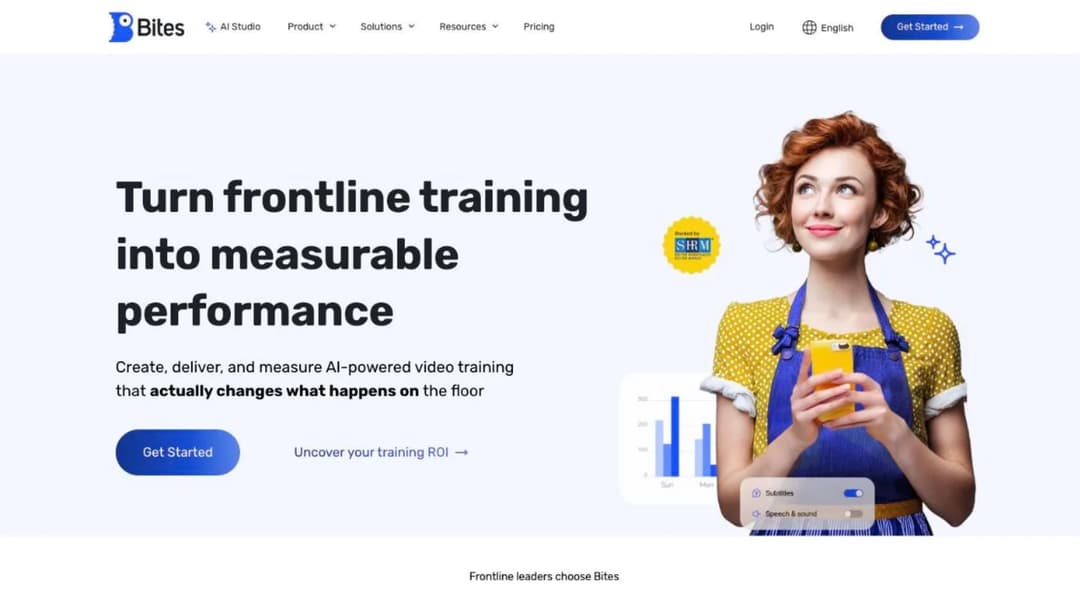
Bites is the purest no-login product in this article. Its own line is “No apps. No login. Delivered where employees already are – WhatsApp, Teams, SMS.” For a workforce that runs on WhatsApp groups, which describes a lot of hospitality and field service, that removes the two steps where frontline rollouts usually die: creating an account and getting the worker to install something.
The format is short video rather than long modules, which suits “here’s how we do the new closing procedure” far better than an annual compliance course. There’s no app in the store, which is consistent rather than a gap. Bites publishes no price and claims no offline capability.
Pros
- Delivery into WhatsApp is unusual in this category and matches where a lot of shift teams already talk
- No account creation at all, so a new starter can be trained before payroll has them
- Video-first authoring suits managers who won’t write a course
Cons
- No published price, so budgeting requires a call
- Nothing downloads, so a stockroom with no signal stops the lesson
- Short video is the wrong unit for training that has to be evidenced in depth
3. Mini Course Generator
Top Features
- Courses delivered as customizable share links and embed widgets (Sidebar, Modal, Embed link, Direct link)
- Gateways: six learner-access options including magic links for password-less access
- AI Course Creator and PDF to Course Creator for turning existing documents into lessons
- SCORM and PDF export, plus dynamic SCORM export
- Learning analytics and learner tracking with certificates
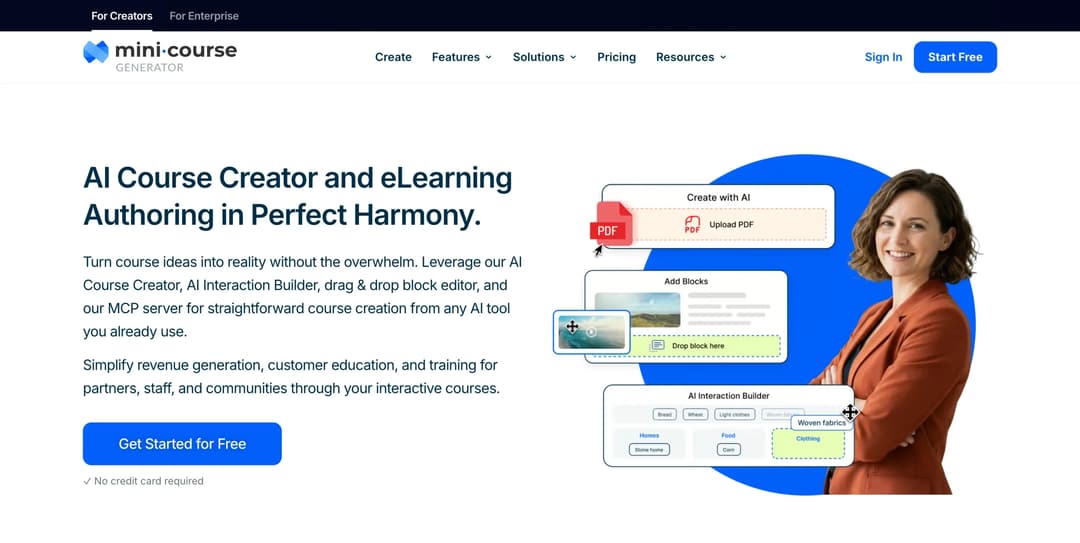
Mini Course Generator is an AI course creator with an LMS attached, and on this page it belongs squarely in shape one. Its own product page puts it plainly: “Every course you create is fully mobile-responsive. Learners can access mini courses from any device through a link or embedded environment.” Gateways are the frontline-relevant part, six access options including magic links, described on-site as “seamless, password-less access.”
No app-store account, no company email address, no password reset at six in the morning.
One distinction matters, because the group heading could flatter us. eduMe and Bites push training into WhatsApp, Teams and a customer’s own employee app, so the platform does the distributing. Mini Course Generator produces a course that opens from a link or an embed, and somebody at your company still sends that link, prints the QR code for the break-room wall, or drops it in the shift group. That’s a reasonable answer for most teams and it isn’t the same product.
Learner allowance is yearly, described in the pricing FAQ as “each plan includes a yearly learner allowance, so occasional visitors don’t force you into a bigger plan,” which is the mechanic that fits seasonal waves.
If the requirement is lessons inside your own product rather than on a link, the REST API and headless LMS for in-app training sit on the Custom plan. Every plan opens with 14 days of full access and no credit card. Figures live on the pricing page.
Pros
- A course reaches a personal phone from a link, a QR code or an embed with no install and no account
- Magic-link access removes the company-email dependency for seasonal and shared-shift staff
- A document you already have becomes a five-minute lesson the same day, and edits go live immediately
Cons
- No iPhone or Android app, and no branded mobile app
- No offline mode. If the stockroom has no signal, this isn’t the tool for that lesson
- No multi-tenancy, so separate franchisee-owned portals are out of scope
Group Two: A Real App, and No Offline Mode in Writing
Four platforms with real builds in both app stores and no offline claim on any public surface. Good products, and the wrong group if a completion has to survive a dead zone.
4. Litmos
Top Features
- Native iPhone and Android apps listed as a plan feature
- Off-the-shelf compliance and skills content library
- Assignment, due-date and certification tracking
- SAP ecosystem integrations
- Reporting and dashboards for multi-site administration
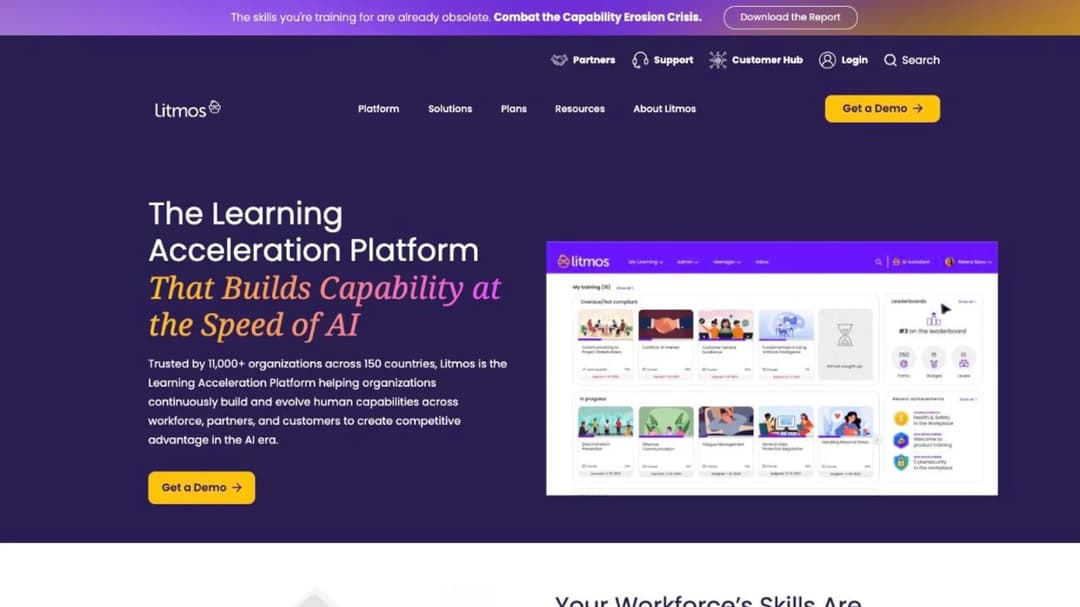
Start with the app, because Litmos has one of the more mature ones here: version 3.1.5, last updated July 2026, 4.59 from 2,493 iPhone ratings, at 41.3 MB. The platform behind it suits mid-to-large companies already inside the SAP and Litmos orbit that want one system for compliance, skills and certification tracking across sites.
Its plans are now Foundation, Platinum and Platinum AI, all carrying “Contact for Pricing,” so any quote with an older tier name attached is out of date. Its plan feature table is also the clearest offline evidence in this article, and it’s an absence: a row for “Mobile (iOS & Android)”, no offline row, and the only download in the app description is “review and download achievements, points, and badges.”
Pros
- Mature, actively maintained app with the second-largest rating count in this group
- Mobile support is stated as a plan feature rather than implied
- Compliance and certification tracking aimed at regulated multi-site operations
Cons
- No published price on any tier
- No offline row in the plan feature table and no offline claim in the app description
- The tier renaming makes older quotes and comparisons unreliable
5. 360Learning
Top Features
- Collaborative authoring, so subject experts build their own courses
- Native iPhone and Android apps
- Published entry price with a stated user cap
- Registered users and monthly active users counted in a single contract
- Internal and external learner support on the same platform
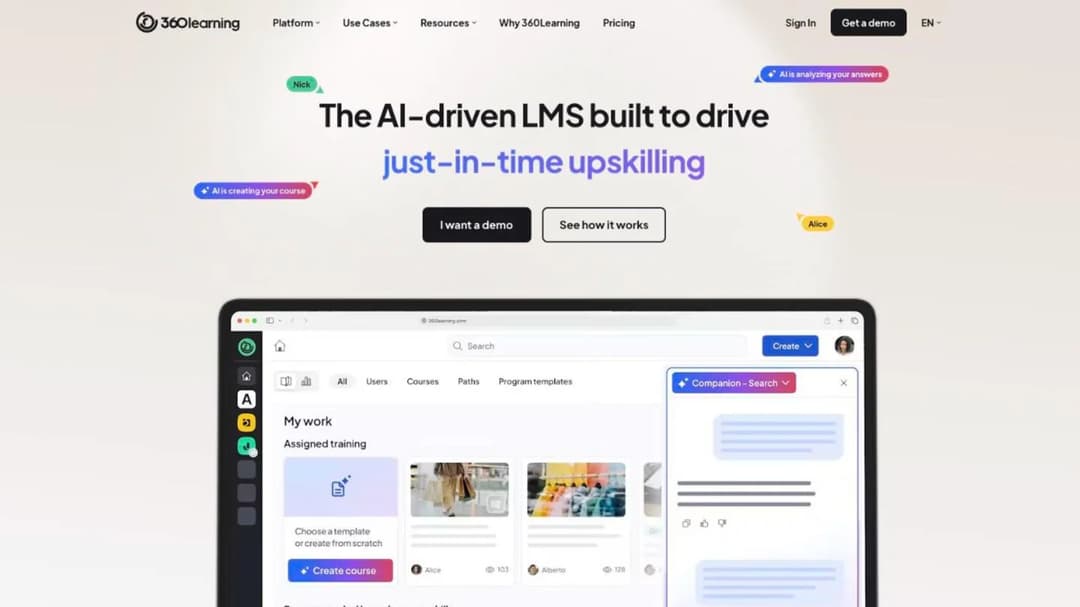
360Learning is built around the idea that your best trainers are already on staff, so a shift supervisor or a head chef builds the course instead of waiting for L&D. The app is version 8.47.0, updated August 2026, 4.87 from 6,868 iPhone ratings, the highest adoption in this group.
It’s also the only platform in group two that publishes a price: Team at $8 per user per month for up to 100 users as of September 2026, with Business and Enterprise quote-only. How it counts users is documented in its own words, “flexible user models: combine registered and monthly active users in a single contract to support internal and external learners,” which matters a lot if your headcount swings. Neither its pricing page nor its app description mentions offline.
Pros
- Published entry price with the covered user count stated alongside it
- How users are counted is written on the pricing page rather than left to the contract
- Strong app adoption relative to everything else in this group
Cons
- No offline capability claimed on any public surface
- The $8 tier stops at 100 users, so anything larger is a quote
- Collaborative authoring only pays off if subject experts will actually write
6. eloomi
Top Features
- Sold standalone or as a module inside Dayforce’s HCM platform
- Learning and performance in one system
- Native iPhone app listed as “eloomi Infinite”
- Course assignment and completion tracking
- Skills and development plans alongside training
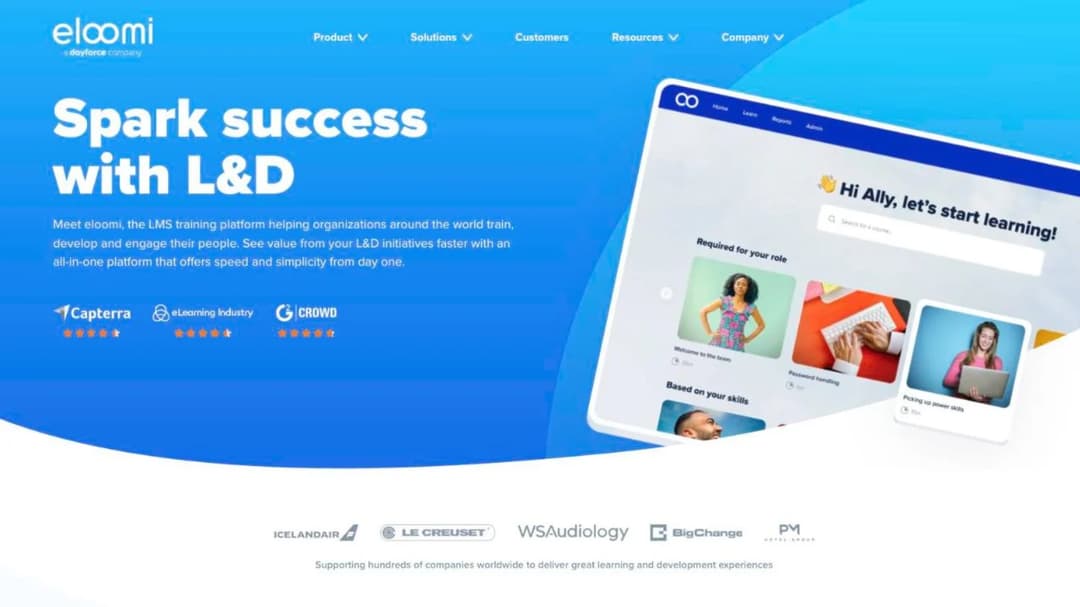
eloomi is a learning and people-development platform, and its most useful distinguishing fact is commercial rather than technical: it “can be bought as a standalone solution or as an integrated solution in Dayforce’s HCM platform,” in its own words. If your company already runs Dayforce, that changes the buying conversation.
The app needs care. It’s listed as “eloomi Infinite,” version 2.0.4, last updated May 2026, 2.75 from four iPhone ratings, and its description tells learners they can “play the courses that have been assigned to you.” That’s playback, not offline. eloomi publishes no price.
Pros
- A genuine option for companies already committed to Dayforce
- Learning and development plans in the same product, not two subscriptions
- Standalone purchase remains available, so the HCM tie is a choice
Cons
- The app carries a different name from the product, which complicates any rollout email
- No offline capability claimed, and the app description promises playback only
- No published price
7. Typsy
Top Features
- A hospitality video library, described in its own listing as more than 1,500 lessons on demand
- Native iPhone and Android apps
- Progress saved across desktop and mobile
- Published per-member pricing
- Team management for venue and group accounts
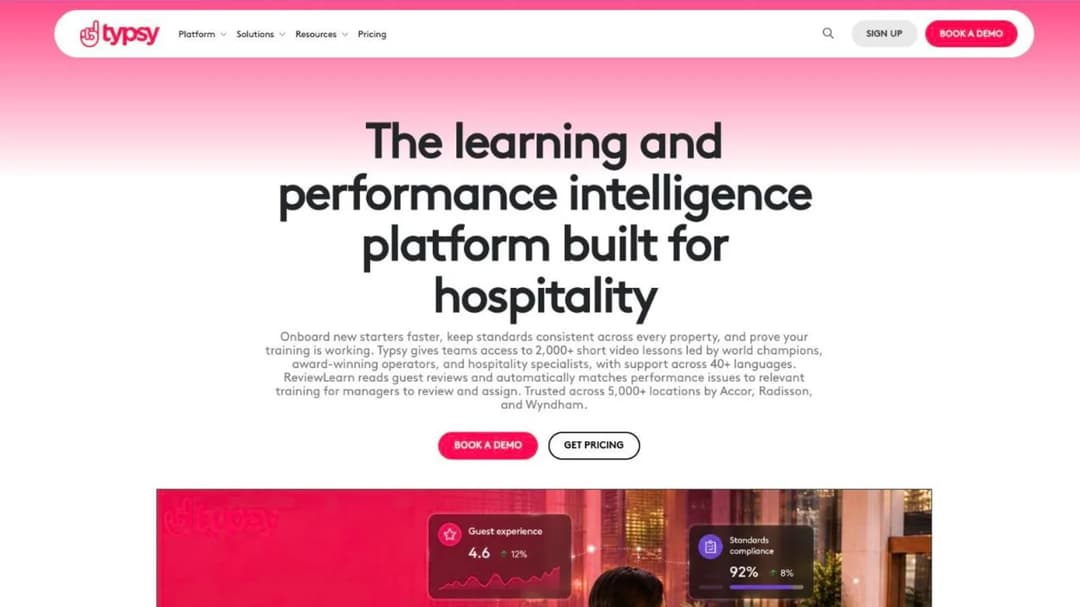
What you buy from Typsy is a hospitality content library with delivery attached, not a platform for your own material. Its listing sells the catalog: “more than 1,500 bite-sized lessons you can watch on demand,” plus “saved learning progress so you can seamlessly continue your learning journey across desktop and mobile devices.” Its site claims more than 2,000 lessons.
Pricing is published and per head: €120 per member per year for teams up to 100 members, €180 for an individual, and a quote above 100, as of September 2026. The app is version 6.1.9, updated August 2026, 4.2 from five iPhone ratings. No offline capability is claimed, and no certificate-expiry tracking either, which matters if you run refresher cycles. For hotels and restaurant groups weighing it against platform-first options, the hospitality comparison covers that fork.
Pros
- Professional hospitality content available immediately, with no authoring effort
- Published per-member price with the team cap stated
- Progress carries across devices, which suits staff who start on a break and finish at home
Cons
- The subject of the product is Typsy’s catalog, not your procedures
- No offline capability claimed and no certificate-expiry tracking claimed
- Per-member annual pricing is expensive for a workforce that turns over
Group Three: Offline That Keeps the Record
Three of the five platforms here write a sentence about what happens to the completion record when the phone reconnects. Two stop at offline reading, and they sit in this group so you can see exactly where the wording runs out. The fourth platform that writes the sentence, Open LMS, comes further down. If an audit finding is the thing you’re protecting against, this is your shortlist.
8. TalentLMS
Top Features
- Offline course completion with progress sync on reconnect
- Native iPhone and Android apps
- Published pricing ladder with user bands stated on every tier
- Custom branded Android app as a paid add-on
- SCORM 1.2 import for existing course packages
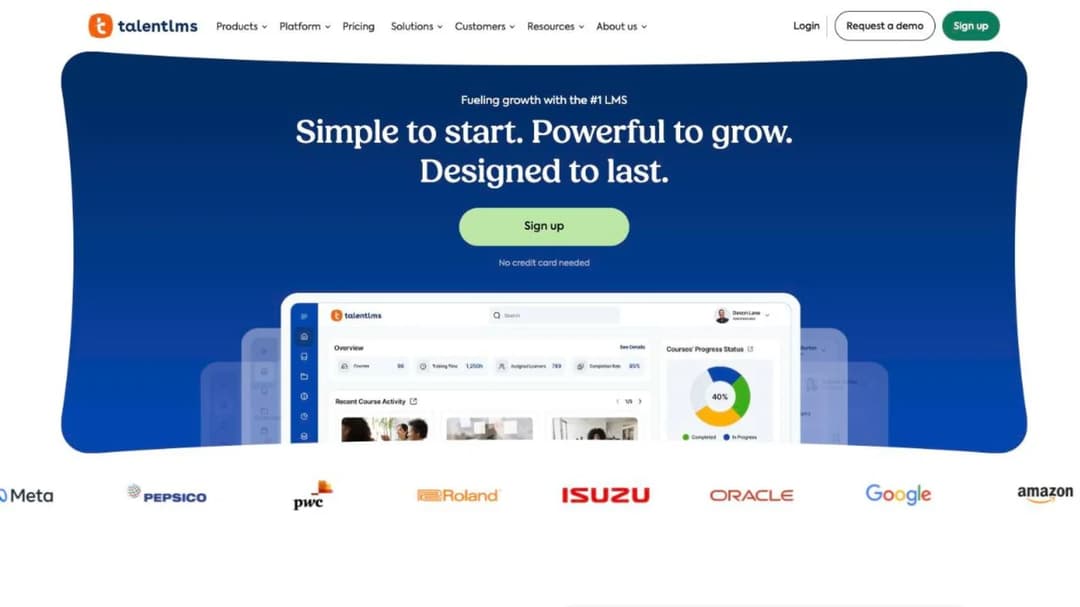
TalentLMS is the easiest platform here to buy, and it writes the offline sentence properly: learners “can download courses*, complete them offline, and sync their progress when back online.” The asterisk footnote reads “applies to offline compatible content,” and the page never defines what qualifies. Publishing the limit is more than most vendors do, and it’s still the thing to test in the demo.
Pricing, as of September 2026 on annual billing: free for 5 users with a 10-course cap, Core at $119 a month covering 1-40 users, Grow at $229 covering 1-70, Pro at $449 covering 1-100 and then $6 per additional user, with Enterprise quote-only from 1,000 users and a Flex option from 500. Monthly billing runs 20% higher. The app is version 4.4.26, updated September 2026, 4.82 from 7,893 iPhone ratings at 60.0 MB. Branded apps are Android-only and cost extra.
Pros
- The only offline claim in this article that publishes its own scope limit
- Every tier states the headcount it covers, so the real price is knowable before a call
- More iPhone ratings than every other platform in this group put together
Cons
- “Offline compatible content” is never defined, so the boundary has to be tested
- The branded app is Android-only and carries an extra charge
- SCORM support is import-only, so packages can’t be taken back out
9. Absorb
Top Features
- Offline training with progress sync on reconnection
- Multi-tenant portals for per-brand or per-location administration
- SCORM 1.2 and 2004 import and export
- Free learner app on iPhone and Android
- Enterprise reporting across large, distributed estates
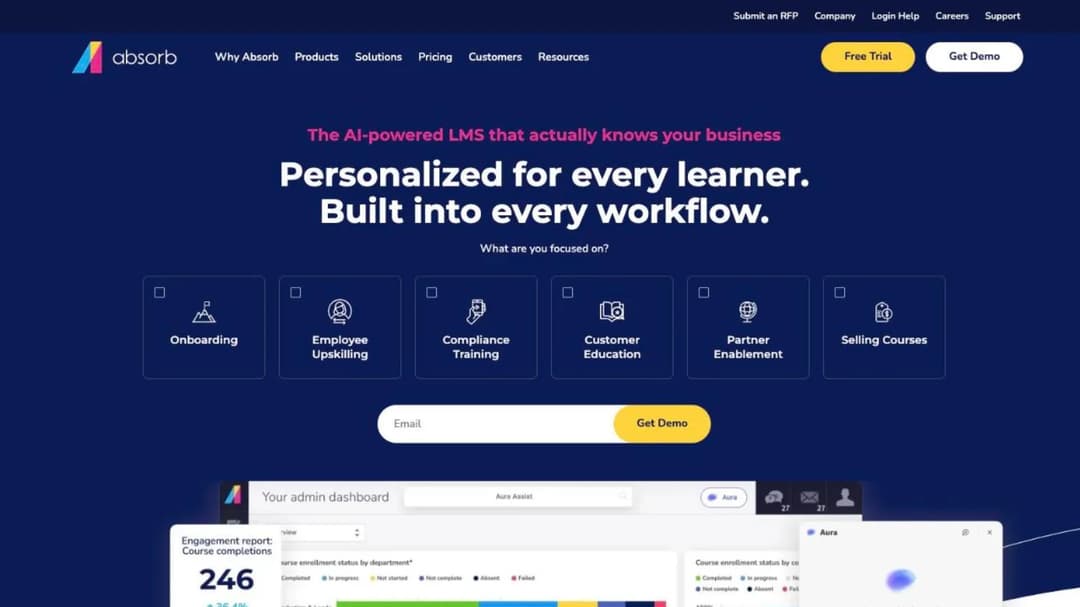
Absorb, which now trades as Absorb AI, is the enterprise option in this group, and its offline sentence is unambiguous: “Learners gain access to offline training by downloading the content to their device and their progress will sync to the LMS once they re-establish a connection.” Its app is “available for free on compatible iOS and Android devices.”
The reason to shortlist it over TalentLMS is usually portals. If you run franchised or per-brand locations that each administer and report on themselves, multi-tenancy is what decides it, and Absorb’s own customer story puts A&W Canada on the platform across 900 locations and 45,000 staff. The app is Absorb Learn version 4.5.0, updated August 2026, at 95.3 MB, with 4.71 from just 14 iPhone ratings. Absorb publishes no price, and its form asks you to pick a learner band, from 1-50 up to 25,000+, and hand over a work email before any number appears.
Pros
- Clear offline-with-sync statement and two-way SCORM support, including export
- Multi-tenant portals for estates where each brand or region administers itself
- One named quick-service estate on it at 900 locations, which is a checkable reference rather than a claim
Cons
- No published price, and a form that wants your headcount and a work email before any number
- Only 14 iPhone ratings after years in the store, which is thin evidence of frontline adoption
- Enterprise-shaped, so a 60-person operator is buying more platform than it needs
10. iSpring Learn
Top Features
- Offline course access, with content saved to the learner’s phone
- PowerPoint-based authoring from the iSpring Suite lineage
- Published per-user pricing at stated headcount points
- Course assignment, deadlines and completion reporting
- Certification and refresher tracking
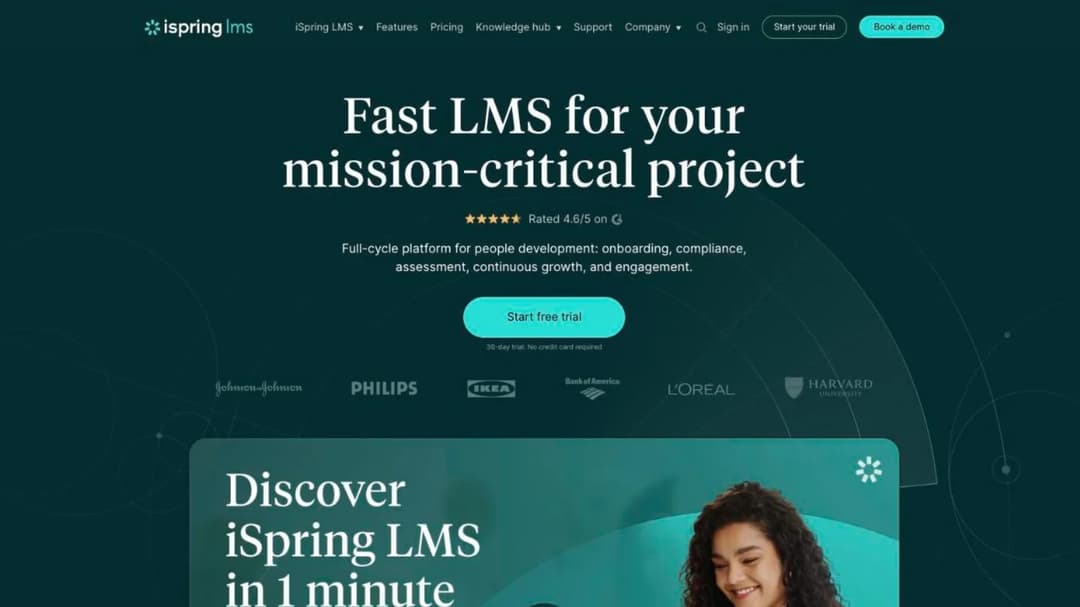
iSpring Learn is the authoring-led option here, and the natural pick for a team whose material already lives in PowerPoint. Its app states the offline half plainly: “Take courses offline: They can save content to their mobile device and access it anytime, even without an internet connection.”
What it never states, on the site, the pricing page or the app listing, is what happens to the record. Offline access is documented and the sync behavior is not, which makes it the first airplane-mode question in this group.
Pricing as of September 2026: $6.91 per user per month at 100 users ($8,286 a year), $4.46 at 300 ($16,050) and $3.97 at 500 ($23,790), with Enterprise quote-only. The app to install is “iSpring LMS,” version 3.103.2, updated September 2026, 4.82 from 447 ratings at 183.7 MB. An older “iSpring Play” app has sat untouched in the store since October 2020, so name the right one in your rollout email.
Pros
- Published per-user pricing at three named headcount points, with the annual total implied
- Offline access stated in the vendor’s own words rather than implied by a feature tick
- Authoring workflow that suits teams with a deck-based back catalog
Cons
- No published statement about what happens to a completion record on reconnect
- A stale legacy app in the store that staff can install by mistake
- A 183.7 MB download, heavier than everything in this group except Schoox, which matters on a shared device
11. Mitti
Top Features
- Offline course completion with progress sync on reconnect
- Training delivered alongside inspections, assets, compliance and insurance
- Free tier for up to 10 seats
- Published per-seat pricing with unlimited seats on the paid tier
- Widely installed learner app with a large Android install base
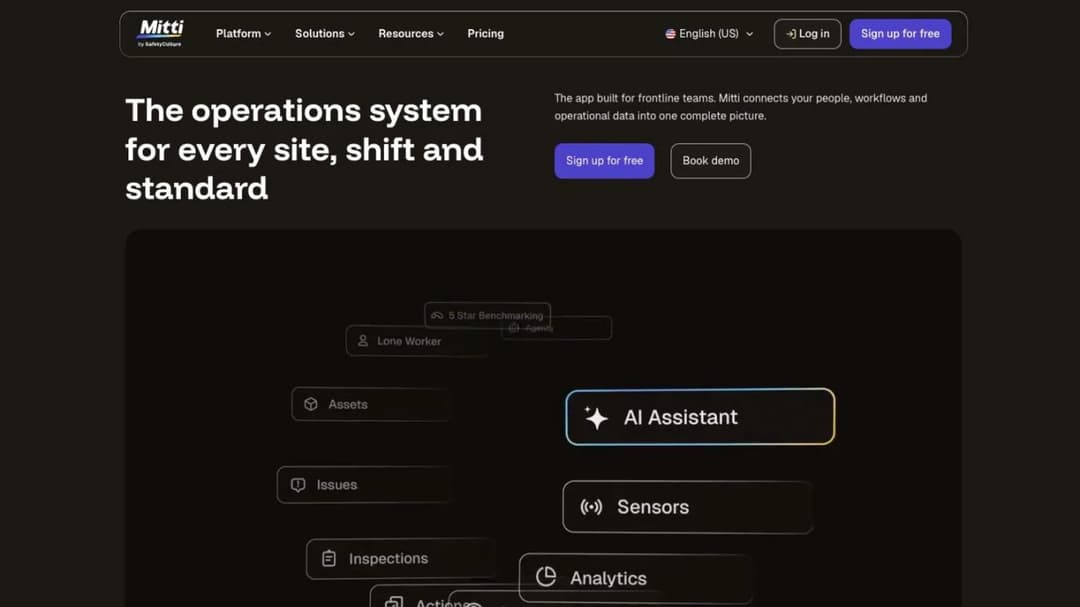
Most people in this category still know Mitti as EdApp. The name chain matters for a rollout: the contract and the invoice say Mitti, the platform was SC Training in between, and the app staff download is still listed as “EdApp: Mobile LMS,” published by SafetyCulture Pty Ltd.
Its offline claim is a proper one: workers “access and complete courses without a connection, and progress syncs the moment they’re back online.” The catch is scope. Training is one module of five, alongside inspections, assets, compliance and insurance, so if you only want training you’re buying an operations suite to get it.
Pricing as of September 2026: free to 10 seats, then Premium at $24 per seat per month billed annually or $29 monthly with unlimited seats, and Enterprise custom. The learner app was last updated in March 2026 on both stores, with more than 500,000 Android downloads and 4.85 from 3,716 iPhone ratings, while the publisher’s other app shipped in September 2026.
Pros
- Clear offline-with-sync statement and a genuinely large frontline install base
- Per-seat price published, with unlimited seats rather than a band
- Inspections and compliance in the same app, if you need those anyway
Cons
- Three brand names across the contract, the platform and the app store
- The learner app has had no release since March 2026 while the publisher ships elsewhere
- Per-seat pricing across five modules is expensive if training is all you want
12. Schoox
Top Features
- Customer-branded mobile apps at no additional cost
- Offline access to training materials
- Built for restaurant, retail and hospitality estates
- Course, certification and career-path tracking
- Multi-language support for distributed workforces
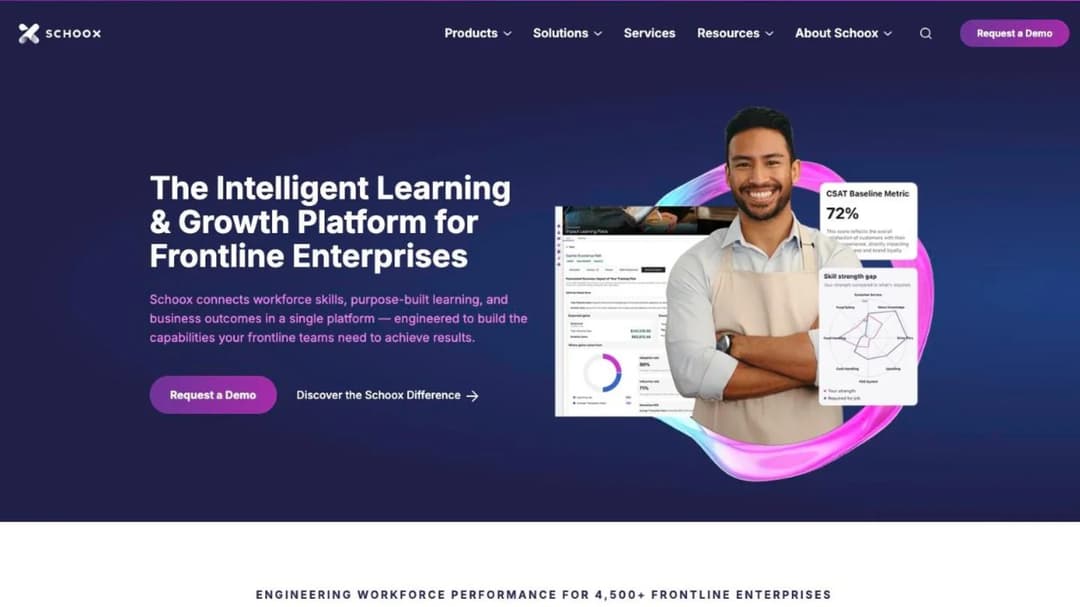
Restaurant, retail and hospitality estates are what Schoox is built around, and it says it carries 4,500-plus customers and 20 million learners. Its distinguishing fact is the branded app, offered as “a mobile app you can customize for your brand at no additional cost,” and you can verify it: “The Flavor Lab” and “FG University” are both published by Schoox, Inc. on the same build as the main app.
Read its offline wording carefully, because it stops a step short of the three above it. The app description says “Access learning all the time – even offline” and the site describes “training materials that can be accessed offline.” Neither says what happens to progress or completion.
It’s also mid-migration: the new Schoox app rates 1.64 from 56 ratings while Schoox Classic rates 3.02 from 180 and carries a “We’re moving!” notice. Schoox publishes no price, describing “a tailored approach to pricing.”
Pros
- The only branded-app promise in this article you can confirm from the outside
- Purpose-built for multi-brand restaurant and retail estates
- Deep tracking for certifications and career paths, not just course completion
Cons
- Offline is stated as access only, with nothing published about the completion record
- Two apps in the store at once, and the newer one is rated 1.64
- No published price
Group Four: Built for the Device the Company Owns
Two platforms have shipped something specific for shared and company-owned devices. The size of this group is the finding: almost everything else in the category assumes one person, one phone and one inbox, and never says so.
13. Axonify
Top Features
- The same experience across mobile, tablet, kiosk and desktop
- Employer-issued access codes instead of personal email addresses
- Zebra Technologies integration for rugged handhelds
- Daily reinforcement built into short sessions
- A 9.5 MB app, the lightest client in this article
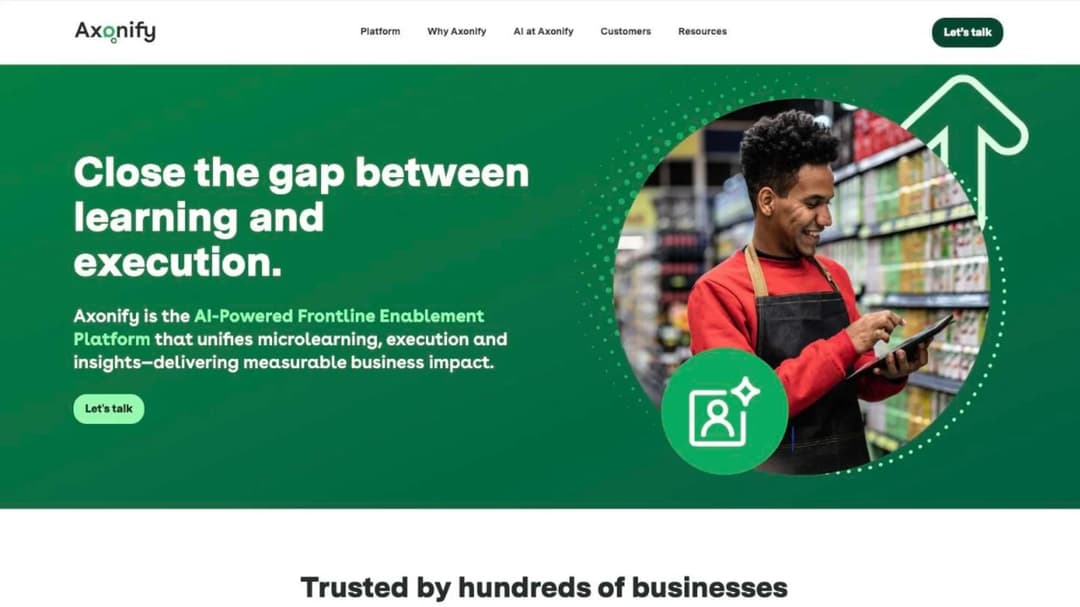
Axonify is the only platform here that names shared devices in product rather than in a sales call. Its platform page promises “Mobile, tablet, kiosk, desktop – the same experience everywhere,” its Zebra integration delivers “daily training and communications directly on the Zebra devices your frontline uses every day,” and its app listing opens with “NOTE: to use this app you’ll need an access code provided by your employer” rather than a sign-up form. Axonify names Walmart, Marriott, Kroger, Lowe’s, AT&T and Foot Locker among its customers.
Adoption is the other reason it’s here: 28,043 iPhone ratings at 4.65 on version 5.11.0, last updated June 2026. It makes no offline claim anywhere, so it’s in this group for the device model rather than the dead zone. Axonify publishes no price.
Pros
- Access codes remove the company-email requirement entirely for shared devices
- Rugged-handheld support is a named integration, not a claim
- The only platform here that publishes what log-in rates look like on a frontline app
Cons
- No offline claim on any surface, so it doesn’t solve the signal problem
- No published price, and an enterprise-shaped sales process
- Daily-reinforcement design suits ongoing habits more than one-off certification
14. Connecteam
Top Features
- A separate “Connecteam Kiosk” app for one shared device per site
- Courses inside the HR & Skills Hub, alongside scheduling and chat
- Free-for-life plan for up to 10 users
- Published per-Hub pricing with a stated 30-user base
- The largest installed worker app in this article
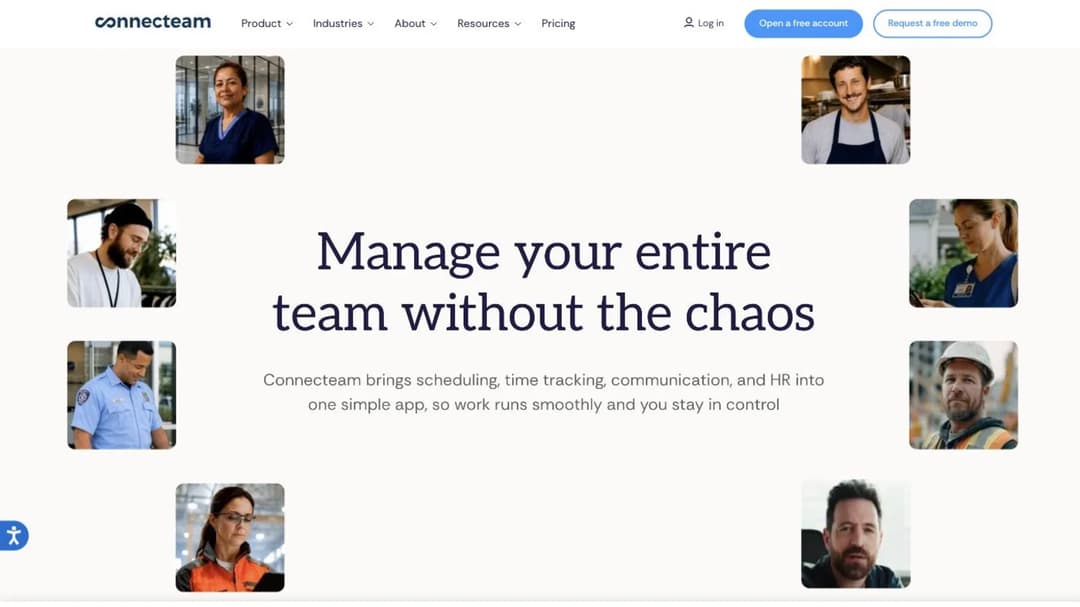
Connecteam is a shift-management app that happens to hold courses, and for a lot of teams that ordering is the right one. Its main app carries 58,108 iPhone ratings at 4.86, more than every other platform here combined, and the separate “Connecteam Kiosk” listing, 4.81 from 229 ratings, exists for the single terminal a whole shift shares.
The commercial model needs reading. Connecteam sells three Hubs separately, Operations, Communications, and HR & Skills, and courses live in the third. Each Hub costs Basic $29 a month, Advanced $49 or Expert $99 for the first 30 users, each with its own per-user rate above 30, plus a free-for-life plan up to 10 users, as of September 2026. Offline appears in neither of its app listings.
Pros
- A dedicated kiosk build, which almost nothing else in the category ships
- Training lives in the app staff already open for their rota, so adoption is largely solved
- Published pricing with a genuine free tier for very small teams
Cons
- Training and comms are separate purchases, so the real monthly figure is two Hubs
- No offline mode, so a lesson in a walk-in freezer stops where the signal does
- Archived users still count toward your headcount
Two More Worth Knowing About: Moodle and Open LMS
Two platforms don’t fit the groups above and shouldn’t be left out of the conversation.
Moodle is the free, open-source answer, and its app is genuinely offline-capable: version 5.2.1, updated July 2026, rated 4.43 from 2,827 iPhone ratings, with a listing that promises access to “courses anytime, anywhere, on the go and even offline” and the ability to “browse course content, even offline.” If offline is the real requirement and budget is the binding constraint, the honest first answer is an open-source one. You pay in hosting and administration instead of license fees, which is a trade worth making for some teams and not others. The free tier comparison has the wider picture.
Open LMS belongs here for a different reason. Its mobile page makes the strongest offline promise in this article: “With our app, you can download course materials, complete assignments, and even take quizzes offline… Once you’re back online, your progress syncs seamlessly.” Its own app listing, published by PeopleFluent and last updated July 2026, promises something narrower, “download content for offline access” plus offline grading for teachers, with no sync sentence at all, and it publishes no price.
That’s the same check this whole article has been handing you, applied to one of the best-known names in the category, and it takes about a minute.
How to Choose a Mobile LMS for Your Team
Four questions settle this purchase, and none of them is about the feature grid.
What are the best mobile learning platforms for frontline teams?
Name your shape first, then the shortlist writes itself.
- No install, no accounts, reach them this week. eduMe and Bites if you want the platform to do the distributing, Mini Course Generator if you’re sending the link yourself from your own material.
- A real app, and offline isn’t a requirement. Litmos and 360Learning for general workforces, Typsy if you’re buying hospitality content rather than building it.
- A completion record that survives a dead zone. TalentLMS if you want to buy without a sales call, Absorb if you need per-location portals, Mitti if you also want inspections, iSpring if your material is already in PowerPoint.
- A shared or company-owned device. Axonify for kiosks and rugged handhelds, Connecteam if the team already uses it for scheduling.
You can cut a list of fourteen to two or three in one move, out loud, before you book anything.
What is an LMS app, and do we actually need one?
An LMS app is a native iPhone or Android build that a learner installs and logs into. A course that opens from a link in the phone’s browser isn’t a lesser version of one, and an app in the store proves nothing on its own.
An install costs you an app-store account, often a company email address, storage on a personal device, and a rollout email somebody has to chase. The two things it can buy back are offline completion and a shared-device access model. If the platform offers neither, the app is friction you paid for.
Make the vendor say what the install buys. If the answer is “notifications,” a link in the shift group chat does that too.
What happens to a completion record when the phone has no signal?
Three answers are possible. The content downloads and the completion syncs back: TalentLMS, Absorb, Mitti and Open LMS say so in writing. The content downloads and nothing is said about the record: iSpring and Schoox. Nothing happens at all, because there’s no offline mode: everybody else here, including Mini Course Generator.
Test it rather than trusting it, with three steps in the demo:
- Ask them to load a course of the kind you actually build, not their sample.
- Put the phone in airplane mode and complete the course end to end.
- Reconnect, then open the admin report and show me the completion with its timestamp.
A vendor that can do this on a call will do it in your stockroom. A vendor that reschedules is answering the question.
Do any of them build the courses, or only deliver them?
Most of this list is delivery. Typsy sells a catalog, which answers what staff should learn in general but never covers your allergen procedure or your cash-handling policy. Mitti sells an operations suite with training as one module of five. Neither turns the SOP on your desk into a five-minute lesson by Friday, which is where an AI LMS and an interactive course builder do the work a library can’t.
Decide whether you’re buying delivery, a catalog, or authoring. Almost nobody sells all three well, and the invoices look nothing alike.
Your setting narrows it further. Hotels and restaurant groups have a seasonal, multi-property shape that hospitality platforms are built around, and restaurant operators narrower still. A plant floor or a maintenance crew is a manufacturing problem of shared terminals and shift patterns.
Agents on a queue belong with call center training and call center platforms, service bays with automotive platforms and the automotive view, and a single site under 50 people with small business tooling. For the wider category rather than the device question, employee training software covers the rest of the field.
Start With the Shape, Then Build the Shortlist
Write down which of the four shapes your completion record depends on before you open a single pricing page. If a record has to survive a signal dead zone, you have four candidates and the rest are noise. If it doesn’t, the offline column stops mattering and access does: who has a company email address, who shares a handset, and how fast you can get a link to 60 new starters in June.
Then run the airplane-mode test on the two you shortlist, with a course of the kind you actually build, and get the seat band written next to every price before you compare anything.
When the gap is your own material rather than the platform, turn the procedure you already have into a five-minute lesson and see what your staff finish.
Frequently Asked Questions
Do our staff need a company email address to take training?
Not necessarily, and this is the question that decides completion rates for shift teams. Axonify issues employer access codes instead, its app listing telling learners they’ll need “an access code provided by your employer.” Mini Course Generator’s Gateways offer six access options including magic links, described as “seamless, password-less access,” so a course opens from a link with no account at all. eduMe and Bites deliver through SMS, QR codes and WhatsApp for the same reason. Most other platforms in this article assume one person, one email address, so ask early.
Can we put the training inside the app our team already opens?
Sometimes, and it depends whose app it is. Connecteam holds courses in its HR & Skills Hub, so teams already using it for scheduling can add training as a second Hub. eduMe delivers into Workday, Microsoft Teams and a customer’s own employee app in one tap. If the app in question is your own product, that’s in-app training rather than an LMS rollout, a Custom-plan answer built on an API, and what a headless LMS is explains the model.
Which of these actually work offline?
Four write the sentence that matters: TalentLMS, Absorb, Mitti and Open LMS all describe downloading content, completing it without a connection, and syncing progress on reconnect. TalentLMS adds the only published limit, “applies to offline compatible content,” which it doesn’t define. iSpring documents offline access and publishes nothing about the record. Schoox describes offline access to materials only. Everybody else here makes no offline claim at all.
What does a mobile LMS cost for 200 people?
It depends on how the platform counts people, not on the headline. TalentLMS at 200 people is Pro at $449 a month plus $6 per user for the 100 above its cap. iSpring publishes $6.91 per user per month at 100 users and $4.46 at 300, so 200 sits between two published points and should be quoted rather than estimated. Mitti is $24 per seat per month billed annually with unlimited seats, and Connecteam is priced per Hub from $29 a month for the first 30 users. All figures are as of September 2026, and what an LMS costs compares the models.
Is there a free mobile LMS?
Yes, with conditions. Moodle is free and open source, and its app is genuinely offline-capable, though you pay in hosting and administration. Connecteam is free for life up to 10 users, Mitti is free to 10 seats, and TalentLMS is free for 5 users with a 10-course cap. Those free tiers are real but small, and the free platform comparison covers where each one stops.
What do we do about a shift that shares two handhelds?
Pick a platform that has built for it. Axonify supports mobile, tablet, kiosk and desktop with the same experience and integrates with Zebra rugged devices, and Connecteam ships a separate kiosk app for exactly this. Everywhere else, expect an access model that assumes one person, one phone and one inbox, which means either provisioning shared accounts or accepting that completions will be recorded against the wrong person.
Sources
- TalentLMS pricing page and mobile product page
- iSpring Learn pricing page and product pages
- 360Learning pricing page and pricing FAQ
- Litmos plans page and platform page
- Typsy pricing page
- Schoox site and pricing page
- Axonify platform page, pricing page and published customer stories, including the 2024 Seasonal Hiring Data survey of 450 US frontline managers
- Absorb site and pricing page
- eduMe site and pricing page, credited without a link
- Bites site and pricing page
- eloomi site and pricing page
- Mitti site, pricing page and training product page
- Connecteam pricing page
- Open LMS mobile app page
- Moodle project site
- Apple App Store and Google Play listings for each platform’s learner app
- Mini Course Generator pricing page and product documentation
- US Bureau of Labor Statistics, Job Openings and Labor Turnover Survey, annual average quits rate for accommodation and food services, 2025
Vendor pages and app-store listings read September 2026. Prices are quoted as published and change without notice, so confirm anything that matters to your decision before you sign.


