

There are 36,207,130 small businesses in the United States, and they employ 45.9% of the private-sector workforce, about 62.3 million people (SBA Office of Advocacy, February 2026). Almost every one of them trains people. Very few of them buy a learning platform built for their size.
The spending gap explains why. Small companies spend more per learner than anyone else, $1,091 a year against $782 at midsize and $468 at large companies, and their people get 37 hours of training a year, down from 42 the year before (Training magazine’s 2025 Training Industry Report, its 44th annual edition, published November 2025). A small business is paying premium unit economics for training and losing hours at the same time.
Software should help with that. Most learning management software is priced and packaged for the company that comes after you.
So this guide starts with price. Every figure comes from the vendor’s own pricing page, worked out as the monthly cost at 25 users and at 100 users. The first finding arrived before the comparison did: four of the ten platforms most often recommended to small businesses will not sell to a 25-person company at all. Their published floor starts at 100 users or $7,500 a year. That is the number this article is organised around, because it decides your shortlist before features ever do.
Try Mini Course Generator free – build your first course from a document you already have.
What Is a Small Business LMS?
A small business LMS is a learning management system sized for a company with roughly 10 to 100 employees: it creates and hosts training content, assigns it to people, tracks completion, and proves who learned what, without the implementation project, admin headcount or seat minimums that enterprise platforms assume. The functional definition is the same as any LMS. The buying definition is different, and it comes down to three things: you can sign up without a sales call, the price scales down as well as up, and one person can run it alongside another job.
Everything else follows from that. A platform can have a beautiful course builder and still be the wrong answer for a 25-person company if its smallest published plan starts at 100 seats.
How We Picked These 10 Platforms
Four rules, applied in this order.
1. Published pricing, from the vendor. Every figure in this article comes from the vendor’s own pricing page. Prices and plan details were checked in August 2026. Where a vendor publishes no price, we say so instead of estimating. This matters more than it sounds, because stale figures circulate for years: TalentLMS’s entry plan is $119 a month, not the $69 still widely quoted; iSpring’s “$2.29 per user” plan no longer exists; and Coassemble’s entry price is $250 a month, not $10. Treat any LMS price without a date as suspect.
2. The entry floor decides eligibility. Can a 25-person company actually buy this today, self-serve, without a sales call? Platforms that fail that test are still listed, because they are recommended to small businesses constantly and you deserve to know before the discovery call. They are just grouped separately and labelled.
3. Recent changes are called out. Several platforms here have rebranded, renamed their plans or withdrawn published prices this year. Where that happened, the entry says so.
4. Disclosure, stated once and plainly. Mini Course Generator is our product, and it is listed first because this is our publication. You should weigh that, which is why we publish the prices that let you check us.
We do not accept payment for placement, and we link every vendor to its own homepage or pricing page so you can verify each claim yourself.
The Entry Floor: What Each Platform Costs at Your Size
The single most useful table in this article. “Entry floor” is the smallest purchase the vendor will accept. Prices are each vendor’s own published figures.
| Platform | Can a 25-person company buy it? | Entry floor | Cost at 25 users | Cost at 100 users | Free plan |
|---|---|---|---|---|---|
| Mini Course Generator | Yes, self-serve | 14-day trial, no card | See pricing | See pricing | Trial only |
| TalentLMS | Yes, self-serve | Free plan, then $119/mo | $119/mo ($1,428/yr) | $219/mo ($2,628/yr) | Yes: 5 users, 10 courses |
| Connecteam | Yes, self-serve | $0 up to 10 users | $29/mo (HR & Skills Basic) | ~$64/mo | Yes: 10 users, all hubs |
| Mitti (was SafetyCulture) | Yes, self-serve | $0 up to 10 seats | $600/mo at $24/seat | $2,400/mo | Yes: 10 seats, basic training |
| Moodle | Yes | $0 self-hosted; $170/yr cloud | $0 + hosting, or ~$23/mo | $0 + hosting, or ~$23/mo | Yes: self-hosted, forever |
| 360Learning | Yes, self-serve | $8/user/mo, capped at 100 | $200/mo | $800/mo | 30-day trial |
| iSpring LMS | No | 100 users, $8,286/yr | Not sold at this size | $690.50/mo | 30-day trial |
| Trainual | Not without a call | No published price + $1,000 setup | Quote only | Quote only | None published |
| Tovuti | Effectively no | $7,500/yr, 100 learners | $625/mo for capacity you will not use | $625/mo | None |
| LearnUpon | No | From 100 users, quote only | Not sold at this size | Quote only | None |
Read the right-hand columns together and the shape of the market appears. Two platforms will take $30 a month from you. Two more will take a few hundred. Four want $8,000 a year or a conversation before they will name a number.
Part 1: Platforms a Small Business Can Actually Buy Today
1. Mini Course Generator
Disclosure: Mini Course Generator is our product.
Top Features
- AI Course Creator that drafts a structured course from a document, deck or help article you already have.
- PDF to Course Creator for turning existing training PDFs into interactive modules.
- AI Interaction Builder: branching scenarios, dialogue simulations, flashcards, drag-and-drop activities and quizzes.
- Delivery without a portal: embed widgets, customisable share links, SCORM export, and magic-link access with no learner passwords.
- Certificates, badges and learner analytics on every paid plan, with the Mini Course Generator badge removable on all of them.
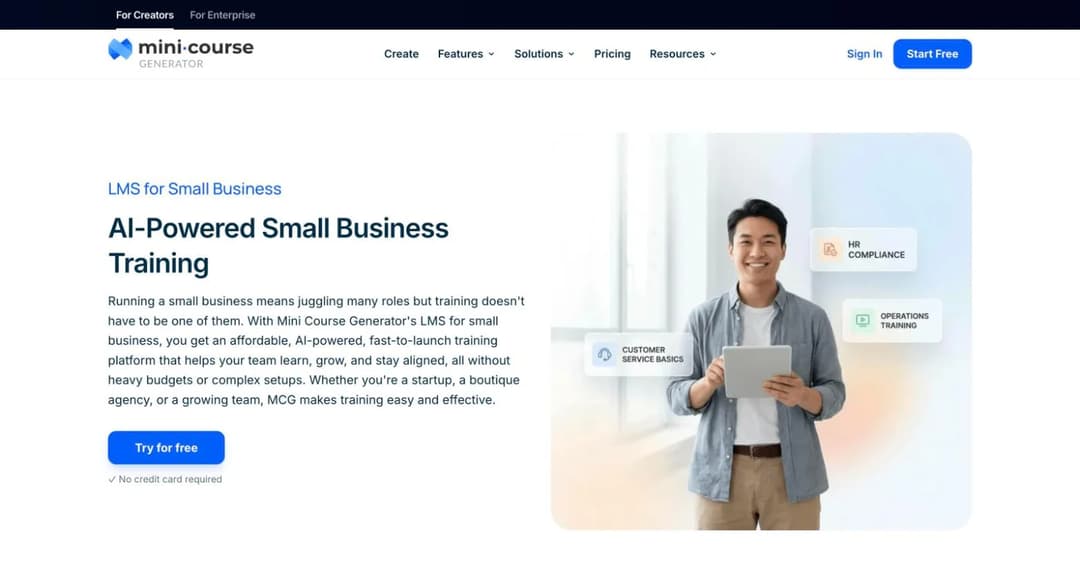
Mini Course Generator is built for the constraint that defines small-business training: the person making the course is not a training professional, and they are doing it between other jobs. You start from material that already exists – the onboarding doc, the safety PDF, the process write-up – and the AI course creator drafts a structured, interactive course from it, which you then edit in your own words. There is no implementation project and no admin certification to sit.
The delivery model is the part small teams tend to underestimate. Courses do not have to live in a portal people must remember to visit; they can be embedded in a page, sent as a link, dropped into a tool your team already opens, or exported as SCORM into another system entirely. For a company where “we sent the training out” usually means an email attachment nobody opened, that difference decides whether the training happens.
Honest limits: there is no free-forever tier, only a 14-day trial with no credit card, so this is not the answer if free is the requirement. Pricing is based on learner volume rather than admin seats, which suits teams training many people occasionally and suits teams with a handful of heavy users less well. And it is a course platform, not an HR system: it will not run your time clock, your scheduling or your payroll.
Pros
- Course creation starts from documents you already have, which removes the blank-page problem that kills most small-business training projects.
- Delivery works without a portal, so training reaches people where they already are.
- Interactive formats (scenarios, simulations, quizzes) are built in rather than bought as an add-on.
- Self-serve from the first minute: no demo call, no implementation fee.
Cons
- No free-forever plan; evaluation is a 14-day trial.
- Learner-volume pricing is a poor fit if you have very few learners and very many courses.
- Not an HR platform: no scheduling, time tracking or payroll.
Best for: a small company that needs training live this month, built by someone whose job is not training.
See plans
2. TalentLMS
Top Features
- Genuinely free forever plan: 5 users, 10 courses, no credit card, no time limit.
- Seat-banded pricing published on the page, from 1-40 users upward.
- Course builder with SCORM and xAPI support, plus a content library add-on.
- Branches for separating departments or client groups (from the Grow plan).
- SSO and API access included at the entry paid tier.
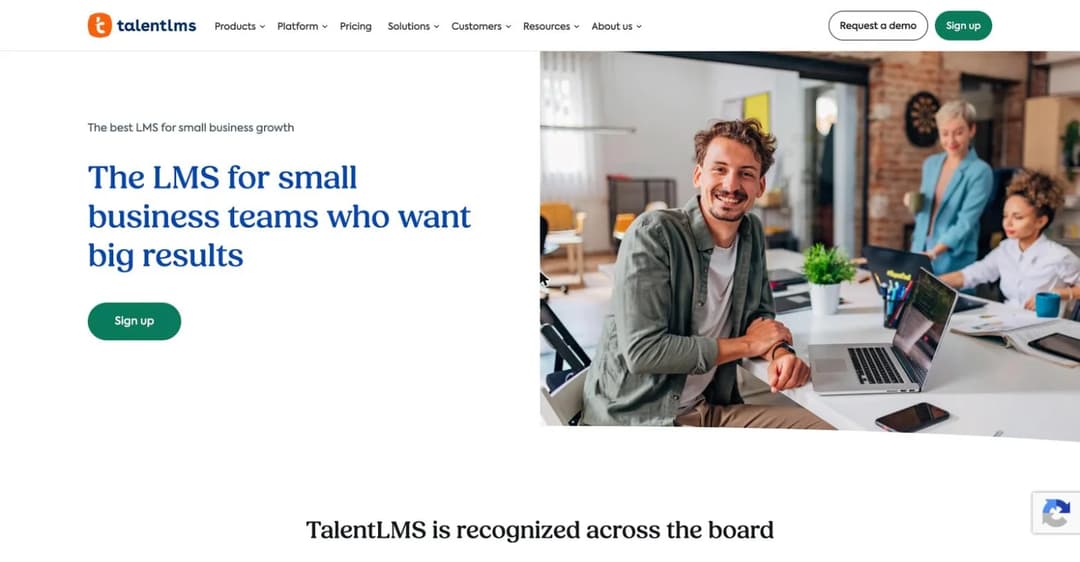
TalentLMS, built by Greek learning company Epignosis, is the closest thing this category has to a default for small companies, and it earns that by being the easiest to buy. The Free plan is a real free plan rather than a trial: five users, ten courses, no expiry, no card. The paid ladder is published in seat bands, so you can work out your bill before speaking to anyone.
The prices moved this year. Core is $119 a month billed yearly for 1-40 users ($149 monthly), Grow is $229 for 1-70, and Pro is $449 for 1-100 with $6 per additional user. The tier names changed too: the old Starter, Basic and Plus plans are retired.
At 25 people you are on Core at $1,428 a year. At 100 people you are in Core’s 71-100 band at $219 a month, which works out to about $2.19 per user per month, and that is among the lowest effective per-user costs in this comparison.
Pros
- The free plan is real and permanent, which makes evaluation genuinely risk-free.
- Published seat-band pricing means you can budget without a sales call.
- SSO and API at the entry paid tier, which usually sits two tiers up elsewhere.
- Reviewers consistently rate setup speed and ease of administration highly (G2 4.6 from 797 reviews and Capterra 4.7 from around 600).
Cons
- Custom reports and analytics are excluded from the Core plan, so reporting-led buyers land on Grow.
- Branding removal only arrives at Pro.
- The interface is functional rather than modern, a recurring theme in reviews.
Best for: the small company that wants a conventional LMS, a real free tier to test with, and a price it can read off a page.
TalentLMS
3. Connecteam
Top Features
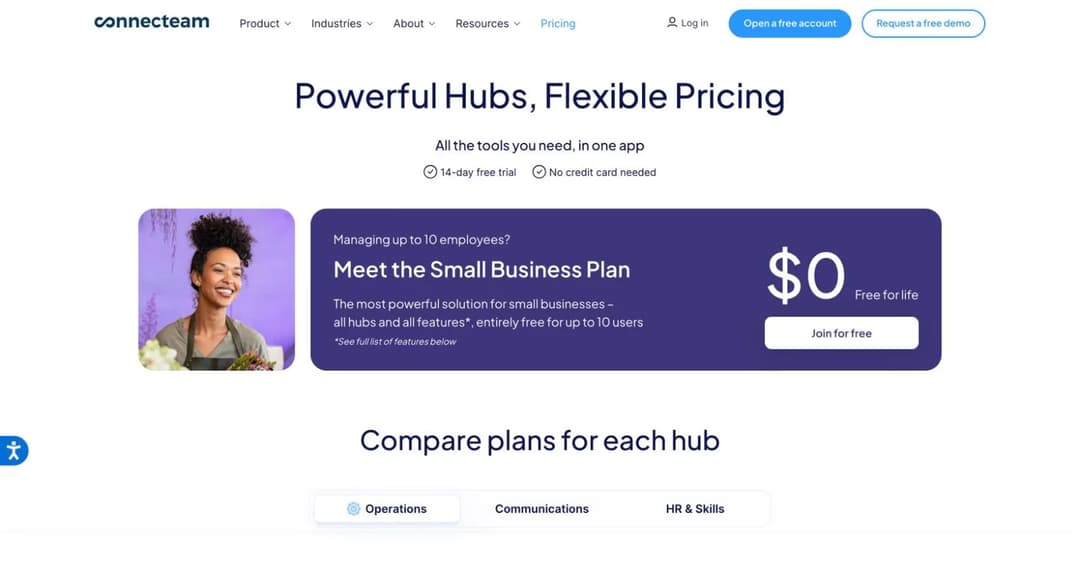
- Small Business Plan: free for life, all hubs and features, up to 10 users.
- Training lives in the HR & Skills hub alongside courses, quizzes, documents, onboarding and org chart.
- Mobile-first microlearning built for people without desks.
- Flat pricing for the first 30 users, then a small per-user increment.
- Time clock, scheduling and task management in adjacent hubs if you want them.
Connecteam is the answer for a specific and very common small business: one where most of the team does not sit at a computer. It is a frontline operations app first and a training tool second, and it prices accordingly. The HR & Skills hub, which is where courses and quizzes live, starts at $29 a month for the first 30 users, then $0.50 per additional user on Basic.
Advanced is $49 and Expert $99, on the same first-30 basis. Annual billing saves 18%.
The free tier deserves its reputation: up to 10 users get every hub and every feature, permanently. For a five-person shop that needs onboarding checklists and a few safety courses, the honest recommendation is that you may never need to pay anyone anything.
Be clear-eyed about what it is. This is not a full LMS: course authoring is simpler than a dedicated platform, SCORM support is not the point of the product, and if your training is complex or compliance-audited you will outgrow the training module before you outgrow the app.
Pros
- A free-for-life plan that includes the training features rather than gating them.
- Flat pricing for the first 30 users, so headcount growth does not punish you immediately.
- Genuinely good on mobile, which matters for deskless teams.
- Training sits next to scheduling and communication, so people open one app rather than four.
Cons
- Course authoring is basic compared with a dedicated LMS.
- Pricing is per hub, so buying training plus operations plus communication multiplies the bill.
- Not the right tool if you need SCORM interoperability or detailed learning analytics.
Best for: deskless and frontline teams under 30 people who want training inside the app they already use for shifts.
Connecteam
4. Mitti (formerly SafetyCulture, formerly SC Training, formerly EdApp)
Top Features
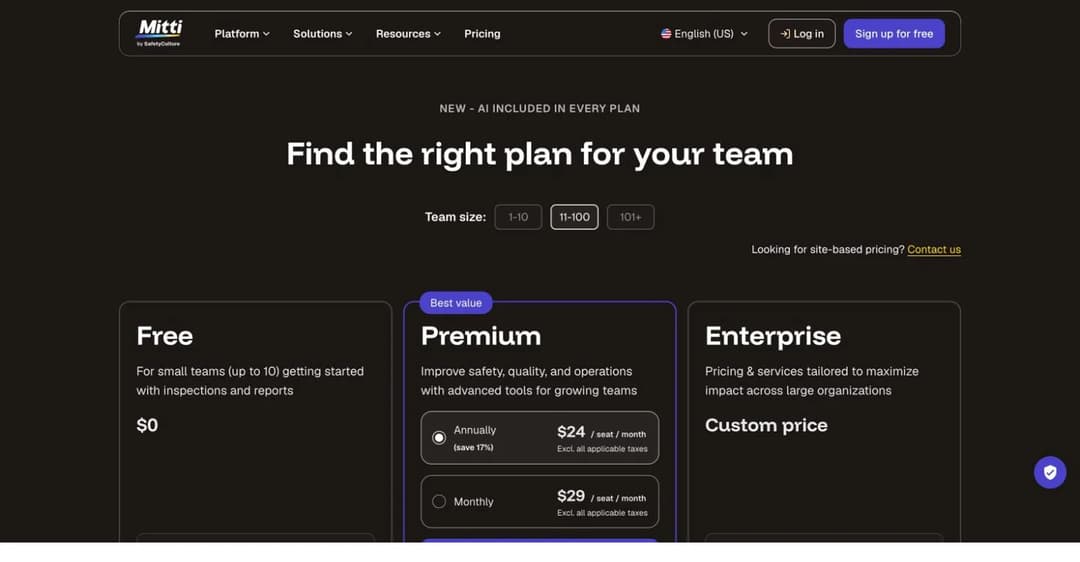
- Free plan for teams up to 10 seats, including basic training.
- Premium at $24 per seat per month billed annually ($29 monthly), with AI credits included on every plan.
- Microlearning-style delivery designed for phones, which suits blended training for shift teams.
- Recurring courses and a training matrix at the Premium tier.
- Inspections, checklists and issue reporting in the same platform.
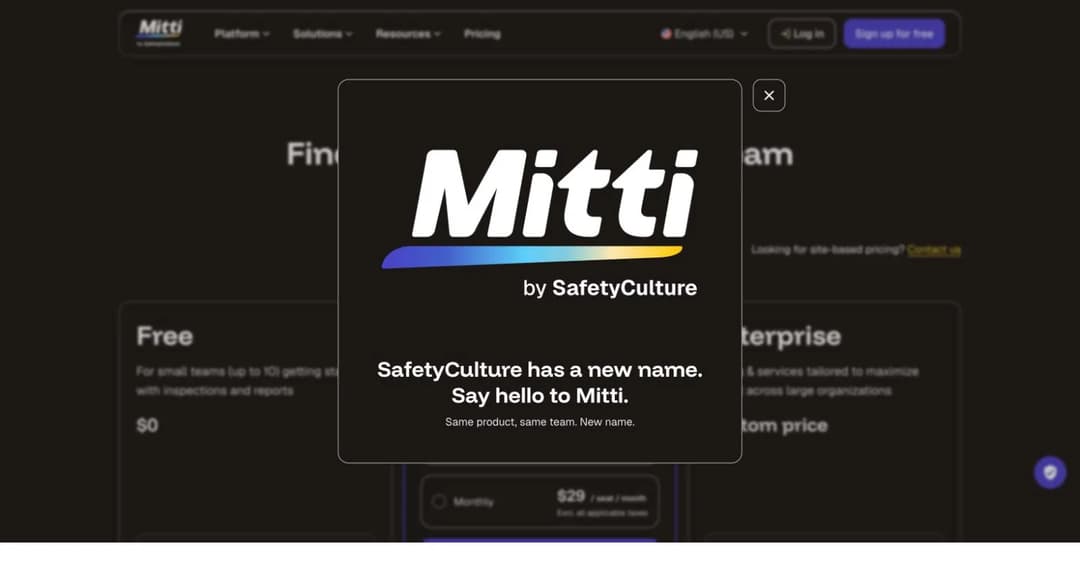
Start with the name, because it has changed three times. As of August 2026 the product is branded “Mitti by SafetyCulture”, and the company describes the change plainly: same product, same team, new name. This platform was EdApp, then SC Training, then SafetyCulture, and is now Mitti, so expect to find it under any of those names in reviews and integration directories.
The product is an operations platform with training inside it, and the free tier is generous in the same shape as Connecteam’s: up to 10 seats, with basic training included. Above that you are at $24 per seat per month annually, which at 25 people is $600 a month. That is a real cost, and it buys inspections and issue reporting as well as courses, so it makes sense when training is one job among several operational ones and much less sense when training is the only thing you need.
Pros
- Free tier up to 10 seats that includes training rather than excluding it.
- Microlearning format suits frontline delivery on phones.
- Training sits alongside inspections and checklists, which fits regulated trades.
- AI credits are included in every plan rather than sold separately.
Cons
- Per-seat pricing gets expensive quickly: 25 people is $600 a month.
- Recurring courses and the training matrix are Premium-only.
- Three renames in three years makes documentation, review data and integrations hard to follow.
Best for: operations-led small businesses in trades, hospitality or field services where training and compliance checks belong in the same tool.
Mitti
5. Moodle
Top Features
- Self-hosted Moodle LMS is free under GPLv3, with no seat licence at any headcount.
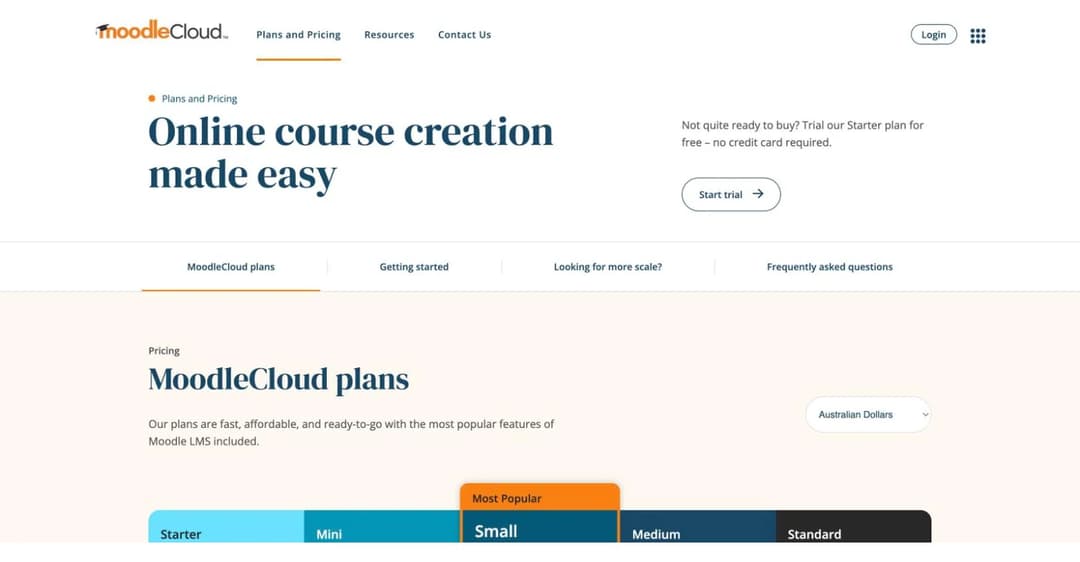
- MoodleCloud hosted plans start at $170 USD a year for 50 users.
- The largest plugin ecosystem in the category, with integrations for most business tools.
- Full SCORM, xAPI and LTI support.
- Complete control over data and customisation.
Moodle is the correct answer to “what is the best free LMS”, and it is worth being precise about what free means here, because it is the most misunderstood point in the category. Self-hosted Moodle is free forever in licence terms: GPLv3, no seat fee, unlimited users. You supply the server, the updates, the backups and the person who does all that. MoodleCloud is the hosted version and is not free: Starter is $170 USD a year for 50 users, Mini $280 for 100 users, Small $510 for 200, and the cheapest tier that can sell courses through Stripe is Small. Custom domains do not appear until you pay for an add-on on the Medium plan.
At 100 users, MoodleCloud Mini works out at roughly $23 a month, which is the cheapest hosted option in this entire comparison by a wide margin. The trade is administration. The Moodle community’s own advice is consistent: open source moves cost from the licence to your time and eventually to a technical hire.
Pros
- Genuinely free self-hosted licence with no per-user cost at any scale.
- MoodleCloud Mini at around $23 a month is unmatched on price for 100 users.
- Standards support (SCORM, xAPI, LTI) is complete rather than partial, which matters if you plan to move content between systems.
- You own your data and can customise anything.
Cons
- The interface is the most dated in this comparison and reviewers say so (Capterra 4.3 from more than 3,000 reviews, G2 4.1 from around 450).
- Self-hosting means you are the sysadmin: updates, backups and plugin conflicts are yours.
- MoodleCloud tiers cap at 750 users and omit custom domains until you pay extra.
- Course authoring is functional; most teams pair it with a separate authoring tool.
Best for: technically comfortable teams who want maximum control and minimum licence cost, and anyone whose real question was “what is the best free LMS”.
Moodle
6. 360Learning
Top Features
- Team Plan at $8 per user per month, billed monthly, explicitly designed for under 100 users.
- Collaborative authoring that turns internal experts into course authors.
- Peer review and comment workflows built into course creation.
- 30-day trial with self-serve signup and no sales call.
- AI-assisted authoring on top of the collaborative model.
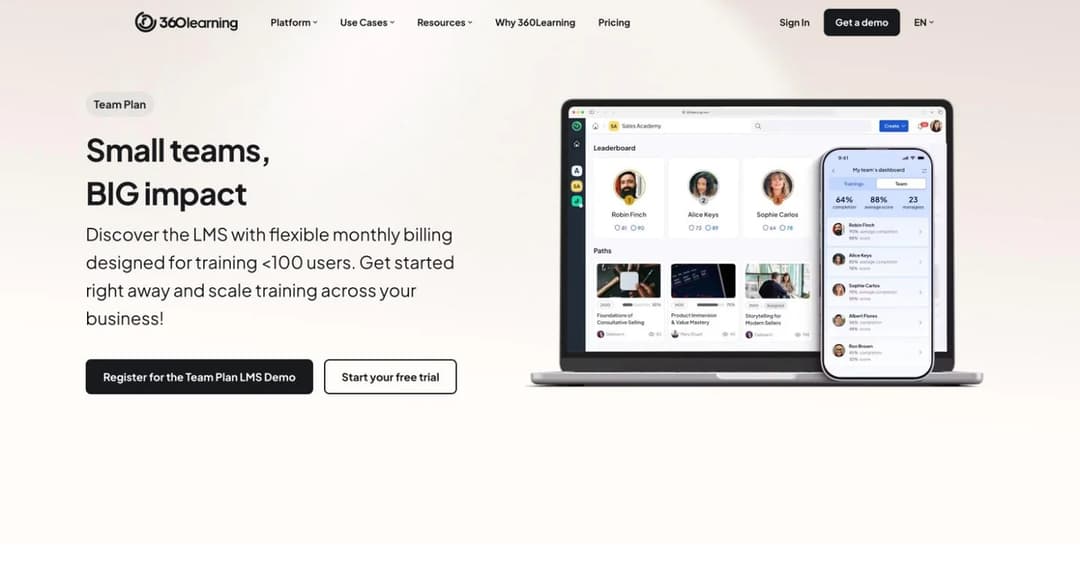
360Learning is the only enterprise-grade platform in this comparison with a self-serve plan aimed squarely at small teams. The Team Plan is $8 per user per month, billed monthly with no annual lock-in, and is hard-capped at 100 users – 360Learning’s own description is “designed for training under 100 users”. At 25 people that is $200 a month; at 100 it is $800 and you have hit the ceiling.
The product’s actual idea is worth more than its price. 360Learning is built on the premise that the person who knows the answer should write the course, not a training department, and the whole authoring flow is collaborative: someone drafts, colleagues comment, the course improves in place. In a company of 40 where the best salesperson and the best technician hold all the knowledge, that model fits better than a top-down course library.
Pros
- Transparent per-user pricing with monthly billing and no annual commitment.
- Collaborative authoring genuinely suits companies whose expertise lives in people rather than documents.
- Self-serve trial and signup, which is rare at this tier of platform.
- Strongly rated by reviewers (G2 4.6 from around 630 reviews, Capterra 4.7 from around 500).
Cons
- The Team Plan ceiling at 100 users means growth forces a renegotiation onto quote-only Business pricing.
- At $8 per user it is one of the more expensive options per head at 100 people.
- The collaborative model needs contributors; if one person will write everything, you are paying for the wrong idea.
Best for: 20-80 person companies whose knowledge lives in their experts and who want those experts writing the training.
360Learning
Part 2: Recommended Everywhere, But Check the Floor First
These four are recommended to small businesses constantly, usually without a price attached. Here is what they actually cost and who they are actually sold to.
7. iSpring LMS
Top Features
- Business plan priced per active user, so dormant accounts do not bill.
- Deep PowerPoint-based authoring through the companion iSpring Suite product.
- 30-day trial with no credit card.
- Strong compliance and certification workflows.
- Published pricing with a money-back guarantee.
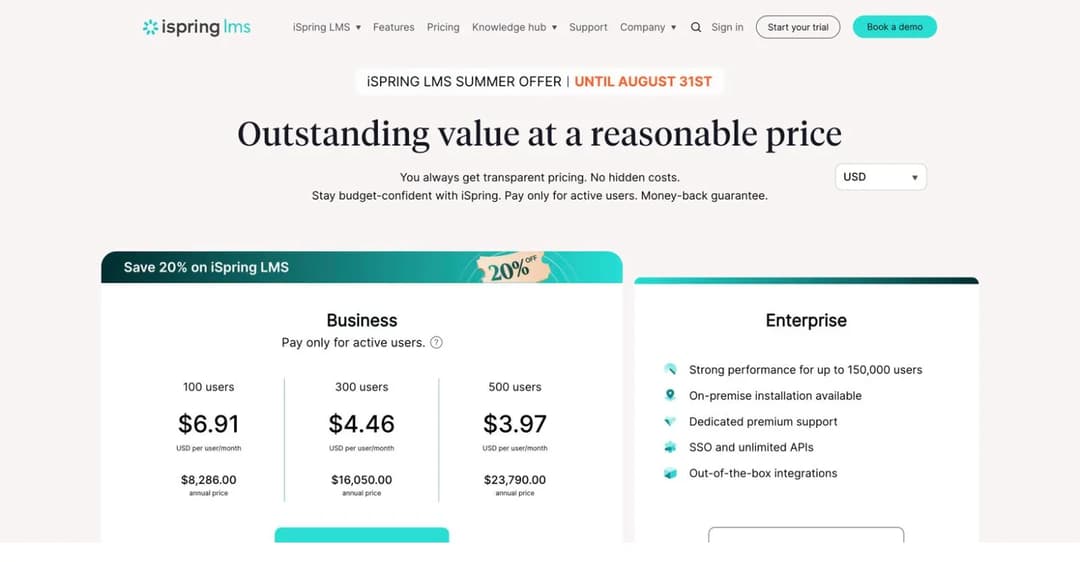
iSpring is genuinely good software and it is genuinely not sold to small businesses any more. iSpring promises “transparent pricing” and delivers it: the published price starts at 100 users, $6.91 per user per month, $8,286.00 for the year. There is no published band below 100 users.
The old “$2.29 per user” Start plan no longer exists; if you have seen that figure quoted, it is out of date.
Two more facts worth having before you look it up. The product was renamed: it is “iSpring LMS” now, not “iSpring Learn”, and it is sold separately from the iSpring Suite authoring tool. And the prices above were published under a 20% “Summer Offer” that ran until 31 August 2026, so check the current page before quoting them to a salesperson.
Pros
- Per-active-user billing is the fairest model here if your headcount is much larger than your monthly learner count.
- Authoring depth through iSpring Suite is the strongest in this comparison for PowerPoint-based content.
- Pricing is published rather than gated, which is more than most of Part 2 manages.
- Well reviewed (G2 4.5 from around 143 reviews, Capterra 4.7 from around 195; iSpring itself quotes a 4.6 on G2).
Cons
- The published floor is 100 users at $8,286 a year, which prices out most of this article’s readers.
- LMS and authoring are separate products with separate bills.
- Review data is split across “iSpring Learn” and “iSpring LMS” listings, making scores hard to compare.
Best for: companies of 100+ with real compliance requirements and existing PowerPoint training libraries.
iSpring
8. Trainual
Top Features
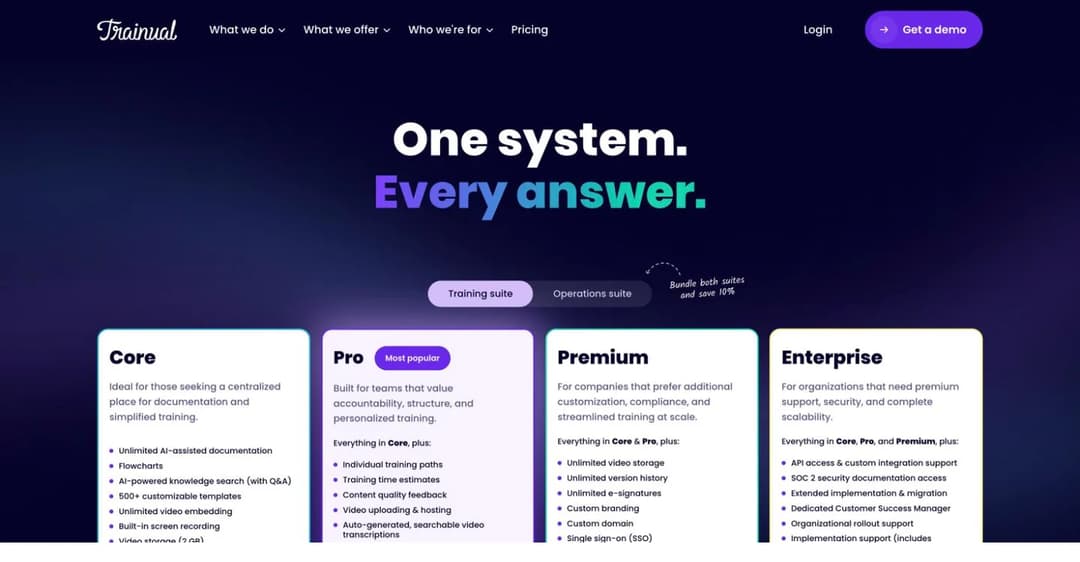
- AI-assisted documentation of processes, policies and roles.
- 500+ customisable templates for SOPs and onboarding.
- Training paths assigned by role, department or location.
- SCORM storage from the Pro tier (5 GB), 15 GB at Premium.
- Org chart, accountability chart and delegation planning tools.
Trainual built its reputation on being the tool a growing small business documents itself with, and it is still excellent at that job: it is a process-documentation system with training attached, not an LMS with documentation attached, and for companies drowning in “how do we do this again?” that is exactly the right shape.
The buying experience changed. As of August 2026, Trainual publishes no prices at all: Core, Pro, Premium and Enterprise each carry a “Get a demo” button and nothing else. Its own FAQ adds that implementation support is required on every tier and that “a one-time implementation fee of $1,000 applies”, with a 4-6 week onboarding process. The same FAQ says Trainual is best suited to companies with 25 to 1,000 employees, so a small business is the target, it just cannot see the price. Its old seat-banded pricing has been withdrawn.
Pros
- Best-in-class for documenting processes, roles and responsibilities, not just courses.
- Template library removes the blank page for onboarding and SOP content.
- Role-based training paths map cleanly to how small companies actually organise work.
- The vendor’s own site displays a 4.7 rating based on 2,000+ reviews.
Cons
- No published pricing on any tier; every path is a demo.
- A stated $1,000 one-time implementation fee before you start.
- Implementation is marked “required” on every plan, including the entry tier.
- SCORM is storage-capped and only from Pro upward.
Best for: 25-200 person companies whose real problem is undocumented process, and who are comfortable with a sales-led purchase.
Trainual
9. Tovuti LMS
Top Features
- One all-inclusive plan with no feature gates between tiers.
- Interactive content types and gamification built in.
- FedRAMP Authorization (IL2), achieved July 2025.
- WayPoints AI authoring available as a separate add-on.
- LMS-as-a-Service packages where Tovuti staff build and run courses for you.
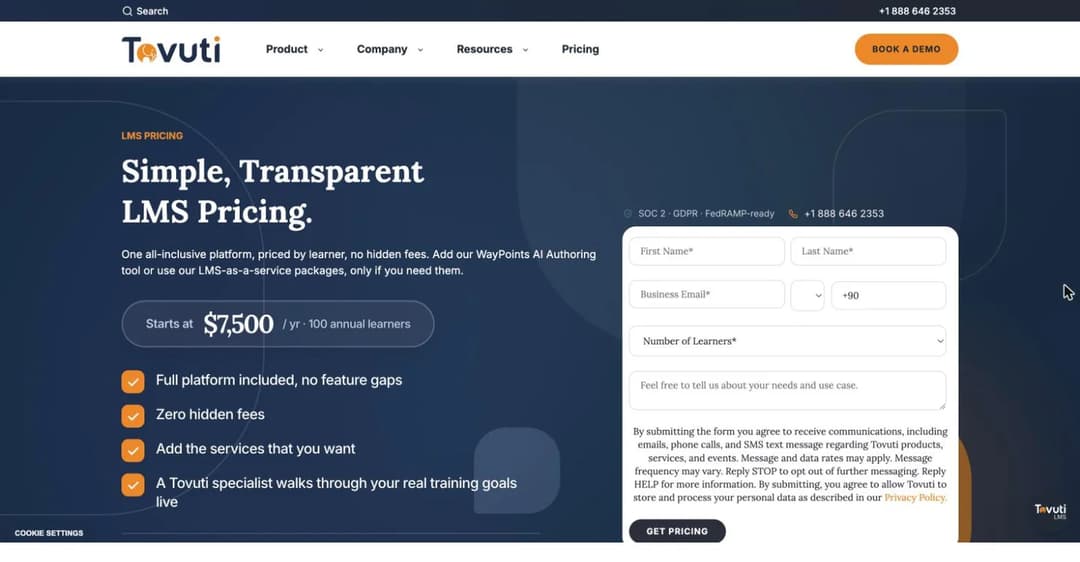
Tovuti calls its pricing “Simple, Transparent LMS Pricing” and it is transparent: it starts at $7,500 a year for 100 annual learners. Credit where due, that is a published floor, and until recently Tovuti was quote-only.
For a 25-person company the arithmetic is simply unkind: $625 a month for capacity you will use a quarter of. The model rewards you at exactly 100 learners and punishes you below it. The “no feature gaps” promise is real and unusual, though note that the WayPoints AI authoring tool is a separate purchase starting at $999 a year for a single creator, so the all-inclusive claim covers the LMS and not the AI authoring layer.
Pros
- One plan with no feature gating, so you are not upsold mid-implementation.
- A published floor price, which most of Part 2 does not offer.
- FedRAMP Authorization matters if you sell to government.
- Well rated by reviewers (G2 4.6 from around 296 reviews, Capterra 4.8 from around 99).
Cons
- The $7,500 floor is priced for 100 learners; below that you pay for unused capacity.
- No free plan and no self-serve trial.
- AI authoring is a separate add-on from $999 a year, despite the all-inclusive framing.
Best for: organisations training close to 100 people who value predictable all-in pricing over a low entry point.
Tovuti
10. LearnUpon
Top Features
- Separate product lines for employee training, customer education and associations.
- Multi-portal architecture for training different audiences from one instance.
- Create+ authoring, launched March 2026 after the Courseau acquisition.
- Salesforce and HubSpot integrations on the customer education line.
- Strong reputation for support quality.
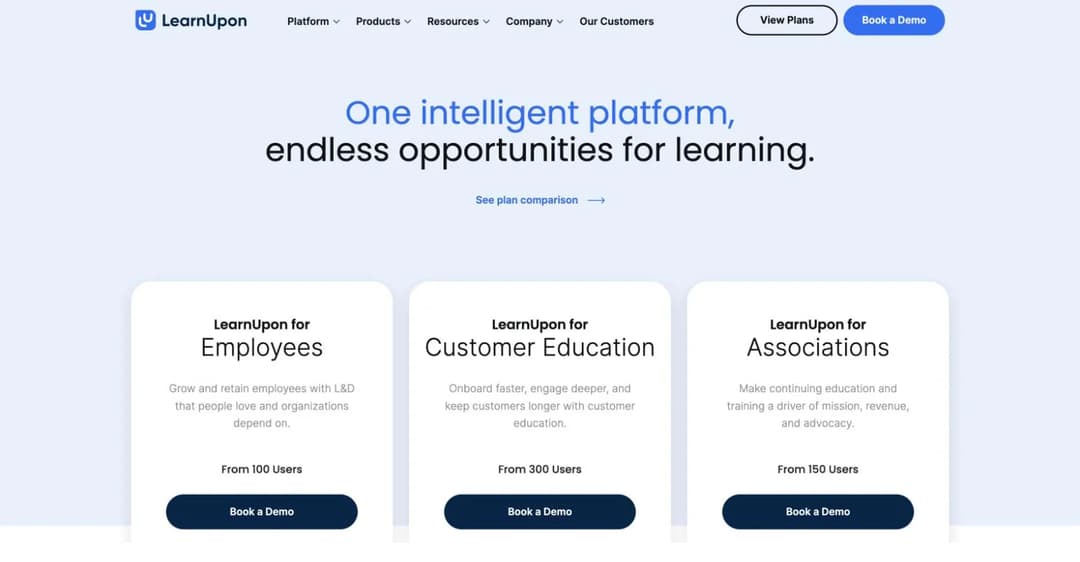
LearnUpon is a capable platform with a clear position: it trains multiple audiences from one system, which is genuinely useful once you are training employees and customers and partners. It is also, by its own published structure, not for small businesses. The employee product starts “From 100 Users”, customer education “From 300 Users”, associations “From 150 Users”, and no price is published for any of them – every plan is demo-only.
The positioning has moved too: LearnUpon now describes itself as an “Agentic Learning Platform” rather than an LMS, and the old Essential, Premium and Enterprise tiers have been replaced.
If you are 100 people and growing into multi-audience training, put it on your list. If you are 25 people, you are below the entry point and a demo will confirm that at the cost of an hour.
Pros
- Multi-portal design solves the multi-audience problem properly rather than with workarounds.
- Support quality is the most consistent praise theme in its reviews (G2 4.6 from around 250 reviews, Capterra 4.7 from around 140).
- Authoring improved materially with Create+ in March 2026.
- Deep CRM integrations for customer-facing training.
Cons
- A 100-user minimum on the employee product, which excludes most small businesses outright.
- No published pricing of any kind; demo-gated at every tier.
- Aggregate review scores still reflect the pre-Create+ authoring experience.
Best for: 100+ person companies training employees and customers from a single platform.
That hundred-user floor is where most small businesses stop reading, and the LearnUpon alternatives comparison covers the platforms that publish a price without one.
What Small Teams Actually Need (and What They Are Sold)
Feature lists in this category are written for buyers with training departments. Here is the short version for buyers without one.
Someone must be able to build a course in an afternoon
The single biggest predictor of whether small-business training happens is whether the first course gets finished. Not whether the platform supports 14 question types. Look for authoring that starts from material you already have: a document, a deck, a recorded walkthrough.
Starting from a blank course shell is where these projects die. Test this in the trial with a real document, not the sample content. If the skill you are training is a conversation rather than a fact, practice formats such as role-play do more than a slide deck can.
Delivery has to survive the “another login” problem
Training that lives behind a portal login gets opened once. Ask how a course reaches someone who is not already in the system: a share link, an embed on a page they visit, a message in a tool they use. This is the difference between a platform being installed and being used, and it is worth more than any reporting feature. Our embedded LMS guide covers the delivery patterns in detail.
Reporting you will actually read
You need three numbers: who was assigned, who finished, and who passed the check. Everything past that is dashboard decoration until you have a training department to read it. Be suspicious of platforms that gate basic completion reporting behind a higher tier, which several here do.
Onboarding that repeats itself
The highest-return training a small business builds is the one it runs every time someone joins, and structuring it well is a solved problem. It is also the one with a number attached: a 2012 Center for American Progress meta-analysis of 30 case studies put the median cost of replacing an employee at 21% of their annual salary, and while that analysis is now over a decade old, nothing since has made a botched first month cheaper. Structure it once as a path and it pays back on every hire; the discipline is the same one covered in our customer onboarding playbook, applied internally. If new-hire training is the whole reason you are shopping, an onboarding LMS view of the same question is the narrower place to start, and we put the tools built for it through the same pricing test in our guide to the best employee onboarding software. If the training that repeats is product knowledge for a small sales team rather than a first-week induction, the sales training LMS view is the closer fit.
An exit that does not cost you the content
Ask what happens to your courses if you leave. SCORM export, or content that lives in a format you can move, is cheap insurance. It matters most when a vendor gets acquired or renames itself twice in three years, both of which happened to platforms on this list. Teams that expect to change front ends later should also understand what a headless setup does before committing content to one platform’s player.
What You Can Safely Ignore
Small companies routinely pay for tiers they were talked into. These are the features that most often do not earn their upgrade at your size.
Advanced compliance suites. Unless you are in a regulated trade with audit requirements, certification tracking and automatic recertification cycles are a tier you do not need yet. If you do need them, our compliance training view is the right entry point rather than a general LMS upgrade.
Multi-branch and multi-portal architecture. Branches exist to keep separate audiences from seeing each other’s content. With one company and one audience, you are paying for a partition you will not use. It becomes real the day you start training partners or resellers alongside staff.
SSO on day one. Genuinely useful at 200 people. At 25, magic links or simple accounts do the job, and SSO is often the reason a quote doubles.
A content library subscription. Off-the-shelf course libraries look like value and are usually the least-completed content on any platform. Your repeat questions are more specific than anything in a library, and turning them into short interactive lessons beats renting generic content.
LRS and xAPI analytics infrastructure. A learning record store answers questions you are not yet asking. Understand what xAPI is for before paying for it.
What Small Businesses Actually Recommend
When small-business owners ask each other which LMS to use, the answers are more candid than any buyer’s guide. They are worth taking seriously, so here is what the practitioner threads say.
The most useful discussion, an r/elearning thread on affordable options for small entrepreneurs, opens with a complaint that will sound familiar: platforms quoting $850 a month, or $150 a month for a cap of 40 learners. The practitioner answers cluster around three things.
Look for “open source” rather than “free” or “cheap”: that is the label the genuinely free tools go by. TalentLMS is repeatedly named as the cheapest conventional option. And WordPress with LearnDash or LifterLMS comes up whenever someone already runs a site, with the honest caveat that hosting and setup time replace the licence fee.
The best advice in the thread comes from an LMS company owner who disclosed the conflict before giving it: the pricing traps are per-enrolment fees and seat caps, because both punish you for growing. Ask two questions of any vendor – what does my bill look like at 500 learners, and can I leave with my data – and test your existing content import during the trial, because “SCORM compliant” on a pricing page and “your specific file plays correctly” are different claims.
An older thread from a 100-person startup is worth reading for a different reason: it reaches no consensus at all. The top-voted answer has four upvotes, the tools named skew academic (Canvas, Moodle, Sakai), and one commenter volunteers the most useful number in either thread – that a lightweight tool will carry you to roughly 250-300 people before you should move to something conventional.
One caution about these threads, which their own participants raise: they attract vendor self-promotion. In the first thread alone, several recommendations come from people who build the product they are recommending, two of whom disclose it and one of whom is called out by another user for not disclosing. Read them the way you should read this article – checking who benefits.
Free Plan or Free Trial? The Honest Table
“Free” is the most abused word in this category. These are the actual terms, as each vendor publishes them.
| Platform | Free forever? | What you actually get |
|---|---|---|
| Connecteam | Yes | All hubs, all features, up to 10 users, permanently |
| Mitti | Yes | Up to 10 seats including basic training; recurring courses need Premium |
| Moodle (self-hosted) | Yes | The full LMS under GPLv3, unlimited users; you pay in hosting and admin time |
| TalentLMS | Yes | 5 users, 10 courses, no expiry, no card |
| Mini Course Generator | No | 14-day trial, no credit card |
| 360Learning | No | 30-day trial, self-serve |
| iSpring LMS | No | 30-day trial, no credit card |
| Tovuti | No | No trial published; demo only |
| Trainual | No | No trial published; demo only |
| LearnUpon | No | No trial published; demo only |
The catch worth naming: a free plan capped at 5 or 10 users is a real free plan only if your team is that size. Above it, the free tier is an evaluation environment with a different name, and the price you should compare is the one on the next line up.
How to Choose the Best LMS for Your Small Business
What’s the best LMS for a small business like mine?
Answer the size question first and the feature question second. Under 10 people, Connecteam or Mitti will likely cost you nothing, and Moodle costs nothing at any size if you can run it. Between 10 and 40, TalentLMS is the cheapest conventional LMS with published pricing, and Mini Course Generator is the fastest route from an existing document to a live course. Between 40 and 100, 360Learning’s Team Plan and TalentLMS’s upper bands are the self-serve options, and iSpring becomes buyable at the top of that range.
Only above 100 do the quote-only platforms become relevant to you at all.
What will this actually cost me, including next year?
Take the published price at your current headcount, then calculate it again at 1.5x. Seat-banded pricing (TalentLMS, Connecteam) steps up in jumps; per-user pricing (360Learning, Mitti) rises linearly; floor pricing (Tovuti) does not move until you cross the ceiling. Add implementation fees where they exist – Trainual’s is $1,000 and stated. Then ask about the exit: content export, data export, and what happens to certificates you have issued.
Can one person run this alongside another job?
This is the question that decides whether the platform gets used. During the trial, have the person who will actually own it build one real course from one real document, assign it to three colleagues, and read the completion report. If that takes more than an afternoon, the platform is too heavy for your situation regardless of its feature list. Platforms with required implementation programmes are telling you the answer in advance.
Will it still fit when we are twice the size?
Check the ceiling, not just the floor. 360Learning’s Team Plan stops at 100 users. MoodleCloud tiers stop at 750. Community advice puts the practical limit of lightweight tools at roughly 250-300 people. Knowing where the wall is beats discovering it during a growth year, and if the answer is “we will rebuild then”, it is worth reading what building your own actually costs before assuming that is the cheaper path.
Frequently Asked Questions
What is the most commonly used LMS?
By deployment count, Moodle is the most widely used learning management system in the world, largely through education, and it also has the largest install base among small organisations because the self-hosted version is free. Among commercial platforms sold to small businesses, TalentLMS is the most frequently cited in practitioner discussions and carries the highest review volume in this comparison.
How much does an LMS cost for a small business?
For a 25-person company in 2026, published prices range from $0 to about $625 a month. Connecteam’s training hub is $29 a month for the first 30 users, TalentLMS is $119 a month, MoodleCloud is roughly $23 a month for 100 users, 360Learning is $200 a month at 25 users, and Mitti is $600. Four widely-recommended platforms do not sell at that size at all: iSpring’s floor is $8,286 a year, Tovuti’s is $7,500 a year, and LearnUpon and Trainual publish no price. The wider picture across twenty platforms, including the five different bases vendors bill on, is in our breakdown of what an LMS actually costs.
What is the best free LMS?
Self-hosted Moodle, if you can run a server: it is free under GPLv3 with no user limit, forever. If you cannot, the best genuinely free hosted options are Connecteam’s Small Business Plan (all features, up to 10 users) and Mitti’s free tier (10 seats, basic training). TalentLMS’s free plan is real but capped at 5 users and 10 courses. Everything else marketed as free in this category is a time-limited trial. We reviewed every permanent free plan against the same test, including exactly where each one stops, in our best free LMS guide.
What is the easiest LMS to use for a small business?
For an owner or office manager with no training background, ease of use is decided at the authoring step, not the admin panel. Platforms that start a course from a document you already have (Mini Course Generator) or from a template library (Trainual) get to a finished first course fastest. Among conventional LMS platforms, TalentLMS is the most consistently praised for setup speed. The reliable test is the one above: build one real course in one afternoon during the trial.
Does Microsoft 365 have an LMS?
Not a full one. Microsoft Viva Learning aggregates and surfaces training content inside Teams, and SharePoint can host materials, but neither creates courses, enforces assignment paths, scores assessments or issues certificates the way a learning management system does. Small teams often start with SharePoint folders and move to an LMS at exactly the point where “who has actually completed this?” becomes a question they cannot answer. The distinction is the same one covered in our LMS vs CMS explainer: a content system stores, a learning system proves.
Can a small business use a free LMS long-term?
Yes, with two caveats. Self-hosted Moodle scales indefinitely on licence cost but shifts the expense to hosting and to your own time, which is a real cost that grows as you do. Capped free plans (5 or 10 users) work permanently for genuinely small teams and become an evaluation environment the moment you hire past the cap. The practitioner consensus is that free works until roughly the point where one person can no longer administer it alone.
Do I need an LMS at all, or just a place to put files?
If your only requirement is storing documents, a shared drive is cheaper and you should use it. You need an LMS when you need to prove three things: that training was assigned, that it was completed, and that it was understood. Compliance requirements, customer or insurer audits, and new-hire ramp are the three situations that usually force the move. If the honest answer is that you are trying to make onboarding repeatable, an employee training platform view of the problem will get you there faster than a general LMS search.
Now Over to You: Picking the Right LMS for Your Small Business
The market for small-business learning software is not short of options. It is short of options priced for small businesses, and you only see the gap between those two statements once the prices are on the table. Four of the ten platforms here, all of them recommended to small businesses constantly, start at 100 users or $7,500 a year.
So start with the floor, not the features. Work out your headcount now and at 1.5x, take the published price at both, and immediately remove anything that will not sell to you. That usually leaves three or four candidates, which is a shortlist you can actually test.
Then run the afternoon test: one real document, one real course, three real colleagues, one completion report. It is the same scale of effort that gets a full branded academy live over a weekend, so if a platform cannot survive an afternoon, it will not survive your quarter. The platform that survives that is the one your team will still be using next year.
If the fastest path from an existing document to a live course is what you need, start free with Mini Course Generator and build the first one today. If you would rather see how the same evaluation plays out in a specific industry, our call centre, automotive and sales training guides run the identical pricing test on the platforms sold to those industries, and the customer education platforms guide applies it to training people outside your company.
Sources
- SBA Office of Advocacy, “Frequently Asked Questions About Small Business”, February 2026 – business counts, employment share and net job creation.
- Training magazine, 2025 Training Industry Report, November 2025 – per-learner spend, training hours and LMS adoption by company size. Note: this survey defines “small” as 100-999 employees and draws on the magazine’s own subscriber base.
- Center for American Progress, “There Are Significant Business Costs to Replacing Employees”, November 2012 – the 21% median replacement cost figure, a meta-analysis of 30 case studies published between 1992 and 2007.
- Vendor pricing pages for all ten platforms, captured 27 August 2026 and linked in each entry.
- Review scores as listed on G2 and Capterra in August 2026; where a count varies between those platforms’ own surfaces, we have said “around”.


