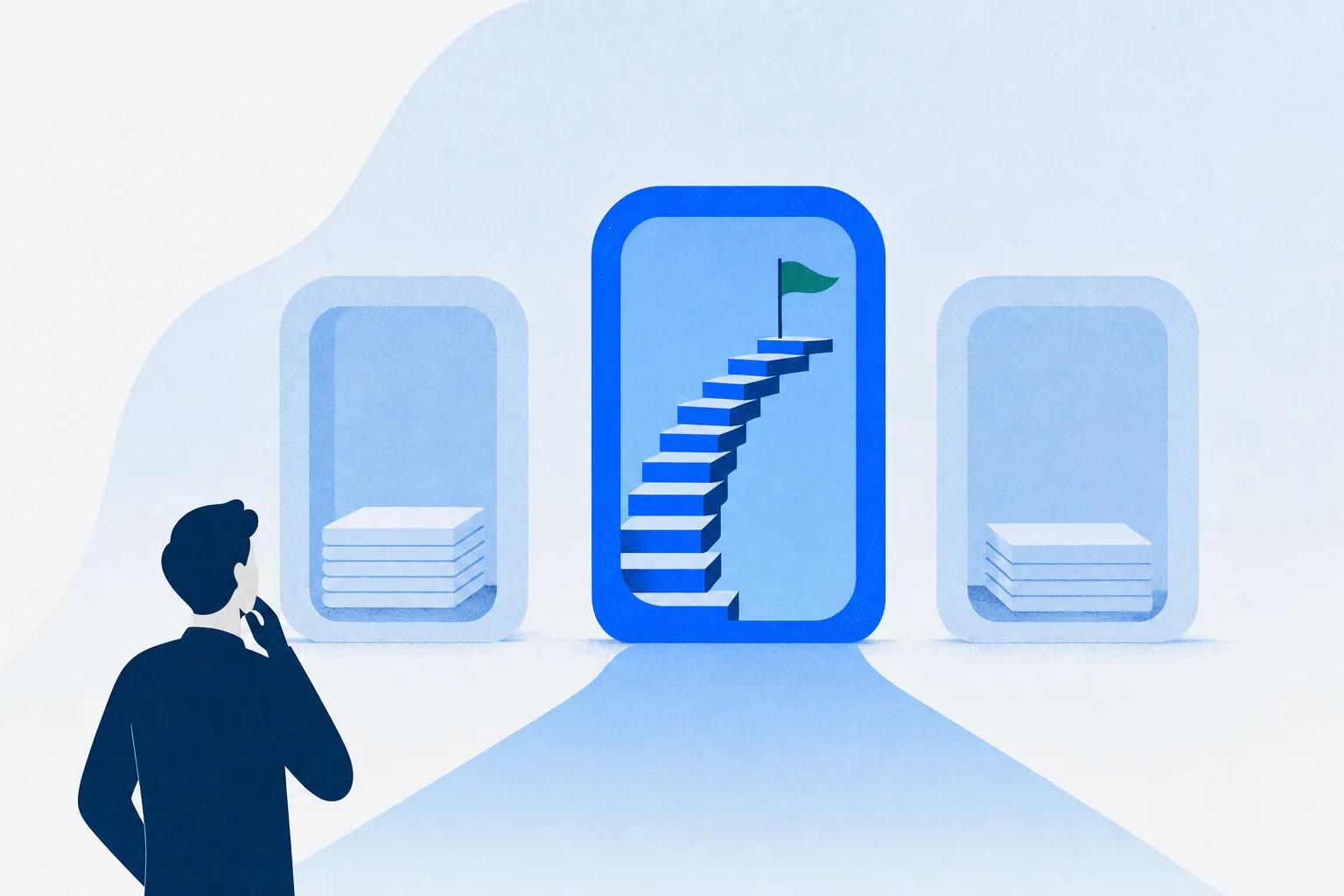
Here’s the short answer. An LMS (learning management system) delivers training and tracks who completed what. A CMS (content management system) creates and publishes website content. An LCMS (learning content management system) combines course authoring with delivery in one tool. They overlap in vocabulary, not in job.
The LMS vs CMS comparison confuses people for a structural reason: the same three letters mean different things in different rooms. This guide draws the boundary with mechanisms, covers the headless versions of both systems, and shows how the two connect when you genuinely need both.
Key Takeaways
- The boundary is one question: does the learner’s progress need to be true somewhere? If yes, you need an LMS. A CMS can display a lesson; it can’t certify one.
- CMS has three meanings: the software category, the US Centers for Medicare & Medicaid Services, and school-district initials. Half the confusion is the acronym, not the technology.
- An LCMS bundles authoring with delivery. The label is fading, but the question it answers (who creates content, and where does it live?) is not.
- Both categories now come in headless versions: same back end, your front end. A headless CMS still has no enrollment or completion logic.
- Most organizations that “choose between” the two actually need both, connected: the CMS runs the website, the LMS runs the training, and embeds, SCORM, and webhooks bridge them.
The Three Systems, One Sentence Each
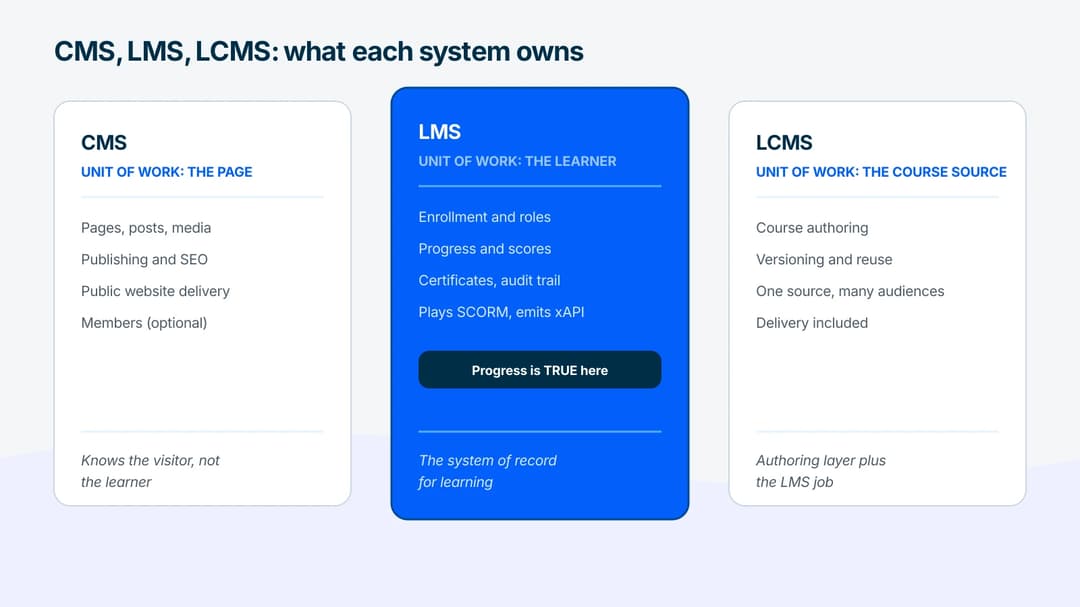
A learning management system (LMS) stores courses, enrolls learners, tracks progress and scores, and issues certificates. Its unit of work is the learner.
A content management system (CMS) creates, organizes, and publishes digital content, usually as a website. Think WordPress, Drupal, or a modern headless equivalent. Its unit of work is the page.
A learning content management system (LCMS) adds a CMS-style authoring layer to learning: teams create, version, and reuse course content in the same tool that delivers it. Its unit of work is the course source itself.
The names share two-thirds of their letters, which is exactly why the categories get shopped against each other. The jobs barely overlap.
Why This Comparison Confuses Everyone
The acronym problem comes first. “CMS” means at least three unrelated things:
- The software category this article compares.
- The Centers for Medicare & Medicaid Services, the US health agency. “CMS training” usually means Medicare compliance courses, and the agency runs its own learning portal. If that’s what you came for, this is the wrong article, and now you know why.
- School initials. Plenty of districts abbreviate to CMS, so “CMS Canvas” often means a school’s login page, not a content platform.
A related question, “Is Canvas an LMS or CMS?”, has a clean answer: Canvas is an LMS. Schools plug external tools into it using the LTI standard, which is how the education world does integration. And “LMS” in healthcare means the same thing it means everywhere else: the system that tracks mandatory training.
One acronym note and we’re done: in lab sciences, LC-MS means liquid chromatography-mass spectrometry. Different instrument entirely.
LMS vs. CMS: The Real Boundary
Here’s the one question that decides almost every case:
Does the learner’s progress need to be true somewhere?
Does completion have consequences? A compliance record, a certificate, a locked next module, a report someone acts on. If so, you need a system whose job is keeping that record: enrollment rules, completion states, scores, an audit trail. That’s what an LMS is. A CMS can display the same video and the same text, but it has no native idea of who finished, what they scored, or what that unlocks. Publishing is not tracking.
| CMS | LMS | |
|---|---|---|
| Unit of work | Pages and posts | Learners and courses |
| Knows who you are | Optional (members, commenters) | Required (enrollment, roles) |
| Progress and scores | No native concept | Core function |
| Certificates and compliance records | No | Yes, with audit trail |
| Course standards (SCORM, xAPI) | Cannot play or emit them | Plays SCORM, emits xAPI |
| Public publishing | Core strength | Weak by design (content sits behind access) |
| Typical buyer | Marketing, content teams | L&D, customer education, HR |
Two of those rows deserve one line of mechanism. SCORM is the packaging standard that lets a course made in one tool run in another system’s player, and xAPI is the newer statement format that reports learning activity outward. Both are learning-side standards. No mainstream CMS speaks either, which is the technical version of the boundary above.
Notice the CMS wins a row too: public publishing. If the goal is public content that brings in and converts visitors, that’s CMS territory, and an LMS is the wrong tool for it in the same way.
Where the LCMS Fits
The three-way version of this question, LMS vs. CMS vs. LCMS, is really about authoring. An LCMS answers: what if the people creating courses need CMS-like powers (collaborative editing, versioning, reusable content blocks) inside the learning stack?
The short version: the label is fading, because standalone authoring suites export to any LMS via SCORM and most modern LMS platforms grew built-in authoring. The question behind it hasn’t faded. Who creates your courses, and does the same content ship to more than one destination? If the answers are “a central [eLearning content development](/blog/elearning-content-development-faq-guide/) team” and “yes,” the LCMS pattern fits, whatever the vendor calls it.
Reuse mechanics, versioning, translation variants and the test for whether you need one beside your LMS are covered in the full guide to the [learning content management system](/blog/learning-content-management-system/). This page stays on the CMS side of the boundary.
Headless CMS vs. Traditional CMS (and Where Headless LMS Fits)
Both categories now come in a decoupled flavor, and the parallel is the fastest way to understand each.
A traditional CMS couples the content database to the website that displays it: WordPress stores the post and renders the page. A headless CMS cuts the rendering half off. Content lives behind an API, and your own front end (site, app, kiosk) fetches and displays it. You choose headless when one content source must feed many surfaces, or when your developers want full control of the front end. You keep traditional when one website is the whole job and built-in themes are a feature, not a limit.
The learning world made the same move. A headless LMS keeps the learning back end (enrollment, progress, certificates) and delivers through an API, so courses render inside your product instead of a vendor portal.
The boundary survives decapitation: a headless CMS with course-shaped content is still a CMS. It will happily serve lesson text as JSON, but nothing in it enrolls a learner, scores a quiz, plays a SCORM package, or issues a certificate. Teams that build “an LMS on a headless CMS” end up rebuilding exactly those semantics by hand. If the progress-must-be-true question came up at all, the learning back end has to exist somewhere.
When You Need Both, and How They Connect
For most companies past a certain size, this was never either/or. The CMS runs the public website; the LMS runs the academy, onboarding, or compliance program. The real question is the seam, and it has four standard mechanics:
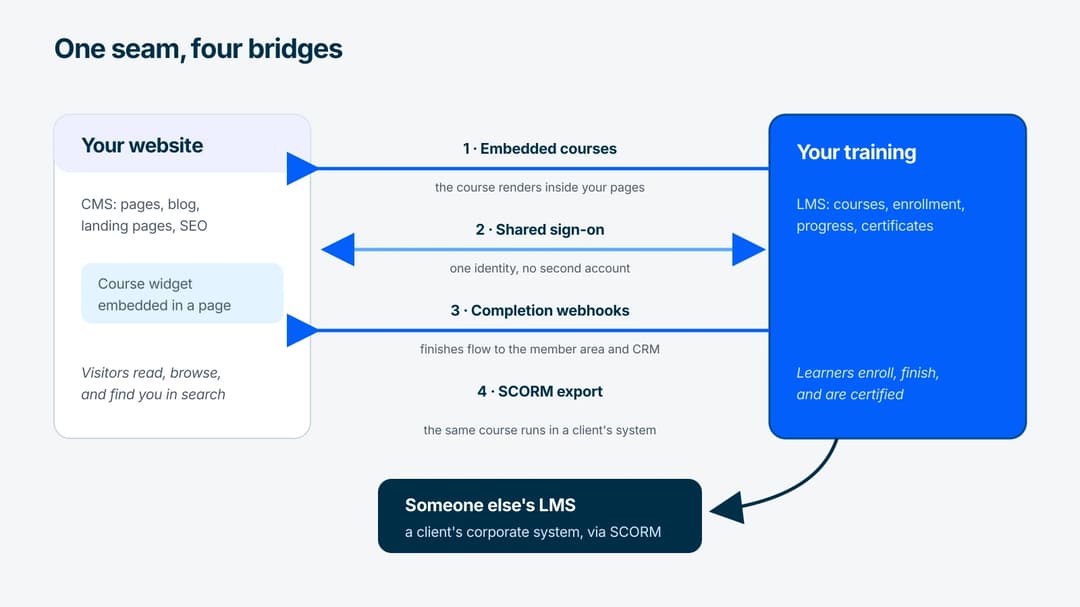
- Embed. Courses render inside CMS pages through widgets or iframes, so the marketing site and the learning experience share one URL and one design.
- SCORM export. A course packaged as SCORM runs inside someone else’s LMS, which is how training ships to clients whose systems you don’t control.
- Shared sign-on. One identity across site and academy, so “log in” doesn’t mean “second account.”
- Completion webhooks. The LMS announces finishes and scores outward, and the CRM or the CMS-side member area reacts.
Which of these to wire first, and when a CSV upload beats all four, is its own decision; see which systems to connect first for the full order.
Can WordPress Deliver Training?
The question behind many CMS-vs-LMS comparisons is really “can my WordPress site do this?” An honest answer in three parts:
- What WordPress does well: publish lesson-shaped content, gate it behind memberships, and get it found. For a free email course or a public tutorial library, that can be genuinely enough.
- What it lacks natively: completion that’s true, quiz scores with consequences, certificates with an audit trail, SCORM/xAPI. LMS plugins bolt some of this on, and at small scale they work; teams tend to migrate when tracking becomes evidence someone audits.
- The third option: keep WordPress as the front end and embed real courses into it. The Mini Course Generator WordPress plugin exists for exactly this pattern: pages stay in the CMS, learning semantics stay in the LMS.
How to Choose
| Your situation | Pick |
|---|---|
| Public website, blog, landing pages | CMS |
| Employee onboarding or compliance with evidence | LMS |
| Customer or partner training with certificates | LMS |
| Central team authoring courses for many audiences | LCMS pattern (or LMS with strong authoring) |
| Selling courses | LMS with commerce, CMS optional in front |
| One content source feeding site + app + portal | Headless CMS for content, headless LMS for learning |
| Website exists, training is starting now | Keep the CMS, add an LMS, connect them |
If one row had to replace the table: choose by system of record. Content that must be found → CMS. Progress that must be true → LMS. Course source that must be reused → LCMS pattern.
Where Mini Course Generator Fits
Mini Course Generator sits on the learning side of this boundary, built for teams that don’t want a portal. Courses are created with AI assistance in minutes. The delivery layer is an AI LMS that tracks completions, scores, and certificates, so the progress-must-be-true requirement is covered without an enterprise rollout.
On the seam described above, it leans into the “both, connected” pattern. Courses embed into any CMS through widgets or the WordPress plugin. They export to SCORM for delivery inside corporate systems, including dynamic SCORM on the business plans (see the [pricing page](/pricing/)). And they run as [in-app training infrastructure](/headless-lms-for-in-app-training/) for products that need learning inside the interface. You can test the whole loop on the 14-day free trial: build a course, embed it in a page, and watch the completion land.
The Short Version
An LMS manages learners and keeps progress true. A CMS manages content and gets it found. An LCMS adds shared authoring to the learning side, and the label matters less than the reuse question it stands for. Both categories have headless versions, and going headless never adds learning semantics to a CMS. Most real stacks need a CMS and an LMS connected by embeds, SCORM, sign-on, and webhooks. Decide by system of record, not by feature count.
Frequently Asked Questions
What is the difference between an LMS and a CMS?
An LMS delivers training and records learner progress: enrollments, completions, scores, certificates. A CMS creates and publishes website content. The dividing line is tracking; a CMS can show a lesson, but it can’t tell you who completed it or prove it later.
What is an LCMS?
A learning content management system combines course authoring and management with delivery, so teams create, version, and reuse learning content in the platform that serves it. Today the same need is often met by an LMS with built-in authoring or an authoring tool exporting SCORM; the [LCMS guide](/blog/learning-content-management-system/) covers when you still need one.
Is an LMS part of a CMS?
No. They’re independent categories with different jobs. Some CMS platforms offer learning plugins and some LMS platforms include content-page features, but neither contains the other, and the plugin versions usually stop at the tracking boundary.
Can a CMS be used as an LMS?
Up to a point. A CMS with membership gating can deliver lesson content to small audiences. It cannot natively track completion, score assessments, issue certificates, or play SCORM content. When training results need to be reliable evidence, that gap is the reason LMS migrations happen.
Do I need both an LMS and a CMS?
Often, yes. The standard pattern is a CMS for the public website and an LMS for training, connected through embedded courses, shared sign-on, and completion webhooks, so learners never feel the seam.
Sources
- SCORM – ADL Initiative
- xAPI – ADL Initiative
- Learning Tools Interoperability (LTI) – 1EdTech