

Most lists of free LMS platforms give you ten names with a green tick next to each one. What almost nobody tells you is that those ten ticks mean four completely different things.
Some are permanent free plans with a hard seat cap. Some are open-source licences, where the software is free and the server is not. Some are free only if you qualify, and the eligibility rules exclude most organisations. And some have quietly stopped being free at all.
Canvas discontinued its Free-for-Teacher program. Its own sign-up page now says so. Thinkific’s pricing FAQ answers “Does Thinkific have a free plan?” with a flat no. Both are still widely described as free.
Here is what free actually gets you on each of them, the exact cap that ends it, and where the cost went instead.
A disclosure up front: Mini Course Generator is ours, it has no free plan, and it is deliberately not on this list. We explain why below.
What Is a Free LMS?
A free LMS is a learning management system you can run without paying a licence fee, either because the vendor offers a permanently free plan with usage limits, or because the software is released under an open-source licence you can host yourself.
The important word is licence. Free almost never means free to operate. It means the fee moved somewhere else: to a seat cap you will hit, to a server you have to run, or to an eligibility test you have to pass.
A working LMS, free or paid, has to do four things. It has to let you build a course, enrol people in it, track who finished, and prove it later. Plenty of tools marketed as free LMS platforms handle the first one well and fall over on the third. That matters, because completion tracking is the difference between a course library and a training record, which is also the line that separates an LMS from a CMS. If your real problem is the first step, course authoring software is a different category and often a better fit.
The Four Kinds of Free
Every platform below fits one of these four. Knowing which one you are looking at answers most of your questions before you read the entry.
1. Free forever, hard capped. A permanent plan with a firm limit, usually on seats. ProProfs stops at 10 learners, TalentLMS at 5 users, Connecteam and Mitti at 10. No time limit, no credit card, and no way past the number except paying. These are real products, and they are genuinely free at the size they cover.
2. Open-source licence. The software costs nothing under GPL or AGPL, and there is no seat cap at all. Moodle, Chamilo, Open edX, Canvas, and LifterLMS all sit here. What you pay for is a server, a database, backups, upgrades, and a person who knows how to run them. Free software, not a free deployment.
3. Free if you qualify. No usage cap, no time limit, and no charge, but only for an eligible organisation. Google Workspace for Education Fundamentals is the big one, and its eligibility rules explicitly exclude corporate training centres, employee education programmes, job training programmes, and for-profit education companies.
4. Free trial wearing a free plan’s clothes. A time-limited evaluation described with freemium language. Thinkific’s homepage says “Get started for free” while its FAQ says there is no free plan. This is the kind most often mislabelled as free, and it is the one that wastes your time.
A quick test. Ask the vendor’s own page one question: what number ends this? If the answer is a seat count, it is kind 1. If there is no number, it is kind 2 and the answer is your server bill. If the answer is “are you a school”, it is kind 3. If the answer is a date, it is kind 4 and it is a trial.
What Changed in 2026
Four corrections, each stated on the vendor’s own page.
Canvas discontinued Free-for-Teacher
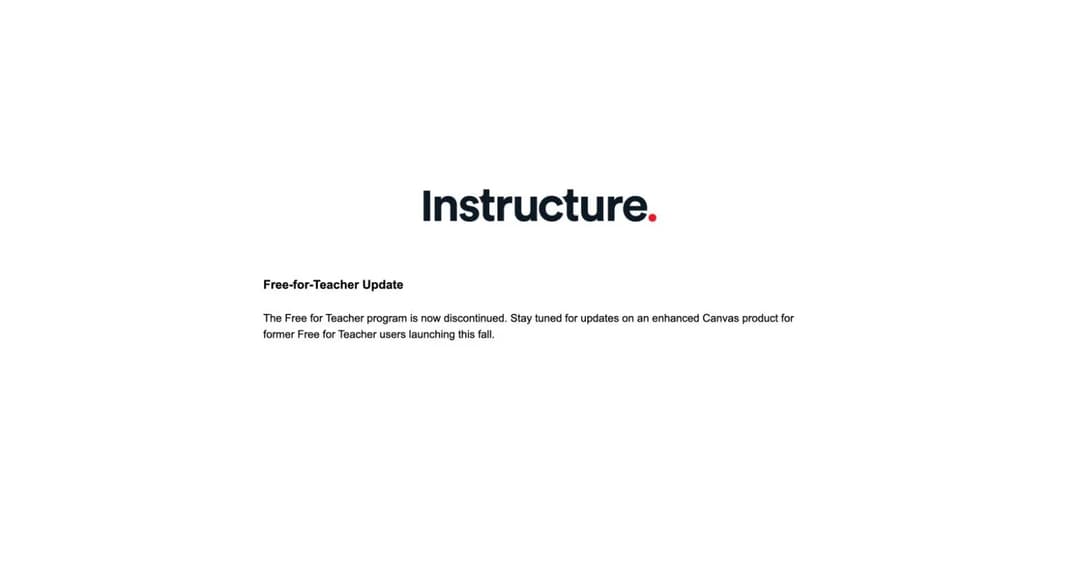
This is the biggest change in the category and it barely registered. The Free-for-Teacher sign-up page now shows a single notice: “The Free for Teacher program is now discontinued. Stay tuned for updates on an enhanced Canvas product for former Free for Teacher users launching this fall.”
There is no sign-up form. The hosted free tier that a generation of teachers built on is gone, and a replacement is promised for the autumn with no details attached. Canvas is still free as open-source software, which we cover below, but that is a server you run, not an account you open.
Thinkific has no free plan, and says so
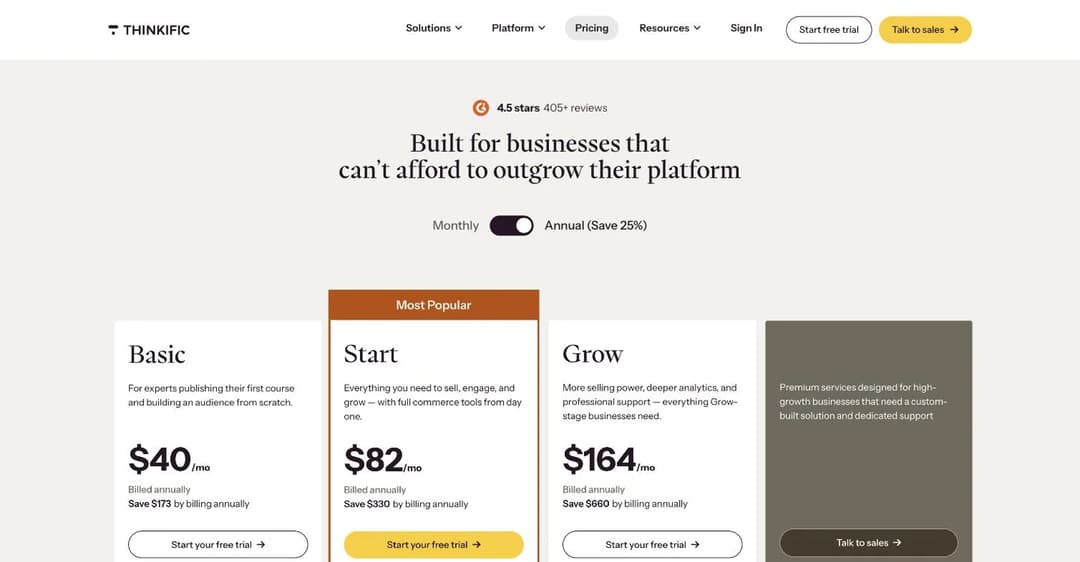
Thinkific’s pricing FAQ asks the question directly and answers it directly. “Does Thinkific have a free plan?” gets “No, instead, you can explore the whole platform with a 30-day free trial.” The four pricing columns start at $40 a month billed annually, and every button reads “Start your free trial.”
The old free tier, one course and unlimited students, is gone from the vendor’s page. Thinkific does not help by keeping the line “Get started for free, upgrade when you need to” on the same page, but the FAQ is the vendor’s own answer and it is unambiguous.
If Thinkific was on your list because you thought it was free, the Thinkific alternatives comparison is the next place to look.
SafetyCulture Training became Mitti, and stopped being an LMS
The platform that was EdApp, then SC Training, then SafetyCulture Training, renamed to Mitti on 11 August 2026 and now sits at mitti.com.
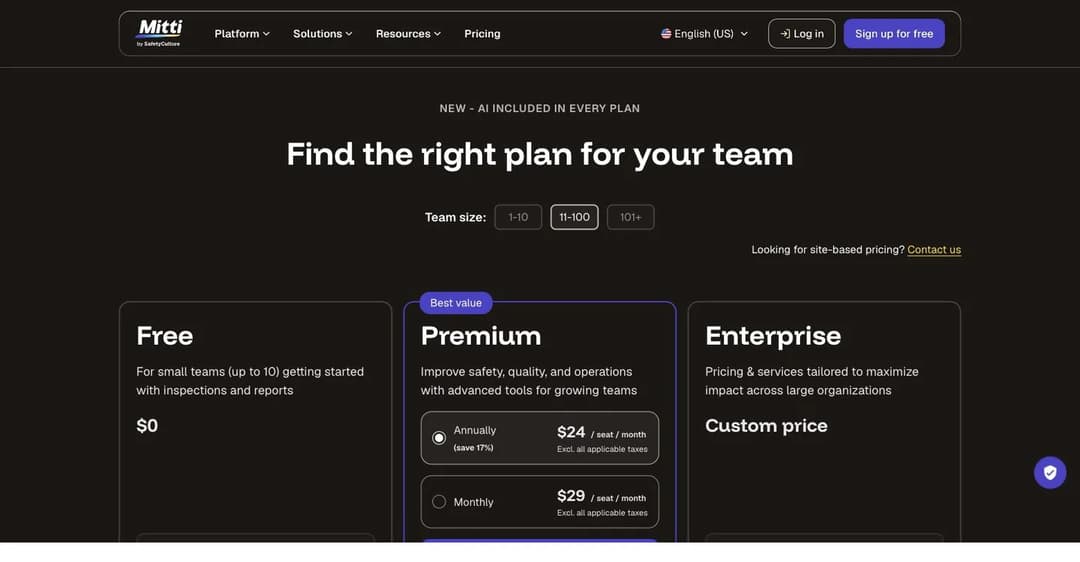
The rename is the smaller half of the story. Training is no longer a standalone product. It is one module inside what Mitti calls a Workplace Operations System, and the free plan’s own description is “For small teams (up to 10) getting started with inspections and reports.” Nowhere on its pricing page does Mitti mention SCORM, a course library, or learning management.
It still has a genuinely free tier for 10 people, and the training module still works. But if you arrive expecting the EdApp you remember, the product has moved.
Coassemble removed its free plan
Worth a line because it was a popular free pick. Coassemble’s free tier is gone and its entry price moved from roughly $10 a month to $250 a month. That is not a tier change, it is a different market.
The Free LMS Comparison Table
| Platform | Kind of free | The exact cap | Completion tracking? | What ends it |
|---|---|---|---|---|
| ProProfs Training Maker | Forever, capped | 10 active learners, unlimited courses | Yes | The 11th learner |
| TalentLMS | Forever, capped | 5 users total, 10 courses | Yes | The 6th user, admins included |
| Connecteam | Forever, capped | 10 users, archived users count | Yes | The 11th person ever added |
| Mitti | Forever, capped | 10 seats, basic training only | Basic | The 11th person, or the first recurring course |
| Moodle | Open source | None | Yes | Needing recertification or org hierarchy |
| Chamilo | Open source | None | Yes | Nothing, if you have a sysadmin |
| Open edX | Open source | None | Yes | Your DevOps capacity |
| LifterLMS | Open source | None | Yes | Taking card payments |
| Canvas LMS | Open source only | None self-hosted | Yes | Hosted free tier discontinued |
| Google Classroom | Free if you qualify | 250 per class on a personal account | Partial | Not being an accredited school |
The 10 Best Free LMS Platforms
Grouped by kind of free rather than ranked, because a seat-capped SaaS plan and an open-source licence are not competing for the same decision.
Our methodology. Every plan limit, licence, and price below was checked on the vendor’s own page or licence file in August 2026. Where a vendor’s pages contradict each other, we say so. Where a limit is documented only in a buried FAQ, we say that too, because that is usually the limit that catches people.
Free Forever, With a Hard Cap
1. ProProfs Training Maker: 10 learners, everything else unlimited
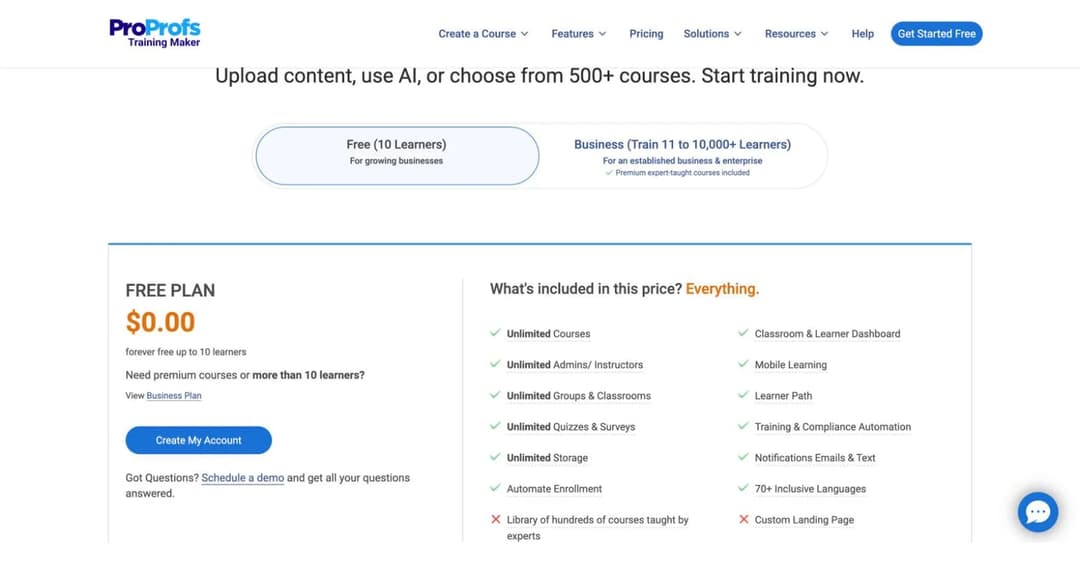
ProProfs Training Maker‘s plan card is unusually honest: “FREE PLAN / $0.00 / forever free up to 10 learners.” Not a trial, not a sandbox. The tab that selects it is literally labelled “Free (10 Learners)” and the button says “Create My Account.”
Inside that cap you get more than most paid entry tiers:
- Unlimited courses, admins, and instructors.
- Unlimited groups, classrooms, quizzes, and surveys.
- Unlimited storage.
- A learner dashboard, mobile learning, and learner paths.
- Training and compliance automation.
- More than 70 languages.
Learners are counted as active learners. A departed employee can be paused to release the seat, and their completion records stay.
What is missing: the ready-made course library, which is the reason many people pick ProProfs in the first place, and HRIS integrations. Both sit behind the Business tier. A custom landing page is also gated.
The catch: the signup form is a qualification gate. It rejects personal email outright (“Company email required”), and asks for phone number, job title, learner count, and your HRIS vendor before it lets you in. Free here means a working product attached to a sales lead.
Best for: a team of ten or fewer building its own onboarding, SOP, or product training, and willing to live with manual enrolment. If you expect to grow past that, our small business LMS guide covers what comes next.
2. TalentLMS: five users, and that includes you
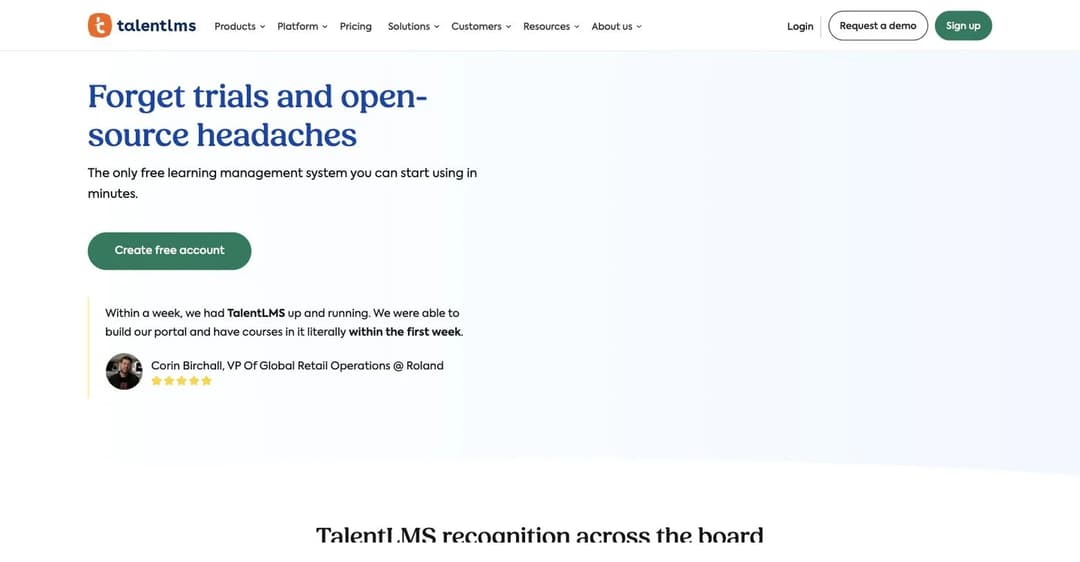
TalentLMS markets its free plan harder than anyone. The page headline reads “Forget trials and open-source headaches,” and calls itself “the only free learning management system you can start using in minutes.” The plan is genuinely permanent: “Our Free plan also doesn’t have a time limit, so you’re free to use it for as long as you want.”
The cap is the problem. Up to 5 users and up to 10 courses, and in TalentLMS a user is anyone in the portal. Admins and instructors count. One admin plus one instructor leaves three learner seats.
That makes this a demo rather than a deployment for almost any real team, which is a shame, because the product above the free line is one of the better platforms for a small business in this market. File uploads are capped at 100MB each, though total portal storage is not capped.
What ends it: the sixth user, realistically the third or fourth learner. It also ends the moment you need a custom domain, single sign-on, API access, automated enrolment, custom reports, branches, or the removal of TalentLMS branding.
The first paid step: Core at $119 a month billed yearly for 1 to 40 users, which is $1,428 a year. Billed monthly it is $149. We covered the full range in our LMS pricing guide.
Best for: evaluating TalentLMS properly without a clock running, or a genuinely tiny team of three or four learners.
3. Connecteam: free for life, and archived people still count
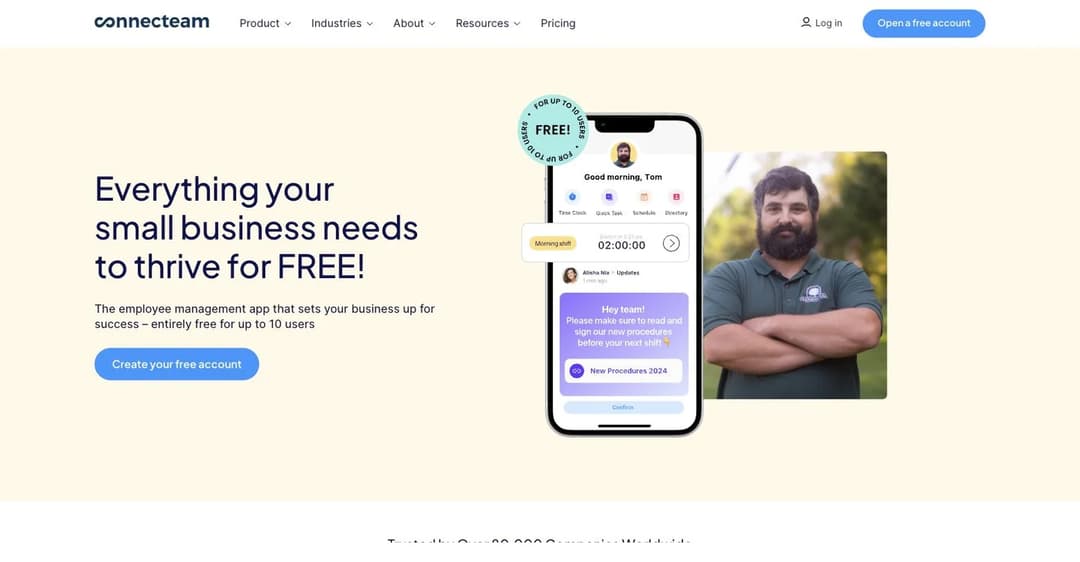
Connecteam‘s Small Business Plan is the most generous free tier in this guide, and it has the sharpest hidden edge.
The generosity is real. On courses and quizzes, the free plan is identical to Connecteam’s top Expert tier on every single row:
- Unlimited courses, categories, and sections.
- Quizzes, with attempt limits and required scores.
- An AI course creator.
- Completion insights and search filtering.
- Automations and a template library.
That is not marketing. That is the comparison table, column by column.
Then read the FAQ on the Small Business Plan page: “As long as you have up to 10 users in your Connecteam account (active and archived), you don’t need to pay.”
Archived users count. For the frontline workforce Connecteam sells to, where turnover is the norm, the cap is cumulative lifetime headcount rather than concurrent staff. A six-person café that has hired and lost five people over two years is at eleven and out of the free plan, having never had more than six people on payroll. That sentence appears nowhere on the pricing page or the homepage.
Two other things to know. Knowledge base storage is 500MB, the same as the most restricted paid tier and one twentieth of Expert’s, which is the real ceiling on video-heavy training. And crossing 10 users does not end free. You land on a second free-for-life plan called Limited, valid to 30 users, where the training module is cut back hard:
- Courses drop to 3.
- Categories drop to 1.
- Sections drop to 1 per course.
- Quizzes, the AI course creator, and completion tracking all disappear.
A compliance programme with no completion record is not a compliance programme.
Best for: a small frontline team under ten people, all-time, that wants scheduling, time tracking, and training in one app.
4. Mitti: 10 seats, but check what you are buying
Mitti was covered in the corrections above, and it belongs on this list because the free tier is real. Ten seats, $0, no time limit, and basic training included. Courses have no published cap.
The two things that end it are worth stating plainly. The first is the eleventh person, and because all team members must be on the same plan, adding one person converts the whole organisation to Premium at $24 per seat per month billed annually. Eleven people is $264 a month, not $24.
The second is your first compliance cycle. Recurring courses and the training matrix are both Premium features, so the moment training has to repeat annually, or you have to show an auditor who is current, you upgrade regardless of headcount.
Best for: a small operations-led team that wants inspections, reports, and light training together, and is not running a formal compliance programme.
Open Source: Free Software, Paid Server
5. Moodle: the standard, and the clearest example of the trap
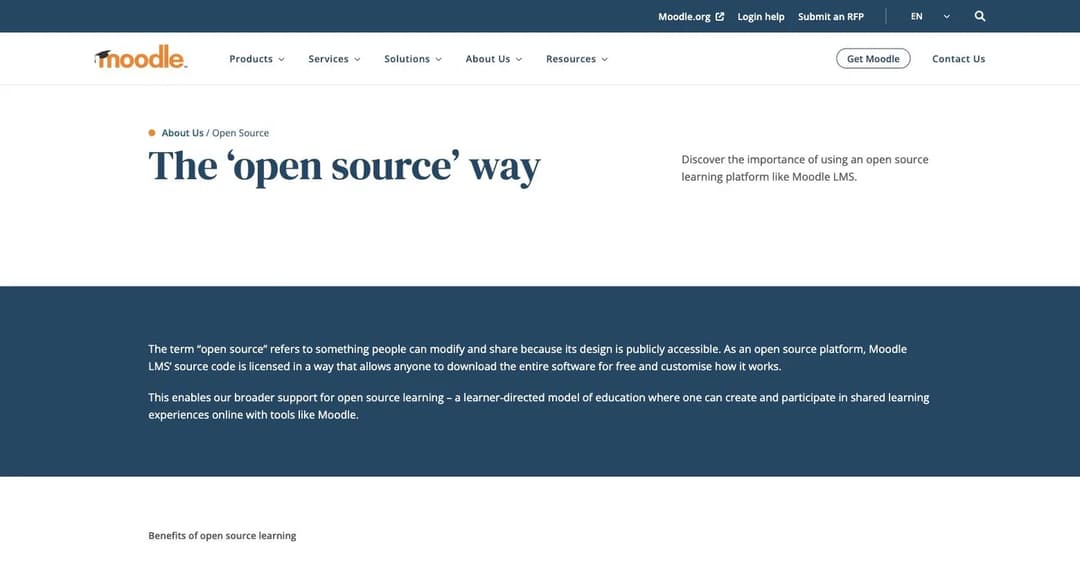
Moodle is the reference point for the whole category. It is GPL-licensed with no user cap, no course cap, no storage cap, and no feature gate. Its own words: “There are no licence fees or restrictions, you just need to find your own resources for hosting and support.” That second clause is the entire story.
Everything a real LMS needs is there: courses, quizzes, a gradebook, enrolment methods, SCORM and LTI support, completion tracking, reporting, forums, and thousands of community plugins.
Moodle US holds SOC 2 Type 2. Long-term support releases carry roughly three years of security updates.
Moodle is also the cleanest illustration of why “free” needs a follow-up question, because the free product and the paid product sit in two different categories. Free Moodle LMS is open source. Moodle Workplace is proprietary, sold only through certified partners, with no published price. And Workplace is where four things live that a business will want almost immediately: recertification on a validity period, automated enrolment rules, multi-tenancy for divisions or franchises, and manager-to-report hierarchy. None can be added to free Moodle. The upgrade is a different product.
The hosted alternative is MoodleCloud, which has published prices and no free plan: Starter at $170 a year for 50 users, up to Standard at $2,160 for 750, where hosted plans stop. MoodleCloud cannot install plugins or integrations, so it will not connect to your HR system.
The real cost of self-hosting is a list, and every item on it is somebody’s job:
- A Linux server, and a database you can tune and back up.
- PHP with the right extensions, plus TLS.
- A cron job. Without it, forum email and scheduled backups never run.
- An off-server backup routine.
- Security patching on a roughly six-month release cadence.
- Plugin compatibility testing at every upgrade.
Moodle’s own docs put realistic minimums at 5GB disk and 1GB RAM, rising to 8GB or more on a production server.
Best for: schools, universities, government training bodies, and companies with an IT function. The wrong answer for a small team with no sysadmin.
6. Chamilo: the honest one
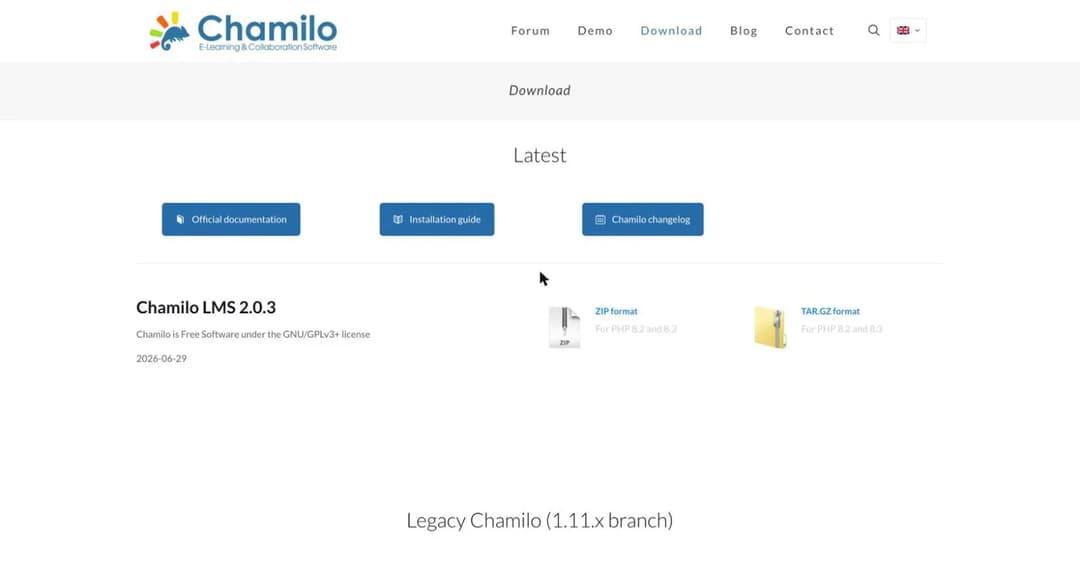
Chamilo publishes no pricing page at all, because there is nothing to price. The download page says “Chamilo is Free Software under the GNU/GPLv3+ license” and hands you a tarball. Two branches are maintained: 2.0.3 dated 29 June 2026 for PHP 8.2 and 8.3, and a legacy 1.11.40 branch.
There is no paid edition to graduate to, which makes it unusually clean. No caps, no upsell, no feature wall, no vendor account. The entire cost is the server and the person who runs it.
Requirements are modest by open-source LMS standards:
- Apache or Nginx.
- PHP 8.2 minimum, 8.3 or later recommended.
- MySQL 8.0 or MariaDB 10.4.
- 2GB RAM minimum, 4GB or more recommended.
- 20GB or more of disk once content is included.
Best for: schools, ministries, NGOs, and multilingual training organisations that value data sovereignty and have or can hire technical capacity. Its provider network is concentrated in Europe and Latin America.
7. Open edX: free like lumber is free
Open edX is the platform behind edX, stewarded by Axim Collaborative, the nonprofit founded by Harvard and MIT. Its FAQ is admirably direct: “The Open edX platform is released under open-source licenses, and there are no license fees to use the Open edX software. Organizations are responsible for hosting, infrastructure, maintenance, and any support or customization required.”
No caps of any kind, because there is no hosted plan to cap. The licence is AGPLv3.
The operational cost is the highest in this guide. The minimum viable install per the official Tutor documentation is 4GB RAM, 2 CPUs, and 8GB disk, with 8GB RAM, 4 cores, and 25GB recommended, and that recommendation describes a single-server evaluation install rather than a production deployment. Real deployments run a multi-service stack: LMS, Studio, MySQL, MongoDB, a search index, Redis, Celery workers, and an asset store.
In practice that is a cloud VM in the region of $40 to $150 a month at the small end, and a Kubernetes cluster at any scale. Releases land twice a year and only the latest is supported.
Best for: universities, governments, and large enterprises with a DevOps team, MOOC-scale delivery needs, or a hard requirement for data sovereignty.
8. LifterLMS: genuinely uncapped, if you already run WordPress
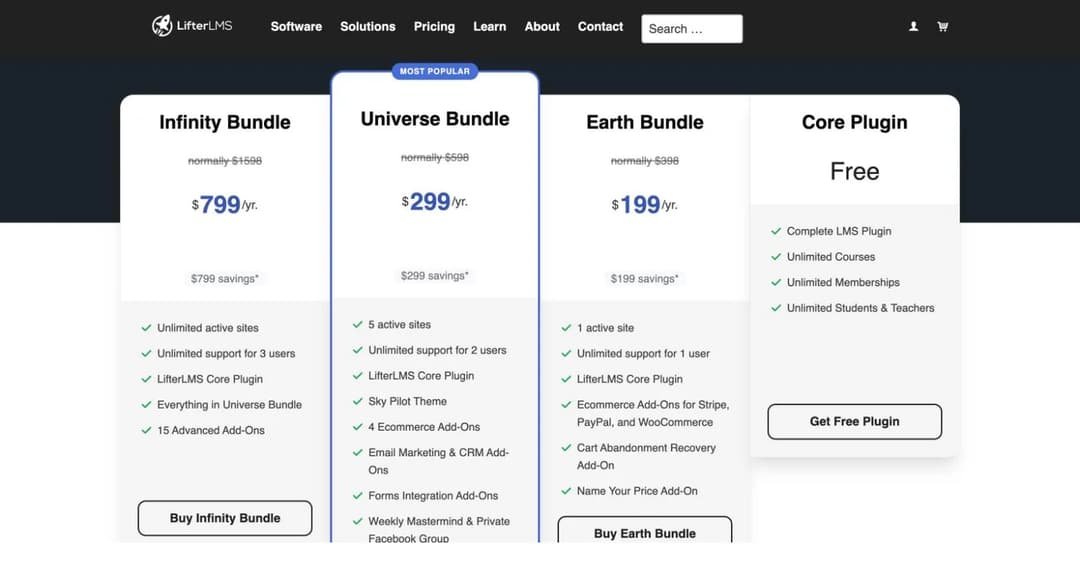
LifterLMS is the rare case where the vendor’s free column is exactly what it claims. The pricing page carries a fourth column headed “Core Plugin / Free,” and its bullets read: Complete LMS Plugin, Unlimited Courses, Unlimited Memberships, Unlimited Students and Teachers. The WordPress.org listing, at version 10.2.0 updated 24 August 2026 with more than 10,000 active installations, calls it “a totally FREE forever LMS, no limits on your courses, memberships, enrollments, or earnings.”
There is no user cap, no course cap, and no revenue share. Monetisation is entirely feature-gated add-ons rather than a volume meter, which is the classic open-source plugin model and not a freemium trap.
The catch is payments. The free core can only take payment through a manual gateway. The moment you want to charge a card you need the Stripe or PayPal add-on at $149 a year each, or the Earth Bundle at $199 the first year and $398 on renewal.
The other catch is hosting, and people underestimate it. An LMS defeats page caching, because nearly every request comes from a signed-in student. Cheap shared hosting that benchmarks fine for a blog will not hold up. Budget managed WordPress hosting in the region of $25 to $100 a month.
Best for: course creators, coaches, associations, and small training businesses that already run WordPress and want to own the platform outright. Not the answer if you need SCORM or formal compliance reporting out of the box.
9. Canvas LMS: open source only, now that the free tier is gone
Canvas is a full-strength LMS released under AGPLv3, and it is actively maintained, with a release as recent as 30 April 2026. Self-hosted, there is no user cap, course cap, or feature gate.
But the hosted free route is closed, as covered above, and the commercial product publishes no price at all. So the only free Canvas in 2026 is one you operate yourself.
That operation is substantial. Instructure’s own production documentation specifies:
- Ubuntu 22.04 LTS.
- Ruby 3.4.1, PostgreSQL 14 or later, Redis 6 or above, and Node.js 20.
- Apache fronting Passenger.
- A separate jobs daemon, running continuously on at least one server, for email, reports, and statistics.
- An outgoing SMTP server.
This is a Rails application, not a PHP upload.
Best for: an institution with real sysadmin capacity that wants an unlimited-seat, full-strength LMS with no licence fee. It is now a poor fit for the individual teacher, because the route that served them has been closed.
Free If You Qualify
10. Google Classroom: free forever, for accredited schools only
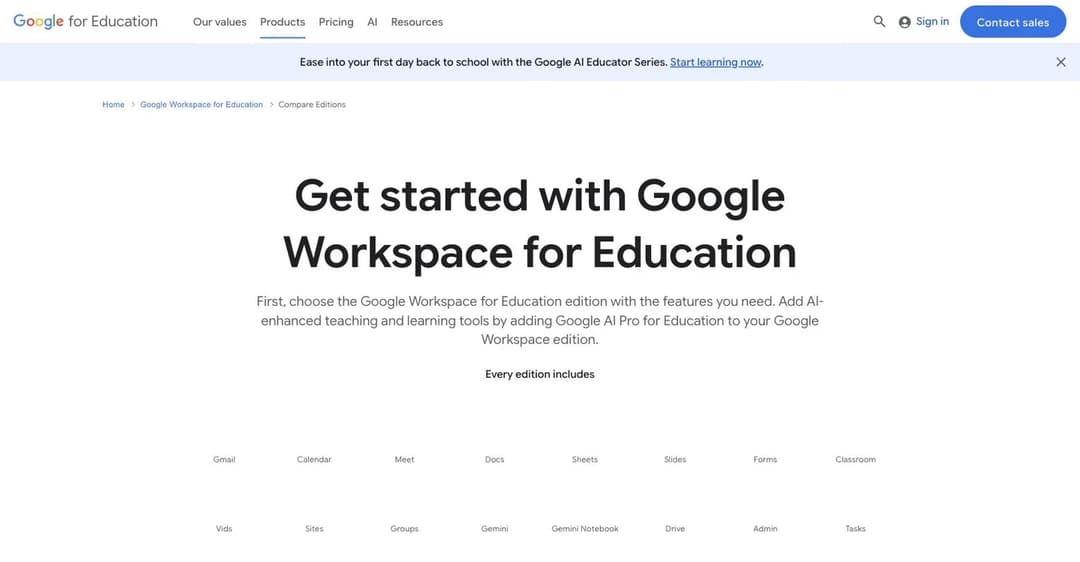
Google Workspace for Education Fundamentals is free with no time limit and no expiry: “available at no cost for all qualifying institutions.” Classroom is included in every edition. For a school, this is the single best free option in this guide and it is not close.
The cap is not usage, it is who you are. Google’s eligibility page requires that K-12 and higher education institutions be government-recognised, accredited schools delivering instruction to students, that higher education institutions award degrees, and that the institution maintain an active website. And it names, explicitly, who does not qualify:
- Community centres, museums, public libraries, and correctional facilities.
- Corporate training centers and employee education programs.
- Job training programs and for-profit education companies.
- Enterprise and nonprofit mentoring organisations, and examination companies.
- Hospitals, language schools, MOOCs, military academies, and tutoring programmes.
If you are a business reading a free LMS guide, that list almost certainly includes you. A business cannot legitimately use the free edition.
The fallback: a personal Google Account can use Classroom free forever, with no institution required and no admin console, capped at 250 people per class. That works for an individual teacher or tutor. It does not work for an organisation.
Also note the wording conflict: Google’s own Classroom page carries a button reading “Sign up for Education Fundamentals free trial,” while the compare-editions page says it is available at no cost with no expiry. The compare-editions page is the accurate one.
Best for: accredited K-12 and degree-awarding institutions, and individual teachers on a personal account. Not viable for business training, customer education, or selling courses.
Where the Cost Actually Goes
Free never removes the cost. It moves it, and it helps to know where before you commit.
On a capped SaaS plan, the cost is the wall. You will build the training, get people using it, and then hit a number. Migrating an LMS after six months of completion records is not a small job, so the honest question is not “is the free plan good enough today” but “will I still be under the cap in a year.” For Connecteam specifically, ask it about your total hires, not your current staff.
On an open-source licence, the cost is a person. Here is the arithmetic, line by line:
| Line item | Realistic range |
|---|---|
| Small VPS | $20 to $50 a month |
| Domain and TLS | $1 to $10 a month |
| Backups and object storage | $5 to $20 a month |
| Someone’s time: backups, patching, upgrades | 2 to 10 hours a month |
At any realistic hourly rate, that last row is the largest line item by a wide margin, and it is the one nobody prices in. If you are weighing this seriously, our guide to building your own LMS covers the same arithmetic in more depth.
On an eligibility-gated plan, the cost is fit. Free is only free while you qualify, and the tools are built for the qualifying audience. Google Classroom is excellent for a classroom and awkward for a compliance programme, because that is what it was designed for.
And on all three, the cost is what free plans leave out. The pattern is consistent across every vendor here: single sign-on, API access, integrations, custom domains, branding removal, and advanced reporting are the first things gated. If your training has to connect to your HR system, or has to run inside a product your users already use, no free tier in this guide will do it. Our LMS integration guide covers what that actually requires.
When Free Stops Working
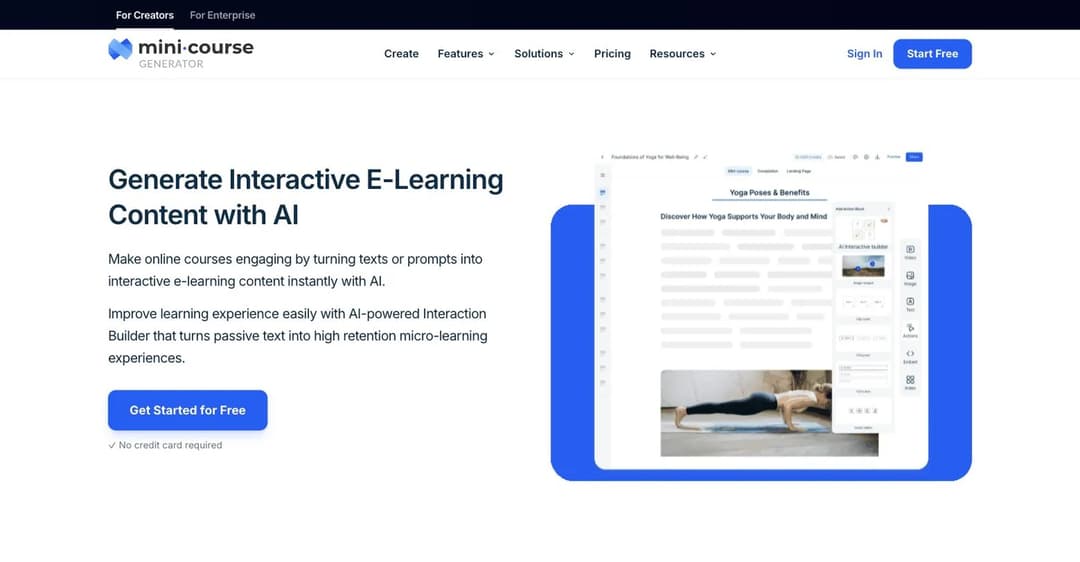
A disclosure first: Mini Course Generator is our product, and it is not on the list above, because it does not have a free plan. We are not going to put a paid tool at the top of a free list and hope you do not check. Every platform above is free in one of the four ways described, and ours is not.
What we do have is the thing most people are actually trying to solve when they go looking for a free LMS. In our experience the question is rarely about budget. It is about not wanting to commit to a platform before you know whether the training will get used at all.
That is a reasonable instinct, and a full LMS is a heavy way to test it. Setting one up, self-hosted or not, is a project. Finding out whether people will finish a 10-minute course is not.
Mini Course Generator is built for that first step. You point it at a document or a topic and get an interactive mini course you can send as a link, with no enrolment, no accounts for learners, and no setup. The Agent Skills library covers the interactive formats you can build into it. If it works, you keep going. If nobody finishes it, you learned that in an afternoon rather than after a migration. Courses are delivered by link, embed, or QR code, and they export as SCORM, so anything you build can move into a real LMS later, including every open-source option above.
There is a 14-day free trial with no credit card required, then paid plans. Current figures are on the pricing page. And one genuinely free path is worth naming: Mini Course Generator provides its basic LMS capabilities free to nonprofits, with a discounted programme above that. If you run one, the details are on the nonprofit page, and our best LMS for nonprofits guide compares what the rest of the sector’s options actually cost.
Free LMS FAQ
What is the best free LMS?
It depends entirely on which of the four kinds of free applies to you.
- For an accredited school: Google Classroom. Free with no cap and no expiry for qualifying institutions.
- For a small team: ProProfs Training Maker at 10 learners. The free tier keeps completion tracking and unlimited courses rather than stripping them.
- For anyone with a sysadmin: Moodle. No cap at all, the largest plugin ecosystem, and the deepest documentation.
- For a WordPress site: LifterLMS. The free core is genuinely uncapped on courses and students.
- For a frontline team under ten people, all time: Connecteam, whose free plan matches its top tier on training features.
Is Moodle completely free?
The software is. The deployment is not.
Moodle LMS is GPL-licensed with no licence fee and no seat cap, and you can download and modify it freely. What costs money is the server, the database, the backups, the security patching, the upgrades every six months, and the person doing all of that.
There is also a second sense in which the answer is no. The features Moodle markets for business use, including recertification, automated enrolment rules, multi-tenancy, and org hierarchy, are in Moodle Workplace, which is proprietary, partner-delivered, and quote only.
Is Google Classroom free?
Yes, in two different ways with different limits.
Google Workspace for Education Fundamentals is free with no time limit for qualifying institutions, and includes Classroom. Qualifying means a government-recognised, accredited school. Google explicitly excludes corporate training centres, employee education programmes, job training programmes, and for-profit education companies.
Separately, anyone over 13 with a personal Google Account can use Classroom free, capped at 250 people per class, with no admin console and no organisational controls.
Is Canva an LMS, and is it free?
Canva is not an LMS. It is a design tool with a real free tier, and it makes course materials rather than delivering or tracking them. It connects to a real LMS through LTI.
If you choose Canva as your free LMS, you end up with no enrolment, no gradebook, no completion tracking, and no SCORM. Use it alongside one of the platforms above, not instead of one, or embed the finished course wherever your learners already are.
Is a free LMS good enough for compliance training?
Sometimes, and the test is specific: can it prove completion, and can it repeat on a schedule?
Most free tiers here handle the first. Fewer handle the second. Mitti puts recurring courses and the training matrix behind Premium. Connecteam’s second free plan, Limited, drops completion tracking entirely. Free open-source platforms handle both, but you are responsible for the audit trail and the backups that make it credible.
For regulated work specifically, read our healthcare LMS guide, where the requirements go well beyond completion tracking. Sales teams have their own version of the problem, covered in the sales training LMS guide.
Can you sell courses on a free LMS?
Rarely, and this is the most consistent gate in the category.
LifterLMS free can take payment only through a manual gateway, and card payments need a $149-a-year add-on. Moodle’s Stripe selling appears on MoodleCloud’s paid Small plan and above. ProProfs’ free tier has no commerce at all. Open-source platforms can be wired to a payment processor, but that is development work, not a setting.
If selling is the goal, you are shopping for a course platform rather than an LMS, and the free tiers in that market have mostly disappeared. Thinkific removed its free plan, and the entry prices across the wider market now start well above zero.
What happens to my content if I outgrow the free plan?
Ask before you build, because the answers vary and most vendors do not publish them.
Thinkific’s pricing page does not state what happens to your site on day 31 of the trial. Connecteam tells you plainly that moving to the Limited plan means “some capabilities will be lost.” Open-source platforms have the cleanest answer, since the data is on your server.
The practical protection is portability. If your content is SCORM, it moves. If it lives only inside a proprietary editor, it does not. Our explainer on SCORM and xAPI covers what actually transfers.
The Bottom Line
There are still good free options in 2026. There are fewer than you would expect, and they are narrower than the ticks imply.
If you are an accredited school, take Google Classroom. If you have a sysadmin, take Moodle or Chamilo, and budget the server and the hours honestly. If you are a team of ten or fewer, ProProfs and Connecteam both give you a real product, and Connecteam’s cap counts everyone you have ever added. If you already run WordPress, LifterLMS is uncapped where it matters.
And if what you actually want is to find out whether anyone will finish your training before you commit to a platform, that is a smaller question than any of these tools answer. You can start free for 14 days, no credit card, and have something in front of your team today.
Sources
Every limit, licence, and price above was read from the vendor’s own page or licence file on 27 August 2026.
- Plan caps quoted verbatim from the pricing pages of ProProfs Training Maker, TalentLMS, Connecteam, Mitti, MoodleCloud, LifterLMS, and Thinkific.
- Licences verified at source: Moodle (GPL), Chamilo (GNU/GPLv3+), Canvas LMS (AGPLv3, GitHub licence file), Open edX (AGPLv3), LifterLMS (GPL, WordPress.org listing v10.2.0, 24 August 2026).
- The Canvas Free-for-Teacher discontinuation was read directly at
canvas.instructure.com/register, which now serves the notice in place of a sign-up form. - Thinkific’s “no free plan” answer is quoted from its own pricing FAQ.
- Google’s eligibility rules are quoted from the Google Workspace for Education qualifications and compare-editions pages.
- Connecteam’s archived-user rule appears only in the FAQ on its Small Business Plan page, not on the pricing page.
- Hosting requirements come from each project’s own installation documentation.
Free tiers change without notice, and several changed this year. Confirm the cap on the vendor’s page before you build on it.


