

Every LMS for nonprofits on the market is priced per seat, and a seat assumes an employee: one person, one login, one salary line, staying for years.
Nonprofits don’t work like that. A mid-sized charity might have 40 staff and 300 volunteers, and the volunteers turn over constantly. Some serve one season. Some serve one weekend.
All of them need the same safeguarding training, the same procedures, and the same induction. Every one of them has to be onboarded from scratch.
That mismatch is the real problem with buying an LMS for nonprofits, and almost nobody prices for it. Across twelve vendors, the picture is worse than you would expect.
Only two vendors publish a nonprofit discount at all. One vendor explicitly declines to offer one. TechSoup, the nonprofit software channel that exists to solve exactly this, carries no LMS in its catalogue. And when a major vendor finally does write volunteers into its pricing rules, it does so in order to exclude them from the free tier.
There is also good news, and it is bigger than any discount: if your organisation is a verified charity, you may already have a free LMS and not know it.
Build volunteer induction with Mini Course Generator – free basic capabilities for nonprofits, no credit card.
What Is an LMS for Nonprofits?
An LMS for nonprofits is a learning platform used to onboard and train the mixed workforce a mission-driven organisation actually runs: paid staff, volunteers, board members, partner organisations, and sometimes the community it serves.
Technically it is the same software everyone else buys. What differs is the shape of the demand:
- Turnover is the norm, not a problem to be fixed. Volunteer churn is designed in.
- Cohorts arrive in waves. A disaster response, a fundraising season, a summer programme.
- The training is high stakes and low budget at once. Safeguarding, data protection, and duty of care do not get cheaper because you are a charity.
- The learners are not on your payroll, so per-employee pricing models fit badly and per-seat licences fit worse.
That last point is where most of the money goes wrong.
It’s also why nonprofit training rarely looks like corporate training. A company onboards 20 people a year through a process it can afford to make heavy. A charity might onboard 20 people in a weekend, on phones, in a car park, before a shift.
The employee onboarding playbook mostly doesn’t transfer, and the platforms built for it price accordingly.
The Volunteer Problem, and Who Actually Solves It
Per-seat pricing charges you for a person. Volunteer rosters are made of people who arrive, train, contribute, and leave. Pay per seat and you are paying rent on names that left last spring.
There are only three real answers, and the discount percentage is not one of them.
Answer 1: bill by active learner, not by seat. LearnWorlds prices on monthly active learners rather than named accounts, at 1,000 on Starter and 2,000 on Pro Trainer and Learning Center. A volunteer who stops logging in costs nothing, with no admin action at all. iSpring uses a similar mechanic and states it right on its pricing page: “Pay only for active users.”
Answer 2: make the cap a headcount pool rather than a bill. Google Workspace for Nonprofits is free for up to 2,000 users. There is no per-seat cost to recycle. An admin removes a departed volunteer and the slot returns to the pool. No true-up, no negotiation.
Answer 3: do not count learners at all. Self-hosted Moodle and Chamilo have no seat concept. Your cost is a server, and the server does not care whether 40 or 400 people log in.
Everything else, including the two published discounts, is a percentage off a bill that still counts people who have gone.
The test to run on any vendor. Ask two questions in writing. What happens to the licence when a volunteer stops coming? And does an archived or deactivated user still count against my plan? Connecteam’s answer to the second one is yes, and you will only find it in the fine print.
What the Vendors Actually Publish
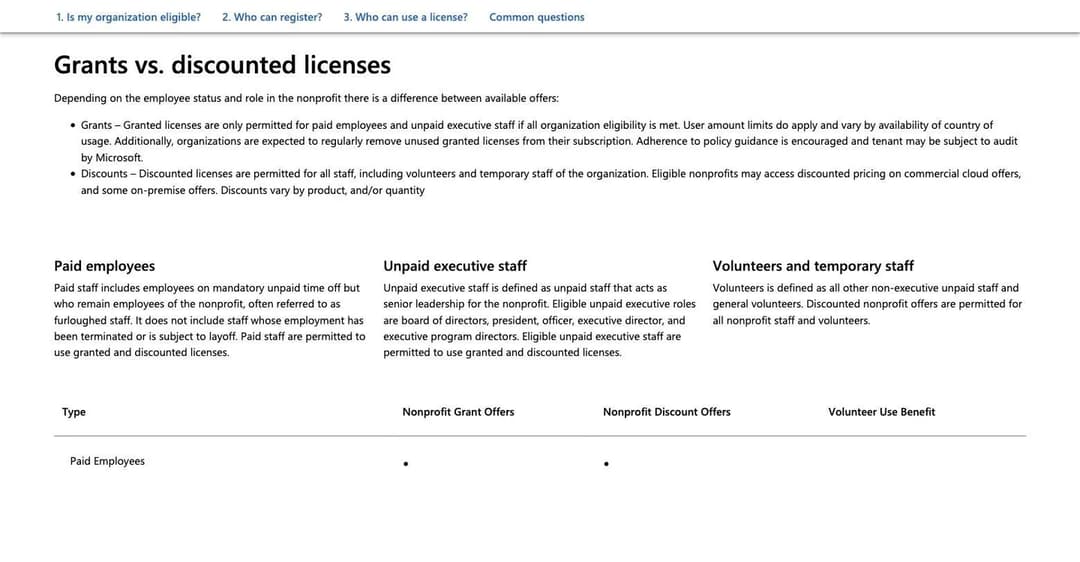
The single most revealing pricing rule in this market is not from an LMS vendor at all. It is on Microsoft’s nonprofit eligibility page, which does something no LMS vendor does: it writes volunteers into its pricing rules explicitly.
Microsoft’s own words: “Grants are only permitted for paid employees and unpaid executive staff.” And: “Discounts are permitted for all staff, including volunteers and temporary staff of the organization.”
Read that twice. The free grant covers your paid employees. Volunteers qualify only for the paid discount.
Microsoft runs the most generous nonprofit programme in software. It’s also the only vendor here precise enough to name volunteers in a pricing rule, and it names them in order to charge for them.
That’s the state of the market. Here is how the LMS vendors compare against it.
| Vendor | Nonprofit discount | What it is | Volunteers named? | Seat recycling |
|---|---|---|---|---|
| Mini Course Generator | Yes, published | Basic capabilities free for nonprofits, plus a discounted programme | Yes, throughout | Not seat-metered at volunteer scale |
| LearnWorlds | Yes, published | 15% lifetime on Pro Training and above | Yes, dedicated section | Monthly active learners |
| Google Classroom | Yes, published | $0 per user up to 2,000 users | Yes, in marketing | Headcount pool, no bill |
| TalentLMS | Yes, published | 20% “on the annual plan” (see below) | No, nowhere | Per seat |
| Moodle | No mention | Free licence, so none needed | No | No seat concept |
| Chamilo | No mention | Free licence, so none needed | No | No seat concept |
| Connecteam | No mention | Free to 10 users, archived included | Yes, in product | Archived users still count |
| Litmos | No mention | Quote only | Yes, names the turnover problem | Not published |
| iSpring LMS | Explicitly declines | States it does not offer one | No | Active users only |
| LearnUpon | No mention | Quote only, 100-user floor | No, nowhere | Not published |
Nobody Ships the Content You Actually Need
Before the list, one absence worth naming, because it changes what you should expect to buy.
Corporate LMS vendors compete hard on content libraries. Litmos licenses 17,778 courses. Healthcare platforms ship thousands of accredited clinical titles. Ask what any of them has for the nonprofit sector specifically and the answer is nothing.
No vendor in this guide ships a nonprofit or volunteer content library. Not one exists. No safeguarding library, no volunteer induction templates, no duty-of-care module, no charity-specific data protection course. The generic compliance libraries some vendors bundle are workplace-harassment and OSHA content written for employers, which is not wrong for your paid staff and is largely irrelevant to a Saturday volunteer.
So the realistic picture is that a nonprofit writes most of its own training. The list is usually short and it repeats:
- Safeguarding, including who to tell and how fast, which is the one module that genuinely cannot be generic because it depends on your policy and your named people.
- Data protection, scoped to what a volunteer actually touches: a sign-in sheet, a donor name, a photograph of a child.
- Health, safety, and lone working, specific to your sites rather than to a generic office.
- The job itself: how the food bank sorts, how the helpline logs a call, how the shop takes a Gift Aid declaration.
- Boundaries and escalation, which is where most volunteer incidents actually start.
None of that comes in a box, and all of it changes when your policy does. That reframes what you are buying: not a library, but a fast way to turn the policy document you already have into training people will finish. It also means authoring speed matters more here than catalogue size, which is the opposite of the corporate buying pattern.
The 10 Best LMS Platforms for Nonprofits
Ordered by how well each one handles the volunteer problem, not by feature count.
Our methodology. Every discount, price, and eligibility rule below comes from the vendor’s own nonprofit and pricing pages, checked in August 2026, and is quoted verbatim or reported as absent. Where a vendor says nothing about volunteers or discounts, we say so rather than guess.
Our disclosure. Mini Course Generator is our product. It is listed first because of what it publishes for nonprofits, which is verifiable on our own page and stated below in full, including what it does not do.
1. Mini Course Generator: Free Basics for Nonprofits, and Volunteers Are the Point
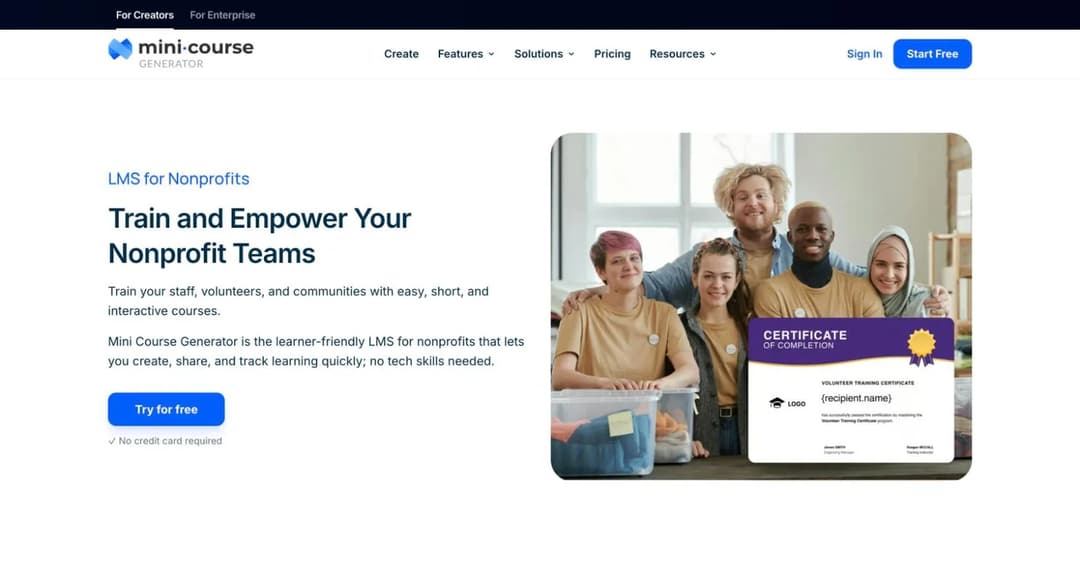
Two things put Mini Course Generator at the top of this list, and neither is a feature.
The first is the offer, and it is published. Our own nonprofit page states it plainly: “Mini Course Generator (MCG) provides the basic LMS capabilities free for nonprofits, because we believe impactful organizations deserve access to modern learning tools without financial limits.” No setup fees, no credit card. Above that, “For nonprofits that need more advanced features or AI credits, we also provide a special discounted program.”
Against a market where the best third-party offer is a 15% discount and the most common answer is silence, a free tier plus a discount programme is a materially different starting point.
The second is that volunteers are treated as the primary audience rather than an afterthought. The page opens with “Train your staff, volunteers, and communities,” and the first capability listed is volunteer onboarding. That reflects how the product is actually built: courses go out as a link with no learner account required, which is exactly what you want when a new volunteer needs induction before Saturday and creating them a login is more work than the training itself.
The practical shape for a nonprofit is:
- Volunteer onboarding, sent as a link or QR code so people can complete it on a phone before they arrive.
- Staff and compliance training, including safeguarding and data protection, updated when the policy changes rather than annually.
- Community and awareness programmes, where the learner is a supporter rather than a worker.
- Progress tracking with completion rates, so you can show a funder that induction actually happened.
Content is built from documents you already have, using the AI course builder, which matters when the person making the training is also the person running the programme. The Agent Skills library covers the interactive formats, and delivery works by link, embed, or QR code.
What it is not:
- Not a full enterprise LMS. No org hierarchy, no multi-tenancy, no HRIS-driven auto-enrolment.
- No prebuilt safeguarding or compliance library. You bring the content.
- No credential or licence expiry tracking.
- The free nonprofit tier is basic capabilities, not the full product. Advanced features and AI credits sit in the discounted programme.
- For everyone else there is no free plan, just a 14-day trial with no credit card. Figures are on the pricing page.
2. LearnWorlds: 15% Lifetime, and a Billing Model Built for Churn
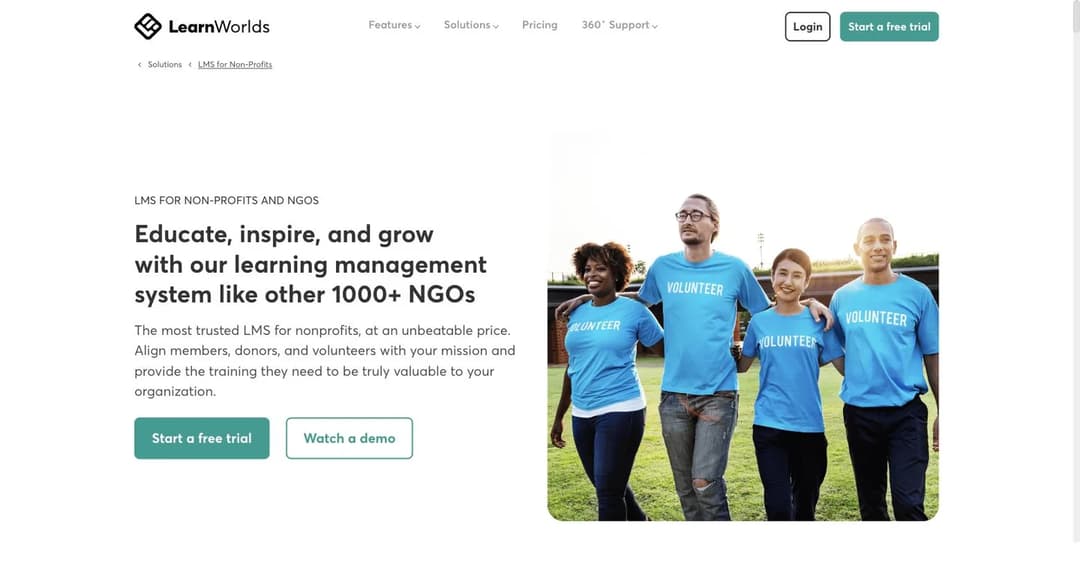
LearnWorlds is the strongest third-party option in this guide, and the discount is the smaller half of why.
The discount is real and stated twice. The pricing FAQ: “Yes, LearnWorlds offers discounts on our Pro Training plan and above to eligible registered non-profit organizations.” The nonprofit page itself calls it a 15% lifetime discount, which is unusual. Most vendor concessions are first-year only.
The bigger deal is that LearnWorlds bills by monthly active learner rather than by named seat: 1,000 active learners a month on Starter and 2,000 on Pro Trainer and Learning Center. For a nonprofit, that is the whole problem solved structurally. A volunteer who stops logging in stops costing money, without anyone remembering to deactivate them.
It is also one of only three platforms here whose product marketing names volunteers as a first-class audience. The page carries a dedicated “Volunteer training and onboarding” section, and its copy runs “Train volunteers, staff, and communities” and “Onboard volunteers in different countries.”
What to watch:
- The discount does not apply at checkout. There is no promo code and no nonprofit signup path. You must email sales with proof of charitable status, such as 501(c)(3) documentation or the equivalent, before you subscribe. Follow the obvious “Start a free trial” button and you will be billed at list price.
- Eligibility wording is loose but the evidence requirement is strict. The page says “registered charities, nonprofits, NGOs, and social causes,” which reads broadly, while the application asks for charitable-status proof. Ask before assuming a fiscally sponsored project qualifies.
- It starts at Pro Training. The discount does not reach the cheapest tier.
A discount that starts one tier up changes the arithmetic, and the LearnWorlds alternatives comparison works through what each rival charges per sale and per learner before any discount.
Best for: nonprofits training a large, rotating volunteer or member base, especially internationally, and organisations that also want to publish public-facing courses.
3. Google Classroom: The Free LMS Your Charity May Already Have
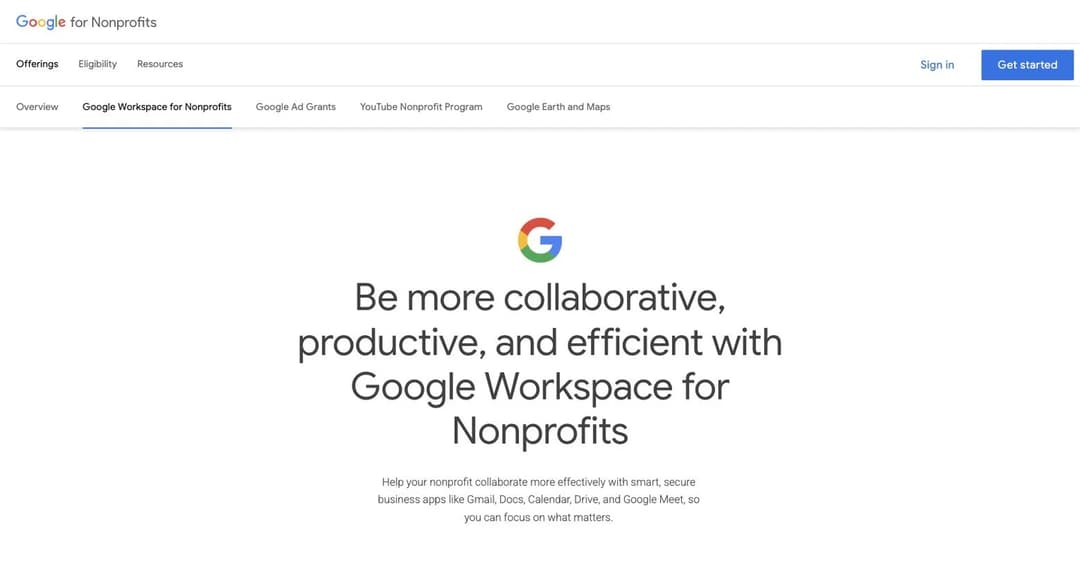
This is the option most likely to save a nonprofit real money, and Google does a poor job of telling anyone about it.
Google Workspace for Nonprofits costs $0 per user per month, for up to 2,000 users, with 100 TB of pooled storage and 150-participant video meetings. And Google Classroom is available on a Workspace for Nonprofits account.
Google states both facts. It just never states them in the same place: the price is on the nonprofit offerings page, and the Classroom entitlement is documented in the Classroom administrator help. Nothing on the nonprofit side joins them up, which is why it is so easy to miss.
For an organisation that already runs Google Workspace, that is a course delivery layer, an identity system, and a storage tier for nothing, with volunteer churn costing exactly zero because there is no per-seat bill to recycle. You delete a departed volunteer and the slot returns to the 2,000 pool.
The gates:
- You must be a registered charitable organisation, verified by Goodstack, Google’s validation partner. Reviews take 2 to 14 working days.
- Excluded outright: governmental entities, hospitals and healthcare organisations, and schools, which have their own separate programme.
- Each product activates separately, and Classroom is not in the standard activation list. You may need to enable it in the admin console.
- Classroom is a classroom tool. It handles assignments and grades well. It does not do compliance recertification, SCORM, org hierarchy, or audit-grade completion reporting.
How to actually get it, since the path is not obvious:
- Check eligibility for your country on the Google for Nonprofits site.
- Request a Google for Nonprofits account and wait for Goodstack to verify you, typically 2 to 14 working days.
- Activate Google Workspace for Nonprofits, which is a separate step from being approved.
- Enable Classroom in the admin console, which is a separate step again.
Best for: any verified charity, as a first stop before paying for anything. Check what you already have.
4. TalentLMS: The Only Headline Per-Seat Discount, With an Asterisk
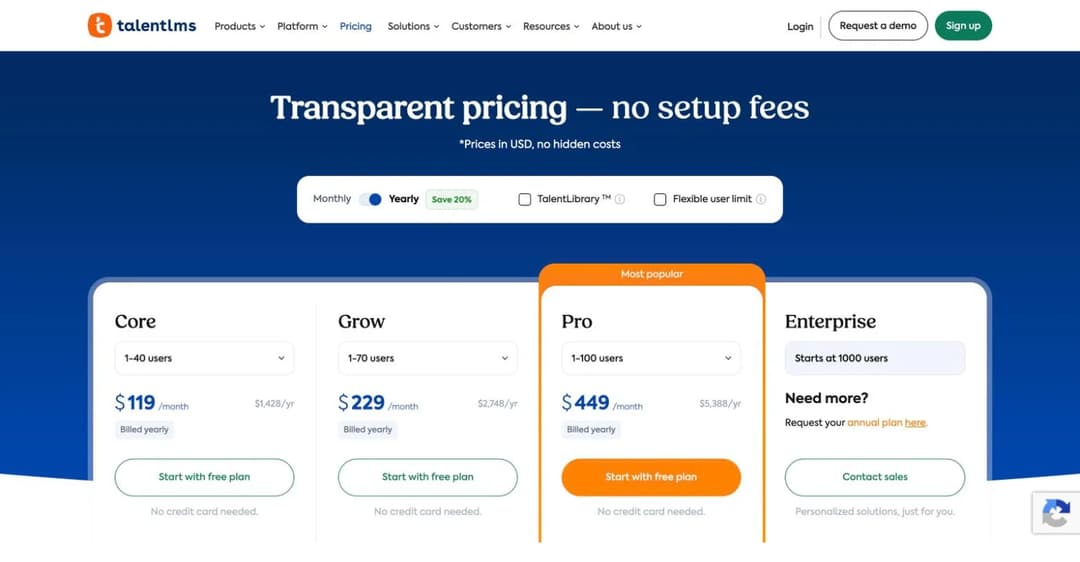
TalentLMS publishes the most visible discount in the market: “Yes! All registered nonprofit organizations using TalentLMS can receive a 20% discount on the annual plan.”
It is real, it applies to all registered nonprofits with no jurisdiction-specific test, and it is easy to start. Sign up for the Free plan, then send your portal name, your website, and your nonprofit documentation.
Here is the part worth doing the arithmetic on.
The pricing page separately advertises a “Pay Yearly (Save 20%)” saving available to everybody. Core is $149 a month billed monthly and $119 a month billed yearly. That is a 20.1% saving, which means the standard annual plan already carries a 20% discount for every customer.
So when the FAQ says nonprofits get “a 20% discount on the annual plan,” the obvious question is whether it stacks on top of the 20% the annual plan already gives everyone, or simply refers to it. Neither page says. The difference for a 40-user nonprofit is $1,142 a year against $1,428 a year. Get it in writing before you budget for it.
The other gap: TalentLMS’s nonprofit page never mentions volunteers, turnover, donors, boards, or members. The only workforce word on it is “staff.” TalentLMS prices and positions every learner as an employee seat, and its single named case study is a dental group.
Best for: nonprofits with a mostly salaried workforce under 100 people, where the per-seat model actually matches reality.
5. Moodle: No Discount, Because There Is Nothing to Discount
Moodle publishes no nonprofit programme, and for the self-hosted product that is the right answer. There is no licence fee to discount. “There are no licence fees or restrictions, you just need to find your own resources for hosting and support.”
Self-hosted Moodle has no user cap at all, which makes the volunteer problem disappear entirely. Three hundred volunteers cost the same as thirty.
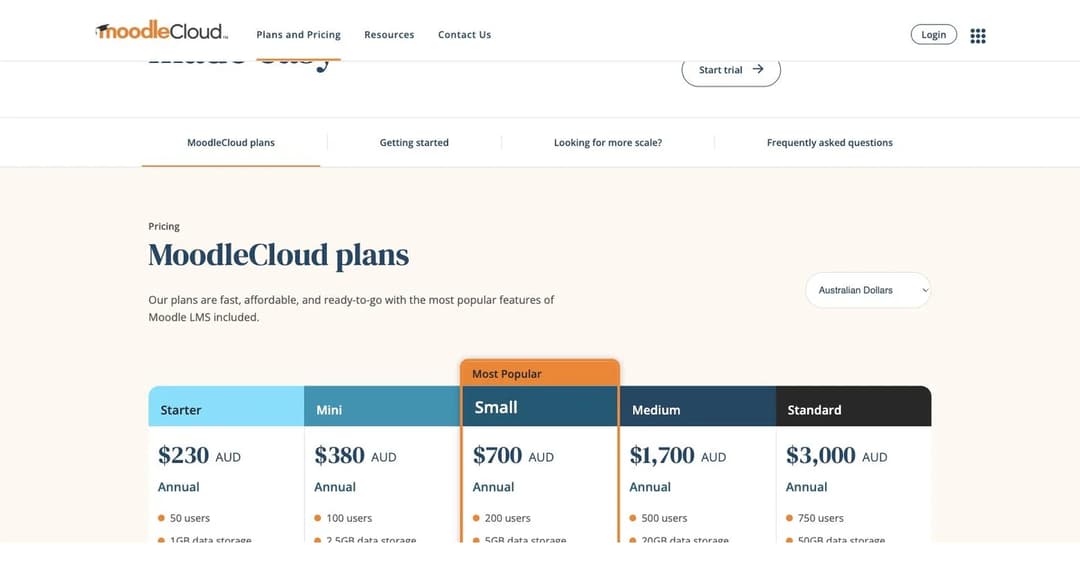
MoodleCloud is the hosted route and it publishes prices, in Australian dollars, with no nonprofit relief: Starter A$230 a year for 50 users, Mini A$380 for 100, Small A$700 for 200, Medium A$1,700 for 500, and Standard A$3,000 for 750, where hosted plans stop. Note that MoodleCloud counts registered users, so volunteer churn does eat the cap.
The cost you are actually signing up for if you self-host: a Linux server, a database, backups, TLS, a cron job, security patching every six months, and plugin compatibility testing at each upgrade. For a nonprofit without an IT person, that is either a contractor or a volunteer sysadmin, and the second one is its own turnover risk. Our guide to building your own LMS covers the arithmetic honestly.
Best for: nonprofits with technical capacity, a large learner base, or a hard data-sovereignty requirement.
6. Chamilo: The Open-Source Option Built Around This Audience
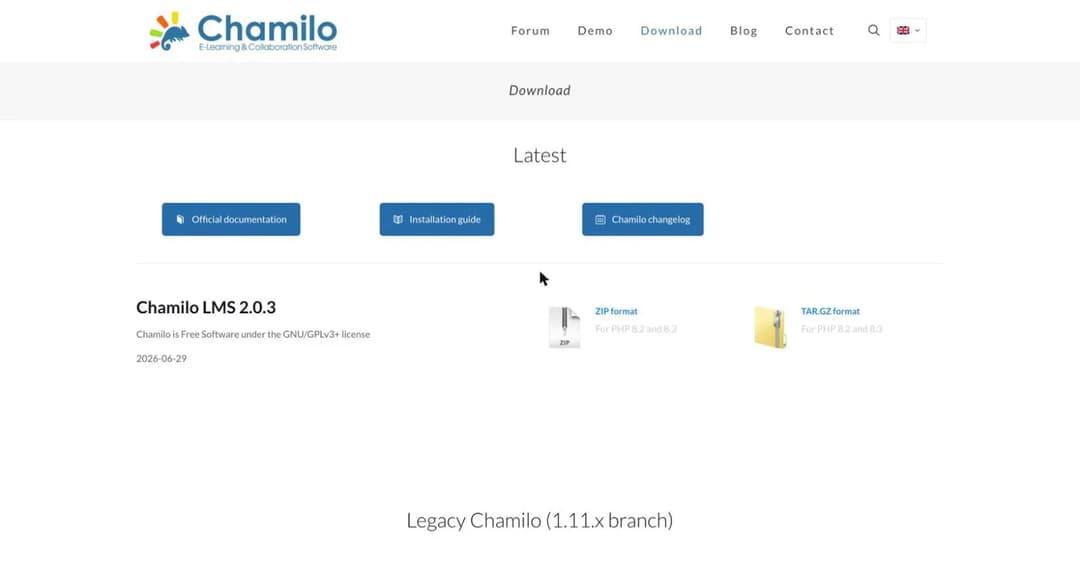
Chamilo deserves its own line rather than a footnote under Moodle, because its centre of gravity is closer to this audience. It is GPLv3, free, uncapped, and its user base skews to schools, ministries, NGOs, and multilingual training organisations, with a provider network concentrated in Europe and Latin America.
There’s no paid edition, which means no upsell pressure and no feature wall. The current release is 2.0.3, dated 29 June 2026, with a maintained legacy branch.
Requirements are lighter than Moodle’s: Apache or Nginx, PHP 8.2 or later, MySQL 8.0 or MariaDB 10.4, and 2GB of RAM minimum with 4GB recommended.
The same caveat applies. Free software, paid deployment. If nobody on your team can maintain a Linux server, the honest comparison is a Chamilo hosting contract against a commercial subscription, not against zero.
Best for: internationally distributed nonprofits, especially outside the US, with technical capacity and multilingual training needs.
7. Connecteam: Free to 10, and Volunteers Are First-Class
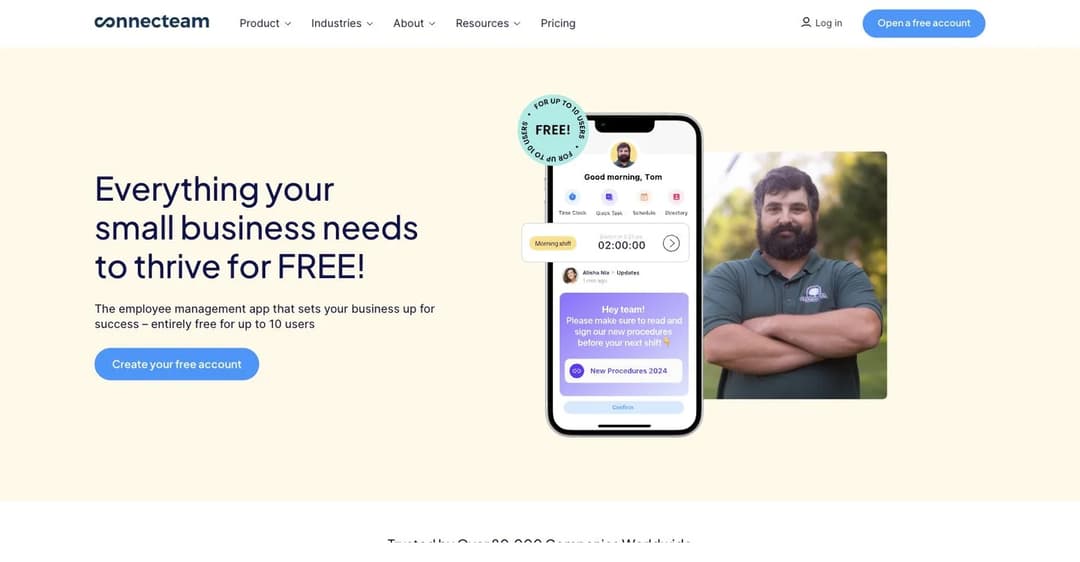
Connecteam is a frontline workforce app rather than an LMS, and for a certain kind of nonprofit that makes it a better fit than anything above it.
It treats volunteers as real users rather than an edge case: volunteers can be scheduled, can clock in and out of volunteer shifts with hours logged automatically, can be assigned tasks, and can be assigned training, all in the same app. Very few platforms in this market do that.
The free Small Business Plan is genuinely generous for up to 10 users. On courses and quizzes it matches Connecteam’s top tier on every row: unlimited courses, categories and sections, quizzes, an AI course creator, completion insights, and automations.
The catch is the one that matters most to a nonprofit, and it is easy to miss. Connecteam’s own FAQ: “As long as you have up to 10 users in your Connecteam account (active and archived), you don’t need to pay.”
Archived users count. The cap is cumulative lifetime headcount, not concurrent volunteers. A small charity that has cycled through 15 volunteers over two years is out of the free plan even if it never had more than six at once. For an organisation whose whole workforce model is churn, that is the wrong meter.
Above 10 users there is a second free-for-life plan called Limited, valid to 30 users, but it cuts courses to 3 and removes quizzes and completion tracking entirely. Paid tiers stay cheap: a flat base fee covers the first 30 users, landing near $1 to $1.60 per user per month.
Best for: small frontline nonprofits, food banks, shelters, and community services where scheduling and training belong in one app on a phone.
8. Litmos: The Only Enterprise LMS That Names the Problem
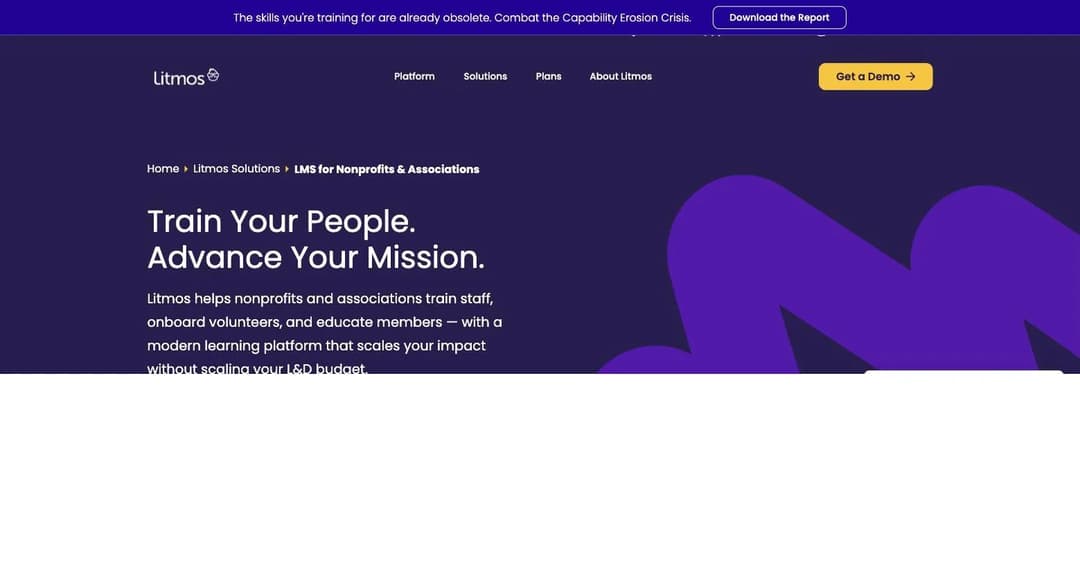
Litmos publishes no nonprofit discount, and its nonprofit page says nothing about price, cost, free trials, grants, or seat counts at all.
What it does do, alone among the enterprise platforms here, is name volunteer turnover as the problem it is solving. Its page states that Litmos helps nonprofits “train staff, onboard volunteers, and educate members,” and elsewhere: “Volunteers are the backbone of many nonprofits, but they’re also one of the hardest populations to train consistently.”
That framing is correct, and it’s the one thing most of this category gets wrong.
The product answer is standardised volunteer onboarding delivered “regardless of when or where volunteers join,” which is the right shape for rolling intake.
The commercial reality is harder. All three tiers read “Contact for Pricing.” There is no published seat minimum, no discount to point at, and no way to flag yourself as a nonprofit when you ask for a quote. A nonprofit must enter an enterprise sales cycle with no price anchor and no evidence a concession exists.
The published contract terms are also worth reading first: subscriptions auto-renew for a year unless cancelled 90 days out, payment obligations are non-cancellable, seat counts cannot be decreased mid-term, and excess users are charged at 1.5 times the per-user rate.
Best for: larger nonprofits and associations, above roughly 200 staff, that already run an enterprise procurement process.
### 9. iSpring LMS: Says No to Discounts, Says Yes to Active-User Billing
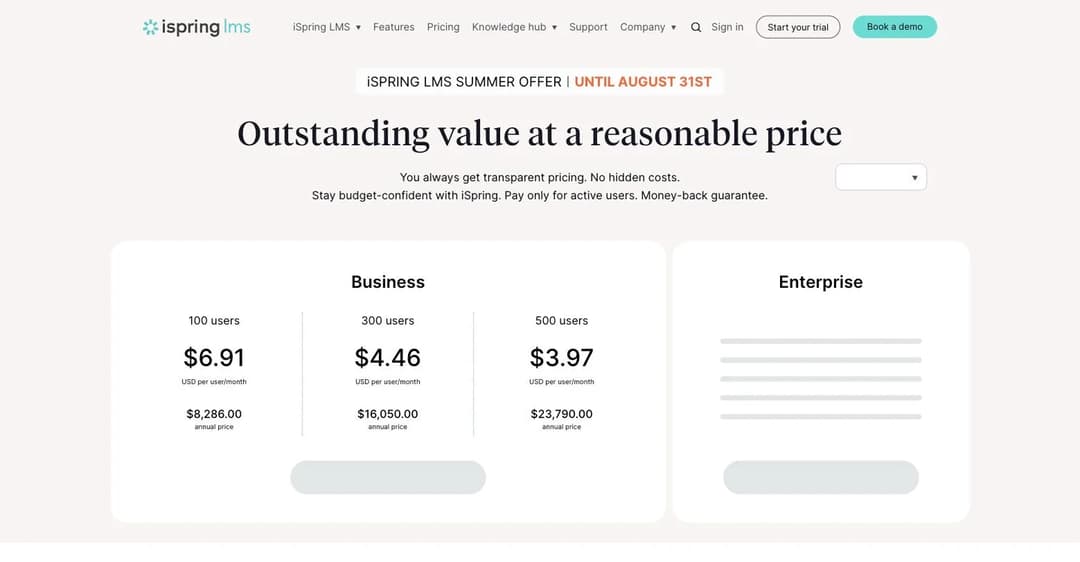
iSpring is the only vendor in this guide that answers the nonprofit-discount question directly and answers it in the negative. It proactively addresses government, nonprofit, and academic pricing and declines all three. Credit where it is due: an explicit no is more useful than silence.
And yet it has the second-best mechanic in this guide for volunteer churn, and it says so on its own pricing page: “Pay only for active users.” You can invite and register any number of users and pay only for the ones who actually use the system. For a roster where most volunteers are dormant most of the time, that is worth more than a percentage.
The floor is the blocker. Published bands start at 100 users: $6.91 per user per month, which is $8,286 a year. Then 300 users at $4.46 ($16,050 a year) and 500 at $3.97 ($23,790). A nonprofit with 40 staff pays for 100 users regardless.
Above 100 users, iSpring does offer to negotiate: “If you have 100+ users and our standard plans don’t fit your requirements, simply write to us.” That is seat-count flexibility, not a nonprofit rate, and it should not be presented as a back door to one.
A dating note: the iSpring figures above are as of August 2026, when a summer promotion was running that ended on 31 August. Confirm current prices before you budget.
Best for: nonprofits at the top of the 100 to 500 range with a large, intermittently active volunteer pool.
10. LearnUpon: The Vendor That Tells You Not to Buy
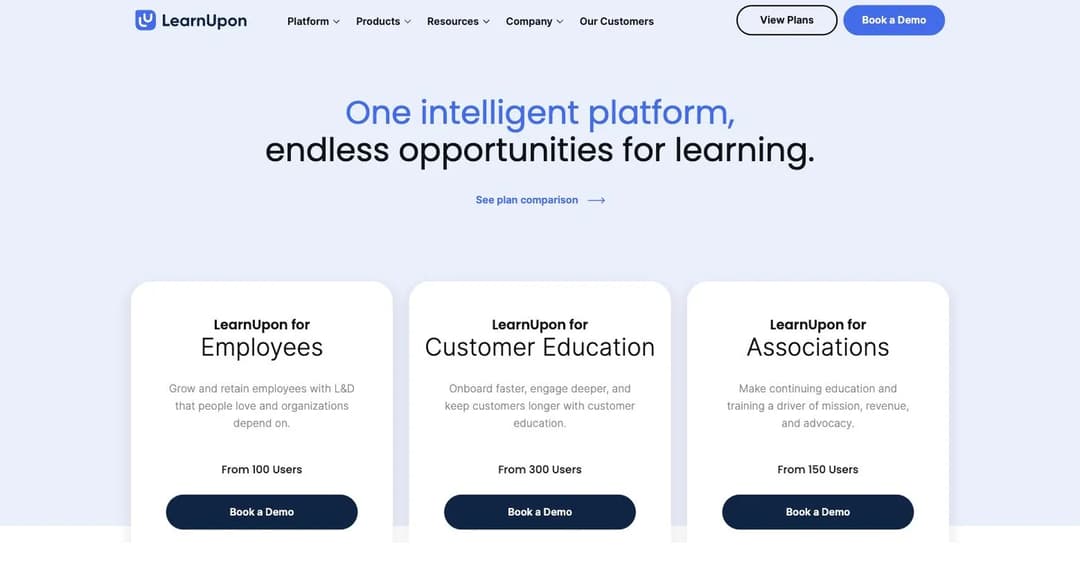
LearnUpon publishes no nonprofit discount, and no price of any kind. Its three products list seat floors only: LearnUpon for Employees from 100 users, for Associations from 150, and for Customer Education from 300.
It’s here because of an unusual piece of honesty. Its pricing FAQ states outright: “LearnUpon will not be a fit for companies looking for a solution for less than 100 users, an on-premise solution, or those requiring HIPAA compliance … K-12 and higher education organizations training student audiences are also not ideal for LearnUpon.”
That single sentence disqualifies most small and mid-size nonprofits, most health and social-service nonprofits, and most education nonprofits, and it does so before anyone wastes a month in procurement. More vendors should write it.
On volunteers: LearnUpon never mentions them, not in its product descriptions, its pricing, its terms, or its nonprofit customer stories. The product architecture has three audience shapes and none of them is a volunteer.
For an organisation whose largest audience is volunteers, that silence is the deciding fact, and the LearnUpon alternatives comparison covers which of its rivals publish a price and a floor you can check.
Best for: large nonprofits and professional associations above 150 users, particularly those monetising member education.
Four platforms other guides recommend, and why they are not here
Four platforms that did not make this list, with the reason:
- Docebo is the biggest name in the category, and its nonprofit customer stories are real, including Amnesty International France. But it self-selects for organisations “training at least 250+ learners,” publishes no prices, and sells on annual minimums that most customers sign for three to five years. It is credible for a large international NGO and structurally wrong for a 40-person charity. If it’s the name already on your shortlist, our Docebo alternatives comparison weighs it against the rest of the field.
- Canvas and Instructure publish no nonprofit discount and offer no nonprofit route through sales. Their free hosted tier for teachers was discontinued this year.
- Absorb markets to nonprofits but prices for associations, framing the audience as dues-paying “members” rather than volunteers, whom it never mentions.
- Thinkific publishes no nonprofit discount and, as of this year, no free plan either. Its own pricing FAQ answers the free-plan question with a flat no.
What a 40-Staff, 300-Volunteer Charity Actually Pays
Percentages off are hard to compare, so we modelled one organisation across every platform here: 40 paid staff and 300 volunteers, of whom roughly 100 are active in any given month. That is an ordinary shape for a mid-sized charity.
The spread is the point. The same organisation, with the same training need, costs somewhere between nothing and roughly $16,000 a year depending entirely on which pricing mechanic the vendor happened to choose.
| Platform | What it counts | Annual cost for this charity |
|---|---|---|
| Google Workspace for Nonprofits | Named users, capped at 2,000 | $0, all 340 fit inside the free cap |
| Moodle or Chamilo, self-hosted | Nothing | $0 licence, plus a server and an administrator |
| Mini Course Generator | Not seat-metered at volunteer scale | $0 for basic capabilities on the nonprofit tier |
| Connecteam | Users, active and archived | Paid tier. A flat base covers the first 30 users, then roughly $1 to $1.60 per user per month |
| MoodleCloud | Registered users | A$1,700 (Medium, 500 users). The 200-user plan is not enough |
| TalentLMS | Named seats | Well past the published 1 to 100 brackets. Its cheapest published anchor is $1,428 a year for 1 to 40 users |
| LearnWorlds | Monthly active learners | The 100 active learners sit inside Starter’s 1,000 allowance. The 300-name roster costs nothing |
| iSpring LMS | Active users only | 100 active users lands on the 100-user band: $8,286 a year |
| LearnUpon | Named seats, floor of 100 | Quote only. No published figure exists |
| Litmos | Named seats | Quote only. No published figure exists |
Three things fall out of that table.
The volunteer roster is free on four of the ten platforms and expensive on the rest. Not because those four are cheaper products, but because they count something other than names.
The gap between the mechanics dwarfs the gap between the discounts. LearnWorlds’ 15% and TalentLMS’s 20% are worth a few hundred dollars a year to this charity. Choosing active-learner billing over seat billing is worth thousands.
Half the market cannot be modelled at all. LearnUpon, Litmos, and every other quote-only vendor publish nothing, so a nonprofit cannot compare them without running a sales process for each. That is a real cost too, paid in staff time rather than budget.
A caution about the numbers. Every figure above is either a published vendor price or a stated cap. “Quote only” means the vendor publishes no figure at all. Anyone giving you a specific figure for LearnUpon or Litmos without a quote is guessing.
Six Questions to Ask Before You Sign
Nonprofit budgets don’t survive surprises, and this category has several. These are the questions that expose those surprises, in the order worth asking them.
- What exactly counts as a user? Named accounts, active learners, or registered users. This one question decides more of your bill than the price per seat does.
- Does an archived or deactivated person still count against my plan? Connecteam’s answer is yes, and it is written only in the fine print.
- Does the nonprofit discount stack with the annual-billing discount? TalentLMS’s own pages do not say, and the difference is real money.
- Is the discount lifetime or first-year? LearnWorlds states lifetime on its own page. Most vendors do not say, and first-year-only is the industry default.
- What is the renewal notice period, and where is it written? Litmos requires 90 days. Miss it and you renew for a full year.
- Can a learner take training without creating an account? For volunteer induction this is often the deciding feature, and it’s easy to overlook when you’re comparing plans.
Get all six answered in the same email thread, before the quote. A vendor that will not answer question one in writing has told you something useful.
Where the Nonprofit Discount Actually Lives
A reasonable assumption is that TechSoup solves this. TechSoup is the nonprofit software marketplace, it validates 501(c)(3) status, and it distributes donated and discounted software at low administration fees.
It has no LMS. No learning management system appears anywhere in the TechSoup catalogue. Its four product categories are productivity and collaboration, security, marketing and fundraising, and volunteer management. It will save you money on almost everything except the platform this guide is about.
What TechSoup does cover is instructive, because it shows what nonprofit pricing looks like when someone actually designs it for the sector. Civic Champs, a volunteer management tool, is discounted on a budget-tiered basis: organisations under $1 million in annual operating budget get 50% off, larger ones get 10%. Pricing scaled to the size of the organisation rather than the number of people it touches. No LMS vendor in this guide does that.
The practical implication is simple. Nonprofit LMS pricing has to be negotiated directly with the vendor, one at a time, with no channel and mostly no published policy to anchor to.
Frequently Asked Questions
Is there a free LMS for nonprofits?
Yes, four of them, in different senses.
- Google Workspace for Nonprofits is $0 per user for up to 2,000 verified-charity users, and includes Google Classroom.
- Moodle and Chamilo are free to license with no seat cap, and cost a server plus an administrator.
- Connecteam is free for up to 10 users, counting archived ones.
- Mini Course Generator provides basic LMS capabilities free to nonprofits.
Our wider free LMS guide covers the four different things “free” means across the whole market, including two options that stopped being free this year.
Is Microsoft 365 free for nonprofits?
Partly. Microsoft 365 Business Basic is a genuine free-forever grant for up to 300 users for eligible nonprofits, and higher tiers carry discounts of 60% to 75%.
Two things matter for this guide. The free grant covers paid employees and unpaid executive staff only. Volunteers and temporary staff qualify for the discounted licences, not the free ones. And Microsoft requires nonprofits to keep 85% of granted licences actively used or risk disqualification from future grants, which cuts against a roster of dormant volunteer accounts.
Also: none of it is an LMS. Microsoft says so itself, describing Viva Learning as a hub that aggregates content from LMS providers rather than replacing them.
How much should a nonprofit expect to pay for an LMS?
For a 40-person organisation, roughly $0 to $1,500 a year depending on which route you take.
- $0 if you qualify for Google Workspace for Nonprofits, or run Moodle or Chamilo on a server you already have.
- $300 to $600 a year for a small MoodleCloud plan, or a Connecteam paid tier.
- $1,100 to $1,500 a year for TalentLMS Core with the nonprofit discount applied, depending on whether it stacks.
- $8,000 and up for iSpring, LearnUpon, or any enterprise platform with a 100-user floor.
If your nonprofit also delivers regulated or clinical training, the requirements change substantially, and our healthcare LMS guide covers what accreditation and PHI handling actually demand.
Our LMS pricing guide has the full picture across 20 platforms, including the seat floors that decide most of this. Smaller charities running like a small business will also recognise the patterns in our small business LMS guide.
Do I need SCORM for volunteer training?
Almost never at the start, and it matters later.
SCORM is a portability standard. It lets a course move between systems. For volunteer induction built and delivered in one place, it adds nothing. It becomes valuable when a funder supplies training you have to host, when you merge with another organisation, or when you outgrow your first platform and want to take your content with you. The same applies if you ever need training to run inside another system rather than beside it, which is what a headless setup is for. Our SCORM and xAPI explainer covers what actually transfers.
How do I train volunteers who never log in?
By not requiring a login.
This is the most common practical failure in nonprofit training, and it’s usually a delivery problem rather than a content problem.
If a new volunteer has to create an account, verify an email, and remember a password before they can watch a 10-minute safeguarding module, a meaningful share of them won’t.
The fix is to send training as a link or a QR code that opens straight into the course on a phone, and to keep it short enough to finish while waiting for a shift to start. Platforms that require named accounts for every learner make this harder, which is another reason the per-seat model fits this sector badly. If you want the training to live inside a tool volunteers already open, embedding it usually beats sending them somewhere new.
Should a nonprofit build its own LMS?
Almost never, and the reason is staffing rather than cost.
Self-hosting Moodle or Chamilo is genuinely free to license, and the software is excellent.
But a nonprofit that runs its LMS on one technically-minded volunteer has built a dependency on a person, in a sector defined by people moving on. When that volunteer leaves, the training platform becomes an unpatched server nobody can log into.
If you go open source, get the hosting on a contract with an organisation, not an individual. And check whether your training will ever need to exchange data with your CRM or volunteer management tool, because that integration work is where open-source projects usually stall.
The Bottom Line
The nonprofit LMS market has a pricing problem it has not admitted to. Every platform charges for people, and nonprofits have the most fluid definition of “people” of any sector. Two vendors publish a discount. One says no outright. Most say nothing at all, and the sector’s own software channel does not carry the category.
So work the volunteer question first, before you compare a single feature.
Check what you already have. If you are a verified charity, Google Workspace for Nonprofits is free for 2,000 users and includes Classroom. Start there, and only pay when it stops fitting.
Then pick your mechanic, not your discount. Active-learner billing at LearnWorlds or iSpring, a free headcount pool at Google, or no seat concept at all with Moodle or Chamilo. Any of those beats 20% off a bill that keeps charging for people who left.
And keep the first step small. The training that actually decides whether a volunteer comes back is the induction they do before their first shift, and it does not need a platform to exist. Mini Course Generator provides its basic capabilities free to nonprofits, with a discounted programme above that, and courses go out as a link with no learner account required. You can have the first one out before Saturday.
Sources
Every discount, price, and eligibility rule above was read from the vendor’s own pages on 27 August 2026.
- Published discounts quoted verbatim from the LearnWorlds pricing FAQ and non-profit solutions page, the TalentLMS pricing FAQ and non-profit industry page, and the Mini Course Generator nonprofit page.
- The TalentLMS annual arithmetic ($149 a month billed monthly against $119 billed yearly, a 20.1% saving) was read from the live pricing page by toggling its own billing switch.
- Google for Nonprofits figures and eligibility come from the Workspace offerings page and the Google for Nonprofits eligibility guidelines; the Classroom entitlement is documented in Google’s Classroom administrator help rather than on any nonprofit-facing page.
- Microsoft’s grants-versus-discounts rule is quoted verbatim from its nonprofit eligibility page, along with the 85% active-usage requirement from its nonprofit FAQ.
- iSpring’s refusal to offer nonprofit, government, or academic discounts is stated on its own pricing page, where the “Pay only for active users” model also appears.
- LearnUpon’s fit statement is quoted verbatim from its pricing FAQ.
- Connecteam’s archived-user rule appears only in the FAQ on its Small Business Plan page.
- Absences were verified by searching each vendor’s nonprofit and pricing pages for the words volunteer, turnover, and discount, and are reported as absences rather than assumptions.
Discounts and eligibility rules change. Confirm anything that matters to your budget in writing before you sign, and note that at least one figure above sits behind a promotional banner expiring 31 August 2026.


