The best safety LMS can show an OSHA inspector who was trained on which hazard and who evaluated them. It also shows when the training comes due again, including after a near miss and not only on an anniversary.
Most platforms sold as safety training software do less. They record a finished course and renew it on a calendar. That isn’t the record several OSHA standards describe.
That gap is yours to explain when an inspector or an insurance auditor wants a file the same afternoon. It also decides the purchase before any feature does. Some products are safety suites that hold incidents and inspections, with training as one module. Others are learning platforms with a safety library attached.
This guide starts with what four OSHA training standards ask a record to show. Then it covers the retraining triggers a calendar misses and the sign-off question to put to every vendor. Last, it compares ten platforms by what each is built to do, with every published price worked out for 100 people.
Turn the PPE policy or lockout procedure you already have into a course, then decide which system should hold the evaluation.
What a Safety LMS Is, and the Record It Has to Produce
A safety LMS is compliance training software aimed at physical hazards. It assigns hazard training to the people exposed and delivers it on whatever device a crew has. It also keeps a record someone outside your team can read. Every vendor demos delivery and tracking, but an inspection tests the record.
You already know what a learning management system does. What changes for safety is what counts as done. A compliance course is done when the right person finishes it on time, but much safety training is done only when someone qualified has watched the worker do the task.
The five things a safety training record has to show
| Field | What it looks like in practice | What goes wrong without it |
|---|---|---|
| Who | A named person, not a shared tablet login | The record belongs to a device, not a worker |
| Which hazard or equipment | The truck type, the PPE item, the chemical, the exposure task | A generic “safety training” line covers nothing specific |
| Who trained and who evaluated | The trainer’s and evaluator’s names | A quiz score stands in for an evaluation someone had to watch |
| When | The training date and, separately, the evaluation date | One completion date hides a missing evaluation |
| When it’s due again | A date, plus the events that bring it forward | The refresher waits for an anniversary after a near miss |
Those fields come from the standards below, not from a vendor checklist. A training matrix is the paper version. If yours already has an expired column, you know what the software has to reproduce.
So what: put those five fields at the top of your requirements before you open a vendor site. A platform that can’t fill all five in a demo is a delivery tool, and the record will have to live somewhere else.
What OSHA’s Training Standards Ask the Record to Show
OSHA doesn’t have one training rule. Each standard sets its own, and the ones most EHS teams manage read very differently. Four of them cover the jobs most safety programs start with.
Forklifts: training plus an evaluation in the workplace
The powered industrial truck standard, 29 CFR 1910.178(l), splits operator training into three parts:
- Formal instruction, such as a lecture, a video or “interactive computer learning”
- Practical training, where the trainer demonstrates and the trainee practices
- An evaluation “of the operator’s performance in the workplace”
Online modules are named, so they count. But they’re only one of the three parts. An LMS can deliver the formal instruction perfectly and hold nothing about the other two.
The employer’s certification has to name the operator and whoever trained or evaluated them. It also needs two dates, for training and for evaluation. A completion certificate usually carries one date. It names no evaluator.
The evaluation repeats “at least once every three years”, and a refresher is also required when:
- The operator has been seen operating the truck in an unsafe manner
- The operator has been involved in an accident or a near-miss incident
- An evaluation shows the operator isn’t operating the truck safely
- The operator is assigned to a different type of truck
- A condition in the workplace changes in a way that could affect safe operation
PPE: a demonstration before the work starts
The personal protective equipment standard, 29 CFR 1910.132(f), lists five things each worker must be trained to know:
- When PPE is necessary
- What PPE is necessary
- How to properly don, doff, adjust and wear it
- Its limitations
- Its proper care, maintenance, useful life and disposal
Then comes the part a course can’t do alone. Each worker has to show “an understanding of the training” and “the ability to use PPE properly” before doing work that needs it.
A quiz can check understanding. Using a respirator or a harness properly is something a person has to watch. Retraining is due when changes at work or new types of PPE make the old training obsolete, or when the way a worker uses their PPE shows they didn’t retain it.
The same standard asks for a written certification of the hazard assessment, naming the workplace, the person certifying it and the date. That document usually sits with EHS, not L&D. It’s a first clue about where your training records belong.
Bloodborne pathogens: four fields and a three-year file
For workers who can be exposed on the job, 29 CFR 1910.1030 requires training when they’re first assigned. After that, it’s “at least annually”, within one year of the last session. New tasks or procedures call for more training. The records have to hold:
- The dates of the training sessions
- The contents or a summary of the training sessions
- The names and qualifications of the people who conducted the training
- The names and job titles of everyone who attended
Those records are kept for three years from the training date. Two fields rarely appear in an LMS export: what the session covered, and what qualified the trainer. If exposure control is yours in a clinic or a lab, the healthcare LMS comparison covers platforms built for that setting.
Hazard communication: training on arrival and on every new chemical
Under 29 CFR 1910.1200(h), workers get “effective information and training” on the hazardous chemicals in their work area. That happens at initial assignment. It happens again whenever a new chemical hazard they haven’t been trained on comes into the work area.
There’s no calendar in that rule at all. The trigger is a new chemical on site. Whoever orders it has to tell whoever assigns training. If they don’t, the requirement is missed the day the drum arrives.
The four standards side by side
| Standard | What the training or record has to show | When it comes due again |
|---|---|---|
| Forklifts, 1910.178(l) | Formal instruction, practical training and an evaluation in the workplace; two dates and the trainer or evaluator named | Evaluation at least every three years; refresher after unsafe operation, an accident or near miss, a failed evaluation, a new truck type or a changed condition |
| PPE, 1910.132(f) | Five training topics, then a demonstrated ability to use the PPE before the work | When workplace or PPE changes make training obsolete, or a worker hasn’t retained it |
| Bloodborne pathogens, 1910.1030 | Session dates, contents, trainer names and qualifications, attendee names and job titles, kept three years | At least annually, plus when tasks or procedures change |
| Hazard communication, 1910.1200(h) | Effective information and training on the chemicals in the work area | At initial assignment and whenever a new chemical hazard arrives |
This guide describes software, not the law. Which standards apply to your sites, and how long you keep each record, are questions for your safety lead or counsel.
An Outreach card isn’t the training record
The 10-hour and 30-hour cards from OSHA’s Outreach Training Program are the credential most crews carry. OSHA is plain about them: “None of the courses within the Outreach Training Program is considered a certification.” The program also “does not fulfill an employer’s requirement to provide training under specific OSHA standards.”
OSHA doesn’t keep records of Outreach classes run by authorized trainers. Trainers have 90 days after the class to issue a card. No card is issued for a course finished more than five years earlier.
So a card answers “did this person take a general safety course?” It doesn’t answer “was this operator evaluated on this truck at this site?” Keep the card as background, and hold the standard-specific record beside it. What a certificate does and doesn’t prove goes further on the difference.
So what: list the standards that apply to your sites. For each one, note the evaluation it requires and the events that bring retraining forward. That list is your demo script.
Retraining Runs on Events, Not Just Dates
Look back at the right-hand column of that table. Only bloodborne pathogens runs mainly on the calendar. The other three bring training forward when something happens. That could be a near miss, a new truck type, a new chemical, or a worker who plainly didn’t retain the PPE training.
Most learning platforms renew on a date. TalentLMS lets you set a certificate’s duration, from “Forever” to a fixed period, and re-assign the course when it expires. iSpring LMS tracks certificate expiry and re-enrolls people automatically.
Both handle the annual bloodborne pathogens refresher well. Neither describes a refresher fired by an incident. That’s where a safety management suite can earn its price.
When incidents and training sit in one system, the refresher can hang off the incident record instead of someone’s memory. Intelex’s training module works with the same vendor’s incident management and corrective-action apps. Ask to see exactly that link run.
Here’s how the gap shows up. Say an operator has a near miss in March. The standard calls for a refresher, but the platform shows them as current until their certificate anniversary in November. The record looks clean, and it’s wrong for eight months.
The rule: give every vendor one event in the demo: “A forklift operator had a near miss this morning. Show me how the refresher gets assigned, and what the record says until it’s done.” If the answer is an admin editing a due date by hand, write down that the trigger is manual. Add the scenario to your list of demo questions before the call.
EHS Suite or LMS: Decide Which Purchase This Is
Platforms sold as safety training management software come in three shapes. They aren’t interchangeable.
| Shape | What you’re really buying | Examples in this guide |
|---|---|---|
| Safety management suite with a training module | Incidents, inspections and records, with training as one app among several | Intelex (training inside its EHSQ platform); Mitti, formerly SafetyCulture Training (training as one module of its Workplace Operations System, beside inspections); Vector Solutions (Vector LMS and Vector EHS, sold separately) |
| Safety course library with tracking | The content, with assignment and certificates around it | SafetyHub (safety videos, an online assessment after each one, group assignment, a certificate the participant prints) |
| General LMS with a safety story | Delivery and administration, with safety as one library topic or one use of the platform | Litmos, Docebo, Absorb LMS, iSpring LMS, TalentLMS |
The rule: match the purchase to where your records stand today.
- If incidents and inspections live in email and spreadsheets today, look at a suite first. The training record is worth more beside the incident than beside a course catalog.
- If you already run an EHS system, check whether its training module is enough. If it falls short, buy delivery and connect the two.
- If the records exist and the gap is content, buy a library or a general LMS. The sign-off test below decides between them.
Plants add their own limits, from shared tablets to areas with no signal, and the manufacturing LMS comparison covers them. If safety is one duty among many, such as privacy, harassment and financial rules, the compliance LMS comparison covers renewals and audit exports across all of them. When the answer is two systems, read what an LMS integration involves before you sign either contract.
So what: answer one question before any demo. Where does the incident record live? The answer tells you which of the three shapes you’re buying.
Sign-Off Beats Completion
A finished module with a passed quiz shows that someone understood the material. The forklift and PPE standards ask for more. One wants an evaluation in the workplace, and the other wants workers to show they can use the equipment.
That’s a sign-off, and it has four parts:
- Who signed
- What they observed
- Against which criteria
- When
Two general platforms in this guide describe a sign-off feature in useful detail.
Absorb LMS sells an Observation Checklist that it says “closes the gap between online and on-the-job training (OJT)”. A peer, supervisor, manager or independent third party can do the review. The flow is simple. The learner flags they’re ready, the request lands in the reviewer’s queue, and the reviewer records pass or fail with comments and up to five supporting documents.
iSpring LMS documents observation checklists built on competency areas, each with its own metrics. The observer fills in a few fields at the start, such as the topic and place of training. The report can also show where the observer started and ended the session. Its plans list “on-the-job training tools” and “360° feedback and competency profiles”.
The rest sit lower on that scale:
- Intelex runs a training approval workflow with an audit trail, plus quizzes with passing scores and attempt limits.
- Vector Solutions lists competency assessments for role-specific skills.
- SafetyHub pairs each video with an online assessment and a printable completion certificate.
An approval or a quiz is evidence of something. Neither is a supervisor watching a lockout.
Whatever you buy, the sign-off has to reach a report you can hand over, and what an LMS report should show is a useful checklist for that export.
A big library doesn’t close the gap
Vendors compete loudest on content. Intelex offers access to “275+ MARCOM expert-built compliance courses mapped to OSHA, EPA, and WHMIS standards”. Litmos describes “hundreds of ready-made courses covering compliance, leadership, DEI, safety, customer service, and professional skills”. Docebo says its Content Marketplace carries more than 30,000 courses from OpenSesame and Go1.
A library covers the generic half of safety training well: what PPE is for, how bloodborne pathogens spread, what a safety data sheet contains. It can’t evaluate your operator on your truck. It doesn’t know your lockout steps either. Most EHS teams need both: licensed content for general topics, and a sign-off written against their own procedure.
The rule: ask every vendor to run one sign-off live on a tablet. A supervisor watches a PPE fit or a lockout walk-through, records pass or fail, and the result appears on the worker’s record with the date and the reviewer’s name. If it can’t, you’re buying a library. The evaluation stays on paper.
10 Safety Training Platforms, Grouped by What They’re Built to Do
The best safety training LMS depends on where your records live:
- Incidents and inspections have no home yet: start with Intelex or Mitti.
- You need observed sign-offs in a general platform: look at Absorb LMS or iSpring LMS.
- The gap is generic safety content: compare SafetyHub, Litmos and Docebo.
- The price has to be settled this week: TalentLMS, iSpring LMS and Mitti publish theirs.
Every price, plan limit and feature below comes from the vendor’s own pages and contracts, quoted as printed. Where a vendor publishes nothing, the entry says so.
Suites where training is one module come first, then libraries sold on their content. Next come general platforms with a sign-off or renewal you can see. A tool for writing your own procedure training comes last. For the wider field across every use case, the best LMS platforms comparison applies the same kind of tests.
| Platform | Built as | Sign-off or evaluation | Retraining | Safety content | Published price |
|---|---|---|---|---|---|
| Intelex | Training module in an EHSQ platform | Approval workflow with audit trail; quizzes with pass scores | Ask to see it run | 275+ MARCOM courses mapped to OSHA, EPA, WHMIS | On request; free trial |
| Vector Solutions | Vector LMS and Vector EHS, sold separately | Competency assessments | Ask to see it run | Varies by industry | Not published |
| Mitti | Operations suite; training is one module | Inspections in the same app | Ask to see it run | 1,000+ editable ready-made courses | $24/seat/mo annual; free to 10 |
| SafetyHub | Safety video library with LMS tools | Assessment per video; printed certificate | Ask to see it run | Safety videos, OSHA-related category | Not on its product page |
| Litmos | General LMS with a library | Competencies & Skills from Platinum | Course expiration and due dates | Hundreds of courses, safety included | Contact for pricing |
| Docebo | General LMS with a marketplace | Ask to see it run | Ask to see it run | 30,000+ marketplace courses | Quote only |
| Absorb LMS | General LMS | Observation Checklist with reviewer and evidence | Ask to see it run | Ask | Quote only |
| iSpring LMS | General LMS | Observation checklists by competency area | Re-enrollment on certificate expiry | Own library plus Udemy, Go1, LinkedIn Learning, GoodHabitz | $6.91/active user/mo at 100 |
| TalentLMS | General LMS | None published | Re-assignment on certification expiry | Content integrations | Core from $119/mo |
| Mini Course Generator | AI course creator with an LMS | Certificates; no supervisor sign-off | None built in | Built from your own documents | On the pricing page |
Safety Suites Where Training Is One Module
These three products start from incidents, inspections or operations, and treat training as part of that record. Buy one when the record is the problem.
1. Intelex
Best for: EHS teams that want training records beside incident management and corrective actions, from one vendor.
Top Features
- Training management as an application inside the Intelex EHSQ platform
- User groups by job title, role, department or location for assignment and tracking
- Training request and approval workflow with an audit trail
- Custom quizzes with due dates, time limits, passing scores and attempt limits
- Access to 275-plus MARCOM courses mapped to OSHA, EPA and WHMIS standards
Intelex is the clearest case here of training sold as part of a safety system. Its training module works with the same vendor’s incident management and corrective-action apps. So “who needs retraining after this incident?” is a question one system can answer. Ask to see it answered.
Assignments attach to groups built on job title, role, department or location, which is how a new hire inherits their site’s training. Intelex says its “Comprehensive training history and audit trail removes the complexity around auditing and proving compliance”. There’s a mobile app for iOS and Android.
Its course library comes from MARCOM, a separate content provider, and names US and Canadian regulators. On its own security, Intelex states it’s “ISO 27001:2013 REGISTERED”. It doesn’t publish an observation checklist, so ask how a supervisor’s evaluation gets onto the record.
Pricing: not published. Intelex offers a free trial and prices on request.
Pros
- Training records beside incidents and corrective actions
- Assignment by job title, role, department or location
- A safety course library mapped to named regulators
Cons
- No published price
- No published observation or sign-off feature
- A platform purchase if training is all you need
2. Vector Solutions
Best for: employers in manufacturing, energy, construction or public safety that want an LMS and a separate EHS product from one company.
Top Features
- Vector LMS for role-based skills and compliance training
- Vector EHS as a separate safety management product
- Safety incident reporting and management
- Competency assessments for role-specific skills verification
- Learning paths and a real-time safety metrics dashboard
Vector Solutions sits on both sides of the fork. Vector LMS promises to “Assign, track, and report role-based skills and compliance training for the entire workforce”. Vector EHS is sold as its own product, beside Vector Scheduling and Vector Check It. Its industries run from manufacturing, energy and construction to fire departments, EMS and law enforcement.
On safety, it describes incident management that aims to “Streamline safety incident reporting and management to improve safety, reduce risk, and increase compliance”. It also lists competency assessments for role-specific skills. That’s closer to a sign-off than a quiz. Ask who records the assessment, and whether it expires.
Two products from one vendor is a real option and a real question. If you buy only the LMS now, find out what connects it to the EHS product later, and what that costs. A city or county buying for its own fire department or public works crew should also weigh the government LMS comparison, which adds the FedRAMP and records-retention tests a public employer’s procurement will ask for.
Pricing: not published.
Pros
- An LMS and an EHS product from the same company
- Competency assessments for role-specific skills
- Role-based assignment and reporting across the workforce
Cons
- No published price
- Two separate products to scope and license
- No published observation checklist or incident-triggered retraining
3. Mitti
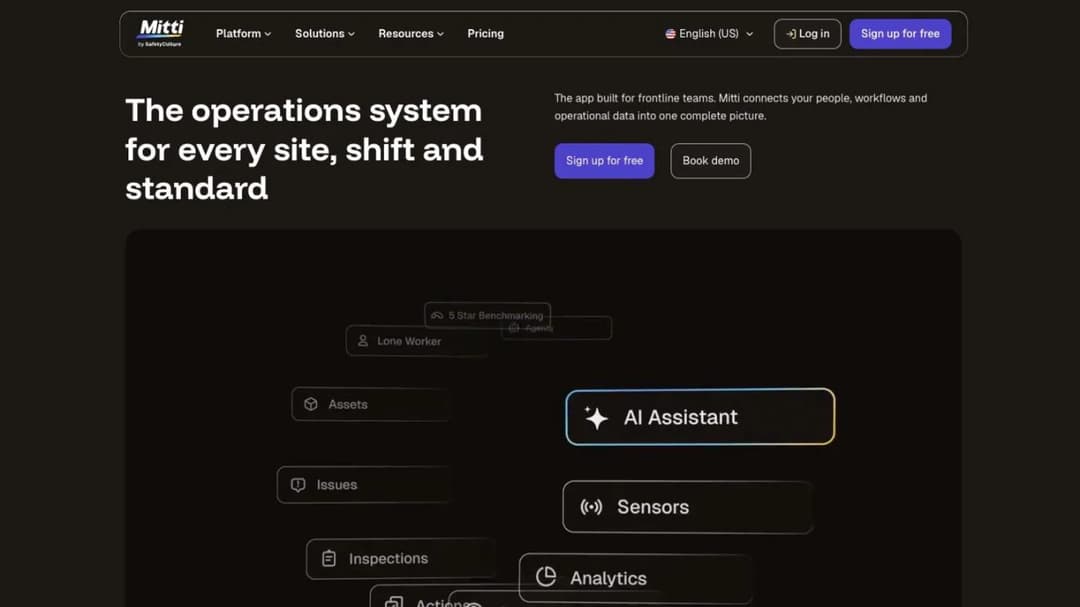
Best for: multi-site operators that want inspections and training in one app, and can budget a per-seat price across the whole workforce.
Top Features
- Training as one module beside inspections, assets, compliance and insurance
- More than 1,000 editable ready-made courses
- Offline course completion that syncs on reconnect
- Free for small teams of up to 10
- Published per-seat pricing with unlimited seats on Premium
Mitti is the product that was EdApp, then SC Training, then SafetyCulture Training. It took the Mitti name on August 11, 2026. Training is no longer a product on its own but one module inside what Mitti calls a Workplace Operations System. The free plan is “For small teams (up to 10) getting started with inspections and reports”.
For an EHS team that already runs inspections on SafetyCulture, that’s the appeal. The inspection finding and the course that fixes it live in one system. Its offline wording is complete, too: workers “access and complete courses without a connection, and progress syncs the moment they’re back online”.
The trade is price and focus. The seat price covers the whole operations suite. So 100 workers on annual Premium cost $28,800 a year, even if training is all you use. If you remember it as EdApp, the free LMS comparison covers what changed.
Pricing: free up to 10 seats. Premium is $24 per seat per month billed annually, or $29 billed monthly, with unlimited seats, as of September 2026. Enterprise is a custom price.
Pros
- Inspections and training in one app
- Offline completion that syncs
- A published per-seat price
Cons
- Expensive per head if you only need training
- Three former names across old quotes, contracts and app stores
- No published supervisor sign-off tied to a course
Safety Course Libraries With Tracking
These three platforms are bought mainly for their content. The library is the reason to buy, and the sign-off is the question to ask.
4. SafetyHub
Best for: small and mid-sized employers whose gap is generic safety video content with a quiz and a certificate behind it.
Top Features
- A safety video library with an online assessment after each video
- Group assignment and progress tracking
- Custom assessments and your own videos
- SCORM in both directions, into your LMS or out of it
- Courses on Android, iOS, macOS or Windows, with a custom domain and branding
SafetyHub calls itself “A full-featured online safety training solution”, and it’s built around video. “Each video is accompanied by an online assessment”, and modules are assigned to groups of participants. “Participants can print a completion certificate”. OSHA-related training has its own category.
The SCORM line matters most. SafetyHub says you can “Embed Safetyhub resources into your own LMS or vice-versa with SCORM”. So its videos can run inside the platform that holds your records, and what a SCORM file carries explains what survives that handoff.
A printed certificate proves attendance. It doesn’t prove anyone evaluated the worker. The practical half of a forklift or PPE rule has to live where your supervisors sign.
Pricing: no price on its product page. A free trial is offered.
Pros
- Safety video content with an assessment on every video
- SCORM in and out
- Runs on any common device
Cons
- Completion and a printed certificate, with no published sign-off
- No published course count
- No price on its product page
5. Litmos
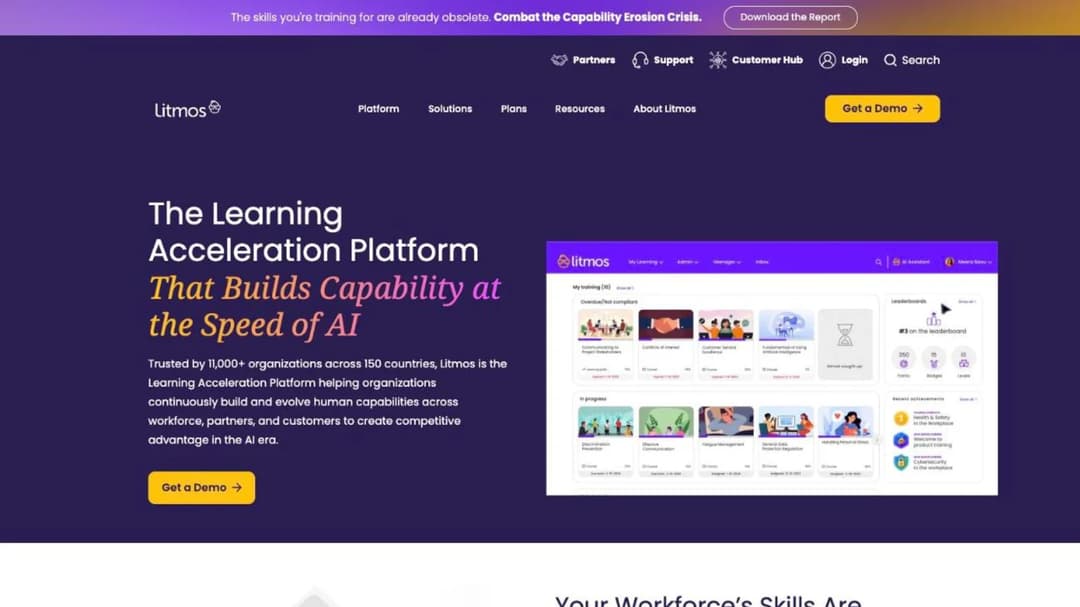
Best for: mid-market employers that want a maintained library covering safety beside compliance and service training, with a detailed SOC 2 report.
Top Features
- A curated library of “hundreds of ready-made courses”, safety included
- Course expiration, due dates and equivalencies
- Competencies & Skills on Platinum and above
- Enrollment triggered from Workday, ADP and BambooHR
- SOC 2 Type II and ISO 27001:2022 published
Litmos names safety directly among its library topics. It says the courses are “maintained and updated for you”. For the generic half of a safety program, that’s time you don’t spend writing or updating content. The same library backs FINRA and AML topics too, covered in the financial-services LMS comparison, if a branch robbery drill or cash-handling procedure is also on your list.
Its renewal model is course recurrence: expiration, due dates and equivalencies. That fits an annual refresher. It won’t bring a refresher forward after a near miss. Competencies & Skills, the closest thing to a skills record, starts at Platinum.
Read the contract as closely as the catalog. Subscriptions auto-renew for a year on 90 days’ notice, and excess seats cost 1.5 times the per-user fee if the order form sets no other rate.
Pricing: three tiers, Foundation, Platinum and Platinum AI, each listed as “Contact for Pricing”.
Pros
- A maintained library that names safety
- SOC 2 Type II with its audit period and auditor published
- Enrollment driven by Workday, ADP or BambooHR
Cons
- Calendar recurrence, not event-based retraining
- Competencies & Skills only from Platinum
- No price at any tier
6. Docebo
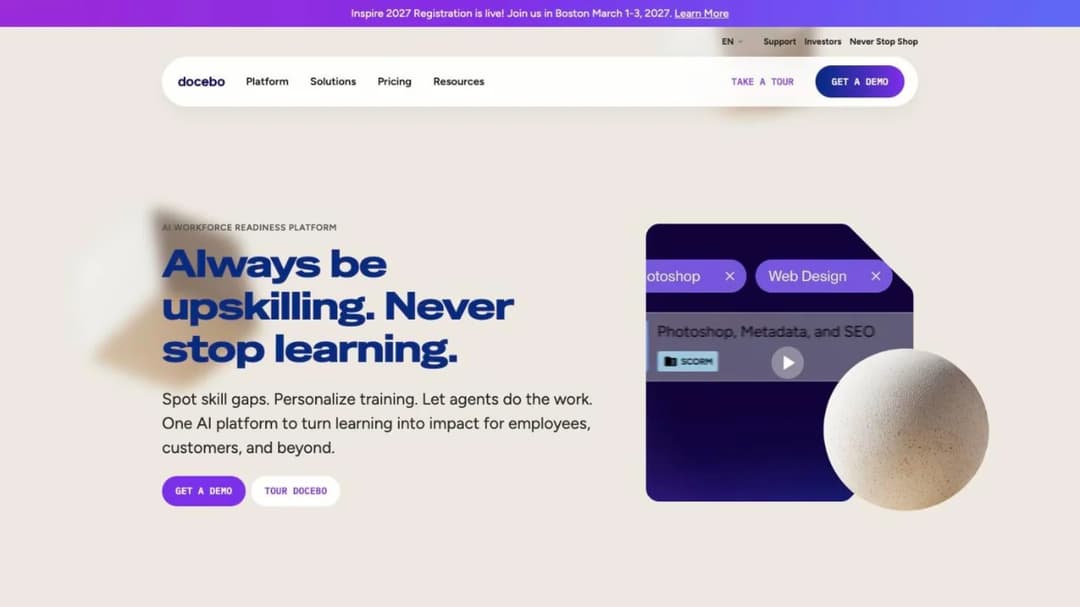
Best for: multinational employers of 250-plus learners that want safety content in many languages from a large marketplace.
Top Features
- Content Marketplace of more than 30,000 courses from OpenSesame and Go1
- Compliance training in more than 50 languages
- Support for FDA 21 CFR Part 11 and EU Annex 11
- SOC 2 Type II, ISO 27001 and four other ISO certificates, PCI DSS Level 2
- Monthly, yearly or registered active-user billing
Docebo’s strength for safety training is reach. It offers more than 30,000 marketplace courses and compliance training in more than 50 languages. That suits an employer with sites in several countries and crews who don’t all read English.
Its public material says more about content than about evaluation. So make the sign-off the first thing you ask to see: a supervisor observing a task, and the result landing on the worker’s record. Docebo publishes no HIPAA statement, which matters if your safety program includes clinical exposure.
Docebo pitches itself to companies training at least 250 learners. Read that as guidance, not a hard floor. It publishes no price, and the Docebo alternatives walk through its contract terms.
Pricing: quote only. Billing is on monthly, yearly or registered active users, agreed in the contract.
Pros
- Content breadth across more than 50 languages
- 21 CFR Part 11 and EU Annex 11 support published
- A choice of active-user billing methods
Cons
- No sign-off feature described in its public material
- Sized for 250-plus learners
- No price
LMS Platforms With a Sign-Off or Renewal You Can See
These three general platforms publish an observed sign-off, an automatic renewal, or both. Two of them print a price you can budget from without a call.
7. Absorb LMS
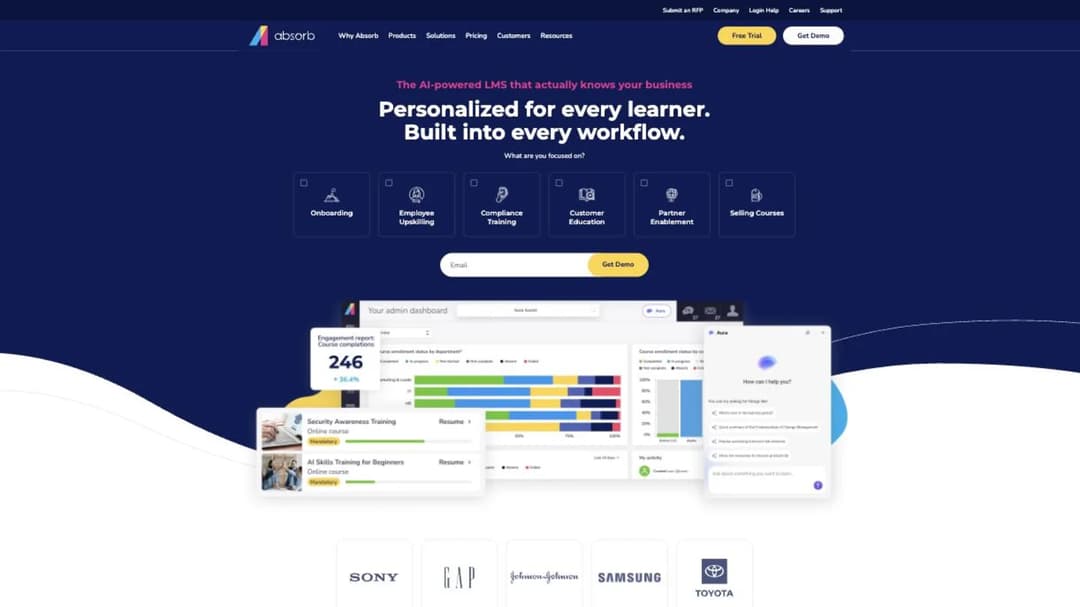
Best for: employers that want supervisor-observed sign-offs with attached evidence inside a mainstream corporate LMS.
Top Features
- Observation Checklist reviewed by a peer, supervisor, manager or third party
- Pass or fail with comments and up to five supporting documents
- Offline training in the Absorb Learn app, with progress sync
- SOC 2 Type 2, WCAG 2.1, GDPR, 21 CFR Part 11 and PCI published
- Learner portals by role, location or language
Absorb LMS describes its sign-off in more detail than any other general platform here. Its Observation Checklist is “built to support company and regulatory compliance efforts”. Because a review can carry supporting documents, a photo of the lockout tags can sit on the record.
Its site now sits at absorbai.com, but the product is still Absorb LMS. Offline, learners download content “and their progress will sync to the LMS once they re-establish a connection”. That covers a site with patchy signal.
Read the terms before signing. The agreement auto-renews for twelve months unless you give written notice at least thirty days before the term ends. Seats can’t be reduced mid-term. The Absorb alternatives go through the contract clause by clause.
Pricing: not published. The pricing form asks you to pick one of eight learner bands, from 1-50 to 25,000-plus, before a quote.
Pros
- An observed sign-off with evidence attached
- Offline completion that syncs
- 21 CFR Part 11 and SOC 2 Type 2 published
Cons
- No price
- Thirty days’ notice on a twelve-month auto-renewal
- No published ISO 27001, HIPAA or FedRAMP statement
8. iSpring LMS
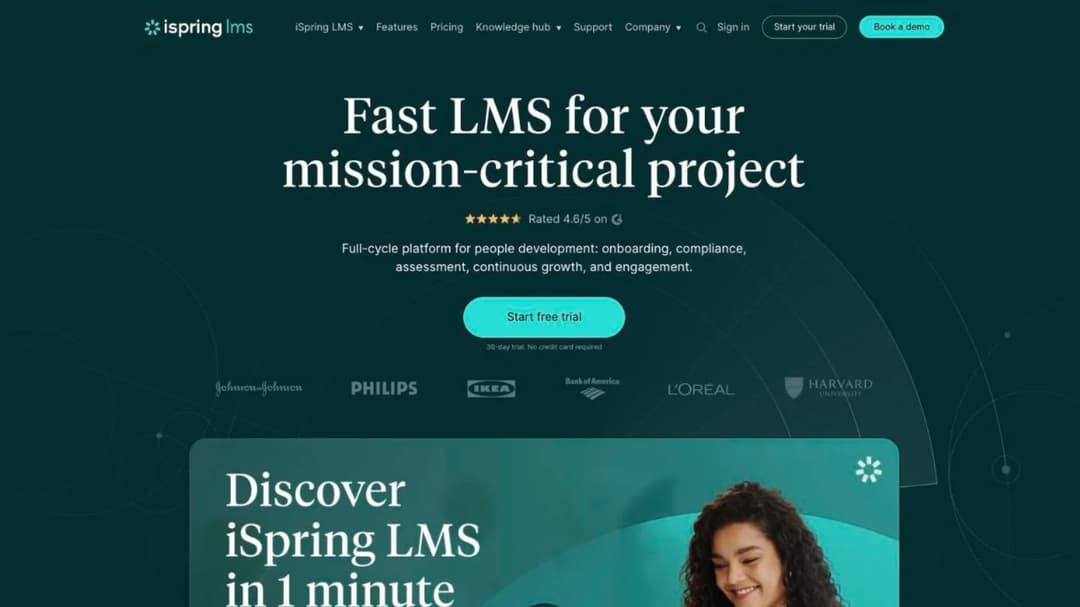
Best for: employers of 100 people and up that want observation checklists, certificate renewal and a price they can model before the call.
Top Features
- Observation checklists by competency area, with the observer’s location recorded
- A supervisor dashboard of employees’ competencies and achievements
- Automated compliance assignment with re-enrollment and certificate-expiry tracking
- iSpring Suite authoring for courses, quizzes, simulations and video
- Native iOS and Android apps with offline access to course content
iSpring LMS publishes both halves this guide cares about: an observed sign-off and an automatic renewal. Its pitch to supervisors is “Conduct observation sessions on the spot to make sure your employees adhere to workplace standards.” When a certificate expires, the worker is re-enrolled, which covers annual refreshers.
Its compliance page names OSHA among the rules customers train staff on, beside HIPAA, FDA, AML, GDPR, CQC, ISO and HSE. That’s about training support, not a certification iSpring holds. Among its customer results, iSpring says Forever Direct “Decreased warehouse accidents by 50%”. Ask for that reference if a warehouse is your setting.
Its apps let workers save content and take it offline. iSpring doesn’t say what happens to the completion record when a device reconnects, so test that before a site rollout.
Model the meter before you sign. A user counts as active “if s/he has logged in at least once during a month”. So a month with a site-wide refresher bills everyone. iSpring LMS was called iSpring Learn until October 2025, so an older quote is the same product.
Pricing: as of September 2026, $6.91 per active user per month at 100 users, which iSpring prints as $8,286 a year. It’s $4.46 at 300 users ($16,050 a year) and $3.97 at 500 ($23,790 a year). Check current pricing before you budget, because these figures move. Nothing is published below 100 users, and the 30-day trial asks for a phone number.
Pros
- Observation checklists and certificate renewal in the same plan
- Published price points with annual totals
- Authoring and offline content access included
Cons
- No plan below 100 users
- Active-user billing counts everyone in a refresher month
- ISO 27001 and ISO 27701 published, with no SOC 2 claim
9. TalentLMS
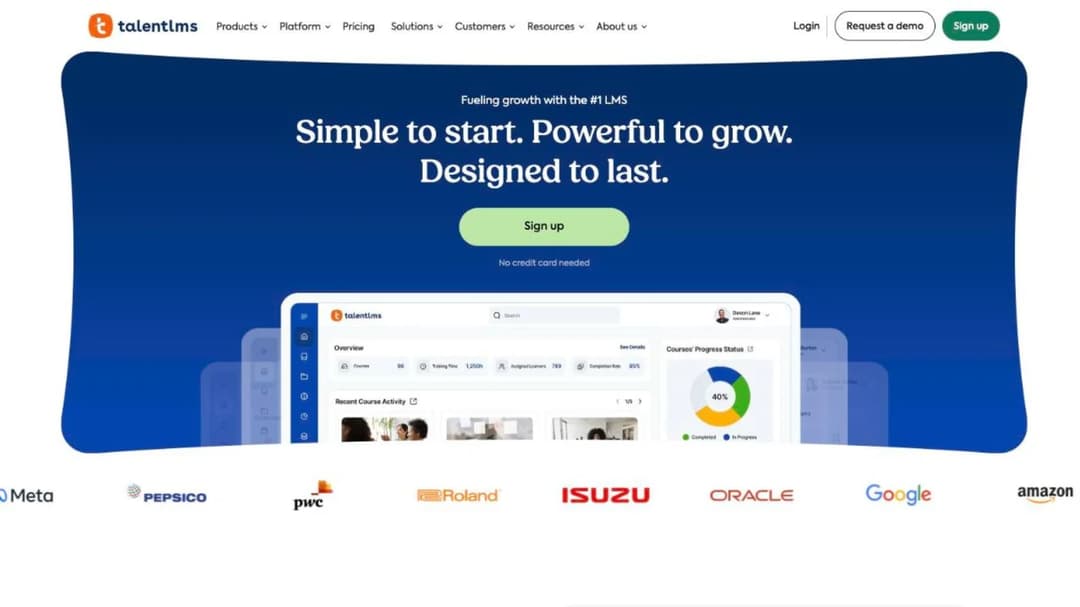
Best for: small EHS teams under 100 people who need annual refreshers to renew on their own and want to buy without a sales call.
Top Features
- Certificate duration from “Forever” to a set period
- Automatic course re-assignment on certification expiry
- Offline download, completion and sync for compatible content
- A published plan ladder by user band
- A free plan for 5 users and 10 courses
TalentLMS turns calendar renewal into a setting. Give a certificate a lifespan, tick the box that re-assigns the course on expiry, and the annual refresher runs itself. For a small site with a few yearly requirements, that solves most of the renewal problem on day one.
It doesn’t publish an observation checklist or a supervisor sign-off. So forklift evaluations and PPE demonstrations stay on paper or in another system. Offline, learners “can download courses, complete them offline, and sync their progress when back online”. TalentLMS says this “applies to offline compatible content”.
On security, it publishes ISO/IEC 27001:2022, three other ISO certificates and CSA STAR Level 1, which is a self-assessment. There’s no SOC 2 report.
Pricing: as of September 2026, a free plan covers 5 users and 10 courses. Core runs from $119 a month for 1 to 40 users to $219 for 71 to 100. Grow is $229 for 1 to 70 users. Pro is $449 for 1 to 100, plus $6 for each user above 100, so the price moves by plan and by user band.
Pros
- Renewal on certificate expiry as a built-in setting
- The full price ladder published
- Offline completion that syncs
Cons
- No published sign-off or observation feature
- Calendar renewal only
- No SOC 2 report
Your Own Procedures, Turned Into Training
One product covers the part no library carries. That’s the course on your site’s own lockout steps, your PPE policy, or the fix from last month’s incident review.
10. Mini Course Generator
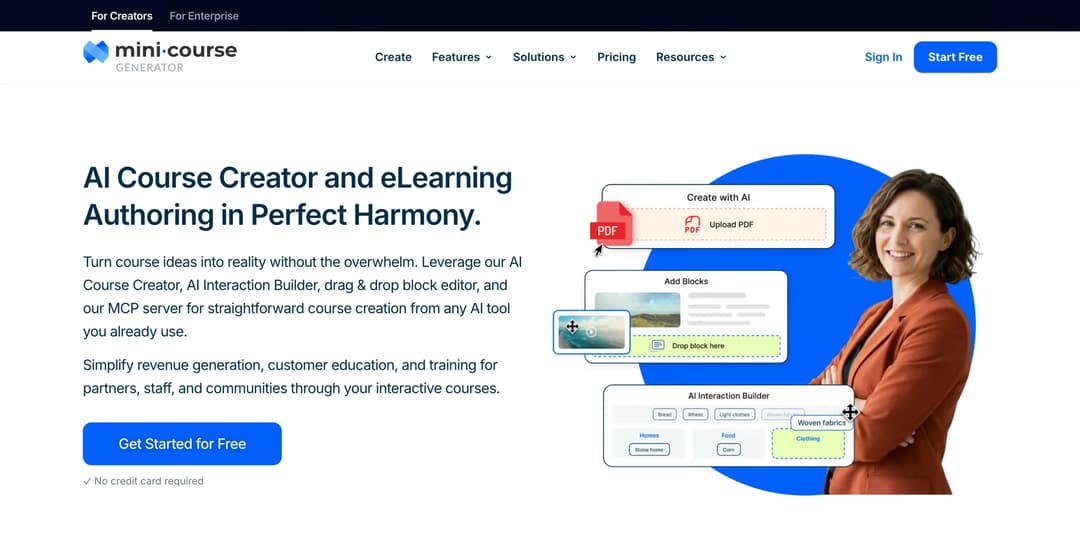
Best for: an EHS coordinator who needs a site procedure or policy PDF turned into training this week.
Top Features
- AI Course Creator and PDF to Course Creator for SOPs, policies and procedures
- AI Interaction Builder, including Image hotspots and Branching Scenarios
- Gateways that restrict a course to specific learners, with magic links for password-less access
- Certificates & Badges, learning analytics and learner tracking
- SCORM or PDF export, plus a SCORM block that plays packages built elsewhere
Mini Course Generator is our product. It’s an AI course creator with an LMS attached. On this page it does one job: the site-specific content a library can’t sell you.
Point it at your lockout procedure or PPE policy and edit the draft. Then add an image-hotspot exercise on a photo of the real equipment, or a branching scenario for the decision a worker most often gets wrong. Gateways limit the course to the crew it covers. Certificates and learner tracking record who finished.
Where it stops, plainly. There’s no observation checklist or supervisor sign-off, and no incident reporting or inspections. There’s no OSHA-mapped course library, no recertification schedule by role, no mobile app and no offline mode.
It covers the formal-instruction part of a standard, never the evaluation. That’s why the export matters. The pricing FAQ says “You can export mini-courses as PDF files or SCORM packages at any time.” So the procedure course can run inside the suite or LMS that holds the sign-off.
Automations through Zapier, Make and webhooks can pass completions onward, and SSO for learners is on the Custom plan. Every plan opens with 14 days of full access and no credit card. Plans and what each includes are on the pricing page.
Pros
- A site procedure becomes an editable course in one sitting
- Interactive exercises built on photos of your own equipment
- SCORM export into the system that holds the record
Cons
- No supervisor sign-off, observation checklist or retraining trigger
- No incident, inspection or safety course library features
- No mobile app or offline mode
What Safety Training Costs at 100 People
Only three third-party platforms here print a price you can apply to 100 people. Here’s what those prices come to, as of September 2026.
| Platform and plan | What 100 people cost a year | Per worker per year | What the price buys |
|---|---|---|---|
| TalentLMS Core, 71-100 users | $219 × 12 = $2,628 | $26.28 | Delivery and certificate renewal |
| TalentLMS Pro, 1-100 users | $449 × 12 = $5,388 | $53.88 | The top published plan |
| iSpring LMS, 100 active users | $8,286, as printed | $82.86 | Delivery, observation checklists, renewal and authoring |
| Mitti Premium, billed annually | $24 × 100 seats × 12 = $28,800 | $288.00 | Inspections, assets, compliance and training |
| Mitti Premium, billed monthly | $29 × 100 seats × 12 = $34,800 | $348.00 | The same, without the annual commitment |
The spread is roughly elevenfold between TalentLMS Core and annual Mitti, and training isn’t the reason. Mitti’s seat price buys an operations suite with inspections in it. TalentLMS’s buys a learning platform. So compare a suite price with an LMS plus whatever holds your inspections today, not with the LMS alone.
The other six third-party platforms here publish nothing you can budget from: Intelex, Vector Solutions, SafetyHub, Litmos, Docebo and Absorb LMS. That’s normal for suites and enterprise platforms, and it means the price arrives after the demo.
The license is rarely the biggest number. A 15-minute refresher for 100 workers is 25 paid hours. Every forklift evaluation also takes a supervisor off the floor. Budget those hours before the license lines.
For the same math across twenty vendors at 25, 100 and 250 users, see what an LMS costs. If your whole company is under 100 people, the platforms that sell to a small business is the shorter list.
The rule: get the seat floor, the billing unit and the renewal notice in one email before the demo. Does billing count active users? Then price it at your biggest refresher month.
How to Choose a Safety LMS
Six questions, in the order they settle the purchase. If you’re running a formal selection, the longer guide to choosing an LMS covers it.
Where does the incident record live?
Ask this before any vendor call. If incidents, inspections and corrective actions have no system, a suite like Intelex or Mitti puts training beside them. If an EHS system already exists, check its training module first. Buy delivery only if it falls short.
The rule: name the system of record for incidents, and the one for training, in a sentence each. Different systems? Write down what connects them.
Can it show a person was evaluated, not just a course finished?
Take the forklift certification fields: operator, training date, evaluation date, and the trainer or evaluator. Ask the vendor to show all four for one test user. Absorb LMS and iSpring LMS publish observation checklists, while most others record only a quiz and a completion.
The rule: if the evaluator’s name and the evaluation date can’t appear on the record, the platform covers formal instruction only.
What happens after a near miss?
Give every vendor the event and watch the refresher get assigned. Calendar renewal, as TalentLMS, iSpring LMS and Litmos describe it, handles annual training such as bloodborne pathogens. Event triggers need a suite that links incidents to training, or a manual step in your incident procedure.
The rule: if the trigger is manual, put it on the incident close-out checklist so it doesn’t depend on anyone’s memory.
Does it reach the people you train?
Crews on a site often share a tablet, work where there’s no signal, or have no company email. Absorb LMS, Mitti and TalentLMS publish offline completion that syncs back to the record. iSpring LMS documents offline access but not the record. On a shared device, each worker has to sign in separately, or the record belongs to the tablet.
The rule: load one real course, finish it in airplane mode, reconnect, and check that the completion appears on the record with its timestamp. The mobile LMS comparison and frontline employee training go deeper on devices and rollout.
Can you buy it at your headcount, and leave it?
iSpring LMS publishes nothing below 100 users. Docebo pitches itself to companies training at least 250 learners. Absorb renews for twelve months on thirty days’ notice, and Litmos for a year on ninety.
The rule: get the notice deadline, the renewal date and the last day you can export training history in writing. If any of them falls in your audit month, negotiate it.
What does IT need from the vendor?
Security certificates describe how a vendor protects its own systems. They say nothing about whether your training meets an OSHA standard, so forward them to IT and don’t count them as compliance evidence.
| Platform | What the vendor publishes about its own security |
|---|---|
| Intelex | ISO 27001:2013 registered |
| Litmos | SOC 2 Type II for April 2024 to March 2025, audited by Aprio; ISO 27001:2022 |
| Docebo | SOC 2 Type II; ISO 27001, 27017, 27018, 27701 and 9001; 21 CFR Part 11 and EU Annex 11 support; PCI DSS Level 2; no HIPAA statement |
| Absorb LMS | SOC 2 Type 2, WCAG 2.1, GDPR, 21 CFR Part 11 and PCI; no ISO 27001, HIPAA or FedRAMP statement |
| iSpring LMS | ISO 27001 and ISO 27701; no SOC 2 claim |
| TalentLMS | ISO/IEC 27001:2022 and three other ISO certificates; CSA STAR Level 1, a self-assessment; no SOC 2 report |
Vector Solutions, SafetyHub and Mitti aren’t in the table. Ask each for its security documentation in the same email as the demo request. The LMS security guide covers what to ask for beyond the badge.
The rule: ask IT which report it accepts, then request that file, not a logo, in the same week as the demo.
Start With the Record an Inspector Asks for First
Pick the one standard your sites can least afford to get wrong, usually forklifts or PPE. Write its record fields and retraining triggers on one page. Send that page to every vendor with the near-miss scenario, and ask them to run both live.
Decide the fork before the demo. Buy a suite if incidents have no home, and delivery if they do. Then cross off anyone who can’t record an evaluator’s name and date, or can’t sell at your headcount. Most lists end up with two or three names.
The training only you can write still needs writing. That means your lockout steps, your PPE policy and last month’s corrective action. Draft those courses from the documents you already have with an AI LMS, then let the platform that holds the evaluation own the record.
Frequently Asked Questions
What is a safety LMS?
It’s an LMS that assigns, delivers and tracks training on specific hazards, such as forklifts, PPE, bloodborne pathogens and chemicals. The useful ones also record who evaluated the worker and when training comes due again. Safety suites like Intelex and Mitti include training as one module beside incidents and inspections.
Does online safety training satisfy OSHA?
Partly. The forklift standard names “interactive computer learning” as one form of formal instruction, but it also requires practical training and an evaluation in the workplace. The PPE standard wants each worker to show they can use PPE properly before the work, which a course alone can’t prove.
Is an OSHA 10-hour card enough for our training records?
No. It’s useful background, not the record a specific standard calls for. Keep the card on file, and hold each standard’s training and evaluation records yourself, using the four standards above as your checklist.
What’s the difference between EHS software and a safety LMS?
EHS software manages incidents, inspections, corrective actions and records, and may include a training module. A safety LMS manages courses, assignments and completions, and may include a safety library. If incidents have no system yet, start with EHS software; if they do, the LMS is a delivery decision.
How often does safety training need to be renewed?
It depends on the standard. Forklift operators need an evaluation at least once every three years, plus refreshers after events like a near miss. Bloodborne pathogens training is at least annual, and hazard communication training comes due whenever a new chemical hazard arrives. Check with your safety lead which standards apply to your sites.
Sources
- OSHA Outreach Training Program
- 29 CFR 1910.178(l), powered industrial trucks: operator training, refresher training and certification
- 29 CFR 1910.132(d) and (f), personal protective equipment: hazard assessment certification and training
- 29 CFR 1910.1030(g)(2) and (h)(2), bloodborne pathogens: training frequency and training records
- 29 CFR 1910.1200(h), hazard communication: employee information and training
- Intelex training management product page
- Vector Solutions site and Vector LMS pages
- Mitti pricing page and training pages
- SafetyHub safety LMS product page
- Litmos plans page, content authoring page, trust and security page and Cloud Terms of Service (December 2024)
- Docebo pricing FAQ, product pages and compliance and security page
- Absorb LMS Observation Checklist page, compliance page, mobile page and Terms and Conditions
- iSpring LMS pricing page, compliance training page, automotive page, data security page and observation checklist help documentation
- TalentLMS pricing page, security page, mobile page and certification documentation
- Mini Course Generator pricing page and product documentation