

The decision isn’t which of the SCORM authoring tools on the market is best. It’s whether you need an authoring suite at all, or a tool that just produces a package your LMS will accept without an argument. That question gets settled by two things: what the content actually has to do, and what your LMS takes on import.
The second problem is the number you’re about to put in a budget request. The guides in this category disagree with each other, and with the vendors, about what the same seven tools cost, sometimes by hundreds of dollars a seat. Several of the best-known names publish no price at all, which is its own kind of answer.
So this guide does three things. It sorts 16 tools by the two jobs that matter rather than by free and paid. It prices every one of them from the vendor’s own page, in the currency the vendor uses. And it names what the free tiers actually charge for, because most of them charge for something.
Turn a document you already have into a tracked, interactive module and see what comes out the other side before you commit to a seat license.
What a SCORM Authoring Tool Actually Has to Do
A SCORM authoring tool is eLearning authoring software that produces a zipped package an LMS can import, launch, and track. Everything beyond that is preference. Those two functions are the whole contract, and they’re the two tests to apply to every product in this guide.
Test one: can it build the thing you actually need? A compliance refresher with a five-question check at the end is not the same build as a branching scenario with variables, audio sync, and an accessibility audit trail. The first needs a clean export. The second needs a suite, and a suite costs what it costs.
Test two: will the package import and report? This is where projects die quietly. A tool can be perfectly capable and still hand you a package that your LMS admin rejects, or one that imports and then never writes a completion. The version it publishes to, and the version your LMS actually accepts, are the whole of it.
Almost every comparison in this category leads with a feature grid instead. Feature grids are useful once you’ve answered the two tests and misleading before.
What’s inside the package is a separate question, and what a SCORM package actually contains answers it. This page is about what makes it.
If you’re a corporate trainer building a package for a client’s LMS rather than your own, the two tests are identical. The difference is that test two is a constraint you don’t control, so you ask it first, in writing, before you shortlist anything.
What Your LMS Will Actually Accept
SCORM 1.2 or SCORM 2004: what the decision actually turns on
Moodle’s own documentation states that development on native SCORM 2004 support in Moodle has stopped, and that 2004 bugs in its tracker are closed as won’t fix. What Moodle does support is well documented: it passes the ADL Conformance test suite 1.2.7 for SCORM 1.2 from version 2.1 onward, and it supports AICC, the older standard some inherited systems still specify. For certified 2004 conformance, it points users at a commercial plugin that connects to SCORM Cloud.
Moodle is the largest installed base of learning management systems there is. So the SCORM 2004 column in a comparison table is decorative for a very large share of the people reading it.
The practical rule: publish to SCORM 1.2 unless something specific forces 2004, and that something is almost never the authoring tool. It’s a sequencing requirement, a client specification, or an LMS admin who has already tested it. There are only three reasons 2004 earns its extra weight, and which version to export names all three. Settle which standard you need before you shortlist, not after the purchase order.
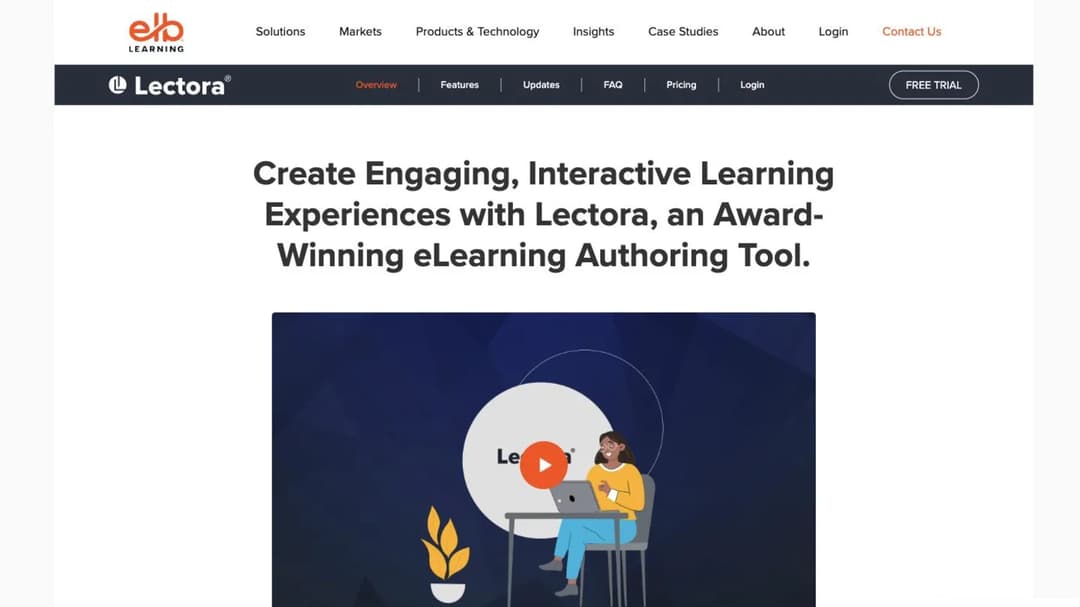
There’s a second trap inside the 2004 column. Lectora, the suite with the strongest accessibility positioning in the category, publishes to SCORM 1.1, SCORM 1.2, and SCORM 2004 3rd edition, plus AICC, cmi5, xAPI, and plain HTML. Third edition. Not fourth.
If a client spec names 4th edition, that’s a question to settle with the vendor before you buy on accessibility grounds, because “supports SCORM 2004” and “supports the edition in your spec” are different claims.
Half the category does not say which version it publishes
Adobe states its outputs plainly on the Captivate product page: “The LMS standards supported are – SCORM 1.2, SCORM 2004, AICC, and xAPI.” That’s what a version claim looks like when a vendor makes one.
Now the other half. Articulate’s Storyline page says only that you can publish “Tin Can API 1.0-, SCORM-, and AICC-compliant” content, with no version. dominKnow, Gomo, Compozer, iSpring Suite, Easygenerator, Xerte, eXeLearning, and Adapt name no SCORM version on the pages that sell them either, and neither does Mini Course Generator, our own product. Several of those are in daily use in enterprise L&D teams, and for every one of them the answer to test two has to be asked for rather than read.
Coassemble is the counter-example that proves it’s possible. Its plan comparison table carries a “SCORM 2004 export” row, marked as included on all three of its tiers. One row, no ambiguity, no call required.
If the version matters to your LMS admin, ask the vendor in writing before you buy. A blank cell is a question, not a feature, and in this category it’s a question you have to ask out loud.
The list your LMS admin will send you is edited by the vendors on it
Moodle’s documentation carries a community-maintained list of SCORM authoring tools, and a warning sits above it: “Please be aware that vendors can edit entries on this wiki page. No SCORM authoring software is without bugs, and some have significant issues when used with Moodle.”
That warning is doing real work. The commercial half of the list still names Articulate Presenter ’09 and Quizmaker ’09 beside current products, more than 15 years after those versions shipped. The same page does carry something genuinely useful: a cloud SCORM debugging tool covering SCORM 1.2 and 2004, with variable tracking and restore points, which is worth more to a designer chasing a completion bug than any of the product names above it.
So treat that page as a starting list and nothing more. Opening the vendor’s own page isn’t optional, because it’s the only source the vendor is accountable for.
Two questions belong to your LMS admin: what your LMS will accept on import, and whether the authoring tool is the constraint at all. If the platform turns out to be the constraint, choosing the LMS itself is the decision you’re actually making.
The Four Kinds of Tool, and Which One Your Job Needs
Sort this market by the two tests and it splits four ways, not into free and paid. Place your own job in one of the four and you can skip about two thirds of what follows.
Full authoring suites
The interaction is the point. You buy a suite when the deliverable is the thing on screen: branching scenarios driven by variables, audio synced to animation, software simulation capture, or a design team’s template standard enforced across 40 modules and three authors.
This group is licensed per author per year. Articulate 360, iSpring Suite, Adobe Captivate, Lectora, dominKnow ONE, and Gomo all sit here.
It’s also where the serious accessibility work lives. Lectora positions explicitly on ADA and WCAG, and its companion delivery product, CourseMill, carries Section 508 screen-reader support. If your project has a documented accessibility requirement that somebody will audit, that positioning is part of what the seat price buys.
Lightweight and AI-assisted web authors
The package is the point. Browser-based, shorter loop, less control over the pixel. You buy one of these when a policy document, a product release note, or a customer FAQ has to become a tracked module this week and stay maintainable after.
AI drafting lives here, and the framing matters for this job. The AI drafts, the designer directs. A generated first pass saves the blank-page hour and the SME chase. It does not make the learning-objective decisions, and it does not survive a review cycle unedited. That’s the honest version of where AI drafting fits in the design workflow, and the discipline that makes it safe is checking the AI draft against your source rather than against your memory.
Converters and single-purpose exporters
One input, one package. A PDF, a slide deck, or a video goes in and a SCORM zip comes out, with no authoring step in between.
This is a route rather than a purchase. It’s the right route when the source material is already finished and approved and the only missing piece is the wrapper and the completion call. If that’s your situation, generating a package straight from a document is a shorter path than any of the products below.
Open source
Free in license, paid in maintenance. You still pay for hosting, upgrades, theme work, and the hour somebody spends when a release breaks a plugin.
The question to ask about an open-source tool isn’t how many features it has. It’s who pays the maintainer, because that’s what predicts whether it will still work in two years. The named projects and their release records are in the free section below.
And there’s a fork here that can save you the whole exercise. H5P’s own author documentation routes content into an LMS through its integrations and through LTI: Blackboard, Brightspace, Canvas, Moodle, and Moodle via LTI. It documents no SCORM export path. If your LMS takes LTI, SCORM may simply be the wrong question, and asking it costs you a wrapper, a maintainer, and a failure mode you didn’t need.
| Kind of tool | Buy it when | What you’re licensing | What you give up |
|---|---|---|---|
| Full authoring suite | The interaction is the deliverable | A seat, per author, per year | Speed, and the budget for a second author |
| Lightweight or AI-assisted web author | The package is the deliverable | A plan, usually on learners or usage | Pixel-level control and deep interaction logic |
| Converter or single-purpose exporter | The content is finished and only needs wrapping | One conversion, or a small plan | Any authoring step at all |
| Open source | You have no budget and some technical capacity | Nothing, in license terms | Support, and somebody’s maintenance time |
The cost mechanic, in one place. The suites bill per author per year, so the bill scales with how many people touch the content, not with how many learners take it. The converters and the free tiers frequently charge for the export itself rather than for the building. Open source bills you in maintenance, which is real money that never appears on a purchase order.
What These Tools Really Cost
What the suites charge, and what the seat count does to it
Here is what the three published suites ask for, from their own pages.
Articulate 360 AI is $1,749 per seat per year for teams and $1,449 for a personal license. iSpring Suite is $970 per author per year, with Suite AI at $1,290 and a separate cloud tool, iSpring Cloud AI, at $720. Adobe Captivate’s product page reads “Subscribe for US$39.99/mo.”
Then there’s the tier that changes the arithmetic. Articulate also publishes Frontline, starting from $500 a year for unlimited seats, with 100,000 credits, alongside a custom Hybrid option. That is not a per-seat price, and it’s absent from every third-party guide in this category.
The caveat matters as much as the number. Frontline is pitched at frontline, kit-style training rather than at a designer building a branching scenario, so it may not suit your work. But the objection that pushes designers toward free tools is almost always “I can’t justify $1,500 a seat”, and the category leader now publishes an answer to it.
Why a 2026 guide is not a budget number
The two most widely circulated guides in this category, one published by iSpring and one by Easygenerator, both carry 2026 dates. They disagree with each other, and with the vendors, about what the same tools cost.
| Tool | iSpring’s guide says | Easygenerator’s guide says | The vendor’s own page says |
|---|---|---|---|
| iSpring Suite | $970 per author/year; $1,290 with AI | $770 per author/year; $970 for “iSpring Suite Max” | $970 (Suite), $1,290 (Suite AI), $720 (Cloud AI) |
| Articulate 360 | $1,499 per user/year for “Standard”; $1,749 with AI | $1,449 personal; $1,749 teams | $1,749 per seat/year (360 AI, teams); $1,449 personal; Frontline from $500/year, unlimited seats; Hybrid custom |
| Adobe Captivate | $33.99/month “with an annual billing commitment” | “Subscription from $33.99/month” | “Subscribe for US$39.99/mo.” |
| Elucidat | $1,650 per user/year | $1,650 per user/year, “Growth plan… (3-5 authors)” | No published figure; sold as Create, inside Confirm, behind a “Get pricing” link |
| Lectora | $129/month; $879/month | “From $1,398/user/year” | No price on the product page |
| Easygenerator | $116/month billed annually | Pro $1,399/year; Team $6,995/year “for five authors” | Pro $116/mo or $1,399 annual; Team $582/mo or $6,995 annual; Enterprise custom |
| dominKnow ONE | Not priced | Business $1,997 per author/year; Business Plus $2,497 “with a minimum of 5 authors” | No published figure. “Priced per author. Learners are free.” |
Read the rows rather than the headline. Neither guide is a hatchet job: each prices its own product correctly, and each goes stale on the rivals it competes with.
Easygenerator’s guide quotes iSpring Suite at $770 per author per year, and names a second tier, “iSpring Suite Max”, at $970. The vendor sells Suite at $970, Suite AI at $1,290, and Cloud AI at $720. Suite costs $200 more than the guide says, and there is no Suite Max at any price.
So the cheapest figure most readers carry away for the category’s cheapest per-author suite is $200 short of the real one, and the tier name printed beside it doesn’t exist.
The Captivate row is the subtle one. Both guides quote $33.99, and iSpring’s says plainly that this is the rate “with an annual billing commitment”. Adobe’s own product page quotes $39.99, which is what a buyer testing the water actually pays. That’s an 18% gap between the guide and the checkout.
The Lectora row is the extreme one. Three published figures for the same product, $129 a month, $879 a month, and “from $1,398 per user per year”, against a vendor that publishes no figure at all. They cannot all be right, and the spread between the lowest and the highest is more than sevenfold.
Two products in that table have moved on. Elucidat is now sold as Create, inside Confirm, and guides still quote its old per-user figure. CourseLab still appears in older lists of SCORM authoring tools, and there’s no working product site behind it today.
So the rule is narrow: take the figure from the vendor’s own page, and check the tier name as well as the number. A stale guide gets the name wrong before it gets the price wrong, and the name is what procurement pastes into a purchase order.
If Easygenerator is on your shortlist because it’s the one your team already mentions, the useful comparison is feature by feature rather than price, for exactly the reason this section exists.
One more thing worth knowing before you start reading comparisons. Rustici, whose runtime sits underneath several of the products in this guide, declines to recommend any of them. Its own guidance says “we can’t comment on which tool you should use”, because “each tool has its own unique set of features and functionality, and candidly we’re not experts in content authoring.”
Nobody neutral in this category will do the comparison for you. That’s why opening the vendor’s page isn’t pedantry. It’s the only reliable step available.
When the price is “get in touch”
Several of the paid tools here publish no price at all, and the refusal is itself a decision input.
dominKnow ONE offers Business, Business PLUS, and Enterprise, each behind “Get your custom quote”. The model is at least stated clearly: “Licensing is simple. Priced per author. Learners are free. SaaS or On-Premise, same great solution,” with volume discounts that lower the per-author rate as you license more authors.
Gomo publishes three tiers: authoring, authoring plus delivery, and authoring plus delivery plus an LMS. No figure sits against any of them. Lectora carries no figure on its product page either.
The clearest illustration comes from Confirm, which owns Create, the product formerly sold as Elucidat. It publishes per-user-per-year prices for its other modules: Learn:Go “Starting from $16 / £12 per user per year”, and Engage and Perform “Starting from $13 / £10 per user per year”, both billed annually and based on a 5,000-person company. For Create there’s a “Get pricing” link and nothing else. Same company, same page, figures for three modules and none for the authoring tool.
Quote-only means a discovery call, a procurement cycle, and a renewal negotiation in 12 months. For a team of one with a package due this quarter, no published price is often a disqualifier on timeline before it’s a question of money. It also makes what the delivery side costs harder to model, and that is usually the larger half of the bill.
What the tier actually gates
The objection most designers carry into a free or cheap tier is “the entry plan won’t let me export”. Sometimes that’s true. Often it isn’t, and the difference is specific.
Easygenerator publishes Pro at “$116/mo” or “$1,399 billed annually”, Team at “$582/mo” or “$6,995 billed annually”, and a custom Enterprise tier. SCORM export is included on every paid tier. What the ladder buys is seats and governance, not the export.
Coassemble publishes Build at $250/mo or $2,500/yr, Scale from $500/mo or $5,000/yr, and Partner from $2,000/mo or $20,000/yr. “Dynamic SCORM, in-app manual download” is on all three. “SCORM via API (dynamic + standalone, programmatic)” is available on request on Build and Scale, and included on Partner.
That’s the pattern worth carrying into every quote. Clicking the export is cheap. Automating it is an eightfold step in list price. If you plan to regenerate packages every time a release changes the content, price the automated tier, because what you’re buying is the API, not the authoring.
Where a tier does gate the export, it’s named in the free section below: Compozer limits it, and Udutu charges a separate license for it.
The line items that never reach a pricing page
iSpring Suite is a PowerPoint add-in, and its system requirements are “Microsoft Windows 10/11 (32- and 64-bit)” and “Microsoft PowerPoint 2007/2010/2013/2016/2019/365/2021/2024 (32- and 64-bit)”. macOS appears only as a viewing platform.
For a Mac-based designer, the lowest published per-author suite license costs a Windows license and a virtual machine before it costs $970. That’s a real line item, it recurs, and no comparison table in this category carries it.
Two other costs behave the same way. Open source costs hosting and somebody’s afternoon, and a quote-only tool costs you the weeks between the discovery call and the signature.
What “Free” Actually Buys You
Free to build, paid to publish
Udutu‘s authoring tool is “completely FREE if you deliver courses using Udutu’s LMS”, up to 25 learners a month. To publish the package anywhere else, you buy an Open Publishing License: $199 a year for one, $499 for three, $749 for five, and $999 for ten or more.
That’s the mechanic that catches people in the free half of every list. Free to build, paid to leave.
Compozer‘s free tier limits the export rather than the building. Its Freemium plan is A$0 a month and includes “1 Course Creation, 1 Brand Kit, 200 MB Cloud Storage” and, in its own words, “Limited SCORM Exports”. Paid tiers run Lite at A$19/mo, Grow at A$49/mo plus A$10 per additional user, and Pro at A$99/mo plus A$15 per additional user, with a custom Enterprise tier. Those are Australian dollars, not US dollars, which is a second thing a reader budgeting from a guide will get wrong.
So before you build anything in a free tier, find out what the export costs. Not the tool. The export.
The free tier you can finish a real project in
isEazy Author publishes a free tier as “Free – Try it for free with no time limit. Up to 3 projects.” Paid tiers are Professional at €80 a month for one author with up to 5GB of storage, and Business at €208 a month for two authors with up to 12GB. Enterprise is on request. It publishes to “SCORM1.2, SCORM 2004 and Tincan/xApi”, which puts it in the minority that states its versions.
“No time limit, three projects” is a different animal from a 14-day trial. You can finish a real piece of work inside it and import it into your LMS, which means you learn whether test two passes before you spend anything.
Two notes for the budget request. Those are euros, so a US buyer is putting a foreign-currency figure and an FX assumption into the line. And a free authoring tool still needs somewhere to land: if you’re building a course with no budget, the delivery side has to be free too, and free delivery platforms is a separate shortlist with separate constraints.
Open source: the question is who pays the maintainer
eXeLearning is at version 4.0.3, and 4.0.1 was released in June 2026. It’s “promoted by the Ministry of Education, Vocational Training and Sports (MEFPD) via Cedec-INTEF and in collaboration with regional educational administrations”, and it exports SCORM, HTML, and EPUB. A national education ministry is about as durable an answer to “who pays the maintainer” as this category offers.
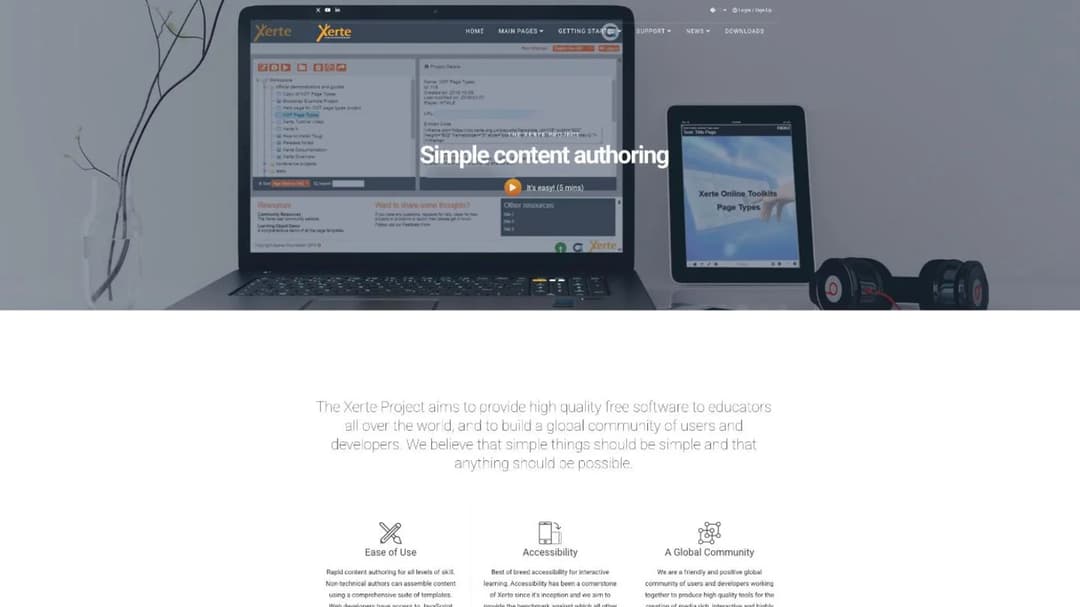
Xerte is an Apereo Foundation project with 57 releases from 28 contributors, and a security update for versions 3.14 and 3.15 dated to April 2026. It exports “SCORM compliant content packages for deployment in any compatible virtual learning environment or learning management system”. A foundation with a visible security cadence is the second durable answer.
Adapt is two products with two different health states, and listing it as one name is how people get caught. The Adapt framework is healthy: version 5.56.2, released in April 2026, on continuous dependency maintenance. The Adapt authoring tool, which is the part a non-developer actually needs, last released v0.11.5, dated to January 2025, after v0.11.4 in November 2024 and v0.11.3 in February 2024, all bugfix releases on the way to a version 1.0.0 that hasn’t arrived. Both are GNU GPL v3.
So: recommend the Adapt framework to a developer who will build and maintain a theme. Never put a designer with a deadline on the Adapt authoring interface.
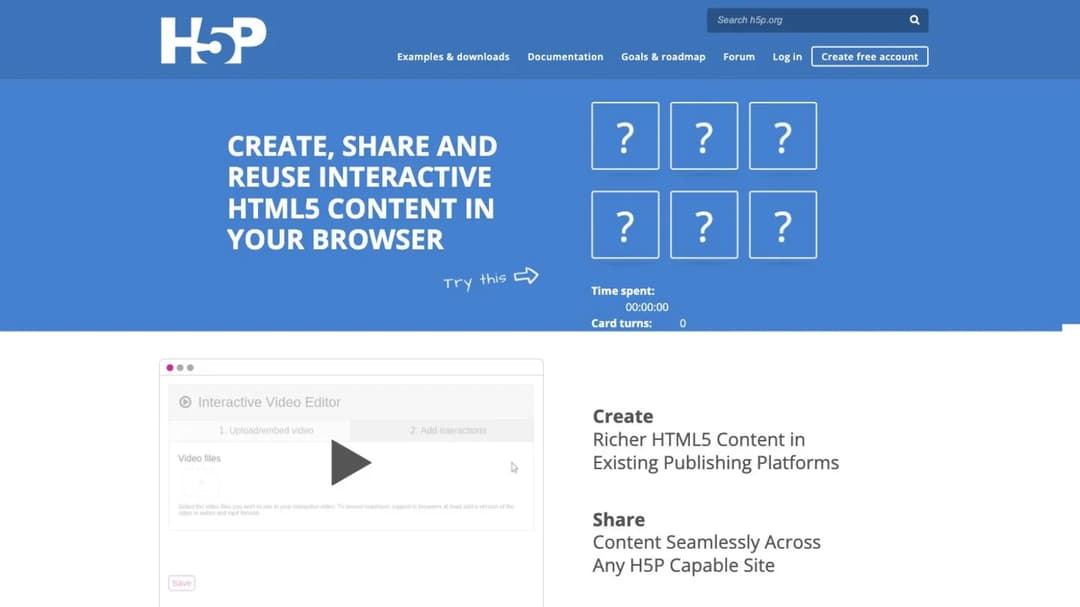
And H5P, which shows up in free lists as though it were a SCORM answer, documents no SCORM export path for authors at all. Its documentation routes content to an LMS through integrations and LTI. Getting an .h5p file into an LMS as SCORM means a third-party wrapper, which is a separate product with a separate maintainer and a separate way to break.
Whichever free option you pick, it still has to produce a package your LMS accepts, and confirming that costs nothing.
The 16 Best SCORM Authoring Tools
The short answer: if the interaction is the deliverable, buy a suite and treat the seat price as the cost of doing business. If the package is the deliverable, buy a web-based tool with a clean export. If you have no budget at all, eXeLearning and Xerte both work and both publish real release histories.
Every price, plan limit, and export claim below comes from the vendor’s own pages, quoted as printed. Where a vendor publishes nothing, this guide says so.
The list runs in the order the decision runs: first the tools built to get a clean package out the door, then the suites built for when the interaction itself is the deliverable, then the open-source options you host yourself.
| Tool | Best for | Publishes to | Price, as the vendor publishes it | Free tier or trial |
|---|---|---|---|---|
| Mini Course Generator | A document that has to become a tracked module this week | SCORM or PDF export; version not stated | Plan-based, sized on a yearly learner allowance | 14 days of full access |
| Easygenerator | Distributed authoring by subject-matter experts | Not stated on the pricing page | Pro $116/mo or $1,399/year; Team $582/mo or $6,995/year | No free tier published |
| isEazy Author | A solo designer who wants a usable free tier | SCORM 1.2, SCORM 2004, Tin Can/xAPI | Professional €80/mo; Business €208/mo | Yes, no time limit, up to 3 projects |
| Coassemble | Teams regenerating packages on a release cadence | SCORM 2004 export | Build $250/mo or $2,500/yr; Scale from $500/mo; Partner from $2,000/mo | No free tier published |
| Udutu | Teams that can deliver inside Udutu’s own LMS | “SCORM compliant”; version not itemized | Free inside Udutu’s LMS; Open Publishing License $199 to $999 a year | Yes, inside Udutu’s LMS, 25 learners a month |
| Compozer | Very small teams testing the water | Not stated | Lite A$19/mo; Grow A$49/mo + A$10 per user; Pro A$99/mo + A$15 per user | Yes, with limited SCORM exports |
| Articulate 360 | Designers whose output is the interaction | “Tin Can API 1.0-, SCORM-, and AICC-compliant”; no version | $1,749 per seat/year (teams); $1,449 personal; Frontline from $500/year, unlimited seats | No free tier published |
| iSpring Suite | Teams already working in PowerPoint, on Windows | Not stated on the pricing page | Suite $970 per author/year; Suite AI $1,290; Cloud AI $720 | No free tier published |
| Adobe Captivate | Adobe-standardized shops; simulation and software capture | SCORM 1.2, SCORM 2004, AICC, xAPI | “Subscribe for US$39.99/mo.” | No free tier published |
| Lectora | Regulated work with a 508 or WCAG obligation | SCORM 1.1, 1.2, 2004 3rd edition, AICC, cmi5, xAPI, HTML | No published price | No free tier published |
| dominKnow ONE | Many authors reusing one shared content pool | Not stated | No published price; priced per author, learners free | No free tier published |
| Gomo | Multi-device, multi-language output at scale | Not stated | No published price | No free tier published |
| eXeLearning | Anyone who needs a package and has no budget | SCORM, HTML, EPUB; version not itemized | Free, open source | Yes |
| Xerte | Institutions with a server and someone to run it | “SCORM compliant content packages”; version not itemized | Free, open source | Yes |
| Adapt | Developers who will build and maintain a theme | SCORM compliant; version not itemized | Free, GNU GPL v3 | Yes |
| H5P | Anyone whose LMS takes LTI | No first-party SCORM export documented | Free, open source | Yes |
Lightweight and AI-assisted web authors. The package is the point. These tools trade pixel control for a shorter loop and a cleaner handoff, and most of them publish what they charge.
1. Mini Course Generator
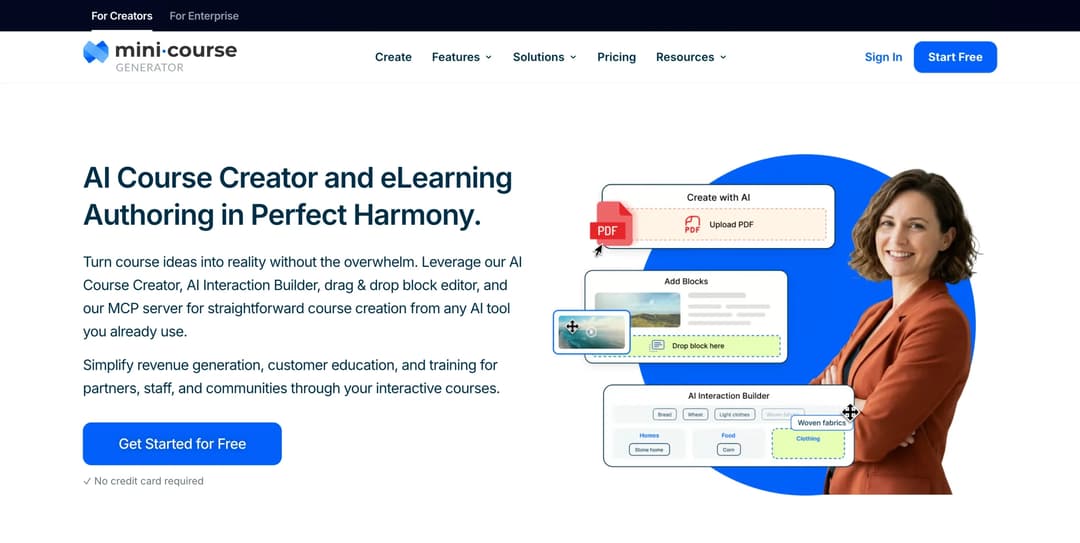
Mini Course Generator is our product; it is listed for the job it does, not ranked above the others.
Top Features
- AI Course Creator, which drafts a course structure from material you supply
- PDF to Course Creator, for turning an approved document straight into a module
- AI Interaction Builder, covering branching scenarios, simulations, dialogue simulations, drag-and-drop activities, and image hotspots
- Drag & Drop Block Editor for the manual pass over the draft
- SCORM or PDF export, with dynamic SCORM on the business plans
Mini Course Generator is an AI course creator and LMS rather than a desktop suite, which places it in the second group: the source material already exists and the job is to get it into a tracked, interactive module. The AI drafts, you direct. The generated pass is a starting structure you edit block by block, not a finished course, and the design decisions stay yours.
The licensing shape is the structural difference from the suites. Plans are sized on a yearly learner allowance rather than sold per author seat the way the suites are, and team seats are included on the larger business plans. There are zero implementation or onboarding fees, and every plan opens with 14 days of full access. Details are on the pricing page.
On export, the commitment is explicit: “Your content is always yours, whatever your subscription status. You can export mini-courses as PDF files or SCORM packages at any time.” Dynamic SCORM sits on the business plans.
The AI Role-play Agent Skill is live, producing a standalone, SCORM-exportable activity. The other Agent Skills in the catalog are not live yet, so plan around the one that is.
Pros
- Export rights are unconditional, with no subscription condition attached.
- Plans are sized on a yearly learner allowance rather than per author seat, and team seats are included on the larger business plans.
- Interaction types, AI drafting, and the SCORM export sit in one tool, with no implementation fee and 14 days of full access on every plan.
Cons
- Not a Storyline-class suite: no variable-driven branching at that depth, no audio-sync timeline, no template-standard enforcement across a design team.
- Publishes no accessibility conformance report: no VPAT, no WCAG or Section 508 statement. Lectora positions explicitly on ADA and WCAG; Mini Course Generator does not publish the equivalent documentation. An AI Voice Over & Accessibility Widget is included on every plan, which is a feature, not a conformance report.
- Publishes no SCORM version, so an admin with a version requirement has to test the package rather than read a spec sheet.
Turn an existing PDF or help article into a tracked module and export it to SCORM in the same session, with 14 days of full access on any plan.
2. Easygenerator
Top Features
- Browser-based authoring aimed at non-specialist authors
- Positioned for subject-matter experts rather than for designers
- SCORM export included on every paid tier
- Team and governance controls on the higher tier
- Three published steps: Pro, Team, and a custom Enterprise tier
Easygenerator’s positioning is distributed authoring: the person who knows the subject builds, and the L&D team reviews. For an instructional designer that changes your job from author to editor, which is either the relief you wanted or the loss of control you feared.
Pricing is published. Pro is “$116/mo” or “$1,399 billed annually”, Team is “$582/mo” or “$6,995 billed annually”, and Enterprise is custom. The important detail for anyone weighing the cheap tier: SCORM export is included on every paid tier. What the ladder buys is seats and governance, not the export.
The pricing page names no SCORM version, so ask before you sign.
Pros
- Publishes its prices, in a category where about half don’t.
- SCORM export on every paid tier rather than gated to the top plan.
- Built for SME authoring, a genuine answer to the content bottleneck.
Cons
- Names no SCORM version on its pricing page, so the version question goes to a sales conversation.
- The jump from Pro to Team is large, and it’s a seats-and-governance jump rather than a capability one.
3. isEazy Author
Top Features
- Free tier with no time limit and up to three projects
- AI-assisted drafting inside a browser authoring interface
- Publishes to SCORM 1.2, SCORM 2004, and Tin Can/xAPI
- Storage tiers stated per plan, 5GB on Professional and 12GB on Business
- Multi-author support from the Business tier
isEazy Author is the free tier in this guide a professional can actually use: “Free – Try it for free with no time limit. Up to 3 projects.” Three projects is enough to build something real, hand it to a stakeholder, and import it into your LMS to see whether it reports.
It’s also one of the few tools here that names its output versions, publishing to “SCORM1.2, SCORM 2004 and Tincan/xApi”. That answers test two on the page instead of on a call.
Paid tiers are Professional at €80 a month for one author and Business at €208 a month for two, with Enterprise on request.
Pros
- A free tier with no expiry date, so you can validate the export before you pay.
- Publishes its SCORM versions explicitly.
- Published monthly prices with stated author and storage limits.
Cons
- Priced in euros, which adds an FX assumption to a US budget request.
- Author counts are tight on the lower tiers: one on Professional, two on Business.
4. Coassemble
Top Features
- Dynamic SCORM with in-app manual download on every tier
- SCORM export via API, programmatic and standalone, on the Partner tier
- “SCORM 2004 export” stated as an included row on all three plans
- Published prices at every tier
- Usage measured in interactive registrations rather than seats
Coassemble meters usage in interactive registrations rather than author seats, and it publishes a figure against every step. Build is $250/mo or $2,500/yr for 600 interactive registrations a year. Scale starts at $500/mo or $5,000/yr and spans 2,400 to 120,000-plus registrations. Partner starts at $2,000/mo or $20,000/yr and is negotiated.
The price step is the thing to notice, and most comparisons bury it in a footnote. “Dynamic SCORM, in-app manual download” is on all three tiers. “SCORM via API (dynamic + standalone, programmatic)” is available on request on Build and Scale and included on Partner. So clicking the export is cheap, and automating it is an eightfold step in list price.
Pros
- Publishes prices at every tier, including the negotiated one.
- States its SCORM version in the plan table rather than on request.
- Manual dynamic SCORM download on the entry plan.
Cons
- Programmatic export is effectively a Partner-tier feature, which is an eightfold price step from Build.
- Registration-based metering takes modeling if your audience size is unpredictable.
5. Udutu
Top Features
- Cloud authoring, free when courses are delivered through Udutu’s LMS
- Free delivery for up to 25 learners a month
- Open Publishing License for exporting packages elsewhere
- Open Publishing License sold in bands of one, three, five, and ten or more
- Described as SCORM compliant, with SCORM 2004 named in the overview
Udutu’s authoring tool costs nothing for as long as the courses stay on Udutu’s own platform: it is “completely FREE if you deliver courses using Udutu’s LMS”, with delivery free up to 25 learners a month. The moment the package has to go somewhere else, the price arrives.
Publishing that package into any other LMS requires an Open Publishing License: $199 a year for one, $499 for three, $749 for five, and $999 for ten or more. If you’re buying an authoring tool specifically to feed an LMS you already own, that license isn’t an extra. It’s the price.
Pros
- Genuinely free to author, as long as delivery stays inside Udutu’s own LMS.
- The export license is published, priced, and easy to model.
- Free delivery for very small audiences, which suits a pilot.
Cons
- Exporting anywhere else is a paid license, which makes “free” conditional on using Udutu’s own delivery.
- SCORM versions are not itemized on the authoring page.
6. Compozer
Top Features
- Freemium tier at A$0 a month
- Brand kit for consistent styling across courses
- Per-user add-on pricing on the higher tiers
- Cloud storage stated per plan, starting at 200 MB
- Published price ladder from free to enterprise
Compozer publishes a free tier, and the limit sits on exactly the thing you came for. Freemium is A$0 a month and includes “1 Course Creation, 1 Brand Kit, 200 MB Cloud Storage” and “Limited SCORM Exports”. The building is free. The export is throttled.
Paid tiers are Lite at A$19/mo, Grow at A$49/mo plus A$10 per user, and Pro at A$99/mo plus A$15 per user, with a custom Enterprise tier. Those are Australian dollars. Guides that name Compozer among the best free tools rarely say either of those two things.
Pros
- A published price ladder, including the per-user add-on rate, which is rare at this end of the market.
- A free tier for evaluating the authoring interface at no cost.
- Low entry price relative to the suites.
Cons
- The free tier limits SCORM exports specifically, which is the capability most readers are evaluating.
- Prices are in Australian dollars, and no SCORM version is published.
Full authoring suites. The interaction is the point, and the license is per author per year. Expect the bill to scale with how many people touch the content.
7. Articulate 360

Top Features
- Storyline for custom, variable-driven interaction
- Rise for block-based responsive web authoring
- Personal and team licenses priced separately, both published
- Frontline priced on credits and unlimited seats rather than per author
- A custom Hybrid option alongside the published tiers
Articulate 360 is the category default and the reference point against which every other price here gets judged. Storyline does things no browser tool does: variables, triggers, layered states, precise timing, and software simulation. If your project is a branching scenario with conditional logic and an audio track synced to animation, this is the group you’re buying from.
Published pricing is $1,749 per seat per year for 360 AI on teams, and $1,449 for a personal license. The tier most people don’t know about is Frontline, starting from $500 a year for unlimited seats with 100,000 credits, plus a custom Hybrid option. Frontline is pitched at frontline, kit-style training rather than at bespoke design work, so check the fit before assuming it replaces a seat. The Storyline page states only that output is “Tin Can API 1.0-, SCORM-, and AICC-compliant”, with no version.
Pros
- Variable-driven interaction authoring that no browser tool here matches, with Rise as a faster second route in the same subscription.
- Publishes a tier that isn’t priced per seat, which no comparison in this category reports.
- Two ways to buy that are not per-seat: Frontline’s credit model and the custom Hybrid option.
Cons
- The highest per-seat price here, and the bill scales directly with author count.
- Names no SCORM version on its product page.
8. iSpring Suite
Top Features
- Authoring as a PowerPoint add-in, not a separate application
- Three published lines: Suite, Suite AI, and the separate iSpring Cloud AI
- Per-author annual licensing, with a figure published against each line
- Windows 10/11 and PowerPoint 2007 through 2024, 32- and 64-bit
- macOS listed only as a viewing platform
At $970 per author per year, iSpring Suite carries the lowest published annual per-author license of the suites here, and the least friction for a team that already lives in PowerPoint. You author inside slides, so the SME can open the source file and the review cycle shortens.
Published pricing is $970 per author per year for Suite, $1,290 for Suite AI, and $720 for the separate Cloud AI product. Carry the tier name into the budget request along with the figure.
The cost that never reaches a pricing page is the platform. Its system requirements are “Microsoft Windows 10/11 (32- and 64-bit)” and “Microsoft PowerPoint 2007/2010/2013/2016/2019/365/2021/2024 (32- and 64-bit)”. macOS appears only as a viewing platform. For a Mac-based designer, that’s a Windows license and a virtual machine on top of the subscription.
Pros
- The lowest of the published annual per-author licenses here.
- PowerPoint-native authoring, which shortens SME review cycles.
- Three clearly separated tiers, all with published figures.
Cons
- Windows and PowerPoint only, which is a hardware and licensing cost for Mac-based teams.
- Publishes no SCORM version alongside the figures, so an LMS admin’s version question still needs a call.
9. Adobe Captivate
Top Features
- Stated LMS standards support: SCORM 1.2, SCORM 2004, AICC, and xAPI
- Software simulation and screen capture
- Generative AI authoring features on the current product page
- A published monthly subscription price rather than an annual per-author license
- Sold inside Adobe’s wider subscription estate
Captivate makes most sense where Adobe is already the house standard and the asset pipeline runs through Creative Cloud. Software simulation and screen capture are the work it is built around.
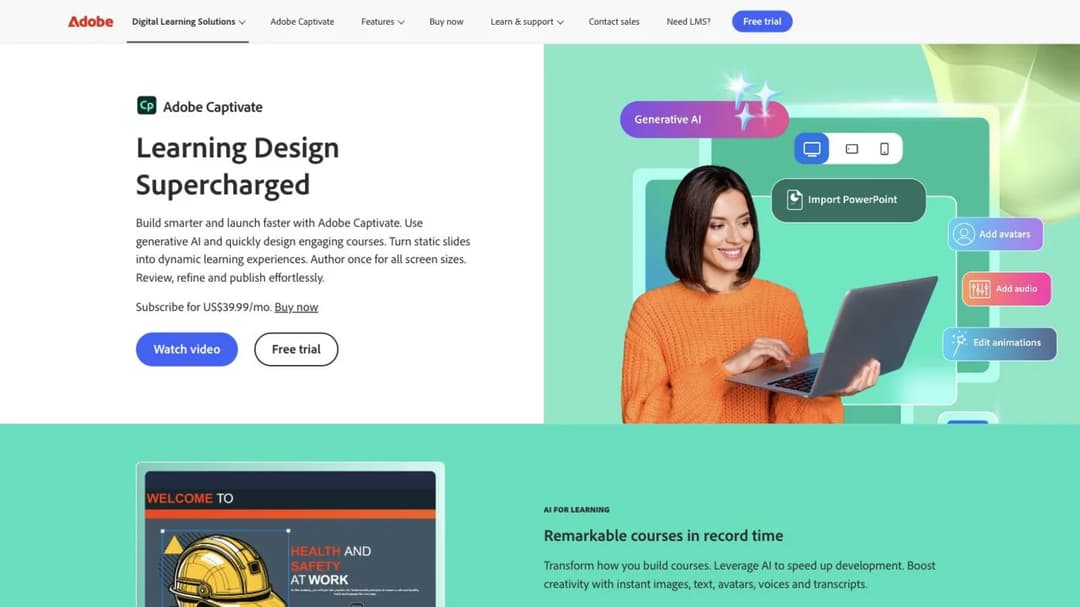
It also carries the clearest version statement in this guide: “The LMS standards supported are – SCORM 1.2, SCORM 2004, AICC, and xAPI.” One sentence, and test two is answered.
On price, Adobe’s own product page reads “Subscribe for US$39.99/mo.” The lower figure that circulates in guides, $33.99, is the annual-commitment rate. If you’re subscribing month to month to evaluate it, $39.99 is the number, and the gap between the two is 18%.
Pros
- States its SCORM versions explicitly on the product page.
- Software simulation and screen capture, with the standards support stated beside them.
- Monthly subscription rather than an annual per-author license.
Cons
- The widely quoted $33.99 requires an annual commitment, so the month-to-month rate is higher.
- Makes least sense where there is no other Adobe footprint to standardize on.
10. Lectora
Top Features
- Desktop and online authoring in the same product family
- Explicit ADA and WCAG positioning
- Section 508 screen-reader support in the companion CourseMill delivery product
- Output to SCORM 1.1, 1.2, and 2004 3rd edition, plus AICC, cmi5, and xAPI
- Plain HTML output for delivery outside an LMS
Lectora is the accessibility-first suite, and that’s the reason to shortlist it. If a contract names WCAG conformance and somebody will audit the result, this is the product family that positions on it rather than mentioning it.
It publishes the broadest output list here: “SCORM 1.1, SCORM 1.2, SCORM 2004 3rd edition”, plus AICC, cmi5, xAPI, and plain HTML. Third edition, not fourth. If a client specification names 4th edition, settle it with the vendor before you buy.
Lectora publishes no price on its product page, so budgeting means a call.
Pros
- The broadest published output list here, including cmi5 and plain HTML.
- Explicit accessibility positioning, with Section 508 screen-reader support in the companion delivery product.
- Desktop and online authoring in one product family.
Cons
- No published price, so the timeline includes a discovery call.
- SCORM 2004 support stops at 3rd edition, which matters if a spec names 4th.
11. dominKnow ONE
Top Features
- Cloud LCMS with shared content libraries across authors
- Single-source content reused across multiple outputs
- SaaS or on-premise deployment on the same product
- Volume discounts that lower the per-author rate as you license more authors
- Per-author licensing with learners free
dominKnow ONE is a content management system as much as an authoring tool, which is the reason to choose it: if six designers maintain 200 modules that share components, single-sourcing beats any individual authoring feature.
It also states the category’s licensing model more plainly than anyone else: “Licensing is simple. Priced per author. Learners are free. SaaS or On-Premise, same great solution.” Volume discounts lower the per-author rate as you license more authors.
What it doesn’t state is a figure: Business, Business PLUS, and Enterprise all sit behind “Get your custom quote”.
Pros
- Shared content libraries, the genuine differentiator for multi-author teams.
- The clearest statement of per-author licensing in the category, with learners explicitly free.
- SaaS and on-premise on the same product.
Cons
- No published price at any tier, so every evaluation starts with a call.
- No SCORM version stated, which on a quote-only product makes two questions for the same call.
12. Gomo
Top Features
- Cloud authoring with responsive multi-device output
- Multi-language course versions from one source
- Optional delivery tier without a full LMS
- Optional LMS tier for teams that need one
- Three named tiers, none of them carrying a figure
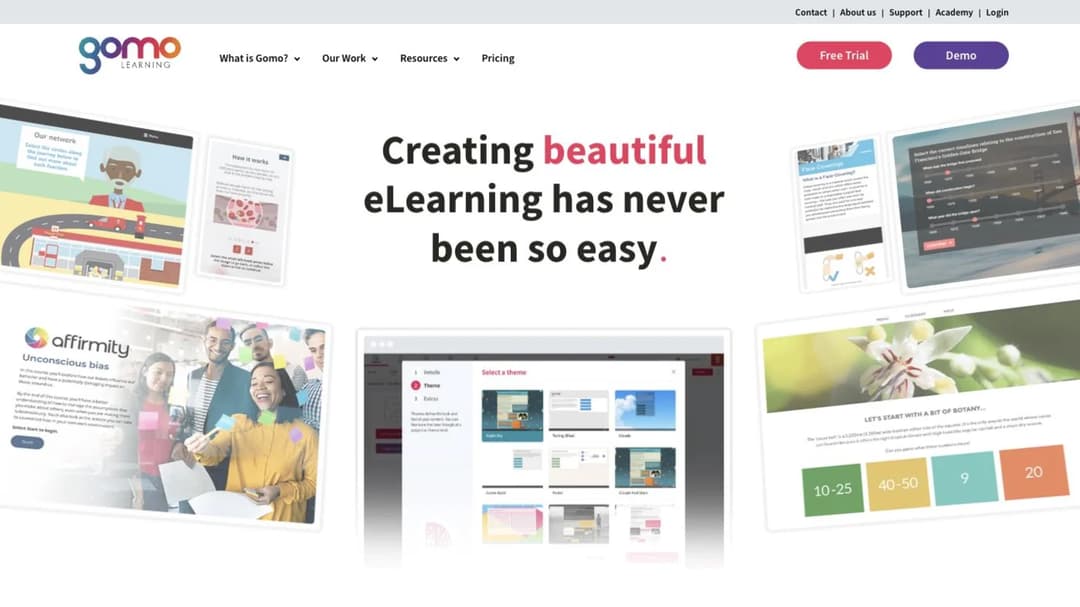
Gomo sits between an authoring tool and a delivery platform, and the tiers reflect that: authoring, authoring plus delivery, and authoring plus delivery plus an LMS. The middle tier is genuinely useful if you need to publish and track but don’t want to run a full platform. The localization story is the other reason teams shortlist it: producing the same course in several languages from one source removes the version drift that kills multi-region rollouts.
None of the three tiers carries a figure, and no SCORM version is stated.
Pros
- A delivery tier that sits between authoring-only and a full LMS.
- Strong multi-language, multi-device output from a single source.
- A clear three-step tier structure, even without figures.
Cons
- No published price on any tier.
- Names no SCORM version on the pages that sell it.
Open source. Free in license, paid in maintenance. Judge these by who funds the maintainer, not by the feature list.
13. eXeLearning
Top Features
- Free and open source, desktop and web editor
- Exports SCORM, HTML, and EPUB
- Interactive activity types built in
- Active release cadence with a current version 4.x
- Backed by a national education ministry
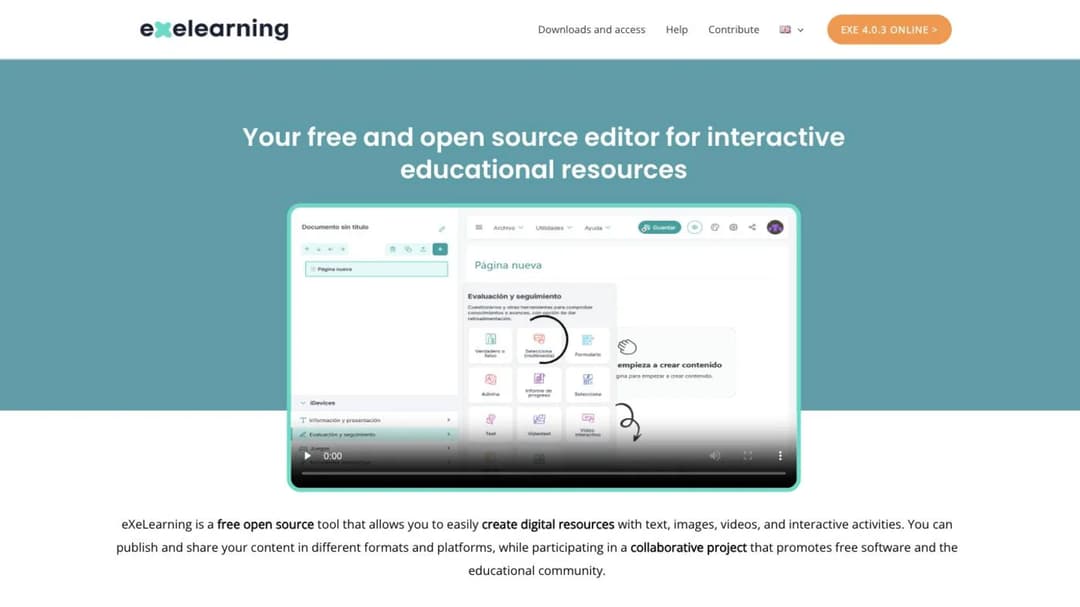
Of every free option in this guide, eXeLearning has the most institutional answer to “who pays the maintainer”. It’s “promoted by the Ministry of Education, Vocational Training and Sports (MEFPD) via Cedec-INTEF and in collaboration with regional educational administrations”, which is an institutional commitment rather than a volunteer’s spare evening.
The release record backs that up: version 4.0.3 is current, and 4.0.1 was released in June 2026. It exports SCORM, HTML, and EPUB, though the SCORM version isn’t itemized. For a designer with no budget who needs a package that imports and reports, this is the first thing to try.
Pros
- Genuinely free, with a 2026 release and continuing institutional backing.
- Three output formats: SCORM, HTML, and EPUB.
- No hosting required for the desktop editor.
Cons
- Names no SCORM version, so version-sensitive projects need testing.
- The interface is educator-oriented rather than corporate-design-oriented.
14. Xerte
Top Features
- Browser-based open-source authoring suite
- Exports SCORM-compliant content packages
- Apereo Foundation governance
- A published release history, most recently a security update for 3.14 and 3.15
- Server-installed, so content stays on your infrastructure
Xerte is an Apereo Foundation project, which puts governance and funding somewhere durable rather than with one maintainer. The release record is visible and current: 57 releases from 28 contributors, with a security update covering versions 3.14 and 3.15 dated to April 2026. It exports “SCORM compliant content packages for deployment in any compatible virtual learning environment or learning management system”, without itemizing versions.
The real cost is hosting. Xerte installs on a server, so somebody has to provision it, patch it, and be there when an upgrade breaks something. In a university with an IT team that’s routine. In a two-person L&D function it is not.
Pros
- Foundation-governed, with a visible release and security cadence.
- Runs on your own infrastructure, which suits institutions with data constraints.
- No license cost at any scale.
Cons
- Requires hosting and ongoing administration, which is the actual price.
- Exports “SCORM compliant” packages without saying which version.
15. Adapt
Top Features
- HTML5 responsive framework with a plugin ecosystem
- Deploys to a SCORM-compliant learning management system
- GNU GPL v3 license
- Separate browser-based authoring interface
- Framework and authoring tool released separately, on very different cadences
Adapt is two products under one name, and treating it as one is how people get burned. The framework is healthy: version 5.56.2, released in April 2026, with continuous dependency maintenance. In the hands of a developer who will theme and maintain it, it produces excellent responsive output that deploys to a SCORM-compliant LMS.
The authoring tool, the part a non-developer needs, is a different story. Its last release, v0.11.5, is dated to January 2025, following bugfix releases in November 2024 and February 2024, on the way to a version 1.0.0 that hasn’t shipped.
So the recommendation splits with the products: framework to developers, never the authoring interface to a designer with a deadline.
Pros
- The framework is actively maintained and produces genuinely good responsive output.
- GNU GPL v3 licensing with a large community component library.
- No license cost, and no vendor relationship to manage.
Cons
- The authoring interface, the part non-developers need, has had no release at all since January 2025, and the releases before that were bugfixes.
- Requires development capacity to be worth choosing at all.
16. H5P
Top Features
- Large catalog of interactive HTML5 content types
- Documented integrations for Blackboard, Brightspace, Canvas, and Moodle
- LTI delivery into supported platforms
- WordPress and Drupal plugins
- Free and open source
H5P is last here on purpose, because it’s the correction this category needs. It appears in free-tools lists as though it were a SCORM answer, and its own author documentation doesn’t describe one. What that documentation covers is integration: Blackboard, Brightspace, Canvas, Moodle, and Moodle via LTI, plus WordPress and Drupal. Getting an .h5p file into an LMS as SCORM means a third-party wrapper, which is a separate product with a separate maintainer.
So if your LMS accepts LTI, you don’t need SCORM for this content at all, and skipping the wrapper removes a whole class of problem. If it doesn’t, H5P isn’t the tool for this job, whatever the free lists say.
Pros
- A large catalog of interactive content types, free to use.
- Documented first-party integrations with the major academic platforms.
- Content stays editable in place rather than frozen in a package.
Cons
- Documents no first-party SCORM export path for authors.
- Reaching a non-LTI LMS as SCORM needs a third-party wrapper you then maintain.
Editing a Package Somebody Else Built
A published SCORM package is an output, not a document. It’s a zip of compiled HTML, JavaScript, and a manifest, produced by a tool that kept the editable project somewhere else. Without that project file you’re not editing. You’re re-authoring.
Which means the single most useful thing you can do about this problem happens before it exists: ask for the source project in the contract. When an agency, a contractor, or a departing colleague hands over a course, “we get the source project files in their native format” is a clause, and it costs nothing to add while you still have leverage. After they’ve gone, it costs a rebuild.
If you’ve already inherited a package with no source, the options are narrow. Small text changes can sometimes be made inside the package, but that’s a repair, not a workflow, and it breaks on the next update. For anything structural, rebuild in a tool you control and use the published package as the specification.
That puts you back where this guide started, with the same two tests. What does the content actually have to do, and what will your LMS accept? The one extra input you now have is the content itself, already written and already approved, which usually points at the second group: a web-based tool with a clean export, not a suite.
When You Need a SCORM Wrapper Instead of a Course
The sibling problem to an inherited package is an asset that was never a course. A vendor’s PDF, a recorded webinar, a policy document, an HTML5 game an agency built — and someone has to produce a record that each employee opened it.
A SCORM wrapper is the answer, and it’s smaller than it sounds. A wrapper is a minimal package: a manifest plus one launch page that performs the SCORM handshake and then presents your file. The LMS imports it like any other course. The launch page reports a status, and the file inside stays what it was.
That distinction is everything. A wrapper makes a packaged thing trackable, not a hosted thing. If the asset stays on your own web server and the LMS is pointed at that address, nothing comes back.
Moodle states the behavior for externally hosted content in its documentation: the content plays from its own location instead of being unpacked into the LMS, and if that address differs from the LMS’s own, browser security blocks the communication and no grades or tracking information pass back. The course plays perfectly and records nothing. The mechanism underneath is unglamorous: the package hunts for the LMS through the windows around it, gives up after seven levels, and plays the course anyway.
The second limit is what a wrapper can report. The launch page is the only thing talking to the LMS, and it has no idea what happened inside the PDF. You get opened, usually time spent, and that’s the ceiling: no score, no question-level record, no evidence anyone scrolled past the first page. If the asset is a video and the record has to show it was watched to the end, SCORM is the wrong record to be asking for, and what xAPI captures that SCORM doesn’t is the conversation instead.
| What the completion has to prove | What to do |
|---|---|
| A named person opened the file | Wrap it |
| Someone answered questions about the content correctly | Build it as a course |
| The material changes every quarter | Build it as a course — a wrapper is re-zipped and re-imported on every edit |
| An outside vendor owns the asset and you can’t rebuild it | Wrap it, and write “opened” into the policy as the evidence standard |
You don’t have to build one by hand. Several of the suites above ship a web-object or external-content feature that produces a wrapper for you, and pipwerks’ open-source SCORM API wrapper has been the free route for developers for years. Ask about that feature before you pay for a conversion.
The failure to watch for isn’t technical. It’s wrapping the same material every quarter to keep a completion record alive, which means the record is real and the learning isn’t. That’s the point to rebuild it once, against the two tests at the top of this guide.
How to Test a Package Before You Commit
Testing a SCORM package against a real runtime costs nothing, which turns “test before you buy” from advice into an instruction.
SCORM Cloud’s trial tier is free and includes 3 courses, 5GB of storage, and 10 resettable registrations. A registration is one learner on one course. It plays SCORM 1.2, SCORM 2004, xAPI, cmi5, AICC, and LTI, which covers what every tool in this guide publishes to, with one exception: Lectora’s SCORM 1.1 output isn’t on that list.
Paid tiers run Tester at $40/mo with unlimited storage and the same 10 resettable registrations, Little at $90/mo for 50 registrations at a $3.60 overage, Medium at $180/mo for 100, Big at $360/mo for 300, Bigger at $1,100/mo for 4,000, Mega at $2,000/mo for 10,000, and Ultra at $5,000/mo for 50,000. Only a heavy, reset-hungry testing program crosses out of the free tier.
Here’s the procedure, and it takes an afternoon.
- Pick two finalists and open a trial in each.
- Build the same real module in both: your actual content, your actual quiz, your actual completion rule. Not a demo.
- Export both as SCORM 1.2 unless your LMS specifically requires 2004.
- Import both into SCORM Cloud’s free tier and take each course through to completion.
- Check what came back: completion, score, and time. Then reset and repeat once.
- Import the winner into your own LMS before anybody signs anything.
Step 5 is the one people skip, and the one that matters. A package that launches is not a package that reports, and if the completion record is your evidence for an audit or a client deliverable, a course that plays beautifully and writes nothing back is a failure that surfaces months later. The same check applies before you build training with a certificate on top of it.
How to Choose
Is the interaction the point, or is the package the point?
This is the question the rest of the decision hangs on, and it’s worth answering out loud with a stakeholder in the room.
If the deliverable is branching with variables, audio synced to animation, software simulation, or an accessibility audit trail somebody will inspect, the interaction is the point. Buy a suite and treat the seat price as the cost of doing business, because no browser tool gets you there and the workaround costs more than the license.
If the deliverable is a policy, a product update, or a process that has to become a tracked module by Friday, the package is the point. A suite is a tax on that job: you’ll spend the first week learning a timeline you’ll never use again.
Most people in this role are in the second case and shopping in the first. That’s the single most expensive mistake in this category, and it’s made at the shortlist stage, not the purchase stage.
What will the LMS you already have actually accept?
Settle this with your LMS admin before you build a shortlist, not after the purchase order.
Ask three things: which SCORM version the platform accepts on import, whether 2004 sequencing is actually supported or merely accepted, and whether anything in the stack strips JavaScript. If the platform is Moodle, assume SCORM 1.2 and treat 2004 as a special case requiring evidence. Otherwise ask for the version in writing, because half this category won’t tell you what it publishes.
And if the honest answer is that the LMS itself is the constraint, that’s a different purchase. Choosing the platform that delivers it is the decision that unblocks everything downstream, and it’s better made deliberately than discovered after you’ve bought an authoring tool. For teams delivering without a conventional platform at all, delivering without an LMS is a real route and changes the export question entirely.
How many people will touch the content?
Count the authors, including the person who makes one edit a quarter, and count them for three years rather than one.
The suites bill per author per year. At $970 to $1,749 a seat, a second and a third author change the total more than any feature comparison will: three authors on Articulate 360 is over $5,000 a year before anyone has built anything. That’s the arithmetic that makes Articulate’s unlimited-seat Frontline tier and dominKnow’s volume discounts worth asking about, even if neither ends up fitting.
The web-based tools bill by plan, usually on learners or usage, so the question lands elsewhere: not “how many authors” but “how many learners, and how often does the content change”.
Can you actually buy it this quarter?
Published pricing is a shortlist criterion in its own right, and this is the part that gets discovered too late.
Quote-only means a discovery call, a scoping call, a proposal, a procurement review, and a renewal negotiation next year. Three of the tools in this guide publish no figure at all. If your package is due this quarter, that’s not a pricing problem. It’s a calendar problem, and no amount of feature fit fixes it.
Run the four questions in that order: what the content has to do, what the LMS accepts, how many authors, and whether you can buy it in the time you have. The tool that wins on all four is usually not the one that wins on features.
Start With the Two Tests, Then Build the Same Module Twice
Write down two sentences before you open another comparison. What the content actually has to do, and what your LMS will accept on import. Everything in this guide is downstream of those two.
Then take two finalists, build the same real module in both trials, export both, and run both through the free test tier until you’ve seen a completion come back. That’s one afternoon against a license you’ll live with for three years, and it answers the question a feature grid can’t.
One last rule for the budget request: take every figure from the vendor’s own page, and carry the tier name with the number.
Turn material you have already written into a tracked, interactive module and export it to SCORM when your LMS admin is ready for it.
Frequently Asked Questions
What are some free tools for authoring SCORM content?
isEazy Author’s free tier has no time limit and allows up to three projects, which is enough to finish real work. eXeLearning and Xerte are free and open source with 2026 release activity. Udutu is free to author inside its own LMS, and charges $199 to $999 a year to publish elsewhere. Compozer’s free tier limits SCORM exports specifically. Check what the export costs first, and remember the package still needs somewhere free to land.
What are some open source SCORM authoring tools?
eXeLearning, Xerte, and the Adapt framework are the three worth your time. eXeLearning is backed by Spain’s education ministry via Cedec-INTEF, and Xerte is an Apereo Foundation project with a security update dated to April 2026. Adapt’s framework is current at v5.56.2, but its separate authoring interface last released in January 2025, so use the framework with a developer. H5P belongs here only if your LMS takes LTI.
What is the best eLearning authoring tool?
There isn’t one, and the honest answer is a test rather than a name. If the interaction is the deliverable, the suites are Articulate 360, iSpring Suite, Adobe Captivate, Lectora, dominKnow ONE, and Gomo, and you pick on accessibility, platform, or team size. If the package is the deliverable, a browser tool with a clean export ships faster and costs less. Answer which case you’re in and the shortlist is four products, not 16.
How can I create SCORM content?
Build the course in an authoring tool, publish to SCORM, and import the zip into your LMS. The choice that shapes everything is which tool and which version. If the source material already exists as a document, a generator skips the authoring step entirely. Either way the thing you end up uploading is the same object: your content files, a manifest at the root of the zip, and the JavaScript that reports a status back.
How can I edit a SCORM file?
Strictly, you don’t. A published package is compiled output, and editing means going back to the source project in the tool that produced it. If you have the source, open it there and republish. If you don’t, you’re re-authoring from the package as a specification, which is why “we receive the source project files” belongs in every contract before the work starts.
Can I create my own SCORM file?
Yes, and you can prove it works for nothing. Pick a free tool such as eXeLearning or isEazy’s free tier, build one small real module, and publish to SCORM 1.2. Import it into SCORM Cloud’s free trial tier, which allows 3 courses and 10 resettable registrations, and take it through to completion. If the completion comes back, you have a working package and a working method before any money changes hands.
Is SCORM still a thing?
Yes, and it’s still the default for corporate LMS delivery, but the version question has moved. Moodle’s documentation states that development on native SCORM 2004 support has stopped and that 2004 bugs are closed as won’t fix, so SCORM 1.2 is the pragmatic target for a very large installed base. Whether you need a different standard at all depends on whether you’re tracking completion or behavior that happens outside the course.
Can AI create SCORM files?
AI can draft the content and a tool can wrap it as SCORM, which is not the same as AI creating a course. The AI drafts and you direct: it produces a first structure from material you supply, and you make the learning-objective decisions, cut what’s wrong, and sign off. Mini Course Generator, Easygenerator, and isEazy all work this way. Check the draft against your source, and check what the tool does with SCORM in both directions: Mini Course Generator’s own SCORM Upload Block, for one, also accepts a package built somewhere else and reports on how learners interact with it.
Sources
Prices, plan limits, system requirements, and export claims in this guide were read from the vendors’ own product and pricing pages in September 2026: Articulate, Adobe, ELB Learning (Lectora), dominKnow, Gomo, iSpring, Easygenerator, isEazy, Coassemble, Udutu, Compozer, eXeLearning, Xerte, Adapt, H5P, Confirm (Create, previously Elucidat), and Rustici Software (SCORM Cloud). Conformance and standards statements come from Moodle’s own documentation, including the conformance suite it names there. Open-source release dates and version numbers come from the projects’ published release records. Mini Course Generator plan and export details come from its own pricing page and product documentation.


