

No tool that can overlay software you bought publishes a price for doing it, and almost every tool that does print a price installs only in software you built. That one line decides your shortlist, your budget and the length of your buying cycle before a single feature gets compared, because it determines whether a number can exist this quarter at all or whether every candidate takes a sales cycle to price. This guide splits eleven products by what they can actually reach, prints every published figure and the meter behind it, and names the five things to get in writing before you ask anyone for a quote.
Two facts sit underneath that. WalkMe’s pricing page carries no dollar figure for either of its product lines, and the closest thing on it to a pricing statement is the sentence “Our pricing plans are designed for any organization to benefit from digital adoption.” WalkMe has also been an SAP subsidiary since September 2024, which changes who signs your order form and where the roadmap points.
The order below runs from the tools that can reach the software your people are stuck in, to the tools that only work inside a product you built, to the tools that answer the question without an overlay at all.
Turn one rollout process into a short course your team can take this week — start with whichever process generates the most help-desk tickets in the new system, because that is the half of the quote no overlay covers.
What WalkMe Does Well, and Where It Stops

A digital adoption platform overlays guidance on software your people already use, which is why it usually gets bought by whoever owns employee training software for a rollout rather than by IT. WalkMe is the category’s original name and still its largest. It sells two lines, WalkMe for Employees and WalkMe for Customers, plus a course-authoring module called Learning Arc.
Before you price anything else, be clear about what you’d be giving up. For a certain kind of rollout, it’s a lot.
What the quote is actually buying
WalkMe names its application coverage on its own pages: SAP, Salesforce, Workday, Microsoft Dynamics 365, ServiceNow, SuccessFactors, Oracle Cloud HCM and ERP, SAP Concur, SAP Ariba, NetSuite, SharePoint and Jira. That breadth is the product, and the list of applications is the shape of the contract.
The AI layer has its own names — DeepUI for screen-context awareness, Contextual AI Assistance, Pinned AI, Proactive AI, and Haiku for generating documentation and standard operating procedures — plus retrieval over your own policies. If your evaluation is a feature bake-off, this is where it happens.
The part that decides more RFPs than any tooltip is the compliance list. WalkMe publishes FedRAMP Moderate, GovRAMP, TX-RAMP, DoD IL4, C5, TISAX, ISO/IEC 27001:2022, ISO/IEC 42001:2023, SOC 2 Type 2, HIPAA, 21 CFR Part 11 and FIPS 140-3. Almost nothing else in this guide carries that set, and for a public-sector, defense or regulated rollout it’s the honest reason to stay.
WalkMe also publishes outcome figures for ticket volume, hours returned and return on investment. Every one of them is WalkMe’s own measurement and none carries a published denominator, so they belong in the category of claims you test in a pilot, not numbers you put in a business case.
The pricing page has no price on it
There is no published answer to what WalkMe costs. The pricing page presents both product lines as feature matrices — Data and Analytics, Action and Experience, Platform and Admin — with no tier names and no dollar sign anywhere. Every call to action on it is “Request a quote,” “Get a quote” or “Request a demo.”
The only actual number on the page is a feature cap, not a price: behavioral segments support “up to 10 segments per system and segment sizes of up to 50,000 users.” That’s a capability limit dressed in the place a price usually sits.
Nothing reachable from that page publishes a contract length, an auto-renewal rule, a notice period, a price escalator, a cancellation term or an uptime percentage, and there’s no customer master agreement published on the site at all. No free trial and no free plan are published either.
So two things follow. A budget number costs you a sales cycle, which is a scheduling problem before it’s a money problem. And every commercial term lives in the order form, which means term, renewal window, escalator and exit are things you negotiate in at the start, not things you check afterwards.
What SAP’s ownership changed
SAP completed its acquisition of WalkMe in September 2024, at US$14.00 per share, an equity value of approximately US$1.5 billion and roughly a 45% premium to WalkMe’s closing price on the June day the binding terms were agreed. WalkMe’s own newsroom carries the release.
The same release states the strategic purpose plainly: “WalkMeX’s AI capabilities will supercharge SAP’s copilot Joule with context-aware and proactive help across workflows.” That’s where the roadmap points. It isn’t a reason to panic — the newsroom is actively maintained, with releases dated into 2026 — but it is a reason to read a three-year commitment carefully if your stack is Dynamics or Workday rather than SAP.
There’s a practical wrinkle. WalkMe’s About page still describes an independent company that “went public on Nasdaq in 2021” and names no parent, two years after the deal closed. Don’t take the contracting entity from a website — get it named on the order form, and if non-SAP application coverage matters to you, get the commitment to it written into the contract rather than inferred from a product page.
One step in your procurement process also stops working here. Weeks after the deal closed, WalkMe filed a Form 15-12G with the SEC and deregistered its securities, which is the ordinary consequence of being taken private rather than a signal about the product. It does mean there are no public financials, quarterly results or annual reports for WalkMe after 2024, so the vendor-health check you would normally run before a three-year commitment has to be answered by SAP as the parent, in writing, or not at all.
There’s a course builder inside the contract
This is the part of a WalkMe quote most buyers never price separately. Learning Arc is described on WalkMe’s own page as an “Enterprise AI Learning Platform” that lets “managers, team leads, and subject matter experts build training and courses in minutes and deliver them in the flow of work.”
What it does is course authoring: “Turn your existing presentations, videos, or documents into a full course. Get modules and quizzes in minutes or turn recorded workflows into interactive simulations.” It tracks “who completed what, where quiz scores dropped, and which content needs sharpening,” with portal-based learner access and progress tracking. The documentation sets hard limits — assets up to 200 MB, video up to 500 MB and 60 minutes, no desktop recording on virtual machines.
Whether courses built in Learning Arc can leave it is a question for the order form, not the website. The Learning Arc product page and its documentation don’t publish an export path, so put it in writing: which package format, which version, and whether the export works after the subscription ends. If you’ve never had to care about that before, the difference between SCORM and xAPI is the ten-minute version.
This matters commercially. If part of what you’re buying is document-to-course authoring with completion records, that’s a separate product category — and unlike digital adoption platforms, one where prices are published. Price that half against its own market rather than letting it disappear inside a single quote.
WalkMe Alternatives Come From Two Places, and Only One of Them Prints a Price Ladder
Sort the alternatives by what they can reach and something falls out that no feature comparison shows you: reach and price transparency are almost the same line.
The tools that can overlay an application you didn’t build — WalkMe, Whatfix, Userlane, Apty, Spekit — put no figure on their pricing pages. Not one of the five. Spekit, still named as the cheap option in guides written a couple of years ago, now says only that “Pricing and packages are completely customizable based on your organization size, needs, and use case.” A per-user figure you remember from 2023 is not a figure you can budget against.
The tools that print a ladder install only in software you built: Userpilot at $299 a month, Chameleon from $279, UserGuiding from $174, Supademo at $50 per creator, Guidde at $29 per creator. Every one of those figures is on the vendor’s own pricing page.
Pendo is the exception, and it’s worth naming as one rather than pretending the line is tidier than it is. Pendo reaches both — it deploys by snippet or browser extension — and it publishes a figure. But the figure is the free tier, and the free tier is scoped to your own app keys, meaning software you instrument yourself. Base, Core and Ultimate are all “Custom pricing.” So the accurate version of the line is this: no vendor in this category publishes a price for covering software you bought.
The reason isn’t mysterious. Overlaying an application somebody else built is a per-application engineering and support commitment that has to survive that vendor’s release cycle, and it gets sold the way engineering commitments get sold — scoped, quoted and renewed.
Here’s the test you can run this week, before you talk to anyone. Pull last month’s help-desk tickets for the new system and sort them into two piles. A ticket that names a field, a button or a screen is a where-is-the-button problem, and an overlay answers it well. A ticket that asks what to do when the invoice gets rejected, or why the approval step exists at all, is a what-is-the-process problem, and no tooltip has ever made one of those go away. The first pile is a ticket deflection problem; the second is a training problem.
The size of the two piles tells you which shelf you’re buying from, and therefore whether a price exists before the demo. If the second pile is bigger, you’re about to spend a five-figure sum solving the smaller half of your problem.
One fork for the other reader in the room: if the software in question is your own product rather than something you licensed, the second group is your section and the first is priced for a problem you don’t have — and the headless and embedded delivery questions are the ones worth reading next, alongside the honest build-versus-buy arithmetic. And if the audience you’re guiding is customers rather than employees, that’s a different comparison with different economics: the MeltingSpot alternatives guide covers it.
What to Get in Writing Before You Ask for a Quote
Five answers make two quotes comparable. Four of the five are absent from every pricing page in this category, which is why quotes arrive in shapes that can’t be laid side by side.
1. How many applications is this, and what does each one cost?
Whatfix states the mechanic plainly: “Pricing for each product and plan is composed of a flat fee, plus user license fees.” Employee-facing applications are licensed on total users; customer-facing applications on monthly active users. And Whatfix lists Mobile Apps and OS (Windows/Mac) as products separate from DAP Web and Desktop, each with its own plan.
Cost scales with the number of applications, not only with the number of people. A three-system rollout is three flat fees before a single license gets counted, and a quote that looks cheap may be scoped to the browser only.
Userlane publishes two named mechanics and no figures: a fixed annual fee per application, or consumption-based pricing across unlimited applications. Its plans are named Application, Department and Organization. Which one you are quoted on decides whether a hiring freeze or a hiring spree changes your bill.
Apty takes a different line again: no feature tiers at all, with every deployment carrying the full core capability set and the price set by scope — users, applications, implementation and compliance needs.
Fix your application list before you ask, and treat desktop and mobile as explicit line items rather than assumptions. The questions are the same ones your HRIS rollout already asked about system integrations.
Get in writing: the per-application fee, what counts as one application, and whether desktop and mobile coverage sits inside the number or beside it.
2. Which meter is the quote on?
Five meters run through this comparison, and they are not interchangeable.
| Meter | Who uses it | What moves the bill |
|---|---|---|
| Total users | Whatfix, employee-facing applications | Headcount, whether or not people log in |
| Monthly active users | Pendo, Userpilot, Appcues | Who actually signs in that month |
| Monthly tracked users | Chameleon | Users the tool tracks, not users you employ |
| Guide views | Stonly, at 4,000 a month on Small Business | How often content gets opened |
| Creators | Supademo, Guidde | How many people author; viewers are free |
Appcues meters on three things at once — “Pricing is based on monthly active users, number of installations and published experiences” — with published-experience caps of 10, 25 and 100 across its tiers. Its definition of an active user is unusually narrow, and it says so: “MAUs are calculated as the total number of users who sign into your platform in any given month. We don’t charge you for dormant users.”
The same rollout produces wildly different bills under those five meters. Where three people author and four thousand watch, a per-creator meter is an order of magnitude cheaper than any active-user meter here. Where everyone logs in daily but nobody opens a guide twice, a view meter is the cheap one. Price each against your own headcount pattern the way the LMS cost guide prices seats against activity.
Get in writing: the meter’s exact definition, and whether admins, super-users and the help desk count against it.
3. What happens when you cross the line?
Four vendors here behave four different ways at the limit, and the difference shows up on exactly the day you can least afford it.
Appcues handles overage with a conversation: “If you exceed any limits on your plan, we’ll keep all of your Appcues experiences running and somebody from our team will reach out about upgrading your account at your next billing cycle.” Nothing switches off and no surprise invoice arrives.
Pendo’s free tier blocks the creation of new guides, surveys or segments once you pass 500 monthly active users, rather than generating a bill. Existing content keeps running; you just can’t make more.
Stonly’s meter is guide views, and one release that sends the whole company to the same article can burn a month’s allowance in an afternoon. Userpilot publishes bands but no overage rate, so the cost of crossing one isn’t knowable from outside.
Go-live is a usage spike by definition. Find out before you sign whether crossing the line produces a phone call, a switched-off experience or an invoice.
Get in writing: the overage rate, and exactly what stops working at the limit.
4. What’s the term, who signs it, and how do you leave?
WalkMe publishes no term length, no renewal rule, no notice period and no escalator anywhere. That isn’t unusual in this category; it’s the norm.
Stonly publishes the clearest terms of anyone here, and they’re strict. The subscription auto-renews for the same term unless it’s cancelled in writing at least 30 days before the current term ends, and “no termination or refund shall be permitted during the term of the subscription.” That’s a fair contract, published. It’s also one you’d want to have read before, not after.
The contracting entity is the other half of this question. WalkMe’s own About page still reads as an independent company, so the legal entity on your order form is something to have named rather than assumed, along with whether the agreement can be assigned on a change of control without your consent. For a sense of what these clauses look like when a vendor does publish them, the auto-renewal and escalator language in the Docebo alternatives and LearnUpon alternatives comparisons is the pattern to expect.
Get in writing: the legal entity, the term length, the notice period, the renewal price rule, and the assignment clause.
5. What can you prove before the purchase order?
This is the question you answer yourself, and it’s the one that survives a procurement review.
WalkMe publishes neither a free trial nor a free plan. Pendo runs the only permanent free tier belonging to a tool that overlays a live application — $0 with product analytics and in-app guides for up to 500 monthly active users — plus a 30-day trial of the full platform. Chameleon’s 14-day trial carries full Enterprise access with no credit card. Stonly’s trial degrades rather than stops: after 14 days the account drops to a permanent free tier of 400 guide views a month, 5 published guides in one language, 1 team member. Supademo Free and Guidde Free are both permanent.
Say the other half in the same breath, though: none of those free tiers does WalkMe’s job at enterprise scale. Pendo’s free tier runs on your own app keys, not on Workday. What they give you is evidence — a real group of people, a real piece of guidance or a real course, and a completion or drop-off number you can put in a business case before anyone signs anything.
Get in writing: nothing. Run the pilot this month instead.
How the 11 WalkMe Alternatives Compare
Every price, meter and contract term below comes from the vendor’s own pages and published agreements, quoted as printed; where a vendor publishes nothing, it says so. The list runs from the tools that can reach software you bought, through the tools that only reach software you built, to the tools that answer the question without an overlay at all, and finally to the one that answers a different question — because that fork decides everything downstream of it.
Mini Course Generator is our product. It is listed for the job it does, not ranked above the others.
Table A — commercial terms. WalkMe sits in the first row as the benchmark you’re comparing against.
| Tool | Reaches | Price as published | Meter | Trial | Contract terms published |
|---|---|---|---|---|---|
| WalkMe | Software you bought | No figure, either product line | Not published | None published | None published |
| Whatfix | Software you bought | No figure on the pricing page | Flat fee plus user licenses; total users or monthly active users | Not published | Not published |
| Userlane | Software you bought | No figure | Fixed annual fee per application, or consumption-based | Not published | Not published |
| Apty | Software you bought | No figure | Users and applications covered, plus scope | Not published | Not published |
| Pendo | Both | Free $0; Base, Core, Ultimate custom | Monthly active users | 30 days, full platform | Not published |
| Userpilot | Software you built | $299/mo; from $849/mo | Monthly active users | 14 days, no card | Not published; no overage rate |
| Appcues | Software you built | No figure | Monthly active users, installations and published experiences | Not published | Overage policy published |
| Chameleon | Software you built | From $279; $750/mo; $1,250/mo | Monthly tracked users | 14 days, full Enterprise, no card | Not published |
| Stonly | Neither — its own widget | No figure | Guide views plus team members | 14 days, then a permanent free tier | Auto-renewal, 30 days’ notice, no mid-term exit |
| Supademo | Neither — shareable demos | Free $0; $50/creator; $450/mo | Creators; viewers free | Free tier is permanent | Not published |
| Guidde | Neither — shareable videos | Free $0; $29/mo; $59/mo | Creators; viewers free | 7 days Business, then Free | Not published |
| Mini Course Generator | Neither — courses by link, embed or package | Published in full on its pricing page | Yearly learner allowance | 14 days, full access, no card | No minimum term; no setup fee |
Table B — reach and deployment. This is the table that settles a Dynamics, Workday or public-sector rollout, and it’s what makes the split above checkable rather than asserted.
| Tool | How it installs | Software you bought | Software you built | Desktop / Citrix | Mobile |
|---|---|---|---|---|---|
| WalkMe | Overlay via extension and Action Bar | Yes, named for SAP, Salesforce, Workday, Dynamics, ServiceNow | Yes | Stated for desktop | Stated, no technical detail published |
| Whatfix | Extension or snippet | Yes | Yes | Yes, including Citrix and VDI | Separate product with its own plan |
| Userlane | Extension or JavaScript snippet | Yes, named for Dynamics, Salesforce, Oracle Cloud, Workday, SAP | Yes | Not published | Not published |
| Apty | Enterprise deployment | Yes, named for Salesforce, Workday, ServiceNow, Dynamics, Coupa, Infor | Yes | Not published | Not published |
| Pendo | Snippet or extension | Guides via extension; free tier is app-key based | Yes | Not published | Yes, mobile SDKs |
| Userpilot | JavaScript snippet and mobile SDKs | No | Yes | No | Yes, mobile SDKs |
| Appcues | Snippet, no engineering needed | No | Yes | No | Yes, web and mobile |
| Chameleon | Snippet in your own product | No | Yes | No | Not published |
| Stonly | Widget, knowledge base, embeds | Sits beside, not on top | Yes | No | Web |
| Supademo | Shareable link or embed | Sits beside, not on top | Yes | Records desktop workflows | Web |
| Guidde | Shareable link, video, PDF or PPT | Sits beside, not on top | Yes | Desktop capture above the free tier | Web |
| Mini Course Generator | Link, embed, Intercom, API or SCORM package | Sits beside, not on top | Yes | Web | Web |
Read the two tables together and your shortlist is three names before a demo gets booked.
The 11 Best WalkMe Alternatives
1. Whatfix
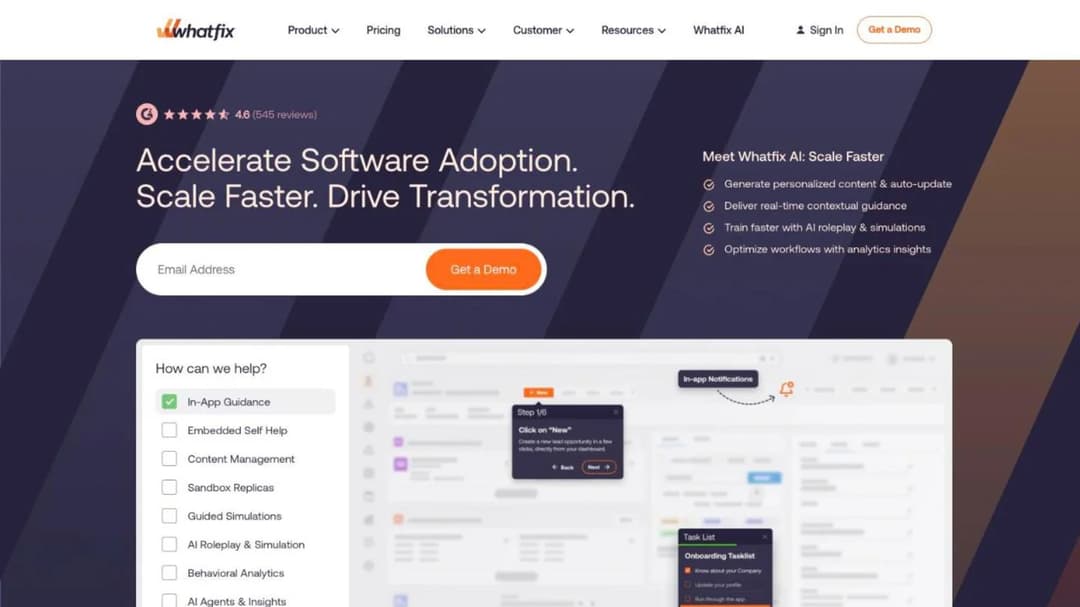
Best for: the enterprise rollout WalkMe is usually quoted for, especially when desktop and Citrix coverage matter.
Top features
- In-app guidance overlaid on web, desktop and Citrix or VDI applications
- Mirror, a simulation-training environment for practicing a workflow away from production
- Product Analytics for seeing where people stall inside the application
- Separate plans for Mobile Apps and for OS-level guidance on Windows and Mac
- Employee-facing and customer-facing deployments licensed on different bases
Whatfix is the closest like-for-like replacement here, and the capability set maps almost directly. Desktop and Citrix coverage is usually what decides it, because a lot of enterprise work still happens inside a virtualized session where a browser extension alone reaches nothing.
Its mechanic is published even though its prices aren’t: “Pricing for each product and plan is composed of a flat fee, plus user license fees.” Employee-facing applications are licensed on total users, customer-facing ones on monthly active users. Mobile and OS coverage are separate products, so a browser-scoped quote can look far cheaper than the rollout you need.
Whatfix also states a floor for itself, which nobody else here does: plans start at $10,000 for a single application deployment, Premium from $40,000, and median contract value runs $30,000 to $70,000 a year. Whatfix publishes that about Whatfix, on a comparison page rather than its pricing page — but it’s the only public five-figure anchor in this market, and the most useful number here for sizing a budget line.
Pricing: no figure on the pricing page as of September 2026. Flat fee plus user licenses; Mobile Apps and OS are priced separately. The $10,000 single-application and $40,000 Premium floors are Whatfix’s own published statements, not pricing-page figures.
Pros
- The only vendor here that states a five-figure starting point in public at all, even on a comparison page rather than a price list
- Desktop and Citrix or VDI coverage, which a snippet-based tool cannot reach
- The pricing mechanic is published even where the prices aren’t, so quotes can be reconstructed
- Mirror gives you a practice environment rather than a live-system walkthrough
Cons
- No price on the pricing page, so a number still costs a sales cycle
- Mobile and desktop coverage are separate products, and a browser-scoped quote hides that
- Per-application flat fees mean a three-system rollout carries three of them
2. Userlane
Best for: a buyer who needs the cost to stop moving with headcount.
Top features
- Digital adoption guidance deployed by browser extension or JavaScript snippet
- Named support for Microsoft Dynamics, Salesforce, Oracle Cloud, Workday and SAP
- Application-based pricing with a fixed annual fee per application
- A consumption-based alternative covering unlimited applications
- Plans structured as Application, Department and Organization
Userlane answers a very common budget problem: your headcount moves during the year and your budget doesn’t. It publishes two named pricing mechanics, and one of them decouples cost from people entirely.
The first is “Application-based Pricing — Fixed annual fee per application. Predictable costs, simple budgeting.” The second is “Consumption-based pricing — Usage-based pricing with unlimited applications. Pay based on actual usage across your software portfolio.” Most vendors quote whichever model suits them; Userlane names both, so you can ask for one.
There’s no dollar figure on the page and no trial mentioned. Userlane notes that most customers start with a single critical application and expand once they’ve proven value, which is how a phased rollout actually gets funded.
Press on the definition of “one application.” A suite with several modules can be one or five depending on who’s counting, and on a fixed-annual-fee model that definition is the entire bill.
Pricing: no figure published as of September 2026. Application-based (fixed annual fee per application) or consumption-based. Plans named Application, Department, Organization. No trial published.
Pros
- A fixed annual fee per application: the one published mechanic here that does not count people at all
- Two pricing models published by name, so you can ask for the one that suits you
- Named coverage for Dynamics, Salesforce, Oracle Cloud, Workday and SAP
- A single-application start is an explicitly supported path, not a concession
Cons
- No dollar figure on the pricing page, for either model
- No trial and no free tier published
- “One application” isn’t defined, and on a per-application fee that’s the whole cost question
3. Apty
Best for: regulated, public-sector and Dynamics 365 rollouts where implementation scope is the risk.
Top features
- Digital adoption guidance built for enterprise application rollouts
- Named for Salesforce, Workday, ServiceNow, Microsoft Dynamics, Coupa and Infor
- All core capabilities included in every deployment, with no feature tiers
- Pricing scoped on users and applications rather than on a feature matrix
- Implementation priced inside the contract rather than sold alongside it
Apty is unusual for saying out loud what it doesn’t do: it “does not use feature-based pricing tiers.” Price depends on “the number of users and applications covered, implementation requirements, and any integration, deployment, or compliance needs,” and every deployment includes the full core capability set.
That structure helps when you’re comparing quotes. A feature-tiered vendor can hand you a cheap number that excludes the one capability your compliance team asked for, and you won’t find out until the pilot. With no feature tiers, the variables are scope variables — the ones you control.
The trade sits on the other side. Implementation priced into the contract makes the quote comparable but harder to cut later, because there’s no separate services line to trim. Ask for it itemized anyway, so you know what you’re renewing on.
Where the evidence requirement is as heavy as the adoption requirement, treat this and your compliance training obligations as separate line items. Adoption guidance produces no attestation record, and an attestation record teaches nobody the workflow.
Pricing: no figure published as of September 2026. Scoped on users, applications, implementation requirements and compliance needs; no feature tiers; core capabilities included in every deployment.
Pros
- No feature tiers, so a cheap quote can’t be hiding a missing capability
- Implementation priced inside the contract, which makes two quotes comparable
- Named for the enterprise suites that dominate these rollouts, Dynamics included
- Compliance and deployment needs are explicitly part of the quoted scope
Cons
- No published price of any kind
- Implementation inside the contract is harder to renegotiate at renewal
- Desktop and mobile coverage aren’t specified on the pricing page
4. Pendo
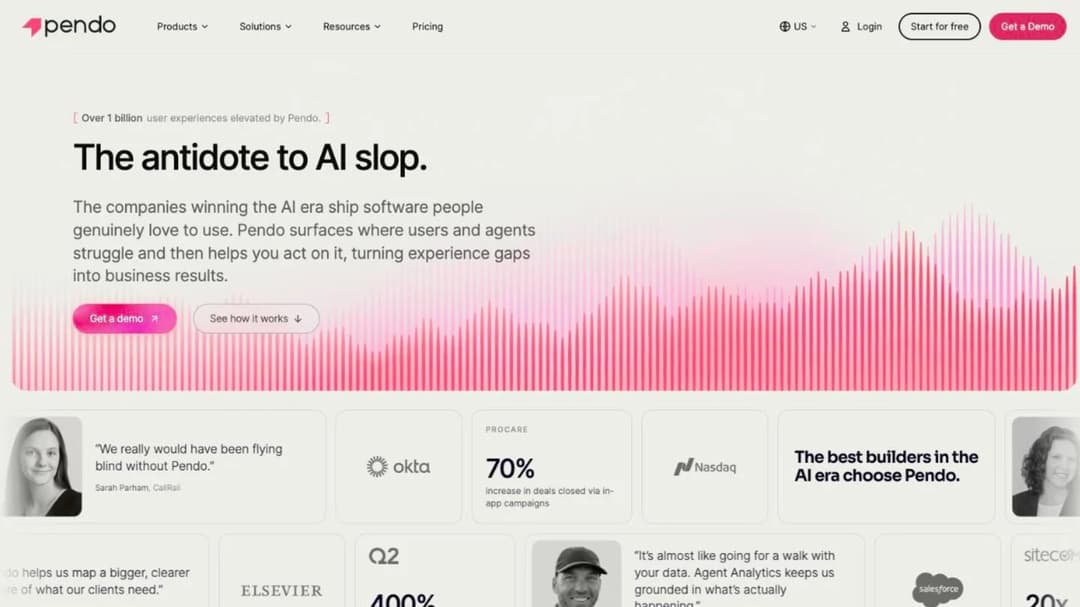
Best for: finding out where people actually get stuck before you buy a guidance layer at all.
Top features
- Product analytics showing where users stall, abandon or loop
- In-app guides, walkthroughs and tooltips
- Session replay and sentiment surveys, including NPS
- Sold as Pendo for Customers and Pendo for Employees, deployed by snippet or extension
- A permanent free tier with analytics and guides included
Pendo answers a question the rest of this list assumes you’ve settled: where are people actually getting stuck? Buying a guidance layer before you know that is how organizations end up with 200 tooltips and the same ticket volume.
It runs the only permanent free tier belonging to a tool that can put guidance on top of a live application: $0, “supports unlimited web and mobile app keys for up to 500 monthly active users (MAUs),” with product analytics, in-app guides, Pendo-branded roadmaps and NPS surveys. Exceeding the limit blocks new guides, surveys or segments rather than generating a bill, which is a different failure mode from most metered products. There’s also a 30-day trial of the full platform.
Note the boundary carefully, because it’s the exception that makes the whole split honest. That free tier is keyed to app keys, which means software you instrument yourself. Base, Core and Ultimate are all “Custom pricing,” and the enterprise-application coverage lives up there behind a quote like everyone else’s.
If the real question is which of Pendo’s bundled products you’d actually be paying for, that’s a comparison of its own — the Pendo alternatives guide takes the bundle apart.
Pricing: Free $0 for up to 500 monthly active users, as of September 2026. Base, Core and Ultimate all custom pricing. 30-day trial of the full platform.
Pros
- A permanent free tier, and the only one here attached to a tool that overlays a live application
- Hitting the free limit blocks new content rather than producing an invoice
- Analytics and guidance in one account, so diagnosis and fix share a data set
- Sold explicitly for employee-facing as well as customer-facing use
Cons
- The free tier runs on your own app keys, so it won’t overlay Workday or SAP
- Three of the four paid tiers publish no figure at all
- No contract term, renewal rule or overage rate published
5. Userpilot
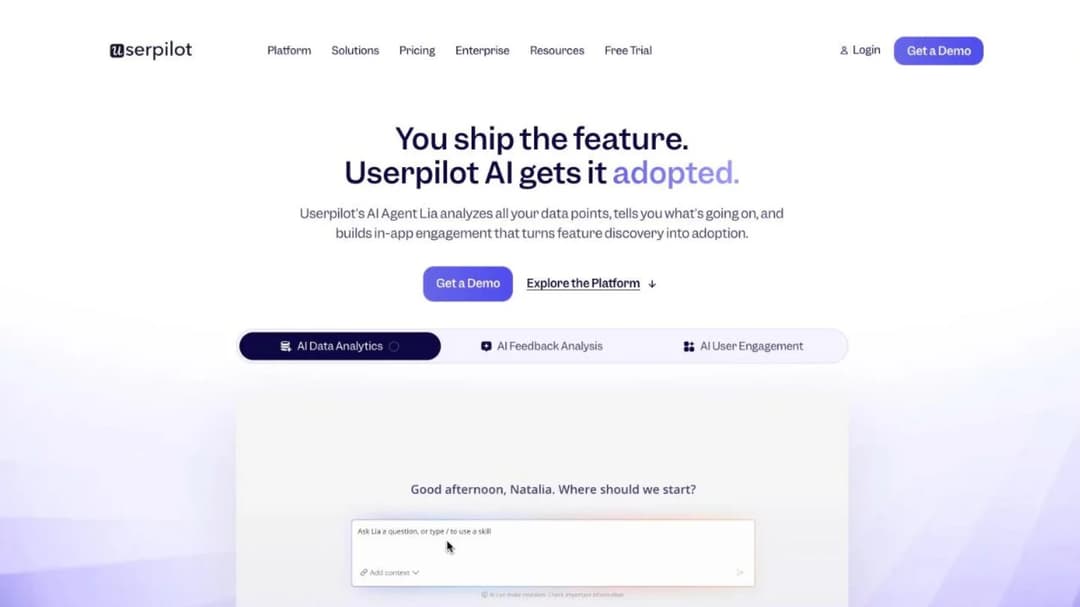
Best for: a product team guiding users inside its own SaaS, with a published entry price to plan against.
Top features
- In-app onboarding flows, checklists, modals and tooltips
- Product analytics, funnels and session replay in the same account
- In-app surveys and NPS
- Email and mobile engagement, with mobile SDKs
- Deployed by JavaScript snippet
Userpilot opens the second group with the clearest published price on it. Starter is $299 a month for up to 2,000 monthly active users. Growth is “From $849/mo” including 10,000, on a band running to 100,000. Enterprise is a conversation, and there’s a 14-day trial with no credit card.
It cannot instrument Workday or SAP and doesn’t claim to. If your rollout is an application you licensed, it isn’t in your comparison — but if you’re guiding users inside a product your company built, the published ladder gets you a first-year number this afternoon.
The gap is at the edges of those bands. Userpilot publishes no overage rate and no contract term. So the price of the plan is knowable and the price of a release that doubles your active users isn’t. That’s the single question to settle before you sign, because product teams cross those bands on purpose.
Pricing: Starter $299/mo up to 2,000 monthly active users; Growth from $849/mo including 10,000; Enterprise custom, as of September 2026. 14-day trial, no credit card. No overage rate or contract term published.
Pros
- A published entry price, which most of this market doesn’t offer
- Analytics, surveys and replay bundled with the guidance layer
- Mobile SDKs, so the flows reach a mobile product too
- Free trial with no credit card
Cons
- Cannot reach software you didn’t build, which rules it out of an enterprise rollout
- No overage rate published, so crossing a band has an unknown cost
- The active-user meter moves with your product’s success, not with your training plan
6. Appcues
Best for: shipping in-app flows this week without taking engineering time.
Top features
- Flows, checklists, tooltips, banners and surveys built without code
- Published-experience caps of 10, 25 and 100 across its tiers
- Reporting history of 12, 24 or 36 months by tier
- An active-user definition that excludes dormant users
- A separate Spark program for small teams
Appcues is what product teams reach for when the constraint is engineering time rather than money: flows get built and published by the person who owns onboarding.
Its meter is the most interesting one here because it runs on three variables at once: “Pricing is based on monthly active users, number of installations and published experiences.” Two of those three are under your control. You can bring a quote down by shipping fewer experiences or consolidating installations, which isn’t true of any single-variable active-user meter on this page.
Its definition of an active user is unusually narrow and published: “MAUs are calculated as the total number of users who sign into your platform in any given month. We don’t charge you for dormant users.” On a product with a long tail of inactive accounts, that’s a large difference.
Overage is handled by a conversation rather than an invoice: “If you exceed any limits on your plan, we’ll keep all of your Appcues experiences running and somebody from our team will reach out about upgrading your account at your next billing cycle.” Nothing switches off during a launch spike.
One correction before you compare: older guides still quote a published entry tier for Appcues. There’s no dollar figure on its pricing page now.
Pricing: no dollar figure as of September 2026. Three tiers — Start (up to 3,000 monthly active users), Grow (from 3,000), Enterprise (custom) — metered on monthly active users, installations and published experiences. Published-experience caps 10 / 25 / 100.
Pros
- Two of the three metered variables are things you control
- Dormant users are explicitly excluded from the count
- Overage produces a phone call, not a switched-off experience or a surprise bill
- No engineering time needed to build or publish a flow
Cons
- No published price on any tier, despite the detailed meter
- Published-experience caps become the real constraint faster than the user count does
- Cannot reach software you didn’t build
7. Chameleon
Best for: anyone who has to put a defensible monthly number in front of finance this week.
Top features
- Tours, tooltips, launchers, microsurveys and banners in your own product
- A published ladder with live-experience limits at every tier
- Metered on monthly tracked users
- Seat counts published per tier, 10 on Pro and 15 on Growth
- A 14-day trial with full Enterprise access and no credit card
Chameleon is the price anchor for this whole comparison. Startup “Starts at $279 for 2,000 MTUs” with 10 live experiences. Pro is “from $750/mo for 5k MTUs” with up to 20 live experiences and 10 seats. Growth is “from $1,250/mo for 5k MTUs, billed annually” with unlimited live experiences and 15 seats. Enterprise is custom.
That ladder makes every “custom pricing” quote you receive readable. When a quote-only vendor comes back with a number, you have a published scale to check it against, even though the products aren’t identical — which finance teams find far more persuasive than a vendor’s own ROI deck.
The meter is monthly tracked users, which is neither monthly active users nor headcount. It counts the users the tool is tracking, so scope of installation decides it.
The trial is the most generous shape here: 14 days of full Enterprise access, no credit card, which is a complete pilot for a business case.
Pricing: Startup starts at $279 for 2,000 monthly tracked users; Pro from $750/mo for 5,000; Growth from $1,250/mo for 5,000, billed annually; Enterprise custom, as of September 2026. 14-day full-Enterprise trial, no credit card.
Pros
- A published figure on every tier below Enterprise, with the limit that goes with each one
- Live-experience limits and seat counts published alongside the price
- A 14-day trial with full Enterprise access and no card
- Gives you a public scale to check any custom quote against
Cons
- Cannot reach software you didn’t build
- Monthly tracked users is a third meter to model, distinct from active users and headcount
- The jump from Startup to Pro is large relative to what changes
- No contract term or renewal rule published
8. Stonly
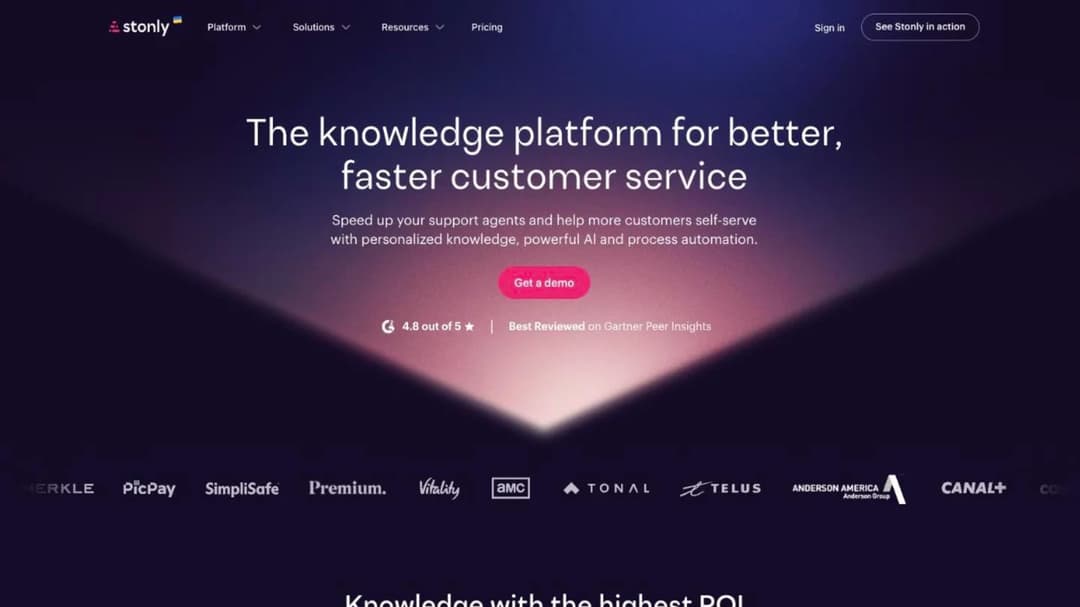
Best for: the team whose real problem is that the answer already exists and nobody can find it.
Top features
- Interactive, branching step-by-step guides rather than static articles
- A knowledge base plus an in-page widget that surfaces the right guide in context
- AI agents on the Enterprise tier
- Small Business scoped at 4,000 guide views a month, 5 team members, 1 knowledge base
- A trial that degrades into a permanent free tier instead of expiring
Stonly changes the shape of the problem instead of overlaying the application. If your tickets are mostly “where is this documented,” a branching guide that asks two questions and lands on the right step solves more of them than a tooltip tour, at a fraction of the cost.
Its meter is guide views plus team members, which behaves nothing like a user meter. One release that sends 3,000 people to the same guide can consume most of a month’s allowance in a day.
Stonly publishes the clearest contract terms of anyone here. The subscription auto-renews for the same term unless cancelled in writing at least 30 days before the current term ends, and “no termination or refund shall be permitted during the term of the subscription.”
The trial is the other distinctive thing. After 14 days the account drops to a permanent free Basic tier — 400 guide views a month, 5 published guides in one language, 1 team member — so a pilot can sit there indefinitely instead of evaporating.
Pricing: no dollar figure on the pricing page as of September 2026. Small Business (under 100 employees): 4,000 guide views a month, 5 team members, 1 knowledge base. Enterprise custom. 14-day trial, then a permanent free tier.
Pros
- Published contract terms, which almost nobody else in this comparison offers
- The trial degrades rather than stops, so pilot work survives
- Branching guides answer “which situation am I in” better than a linear walkthrough
- A permanent free tier that’s genuinely usable for a small pilot
Cons
- A view meter spikes on exactly the day a rollout goes live
- Auto-renewal with 30 days’ written notice, and no termination or refund mid-term
- A guide produces no completion record, so it can’t satisfy an evidence requirement
9. Supademo
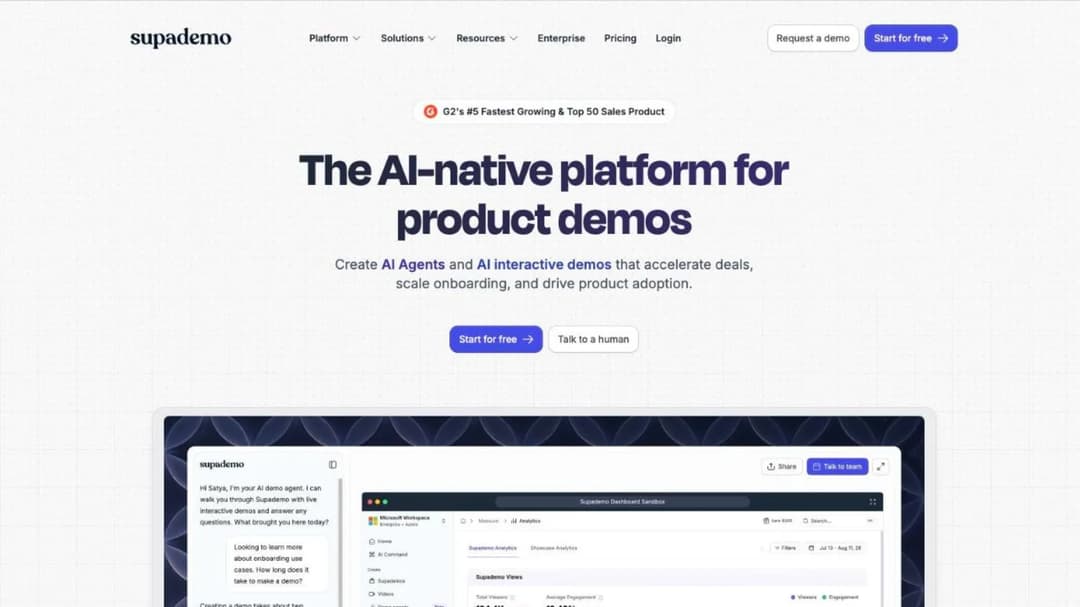
Best for: a rollout where three people author and thousands of people watch.
Top features
- Records a workflow or clones a UI into a shareable, editable click-through demo
- Demos embed anywhere a link or an iframe goes, including a help center
- Viewer analytics on completion and drop-off
- Priced per creator, with unlimited demo views on every tier
- SSO and SAML on Enterprise, from 10 creators
Supademo changes the arithmetic rather than the capability. The meter is creators and viewers are unlimited, so the bill is set by how many people build content rather than how many consume it. On a company-wide go-live that difference is an order of magnitude.
Free gives 1 creator, 5 guided demos, 50 video recordings and unlimited views. Scale is $50 a month per creator, $38 billed annually. Growth is $450 a month, or $350 annually, with 5 creators bundled and extra creators at $50. Enterprise starts at 10 bundled creators.
Be precise about where it stops. A demo shows the click path and produces viewer analytics, but it asks the person nothing, so there’s no evidence anyone can now do the task. If your requirement is a completion record against a named person, this isn’t the tool.
The gate to watch is SSO and SAML, which are Enterprise-only, and Enterprise carries a 10-creator minimum. If your security team requires single sign-on, the cheap per-creator arithmetic disappears.
Pricing: Free $0 with 1 creator; Scale $50/mo per creator, $38 billed annually; Growth $450/mo or $350 annually with 5 creators; Enterprise custom from 10 creators, as of September 2026. SSO and SAML Enterprise-only.
Pros
- Per-creator pricing with unlimited viewers, which suits a broad rollout
- A permanent free tier good enough to prove the format works
- Demos embed into a help center or an onboarding email without an integration project
- Published prices on every self-serve tier
Cons
- No completion record or assessment, so it can’t produce training evidence
- SSO and SAML sit behind a 10-creator Enterprise minimum
- Doesn’t overlay the live application, so it can’t catch someone mid-task
10. Guidde
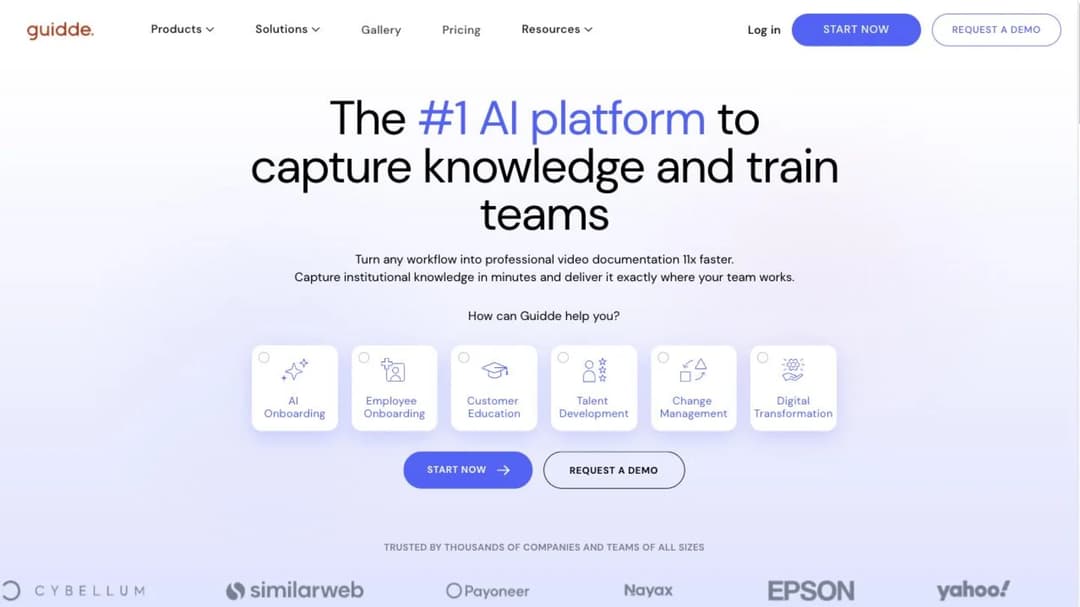
Best for: the cheapest honest answer when the whole requirement is “show them how to do this one thing.”
Top features
- Records a workflow and generates a narrated how-to video with a transcript
- Exports to video, PDF or PowerPoint
- Desktop application capture above the free tier
- Viewers can be added to the workspace at no extra cost
- SCORM export, SSO, translation and in-app Broadcast on Enterprise
Guidde has the lowest published entry price here and the narrowest job. You record a task, it produces a narrated video with a transcript, and you send the link. For the long tail of “how do I submit an expense in the new system,” that’s the whole requirement.
Pricing is per creator and viewers are free — “Viewers can be added to your workspace at no extra cost,” which is the cleanest version of the per-creator model here. Free covers up to 25 how-to videos on web applications. Pro is $29 a month, $19 billed annually. Business is $59 a month, $39 annually, adding desktop capture, analytics and up to 5 creators. Enterprise is a conversation.
The Enterprise gate is where the bill moves. SCORM export, SSO, multi-language translation and in-app Broadcast delivery are all Enterprise-only, so if the output has to land in a corporate LMS or sit behind single sign-on, you’re not buying the published tier.
The 7-day Business trial needs no card, and afterwards the account drops to Free with only the last 25 videos still editable.
Pricing: Free $0 up to 25 videos; Pro $29/mo or $19 billed annually; Business $59/mo or $39 annually with up to 5 creators; Enterprise custom, as of September 2026. Viewers free. SCORM, SSO, translation and Broadcast are Enterprise-only.
Pros
- The lowest published price in this comparison, with viewers included free
- Video, PDF and PowerPoint export from the same recording
- A permanent free tier that covers a genuine 25-video pilot
- Desktop capture available two tiers below Enterprise
Cons
- SCORM export and SSO are Enterprise-only, which is a large step from $59
- A video answers one task and produces no assessment or completion record
- Content goes stale the moment the interface changes, and re-recording is manual
11. Mini Course Generator
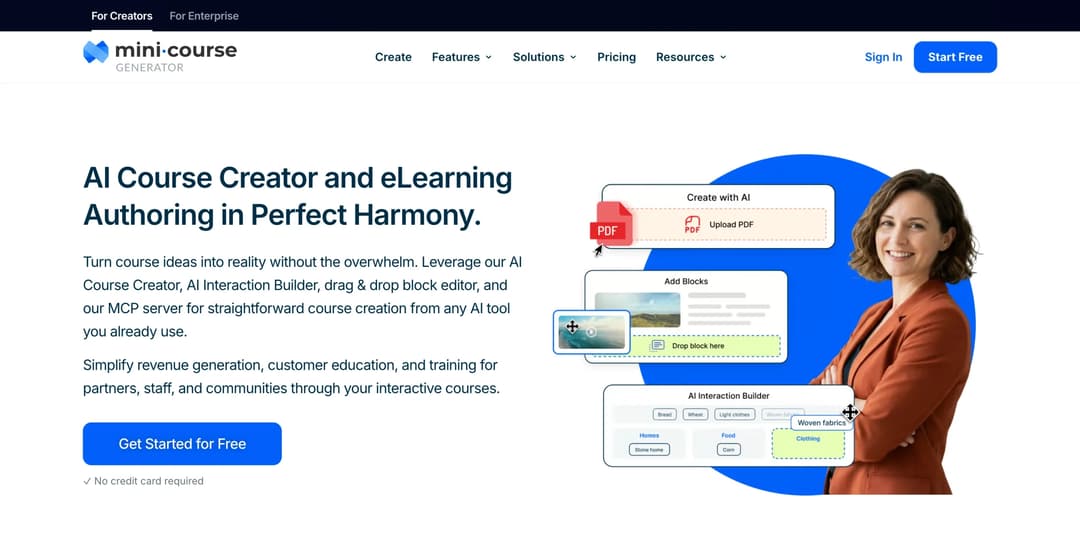
Mini Course Generator answers a different question from everything above it. If people are stuck on where a button is or which field to fill, an in-app guide fixes that, and the ten products above are built for it. If they are stuck on what the process is, such as what to do when an invoice is rejected or why an approval step exists, a tooltip can’t explain it. That takes a short course, which is the job this entry is listed for.
Best for: the Learning Arc half of a WalkMe quote — turning rollout documentation, SOPs and release notes into short courses with completion records.
Top features
- Drafts a course from the documents and PDFs you already have, or from a YouTube walkthrough
- AI Interaction Builder for branching scenarios, scored checks and image hotspots
- Delivery by share link, embed widget, Intercom app, REST API or SCORM package
- Accepts a SCORM package built in another tool as a block inside a course, and reports on how learners interact with it
- Six Gateways controlling who gets in, from open links to in-app authentication
- An MCP server so an AI client such as Claude or ChatGPT can build and publish a course from material you point it at
This is the half of a rollout an overlay doesn’t reach. A tooltip tells someone which field to fill; it can’t explain why the approval step exists, what to do when the invoice bounces back, or how the new process differs from the one they’ve used for six years. Those questions keep arriving as tickets until somebody teaches the process rather than the screen.
Mini Course Generator takes the material a rollout already produces — the SOP, the change-management deck, the release notes, the walkthrough video already sitting on a YouTube channel — and drafts a short course from it, with scored checks so you get evidence rather than a view count. AI Role-play adds graded practice for the moments where people have to handle a conversation rather than a form.
Delivery is deliberately unfussy, because a rollout audience is never all in one place. A share link works in an email, an embed works in an intranet page, the Intercom app puts the course where support conversations already happen, and a SCORM package lands in a corporate LMS if that’s where completion has to be recorded.
The commercial terms contrast with everything above: a 14-day full-access trial with no credit card, zero implementation or onboarding fees, no minimum annual commitment, plans sized by a yearly learner allowance rather than named seats, and SCORM or PDF export at any time whatever your subscription status. Every figure is on the pricing page.
Pricing: published in full on its pricing page. 14-day full-access trial, no credit card. No implementation or onboarding fees, no minimum annual commitment.
Pros
- Turns the documents you already have into scored courses, which produces a completion record per named person
- Export as SCORM or PDF at any time, whatever the subscription status
- Delivery by link, embed, Intercom, API or package, so the audience doesn’t have to come to a portal
- Published prices, a free trial with no card, and no setup fee
Cons
- No tooltips, walkthroughs, hotspots, launchers or behavior-triggered nudges
- No browser extension, so nothing built in it can be overlaid on Salesforce, SAP, Workday or Dynamics
- No product analytics, session replay or in-app surveys
- No mobile SDK
- Publishes no FedRAMP, DoD IL4, SOC 2 or ISO 27001, which rules it out of the regulated rollouts WalkMe is bought for
Which WalkMe Alternative for Which Situation
Each rule below is a condition you can check against your own rollout this week.
If the rollout is Workday, SAP, Dynamics, Salesforce or ServiceNow, no published price exists anywhere in this category, so build the quarter around a sales cycle rather than a signup. The only public five-figure floor anyone states is Whatfix’s own — $10,000 for a single application — and your shortlist is Whatfix, Userlane and Apty.
If cost has to stop moving with headcount, ask Userlane for application-based pricing by name, and settle the definition of “one application” in the same conversation.
If the rollout is regulated or public-sector, WalkMe’s certification list is the honest reason to stay, and Apty is the one to put beside it. Treat adoption guidance and compliance training evidence as two separate requirements, because a guided walkthrough produces no attestation.
If you need a number for finance this week, Chameleon and Userpilot both print ladders, and Pendo’s free tier gets you evidence without a purchase order.
If the software is your own product, you’re shopping in the second group, and the question of which bundled products you’re actually paying for is the one the Pendo alternatives comparison takes apart.
If three people author and thousands watch, Supademo and Guidde price per creator with free viewers — and check the Enterprise gate on SSO and export before you plan around the published tier.
If the gap is the process rather than the button, you’re buying training, not an overlay. How to train new employees and the new hire training plan are the structures that survive a go-live, and the onboarding process is where a rollout course usually has to slot in.
If procurement wants a full corporate LMS in the RFP, that’s a different purchase with different contracts — the Absorb alternatives and 360Learning alternatives comparisons read those terms, and the best employee onboarding software shortlist is the adjacent one.
If the deliverable is a library of modules rather than a rollout, the authoring question is the one to answer first, and the Easygenerator alternatives comparison covers it.
If the audience is deskless or on a shop floor, the overlay never reaches them at all, because there’s no screen to overlay — the eduMe alternatives comparison covers that shelf.
If the people you’re guiding are customers rather than employees, the economics and the delivery surface both change, and the customer onboarding process is the sequence to design against.
Whichever rule fires, the first check is the same: does the vendor name the delivery path on a named plan, and does it print a term?
If You Leave WalkMe: What Comes With You
The migration starts from what you gave WalkMe, not from what it made. Work in this order.
-
List every flow, its trigger and the application it runs in. That list is your migration spec, and it’s also the only accurate scope document you’ll have for the next vendor’s quote. Do this before you give notice, because the flows nobody can list are the ones that get rebuilt twice.
-
Split the list into two piles. Flows that show where a button is, and flows that explain a process. They migrate to different products, and mixing them is how a replacement project doubles in size.
-
Recover the source documents behind any Learning Arc courses. The presentations, documents and recordings you uploaded are what you actually own. Whether the courses themselves can be exported is a question for the order form, so ask now rather than at the end of the term.
-
Rebuild the where-the-button-is flows in whichever tool your application list justifies. One application, and an application-based contract beats a suite. Five, and each one gets priced separately before you accept a bundle.
-
Rebuild the what-is-the-process half as courses. The employee training plan template and the training matrix template are the fastest way to sequence them by role, and SCORM or PDF export is what keeps them portable the next time you switch.
-
Get the destination’s notice period and data-return window in writing before you sign it, and test the export during the trial rather than after the first renewal. An export path you’ve never run is a promise, not a capability.
Give notice only after step one is finished. The order matters more than the speed.
Fix the Scope Before You Ask for the Quote
Write down three things this week: the list of applications in scope, your headcount under each of the five meters, and the split between where-the-button-is tickets and what-is-the-process tickets. Then ask three vendors to price that exact scope, and tell them it’s the scope you’ll be comparing on.
Quotes in this category are incomparable not because vendors are evasive but because nobody fixes the scope first, so each one answers a slightly different question. Fix it, and you get two numbers you can actually subtract from each other.
Then price the second pile separately. Turn the rollout documentation you already have into short courses with completion records — the SOPs, the release notes and the change-management deck are the raw material, and that half of the problem has published prices and a trial you can run before anyone signs anything. Where the rollout spans the whole company and procurement needs SSO, an API and a named contact, the enterprise requirements are worth settling in the same conversation.
Frequently Asked Questions
How much does WalkMe cost?
There’s no published figure for either product line. The pricing page presents both as feature matrices with no tier names and no dollar sign, and every call to action is a request for a quote or a demo. The only number on it is a feature cap — behavioral segments support up to 10 per system and 50,000 users each. For sizing a budget line, the only public five-figure anchor in this category is Whatfix’s statement about its own plans, covered in its entry above — and that is a statement about Whatfix, not about WalkMe.
Why did SAP buy WalkMe, and what changed?
SAP completed the acquisition in September 2024 at US$14.00 per share, an equity value of roughly US$1.5 billion and about a 45% premium to the June closing price the binding terms were struck against. The release states the purpose directly: “WalkMeX’s AI capabilities will supercharge SAP’s copilot Joule with context-aware and proactive help across workflows.” Two things changed for a buyer: the counterparty on the order form, and the stated direction of the roadmap. Get the legal entity named on the order form, and if your stack isn’t SAP, get the commitment to non-SAP application coverage written in.
Does WalkMe have a free trial or a free plan?
Neither is published. The permanent free tiers in this category belong to Pendo (up to 500 monthly active users, with analytics and in-app guides), Supademo and Guidde. None does WalkMe’s job at enterprise scale: Pendo’s free tier runs on your own app keys rather than on Workday or SAP, and the other two sit beside the application rather than on top of it. What they’re good for is evidence before a purchase order.
Which WalkMe alternative works with Dynamics 365, Workday or SAP?
Whatfix, Userlane and Apty all name those suites explicitly, and Pendo reaches employee-facing applications through its browser extension. All four are quote-only for that capability. Whatfix also covers desktop and Citrix or VDI sessions, which matters if a lot of your users work inside a virtualized desktop.
Does WalkMe do training and courses?
Yes — Learning Arc, which WalkMe describes as an “Enterprise AI Learning Platform” that turns “existing presentations, videos, or documents into a full course” with “modules and quizzes in minutes,” and tracks “who completed what, where quiz scores dropped, and which content needs sharpening.” Limits include 200 MB per asset and 500 MB or 60 minutes per video. Whether courses built in it can be exported isn’t published, so put the export format and post-termination access in the order form.
What’s the cheapest WalkMe alternative?
Guidde at $29 a month per creator and Supademo at $50 per creator are the lowest published prices here, Pendo’s free tier costs nothing up to 500 monthly active users, and Chameleon starts at $279. The caveat: “cheapest” depends entirely on the meter and on what you need reached, and none of those four can overlay software you didn’t build — the capability a WalkMe quote is usually bought for.
Sources
Every price, plan limit and contract term in this guide comes from the vendor’s own published pages, read in September 2026.
- WalkMe: pricing page, Learning Arc product page and support documentation, newsroom release “SAP Completes Acquisition of WalkMe” (September 2024), about page, trust page
- SEC EDGAR: WalkMe Ltd., Form 15-12G (September 2024)
- Whatfix: pricing page and published pricing statements
- Userlane: pricing page
- Apty: pricing page
- Pendo: pricing page
- Userpilot: pricing page
- Appcues: pricing page
- Chameleon: pricing page
- Stonly: pricing page and subscription terms
- Supademo: pricing page
- Guidde: pricing page
- Spekit: pricing page
- Mini Course Generator: pricing page and product documentation


