

Pendo publishes exactly one number on its own pricing page: $0, up to 500 monthly active users. Base, Core and Ultimate all read “Custom pricing,” which means every serious comparison of Pendo alternatives runs on features because the anchor price isn’t there to compare against. That’s the wrong axis. The question that decides your renewal isn’t which tool has more tooltips, it’s which of the three things you’re buying you actually use.
Pendo is three products on one bill: product analytics, in-app guides, and session replay with sentiment surveys, all counted against a single MAU number. A team that opens the guides editor twice a week and the analytics dashboard twice a year pays as though it uses both. The tools you’d replace it with are billed against four different counts, so the quotes you’re lining up aren’t measuring the same thing.
This guide splits the question into those jobs, puts each tool’s published price next to what that price is counted against, says plainly which vendors publish no number at all, and names one job the whole category doesn’t do.
Put the lesson inside the product and get a completion record back — it embeds where the tooltip would have gone, and reports who finished.
What You Are Actually Buying When You Buy Pendo
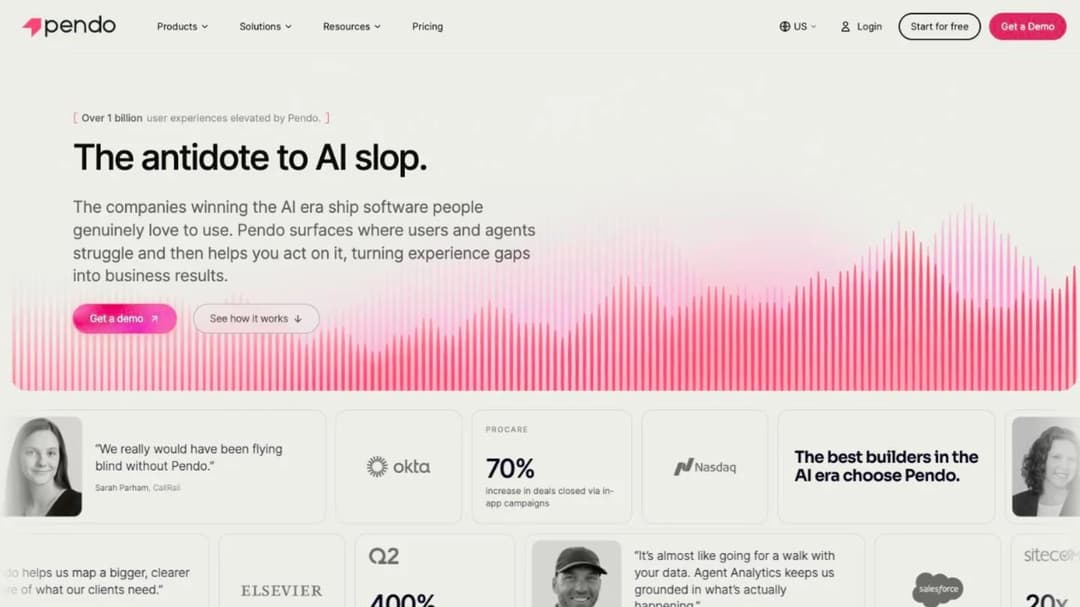
Pendo does three separable jobs, and the bill doesn’t separate them.
Measure. Product analytics: which features get used, by whom, how often, and what path people take to get there. Funnels, retention, paths, segments.
Guide. In-app guides, walkthroughs, tooltips, banners, announcements and onboarding checklists, built without shipping code.
Watch and ask. Session replay, plus NPS, PMF and CSAT surveys fired at users inside the product.
Most teams buy all three and use one hard. Before you price a replacement, open your own account and write down which of the three you actually touched last month. That single answer removes about two thirds of every comparison you’ll read, including most of this one.
There’s a fourth job, and it sits outside Pendo’s category rather than inside it. Nothing on Pendo’s site describes courses, completions, or a record that a named person finished something in their name. That’s a boundary, not a gap. It’s worth naming now because it arrives late and from outside the product team, usually as “can you show me who completed the new-admin walkthrough.” Guides don’t answer that. The difference between guiding a user through a feature and educating them in-product is the difference between a tooltip and something with a beginning, an end and a name attached.
One more thing before you price anything: the strongest reason to stay is mobile. Pendo’s SDK reaches past native iOS and Android to React Native, Flutter, SwiftUI, Jetpack Compose, MAUI and Compose Multiplatform, with its own caveat that supported capabilities can vary by framework. If that breadth is why Pendo is installed, most of the tools below don’t replace it and you should be negotiating rather than switching. If your product is a web app, that advantage is worth nothing to you.
What Pendo Costs, and What It Does Not Publish
The published price answers one question. The contract answers the three that cost money. Both are worth twenty minutes before you open anyone else’s pricing page, because how software like this is priced varies more between these vendors than the feature lists do.
The one published number, and the three that aren’t
Pendo’s free tier is $0 up to 500 monthly active users, and it isn’t a crippled demo. It includes product analytics, in-app guides, Pendo-branded roadmaps and Pendo-branded NPS surveys, with unlimited web and mobile app keys. Above that, Base, Core and Ultimate all read “Custom pricing,” and Predict and Agent Analytics are custom too. Novus is a free beta with no MAU cap and no card required.
The 30-day trial isn’t self-serve either; Pendo’s pricing FAQ routes it through sales.
So you can’t forecast a renewal from anything Pendo publishes. Not your second year, not the cost of crossing 5,000 users, not what adding session replay does to the line. The number you compare against has to come from a vendor that prints one, which is what most of this guide is for.
What happens when you cross 500 users
Crossing the free cap doesn’t switch Pendo off. In Pendo’s own words, “you won’t be able to create new guides, NPS surveys, or segments until you upgrade to a paid plan.” Everything already live keeps running.
That’s more generous than a hard wall and more dangerous. A team can sit above the cap for months, see nothing break, and meet the limit on the afternoon it needs to ship a launch announcement. Check your MAU count against the cap now, while it’s a calendar item rather than a blocker.
The billing unit in the contract isn’t the one on the pricing page
This is the part nobody puts in a comparison, and it’s the part that changes a quote.
Pendo’s public Software Services Agreement sets fees by “Units,” and section 4.2 defines what a Unit can be: “Fees for Services may be established based on the number of unique users of Customer’s software platform(s) over a thirty (30)-day period (i.e., MAUs) or the number of seats Customer orders (or a combination thereof).” The pricing page frames MAU only. The contract permits seats, and both at once.
The overage clause is the other half. Section 4.2 states that “the additional fees will commence on the date Customer first exceeded its quantity of Units and be prorated for the remainder of the applicable term.” A viral month isn’t billed from the day someone notices. It’s billed from the day it started, backwards.
Section 3.2 gives either party termination for uncured material breach after 30 days’ notice. Contract length, minimum spend and auto-renewal aren’t in the public text at all, so they’re whatever your order form says.
Two questions to put in writing before you sign: which Unit is my quote written against, and what does a month at double my usual traffic cost? The second answer is backdated, and most people find that out afterwards.
Which of Pendo’s own numbers to trust
Pendo’s pricing FAQ says it connects with “more than 85 tools across CRM, support, marketing automation, collaboration, and analytics platforms.” Its integrations page self-counts “Showing 51 integrations.” If you’re checking whether your stack is covered, check the integrations page, because that’s the one listing named products.
The platform statistics are the other thing to handle carefully. A 25–40% trial-to-paid lift, at-risk accounts spotted three to six months before renewal, a 15% reduction in tickets, 396% ROI, 50% faster app adoption and 80% fewer support tickets all appear on Pendo’s pages with no cited study behind any of them. They’re Pendo’s figures. Attribute them that way if someone repeats them at you in a business case, and don’t put them in yours unsourced.
Four Counts, Four Bills: Why Two Quotes Aren’t Comparable
Here’s the practical finding that changes shortlists. The tools in this market publish prices against four different counts, so a $279 quote and a $299 quote can differ by an order of magnitude at the same company.
| What the price is counted against | Who bills this way | What it means for you |
|---|---|---|
| Monthly active users (MAU) | Pendo, Appcues, UserGuiding, Product Fruits, Userpilot | Unique users active in your product over the last 30 days. Pendo’s FAQ says one MAU count covers unlimited applications, not sessions |
| Monthly tracked users (MTU) | Chameleon | Chameleon’s own definition: “MTUs are the number of uniquely identified user profiles sent to Chameleon in the prior 30 days” — profiles you send, not people who showed up |
| Events | Amplitude, Mixpanel | Every tracked action, so the bill scales with how densely you’ve instrumented, not how many people you have |
| Creator seats | Supademo | Who builds the content, not who consumes it. The bill doesn’t move when your product grows |
MTU and MAU look like the same word with a letter changed. They aren’t. If your product sends an identified profile for every signed-up account whether or not it opened the app this month, your MTU count can be several times your MAU count, and the two prices you’re comparing sit on different denominators.
The events line matters even more, because it points half this audience at a different shelf entirely. If the job you actually do is measure, there are free floors here that a digital adoption platform doesn’t offer: Amplitude publishes a free tier of 2 million events a month with no card, and Mixpanel publishes a free-forever tier of 1 million events plus 10,000 session replays. Both paid entry tiers read “Starts at $0” and scale with volume. These aren’t equivalent numbers to a 500-MAU cap — they’re counted on a different axis and can’t be divided into each other — but they’re a real floor where Pendo’s is 500 users wide.
There’s a catch on that escape route. Amplitude prices Guides & Surveys and expanded session replay “as a percentage of your platform plan” and doesn’t publish the percentage. The moment you want the guides half back, you’re in a conversation again.
So before you compare two numbers, write down what each one is counted against. Then compare the counts first and the prices second.
Five Things to Check Before You Move
Five checks, in this order. The first two remove more options than the other three combined.
1. Which of the three jobs are you actually using?
Pull last month’s usage from your own account, not your memory. Count guide publishes, dashboard opens and replay views separately.
Guides only, or mostly. You’re on the guidance shelf, and you can buy from a vendor that prints a price — the group starting at Chameleon below.
Analytics only, or mostly. You’re on the measure shelf, and the honest answer is that a digital adoption platform is the wrong purchase. Look at the event-billed tools.
Genuinely both, at volume. You’re buying a bundle, and the question is whose bundle and on what terms. Userpilot, Whatfix, WalkMe and Gainsight PX are the four shapes that exist.
If the answer is “we bought it for onboarding and never turned the rest on,” that’s the most common case in this market and the cheapest one to fix. A structured onboarding sequence doesn’t need a product analytics platform underneath it.
2. Will the vendor tell you a price at all?
This split isn’t random. It maps onto whether your next step is a corporate card or a six-week procurement cycle, which is usually the real constraint on a PM’s quarter.
| Publishes a figure | Publishes no figure |
|---|---|
| Userpilot, UserGuiding, Product Fruits, Chameleon, Supademo, MeltingSpot | Pendo above the free tier, WalkMe, Whatfix, Gainsight PX, Stonly, Appcues |
Appcues is the interesting case in the right-hand column, because it looks like the left. Its pricing page publishes MAU bands, experience counts and reporting-history limits in detail, and no dollar figure anywhere.
That reporting-history limit is the sharper half. Twelve months of history is a ceiling on year-on-year comparison — you can’t ask “how did this quarter’s activation compare to last year’s” on a plan that doesn’t keep last year.
3. Where does it have to run?
Eliminate on surfaces before price enters the conversation. It’s the cheapest cut available and it’s usually decisive.
| Surface | What reaches it |
|---|---|
| Web app, JavaScript snippet | Everything in this guide |
| Native mobile, broad framework coverage | Pendo, and few others at the same breadth |
| Desktop applications | Whatfix, WalkMe |
| Citrix and virtualised environments | Whatfix |
| Anywhere a link or an embed can go | Supademo, Stonly, MeltingSpot, Mini Course Generator |
If a legacy desktop app or a virtualised environment is in scope, the guidance-only tools are out before you look at a price, and the enterprise sales cycle comes with the two that remain. If everything you need to reach is a web app, that whole tier is a cost you don’t have to carry.
4. What does it leave behind when a user finishes?
A guide completion is a guide completion. It lives in the tool that created it, it’s attached to an anonymous or pseudonymous user ID, and it means “this person saw these six steps.”
A record that a named person completed something, in their name, is a different artifact. It carries a name, a date and a result, and it can be handed to somebody without a login to your product — a customer’s admin, your enablement team, a compliance reviewer. The evidence behind each vendor’s claim here is uneven in a way the claims themselves hide.
- Supademo exports a package a customer’s own training system can import, documents the export path, and states that opening it doesn’t require a Supademo account.
- WalkMe exports course packages from its Learning Arc module with a standards-version selector, documented on its support site.
- Whatfix carries a compliance label on its e-learning page with no detail published behind it.
Those are three different levels of evidence and they shouldn’t be read as one. If a customer’s procurement team has asked for a package their own system can import, ask for the version and the export path in writing, not the label.
So ask now, while you still have a choice: is anyone downstream going to want that list? This is the thing the whole category is worst at, and the answer usually comes from outside it. Completion data is a different shape from a funnel report, and the two export formats behave differently once someone else’s system receives them.
5. What does leaving cost?
The snippet comes out in an afternoon. The guides don’t come with you.
No vendor in this guide publishes a guide-export format. Whatever you’ve built — the onboarding checklist, the twelve feature announcements, the segment logic behind who sees what — is rebuilt by hand on the new tool. That’s the real switching cost, and it isn’t a migration, it’s a rebuild.
Count your live guides, surveys and segments before you price anything. Thirty live experiences is a fortnight of somebody’s time; six is an afternoon. That number, not the subscription difference, decides whether “we can always switch later” is true for you.
Budget the integration work separately: identity, event streaming and whatever writes back into your CRM all have to be re-pointed, and the shape of that integration differs more between these tools than their feature lists suggest.
How the Pendo Alternatives Compare
There isn’t a single best alternative to Pendo. There are three good answers depending on which of the three jobs you use, and a fourth for the job Pendo doesn’t do.
Every price, plan limit and contract term below comes from the vendor’s own pricing page and published agreements, quoted as printed; where a vendor publishes nothing, it says so. Figures are September 2026 prices.
The order runs from the tools that replace the whole bundle, through the ones that do the guidance job alone, to the ones answering a different question entirely.
| Tool | Best for | What it does | Entry price | What that price counts | Free tier or trial |
|---|---|---|---|---|---|
| Userpilot | The whole bundle at a knowable price | Onboarding, analytics, surveys, replay, email and mobile engagement | $299/mo Starter | Monthly active users, 2k included | No free plan; 14-day trial, no card |
| Whatfix | Enterprise estates and surfaces a web snippet can’t reach | DAP across web, desktop, mobile and Citrix/VDI, plus simulation training and separate product analytics | Publishes none | Not published | Demo only |
| WalkMe | Standardising adoption across a whole software estate | DAP with AI-assisted guidance, workflow automation and analytics | Publishes none | Not published | No free plan |
| Gainsight PX | Orgs already running Gainsight | In-app engagements plus product analytics, sold beside a customer-success platform | Publishes none | Not published | Free Trial call to action |
| Chameleon | Seeing the guidance bill before the call | Tours, tooltips, checklists, HelpBar, interactive demos, A/B testing | Startup starts at $279 | Monthly tracked users, 2,000 | 14 days at Enterprise access, no card |
| UserGuiding | A full guidance suite on a yearly plan, with no overage bill | Guides, hotspots, checklists, surveys, resource centre, knowledge base, session replay | From $174/Mo Starter, billed yearly | Monthly active users, starting from 2,000 | No free plan; 14-day trial; 30-day money-back |
| Product Fruits | Monthly billing without a sales call | Onboarding flows, tooltips, checklists, surveys, knowledge base, AI onboarding | $111/mo Starter | Monthly active users, capped 1,500 on Starter | Free trial, full access, no card |
| Appcues | Guides without the analytics bill | In-app onboarding and experience builder | Publishes none | Monthly active users, bands published | Free trial; Spark programme under 25 people |
| Stonly | Teams whose real problem is tickets, not adoption | Interactive guides, knowledge base and support widget with AI agents | Publishes none | Not published | Trial drops to a free Basic tier |
| Supademo | When the “guide” is really a demo, and it has to leave | AI interactive demo platform with tracking and package export | $0 Free, $50/mo Scale | Creator and admin seats | Free plan for one creator |
| MeltingSpot | When the answer is a course delivered in-product | DAP-and-LMS hybrid the vendor calls a Learning Agent | From EUR 1.50 per active user per month | Active users | 15-day trial, no free plan |
| Mini Course Generator | A lesson inside the product with a completion record | AI course builder with embeds, tracking, webhooks and package export | Published on the pricing page | Yearly learner allowance | 14 days of full access, no card |
The 12 Best Pendo Alternatives
1. Userpilot
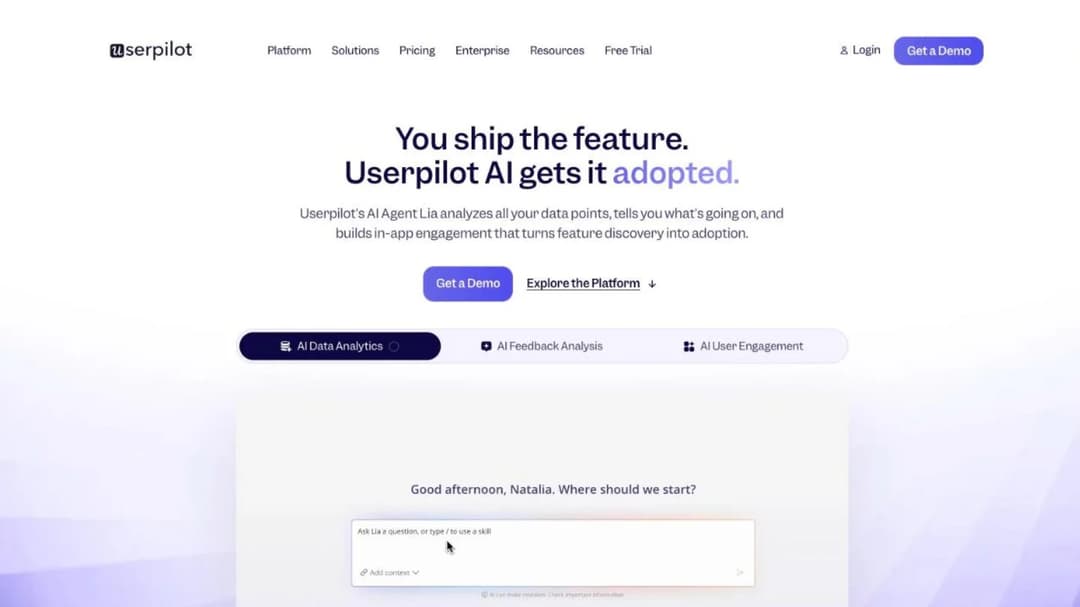
Best for: a growth PM who wants Pendo’s guidance and a working slice of its analytics, at a price they can read on a web page.
Top features
- In-app onboarding: flows, modals, tooltips, checklists, banners and hotspots, built without code
- Product analytics with funnels, trends, paths and feature tagging
- NPS and in-app surveys with response tagging
- Session replay, plus email and mobile engagement in the same account
- Segmentation driven by product usage and company attributes
Userpilot is the closest thing here to Pendo’s whole shape with a number attached. Onboarding, analytics, surveys, replay and engagement sit in one account, so you can keep the bundle and stop buying it from a vendor who won’t quote you.
What that buys is the ability to do arithmetic. Starter includes 2,000 MAU at $299 a month, which gives you a per-user rate to hold up against a Pendo quote. Growth includes 10,000 MAU from $849 a month, at a lower rate per user.
The trade is depth and reach. This is a growth-team platform rather than an enterprise one, so the surfaces are web and standard mobile, and the analytics are built for running activation experiments rather than replacing a warehouse.
Pricing: Starter $299/mo, “Includes 2k MAU.” Growth from $849/mo, “Includes 10k MAU.” Enterprise custom. No free plan; 14-day trial, no card. As of September 2026.
Pros
- Publishes two real prices with the MAU allowance printed next to each
- Covers all three Pendo jobs in one subscription
- Session replay is included rather than priced as an add-on
Cons
- No free tier at all, so there’s no zero-cost way to run it beside Pendo for a month
- The jump from Starter to Growth is roughly triple, with nothing published in between
2. Whatfix
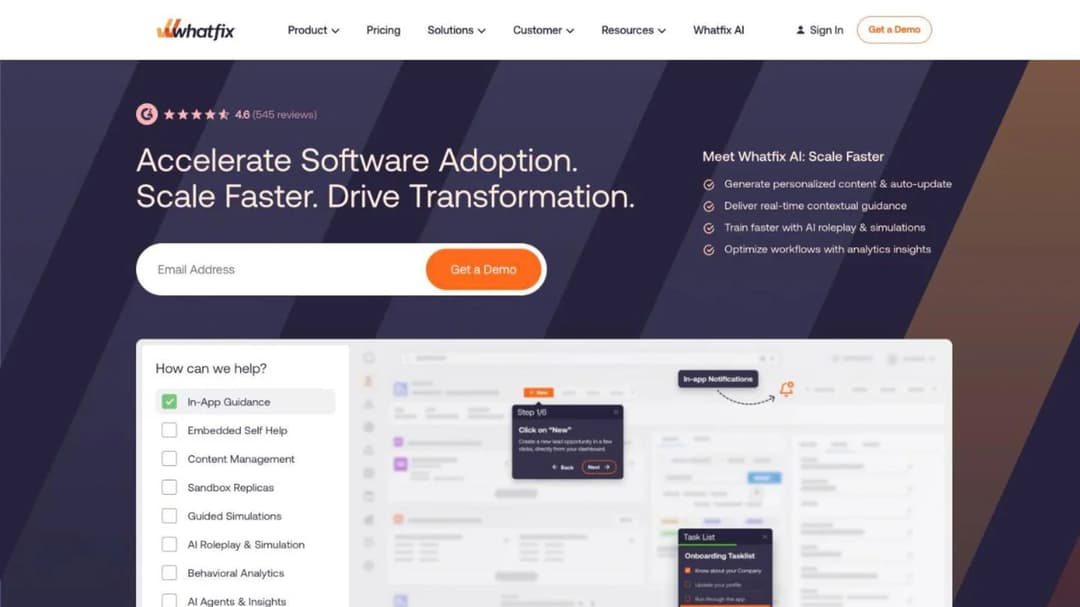
Best for: an enterprise adoption programme spanning legacy desktop applications a web snippet can’t reach.
Top features
- In-app guidance across web, desktop, mobile and Citrix/VDI environments
- Mirror, a simulation environment for practising a workflow away from the live system
- A separate Product Analytics product sold alongside the adoption platform
- Self-help widget surfacing guidance and documentation inside the application
- Content translation and localisation for multi-region rollouts
Whatfix is the answer when the constraint is surfaces rather than money. Pendo’s snippet lives in a web app; Whatfix reaches desktop software and virtualised environments, which is why it turns up in ERP, CRM and finance-system rollouts where the application predates the browser era.
Nothing about the commercial shape is self-serve. Every tier routes to “Get a Demo” or “Talk to Sales,” no price appears anywhere, and Product Analytics Standard is free only when bundled with a paid adoption plan — so the analytics half isn’t a cheap entry point, it’s an inclusion.
Its e-learning page carries a compliance label for handing content to a corporate training system, with no version, export path or documentation published behind it.
Pricing: publishes no figure of any kind. Every tier is “Get a Demo” or “Talk to Sales.” Product Analytics Standard is free only alongside a paid adoption plan. As of September 2026.
Pros
- Reaches desktop applications and Citrix/VDI, which almost nothing else here does
- Mirror gives people somewhere to practise a destructive workflow without touching production
- Product Analytics is a separate product, so analytics depth is a decision rather than an automatic line on the adoption bill
Cons
- No figure at any tier, so the budget number arrives only at the end of a sales cycle
- Its training-export claim is a label without published detail behind it
3. WalkMe

Best for: an enterprise standardising adoption across a whole software estate, where IT owns the outcome rather than product.
Top features
- AI-assisted in-app guidance across an estate of applications
- Workflow automation that completes multi-step tasks rather than pointing at them
- Usage analytics spanning applications, not only one product
- Learning Arc, a secondary course module with a documented export and a version selector
- Enterprise identity, governance and multi-application deployment
WalkMe sits on the same shelf as Whatfix and sells to the same buyer: an organisation trying to make people use software it already owns, across many applications rather than one. The automation half is the real differentiator — rather than walking someone through eight fields, it can fill them.
Learning Arc matters here for one reason. Among the enterprise adoption platforms, it’s the one whose hand-off to a customer’s training system is documented — with a standards-version selector — rather than asserted as a label. It’s also a side module, not the reason anyone buys WalkMe.
Commercially it behaves like Whatfix: no price, no free plan, no self-serve path. If you’re weighing it seriously, the wider WalkMe comparison covers what its ownership changes about the contract you sign.
Pricing: publishes no figure. No free plan. As of September 2026.
Pros
- Workflow automation completes tasks rather than only narrating them
- Learning Arc’s export is documented, with a version selector
Cons
- No price, no free plan and no self-serve way in: evaluation starts with a scoping call about your estate
- Usually owned outside the product team, which slows anything you want changed
- Priced and packaged for an estate, which makes it poor value for one web app
4. Gainsight PX
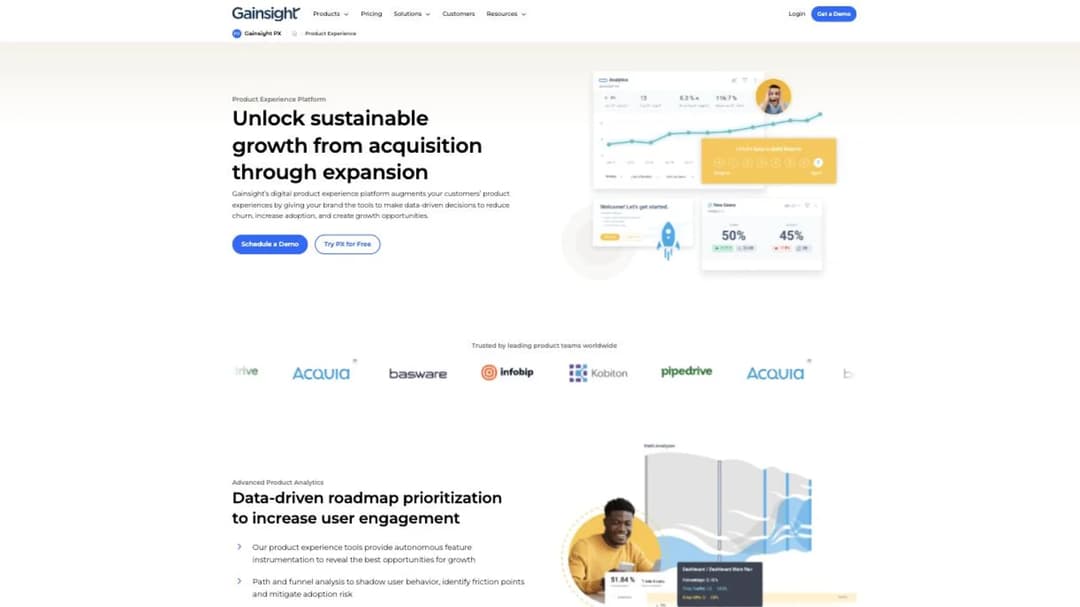
Best for: a customer-success organisation already running Gainsight that wants product-side signal in the same place as account health.
Top features
- In-app engagements: guides, walkthroughs, announcements and surveys
- Product analytics with feature adoption, paths and retention views
- Segmentation that can draw on customer-success data, not product events alone
- NPS and in-app sentiment collection tied to accounts
- Shared account context with the customer-success platform
Gainsight PX is the product-experience half of a company better known for customer success. The reason to buy it is rarely the feature list — it’s that your CSMs already live in Gainsight, so putting product usage beside account health means the renewal conversation has both halves in one view.
The pricing page runs “Request Pricing” against every product, PX included. PX is the only one on that page carrying a “Free Trial” call to action beside the request, which is the single door into this platform that doesn’t start with procurement.
One naming trap worth clearing early, because it costs evaluation time: Gainsight sells three distinct things. PX, the customer-success platform, and Skilljar, the customer education platform, which sits on the same pricing page under its own Essentials, Professional and Enterprise tiers with no figures either. If what you need is a customer academy rather than in-app guides, the Skilljar comparison is the right shelf.
Pricing: publishes no figure. “Request Pricing” on every product, with a Free Trial call to action beside PX. As of September 2026.
Pros
- Product usage and account health in one place, which is the whole reason to choose it
- The only product on its pricing page offering a trial rather than only a call
Cons
- Every product on that pricing page is quote-only, PX included
- The value depends almost entirely on already owning the customer-success platform
- Aimed at the CS organisation, so a product team may control neither budget nor roadmap
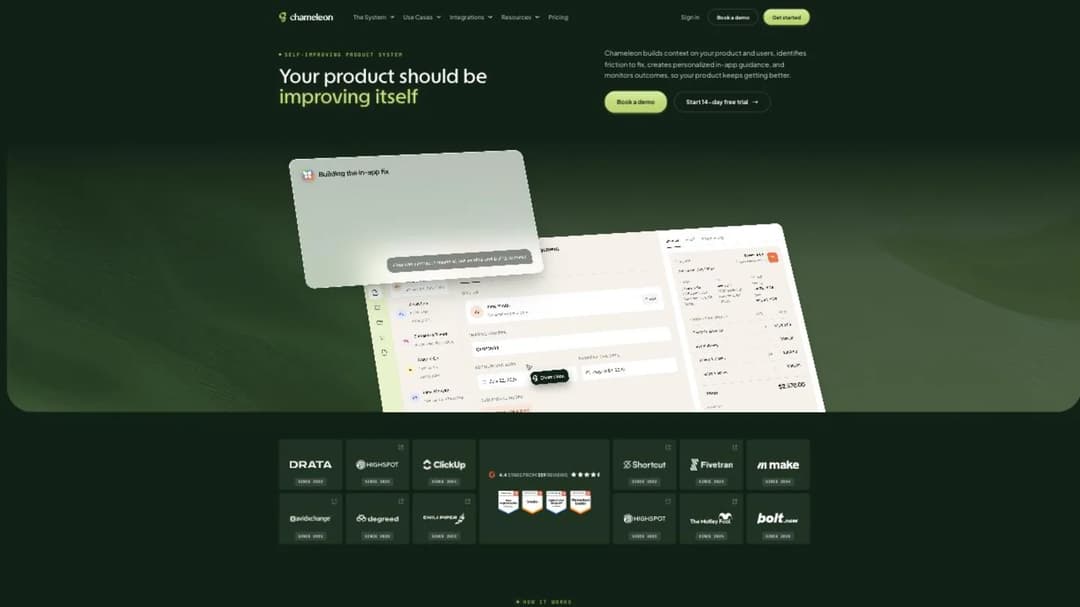
5. Chameleon
Best for: a product team that wants to see the guidance bill before booking a call.
Top features
- Tours, tooltips, microsurveys and launcher checklists
- HelpBar, a searchable in-app help surface
- Interactive Demos for self-guided product walkthroughs
- A/B testing on in-app experiences
- Published limits on live experiences per tier
Chameleon does the guidance job and publishes the whole ladder, which makes it the natural first stop once you’ve worked out you only use Pendo’s guides. Startup starts at $279 for 2,000 MTUs with 10 live experiences. Pro is from $750 a month for 5,000 MTUs with 20. Growth is from $1,250 a month for 5,000 MTUs billed annually, with unlimited. Enterprise is custom.
Read the count rather than the price. Chameleon bills against MTUs and defines them itself: “MTUs are the number of uniquely identified user profiles sent to Chameleon in the prior 30 days.” Those are profiles you send, not people who logged in. If your integration identifies every account on every page load regardless of activity, your MTU number and your MAU number are different, and the $279 rung may cover fewer real users than it looks like.
The trial is unusually generous: full Enterprise-level access for 14 days, no card.
Pricing: Startup starts at $279 for 2,000 MTUs and 10 live experiences. Pro from $750/mo for 5k MTUs, 20 experiences. Growth from $1,250/mo for 5k MTUs billed annually, unlimited. Enterprise custom. Trial is full Enterprise-level access for 14 days, no card. As of September 2026.
Pros
- Publishes every rung with the experience limits printed next to the price
- Defines its own billing count in public, which is rarer than it should be
Cons
- Billed on tracked profiles rather than active users, so the count can run ahead of your MAU number
- Ten live experiences on the entry rung is a small onboarding programme
- Guidance only, with no product analytics platform underneath it
6. UserGuiding
Best for: a team that wants a full guidance suite on a yearly plan, and no invoice when it outgrows the allowance.
Top features
- Product tours, hotspots, tooltips and onboarding checklists
- In-app surveys with NPS
- Resource centre and a knowledge base serving the same content outside the product
- Session replay
- AI-assisted content generation for guide copy
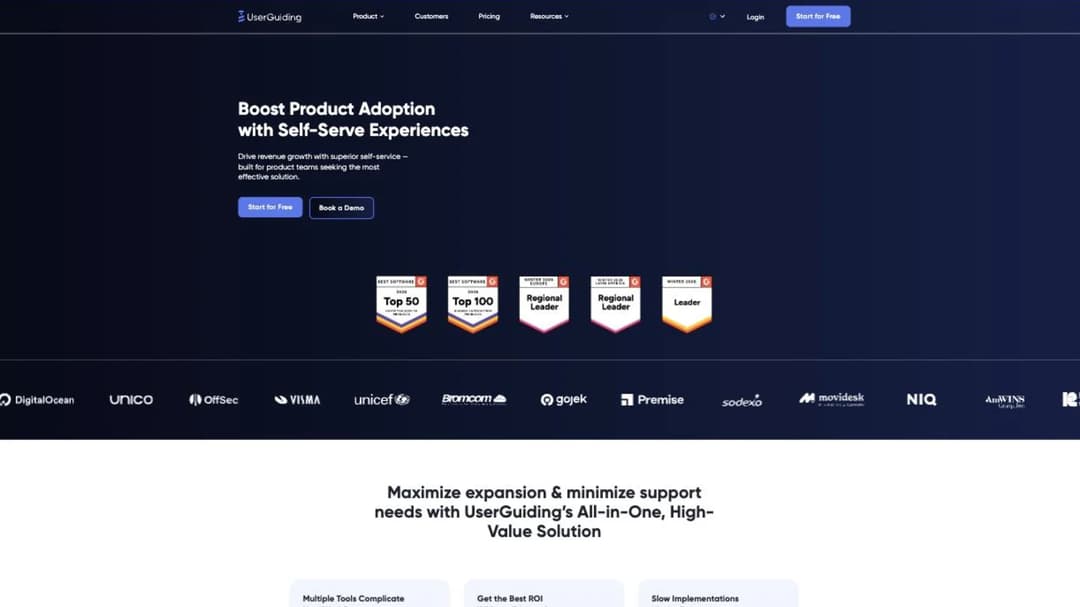
UserGuiding publishes the second-lowest entry price in this guide, and the product behind it is wider than the figure suggests: guides, surveys, a resource centre, a knowledge base and session replay all sit in the same platform. Starter is “From $174/Mo” and Growth is “From $349/Mo,” both billed yearly, with Enterprise as “Let’s Talk.” Both published tiers begin at the same floor: MAU “Starting from 2,000.” Those are floors rather than fixed prices, so treat them as a starting point.
The detail worth forwarding to whoever signs your contracts is the overage behaviour, because it’s the exact inverse of Pendo’s. UserGuiding doesn’t bill for exceeding your MAU allowance at all. Your content stops displaying until the quota is raised.
Same event — you grew faster than the plan — and two vendors in one market resolve it in opposite directions. One sends an invoice backdated to the day it started; the other turns the guides off. Neither is obviously better. Which risk you’d rather carry depends on whether a surprise invoice or a silent outage does more damage in your organisation.
Pricing: Starter “From $174/Mo,” Growth “From $349/Mo,” both billed yearly; Enterprise “Let’s Talk.” Both published tiers start at MAU “Starting from 2,000.” No free plan; 14-day trial; 30-day money-back guarantee. As of September 2026.
Pros
- Guides, surveys, a resource centre, a knowledge base and session replay in one platform, not a single-purpose widget
- Overage isn’t billed, which removes the backdated-invoice risk entirely
- A 30-day money-back guarantee, which no other vendor here publishes
Cons
- Content stops displaying when you exceed the allowance, which is a silent failure rather than a bill
- Both published prices are floors, so the real number needs confirming before you plan around it
- Annual billing on the published tiers, so there’s no cheap month-to-month way in
7. Product Fruits
Best for: a small team that wants monthly billing and no sales call.
Top features
- Onboarding flows, tooltips, hints and checklists
- In-app surveys and NPS
- Knowledge base and a help widget inside the product
- AI-assisted onboarding content, including voice
- Announcement and news feed inside the application
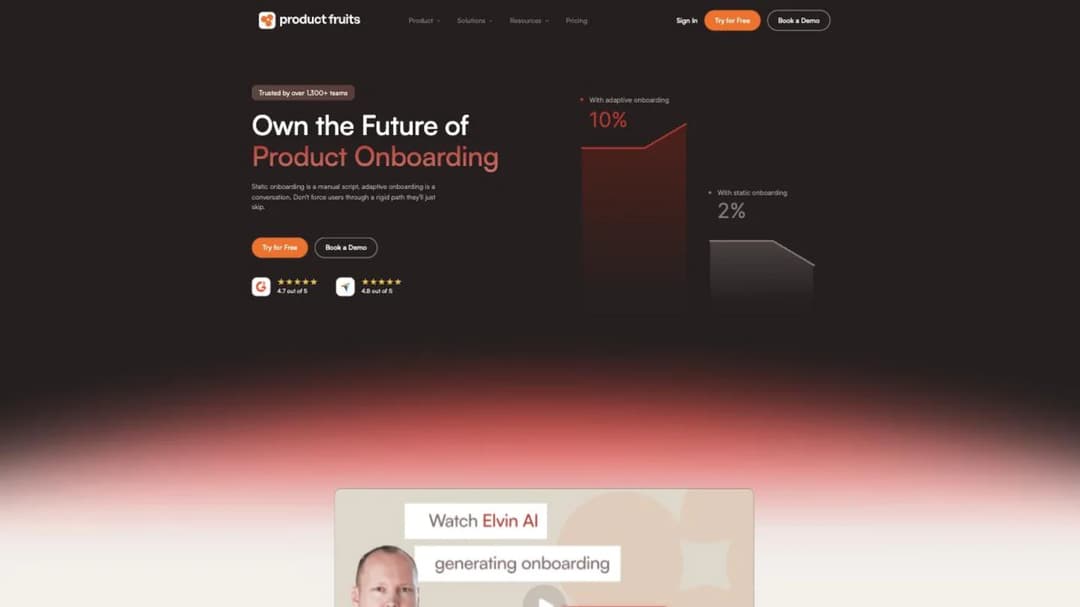
Product Fruits prints both billing cycles in full — three monthly prices and three annual totals — which turns the annual discount into a stated number rather than an implication. Monthly is $111 for Starter, $187 for Pro and $374 for Business. Annual is $999, $1,683 and $3,366, marked “25% off billed annually.” Starter is capped at 1,500 MAU.
If it helps to see the annual figures as a monthly rate, divide them by twelve yourself — roughly $83, $140 and $281. Those are your numbers, not published ones; the vendor prints the totals.
The free trial gives full access with no card, so you can build a real onboarding flow and put it in front of real users before deciding anything. For a team of three shipping a web app, this is usually the shortest path from “we need onboarding” to “onboarding is live.”
Pricing: Starter $111/mo, Pro $187/mo, Business $374/mo. Annual totals $999, $1,683 and $3,366, marked “25% off billed annually.” Starter capped at 1,500 MAU. Free trial with full access, no card. As of September 2026.
Pros
- Both billing cycles are printed, so the 25% discount is a number rather than a promise
- The lowest monthly price of any in-app guidance tool here, with no annual commitment required
- Full-access trial with no card, so evaluation costs nothing but time
Cons
- The 1,500 MAU cap on Starter arrives quickly for a product with real traffic
- No product analytics beyond what the guidance features report on
- The published ladder tops out at Business, so a larger rollout is a conversation
8. Appcues
Best for: a team that wants Pendo’s guides without Pendo’s analytics bill, and can tolerate asking for the price.
Top features
- In-app flows, modals, tooltips, slideouts and banners built without code
- Onboarding checklists and launchpads
- Published limits on experiences and reporting history per tier
- Mobile in-app experiences alongside web
- A Spark programme for teams under 25 people
Appcues does the in-app experience job and nothing else — there is no product analytics platform attached to the subscription, which is the whole argument for a team that only ships guides. It is also the strangest case on price here: a pricing page laid out in detail, with no money on it.
What it publishes is bands and counts. Start is “For up to 3,000 MAUs” with 10 published experiences and 12 months of reporting history. Grow is “Starting at 3,000 MAUs” with 25 experiences and 24 months. Enterprise is custom MAU with 100 experiences and 36 months.
Read the reporting-history line before the experience count. Twelve months of history means you can’t run a year-on-year comparison on the entry plan, because last year’s data isn’t there to compare against. For a team whose activation metric moves seasonally, that’s a real constraint hiding in a row that reads like a footnote.
Pricing: publishes no dollar figure. Start: up to 3,000 MAUs, 10 published experiences, 12 months of reporting history. Grow: from 3,000 MAUs, 25 experiences, 24 months. Enterprise: custom MAU, 100 experiences, 36 months. Free trial; Spark programme for teams under 25 people. As of September 2026.
Pros
- The limits that actually constrain a rollout — experiences and reporting history — are printed, even though the price isn’t
- A focused guidance product without an analytics platform attached to the bill
- Mobile and web in-app experiences in the same tool
Cons
- No dollar figure anywhere, so you can’t line it up against a published quote without a call
- Twelve months of reporting history on the entry tier caps year-on-year analysis
- Ten published experiences is a small ceiling for a real onboarding programme
9. Stonly
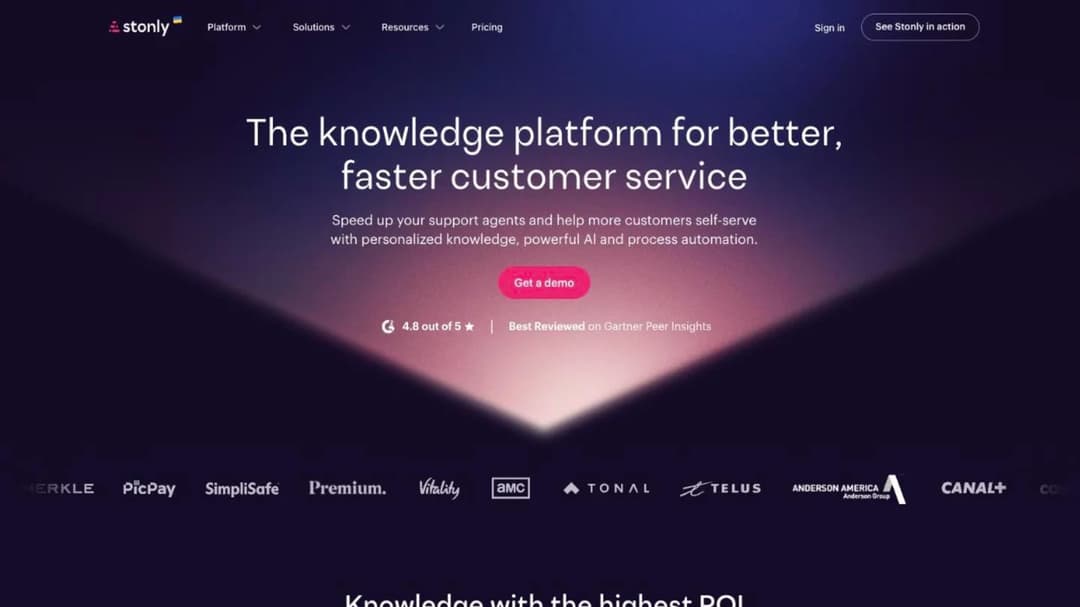
Best for: a team whose real problem is ticket volume rather than feature adoption.
Top features
- Interactive step-by-step guides that branch on the user’s answers
- Knowledge base serving the same content inside and outside the product
- In-app support widget with AI agents
- Guide analytics showing where people drop out of a flow
- Embeddable guides for a help centre, an email or the product itself
Stonly is not solving the problem everything above it solves. It isn’t an adoption platform with analytics attached — it’s a self-service support tool, built on the assumption that what you want to reduce is people asking your team questions.
Plenty of teams buy a digital adoption platform to fix what is actually a support problem. If your queue is full of “how do I” rather than “it’s broken,” deflection is the outcome you’re buying, and adoption analytics won’t get you there.
Commercially it’s quote-only — “See Stonly in action” and “Schedule a call” — but it’s the only quote-only vendor here with a real floor underneath. When the trial ends the account drops to a free Basic tier rather than a wall: 400 guide views a month, 5 published guides, 100 steps per guide and one team member. That’s enough to keep three workflows live indefinitely while you decide.
Pricing: publishes no figure. After the trial the account drops to a free Basic tier: 400 guide views a month, 5 published guides, 100 steps per guide, one team member. As of September 2026.
Pros
- The only quote-only vendor here that leaves you with a working free tier rather than a wall
- Branching guides handle “it depends” questions a linear tour can’t
- The same content serves the help centre and the in-app widget, so it’s written once
Cons
- Anything above the Basic tier is quote-only, so a real rollout still needs a call
- The free tier’s 400 monthly guide views is a hard ceiling for a busy product
10. Supademo
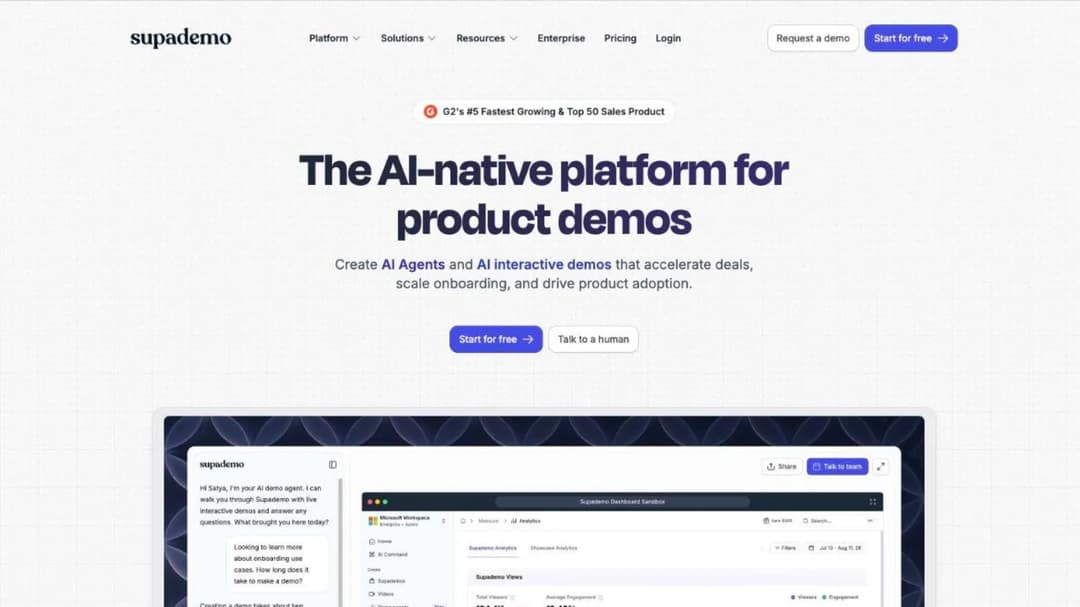
Best for: someone whose “guide” is really a demo, and who needs to hand it to somebody outside the product.
Top features
- Records or clones a workflow into an interactive, clickable demo
- AI-generated voiceover and annotations across demo steps
- Shareable links, embeds and demo analytics with per-viewer tracking
- SCORM 1.2 export for a customer’s own training system, with no account needed to open it
- Demo hubs grouping several walkthroughs behind one link
Supademo answers a question the rest of this guide sidesteps: what if the walkthrough has to exist outside your product? Sales demos, onboarding for someone who hasn’t signed up, a how-to an agent pastes into a reply — none work as an in-app overlay, because the person isn’t in your app.
The commercial model is the genuinely different thing. Supademo bills per creator and admin — “Billed per creator/admin” — so the bill doesn’t move when your product grows. Free is $0 for one creator. Scale is $50 a month, $38 billed annually. Growth is $450 a month, $350 annually, with “5 creators bundled, additional at $50/mo.” Enterprise starts at ten creators.
For a team watching an MAU line climb, that’s structural rather than a discount: the bill is a function of how many people build content, a number you control.
Pricing: Free $0 for one creator/admin. Scale $50/mo, $38 annual. Growth $450/mo, $350 annual, 5 creators bundled, additional at $50/mo. Enterprise custom, from 10 creators. Billed per creator/admin. As of September 2026.
Pros
- The only tool here whose price doesn’t move when your user count does
- Demos work outside the product, for prospects and people without an account
- The export into a customer’s own system is documented rather than labelled
Cons
- Not a digital adoption platform: no in-app targeting, no segments, no product analytics
- A demo is a recording of your product, so it needs re-recording when the UI changes
- The step from Scale to Growth is nine times the price
11. MeltingSpot
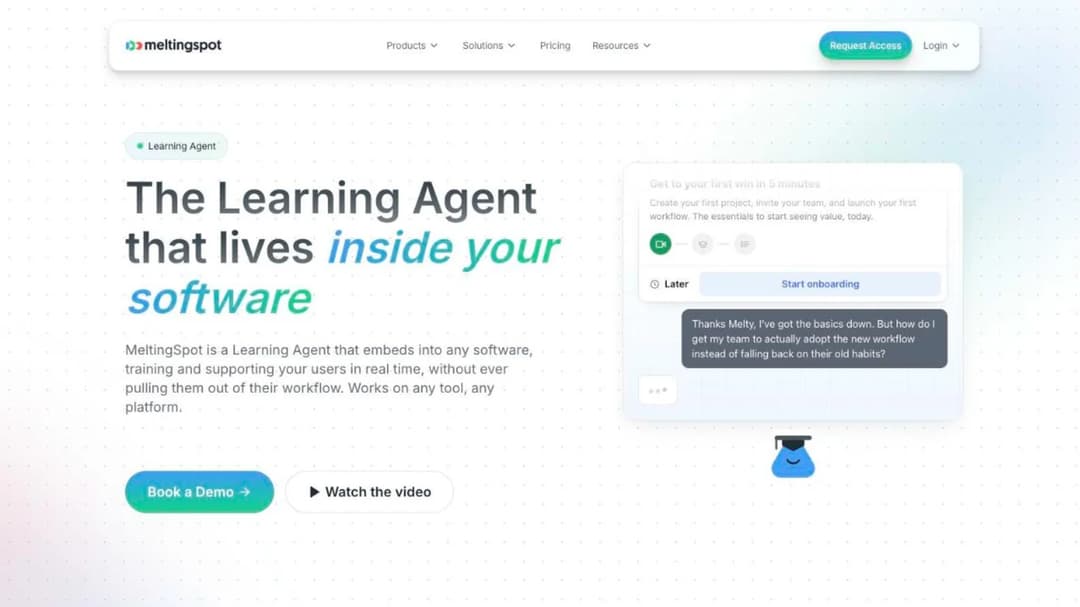
Best for: a customer-facing lead who has concluded the answer is a course delivered in-product, not a tooltip.
Top features
- In-product education delivered as courses rather than overlays
- What the vendor calls a Learning Agent, surfacing the right content in context
- Community and discussion alongside the course content
- Engagement and completion reporting per account
- Embeds and links placing the content inside the product or beside it
MeltingSpot sits between in-app guidance and in-product education. It’s built for the case where what a customer needs isn’t a five-step tour but an actual lesson, and somebody wants to know which accounts consumed it.
Its published price is from EUR 1.50 per active user per month on the self-serve tier, with Corporate quote-only and a 15-day trial. Worth knowing before you build a business case on it: MeltingSpot’s own comparison content quotes “Usage-based starting at $3,600/year,” a figure its pricing page never shows. Two numbers from one vendor, and only one of them where you’d look. Ask which applies to you.
If in-product education rather than in-product guidance is where you’re heading, the wider MeltingSpot comparison works through that shelf in detail.
Pricing: from EUR 1.50 per active user per month on the self-serve tier; Corporate quote-only; 15-day trial, no free plan. Its own comparison content quotes “Usage-based starting at $3,600/year,” which the pricing page doesn’t show. As of September 2026.
Pros
- Publishes a per-user rate, which little else on the education side of this market does
- Built for courses in-product, so completion is a first-class concept rather than an add-on
Cons
- Two different published prices in two places, which makes the real number a conversation
- Not a digital adoption platform: no feature analytics, no replay, no targeting engine
- No free tier, and 15 days is short for evaluating a content tool
12. Mini Course Generator
Mini Course Generator is our product.
Best for: the narrow case where what has to go inside the product is a lesson with a completion record, not a tooltip.
Top features
- AI Course Creator: a document, a PDF or a prompt in, an interactive mini-course out the same day
- AI Interaction Builder for branching scenarios, interactive quizzes, flashcards and drag-and-drop activities
- Embeddable widgets with user tracking — sidebar, modal, embed or direct link
- Access without an account: share links, embeds and magic links, so nobody registers to start
- Certificates, micro-credentialing and completion reporting per person
This is the fourth job, and it is the only reason this entry is on the page. Everything above answers “how do I get someone through this flow.” This answers “how do I show that a named person completed something, in their name.”
The shape differs from a digital adoption platform in a way worth being blunt about. Mini Course Generator doesn’t sit on top of your application. It produces a course and gives you an embed, a modal, a sidebar or a link, which you place where the tooltip would have gone. On the plans carrying tracked widgets — Growth and above — you get back who opened it and who finished it.
The integration surface is the part a product team asks about first. Webhooks are available from Pro and above, with Zapier and Make alongside them, plus a WordPress plugin and an Intercom app at Growth. For teams already working inside Claude or ChatGPT, the MCG MCP Server builds and updates courses through the assistant, shipped as a product update rather than a roadmap item.
Content moves both ways. Courses export as PDF or SCORM packages at any time, with dynamic export from Launch and above, and an upload block takes a package built in another tool and reports on how people interact with it. If the short-course format is new to you, a format comparison is here.
Pricing: published in full on the pricing page, with 14 days of full access and no credit card, zero implementation or onboarding fees, and no minimum annual commitment.
Pros
- Produces a completion record in a named person’s name, with a certificate behind it
- Ships as an embed or a link, so it goes inside the product without another overlay script
- Accepts a package from another system as well as exporting one, so content isn’t trapped
- Webhooks, Zapier, Make and an MCP server, so the completion event reaches your own systems
Cons
- It doesn’t instrument your product. No feature usage, no session replay, no funnel view — if that’s the job, nothing on this shelf answers it
- It isn’t an overlay, so “show this tooltip on the billing page” isn’t what it does
- REST API, headless delivery for mobile and web apps, and SSO for users are on the Custom plan only, and those are the three pieces a product team reaches for first
- Publishes no SOC 2 report, ISO 27001 certificate or other compliance certification
Pendo Versus the Names You’re Comparing It With
Five head-to-heads, each settled with one rule rather than a feature table.
Pendo vs WalkMe
Same category, different buyers. Pendo is bought by product teams to understand and guide one product; WalkMe is bought by IT to standardise behaviour across an estate. Neither publishes a price above its entry point, so budgeting starts with a call either way.
WalkMe adds workflow automation that completes tasks rather than narrating them, plus Learning Arc’s documented export. Pendo adds the mobile breadth its own SDK documents, which is the strongest reason to keep it.
Choose WalkMe if the problem spans several applications and someone in IT owns the outcome. Choose Pendo if the problem is one product, especially a mobile one, and the product team owns it.
Pendo vs Whatfix
Decided on surfaces, not features. Whatfix reaches desktop applications and Citrix/VDI environments; Pendo’s snippet doesn’t. If a legacy desktop app is in scope, the comparison is already over.
Commercially they behave alike — Whatfix publishes no price at any tier, and its Product Analytics Standard is free only alongside a paid adoption plan.
Choose Whatfix if the applications you need to reach include anything that isn’t a web app, or if the rollout spans multiple systems. Choose Pendo if everything lives in the browser and you want product analytics you’ll actually open.
Pendo vs Userpilot
Same shape, different transparency. Userpilot covers onboarding, analytics, surveys and replay in one account, and prints two prices: $299 a month for Starter with 2,000 MAU included, and from $849 a month for Growth with 10,000 MAU. No free plan; the trial runs 14 days. Pendo’s advantages are depth and reach — more mature analytics, and a mobile SDK covering more frameworks.
Choose Userpilot if you need a number you can put in a budget this week and your product is web or standard mobile. Choose Pendo if your analytics questions are genuinely hard ones, or if the mobile surface is the reason it’s installed in the first place.
Pendo vs Amplitude
This is the measure job, and the comparison most likely to save real money. Amplitude bills against events rather than active users, publishes a free tier of 2 million events a month with no card, and its paid entry tier reads “Starts at $0” and scales with volume. The catch is the guidance half: Amplitude prices Guides & Surveys and expanded session replay “as a percentage of your platform plan” and doesn’t publish the percentage.
Choose Amplitude if you open the analytics and never the guides editor, and your instrumentation is the thing you care about. Choose Pendo if you genuinely ship guides every month — otherwise you’re paying a bundled price for one half of a bundle.
Pendo vs Appcues
Guides without the analytics bill. Appcues does the in-app experience job cleanly and doesn’t sell a product analytics platform alongside it, which for a team that only ships guides is the entire argument. What it doesn’t give you is a figure: its pricing page publishes MAU bands, experience counts and reporting-history limits, and no dollar amount, so comparing it to a published Chameleon or Userpilot quote means a call first.
Choose Appcues if guidance is all you use and you’d rather not pay for analytics you don’t open. Choose Pendo if you actually use both halves, or if a twelve-month reporting ceiling would break how you report on activation.
Which One Fits Your Situation
If you only ever open the analytics
Then stop buying a digital adoption platform. The event-billed tools cost nothing to start: Amplitude’s free tier runs to 2 million events a month, and Mixpanel’s free-forever tier covers 1 million events plus 10,000 session replays. Mixpanel also runs a startup programme giving companies founded less than five years ago, with up to $8 million in total funding and no other offer redeemed, their first year free. Check that one before you pay anybody.
If you only ever ship guides
Then buy from a vendor that publishes a number. Chameleon starts at $279 for 2,000 tracked profiles with 10 live experiences. UserGuiding starts from $174 a month billed yearly. Product Fruits starts at $111 a month with no annual commitment. Appcues belongs on the shortlist too, but you’ll have to ask what it costs.
If a legacy desktop or virtualised app is in scope
Then it’s Whatfix or WalkMe, and you should accept the procurement cycle now rather than discovering it in week three. Neither publishes a price, and both will want a scoping conversation before a number. Budget the calendar, not just the money.
If the real problem is support tickets, not adoption
Then buy for deflection and measure it that way. Stonly is built around it, and its free Basic tier survives the trial. Before you buy anything, work out whether the queue is “how do I” or “it’s broken,” because only the first kind is fixable with content. Ticket deflection and a customer self-service surface are the outcomes to price against, not feature adoption.
If you want an open-source one
The honest answer is PostHog, which does analytics and session replay rather than in-app guidance — so it replaces half of Pendo, not the half most people are asking about.
If what you actually need is a customer academy
Then this is a different build, and nothing on this page is the right starting point. An academy is a structured library your customers work through and complete, with a record at the end — closer to customer education than to in-app adoption. The platforms built for it are a separate market, and the ones aimed at B2B SaaS include Intellum, Thought Industries and Trainn. For the lightweight version, building a small academy without pulling a developer off the roadmap is the cheap path, and customer training software is the product-side view of it.
How to Leave Pendo Without Breaking What’s Live
Six steps, in order. Only the first one is impossible to do later.
- Count the live guides, surveys and segments before anything else. Every one is rebuilt by hand, and that count belongs next to the price difference in whatever you present.
- Find which Unit your order form is written against. The public agreement permits MAUs, seats, or a combination, and the pricing page only ever frames MAU. Get the answer in writing and put the renewal date in a calendar with a reminder 60 days out.
- Read the overage clause before a launch, not after. Additional fees start from the date you first exceeded your Units and are prorated across the rest of the term. If you’re planning a campaign that could double traffic for a month, price that month first.
- Trial the replacement on one flow, in one surface, with real users. Not the whole onboarding programme. One checklist shipped to a real segment tells you more in a week than a demo environment does in a month.
- Run both for one cycle. The replacement live, Pendo’s guides still serving, until the new tool has shown a real user a real guide and the event has landed where it should.
- Turn off the snippet last. When it comes out, anything still running through it stops, and there’s no staged rollback.
Put the thing they have to finish inside the product — an embed where the tooltip would have gone, and a record of who completed it. If the same material has to go out to a customer’s own system, it exports as a package they can import.
Frequently Asked Questions
What is the best alternative to Pendo?
There isn’t one, because Pendo does three separable jobs. If you use the guides, Chameleon, UserGuiding and Product Fruits all publish prices for that job alone. If you use the analytics, Amplitude and Mixpanel bill on events and both have free tiers. If you use the whole bundle, Userpilot is the closest equivalent that prints a number, and Whatfix or WalkMe answer the case where the software isn’t a web app. Work out which of the three you opened last month and the shortlist writes itself.
How much does Pendo cost?
Pendo publishes one number: free, up to 500 monthly active users, including product analytics, in-app guides, and Pendo-branded roadmaps and NPS surveys. Base, Core and Ultimate all read “Custom pricing,” and the Predict and Agent Analytics add-ons are custom too. The 30-day trial is routed through sales rather than self-serve. So above 500 users there’s no published figure, and your quote depends on a Unit definition — active users, seats, or both — that lives in the order form rather than on the pricing page.
Is there a free alternative to Pendo?
Several, depending on the job. Supademo’s free plan covers one creator and admin with no time limit. Stonly’s account drops to a free Basic tier after the trial rather than a wall: 400 guide views a month and 5 published guides. On the analytics side, Amplitude’s free tier covers 2 million events a month and Mixpanel’s covers 1 million events plus 10,000 session replays. What doesn’t exist is a free tier that replaces the whole bundle.
Is there an open-source Pendo alternative?
The honest answer is PostHog, which is open-source product analytics with session replay. It replaces the measuring half of Pendo rather than the guiding half, so if the reason you’re asking is that you want in-app tours you can self-host, it won’t solve that. If the reason is that you want your event data on infrastructure you control, it’s the obvious place to start.
What is the difference between a digital adoption platform and an LMS?
A digital adoption platform instruments and overlays software you already own: it watches what people do in your product and shows them guidance on top of it. A learning platform delivers something a named person works through and completes, and produces a record of that with their name on it. The first answers “is this feature being used,” the second answers “did this person finish the training.” An embedded platform puts the second one inside your product rather than on a separate portal, and a headless one delivers it through your own front end entirely.
Can Pendo track course completions?
No. Nothing on Pendo’s site describes courses, learners or completion records — its content is guides, surveys and roadmaps, and that’s a category boundary rather than an omission. Pendo will tell you that a user saw all six steps of a walkthrough. It won’t produce a record saying that a named person completed a module, which is what enablement, compliance or a customer’s own admin will ask for. What completion data actually looks like is a different report from a funnel, and it usually has to come from a different tool.
Sources
- Pendo pricing page and pricing FAQ, Software Services Agreement, integrations page, mobile product page and Why Pendo page
- Userpilot pricing page
- Whatfix pricing page and e-learning solutions page
- WalkMe pricing page and Learning Arc support documentation
- Gainsight pricing page and Product Experience product page
- Chameleon pricing page, including its published definition of monthly tracked users
- UserGuiding pricing page, including its published overage and money-back terms
- Product Fruits pricing page, monthly and annual tiers
- Appcues pricing page, plan bands and reporting-history limits
- Stonly pricing page and free Basic tier terms
- Supademo pricing page and package-export documentation
- MeltingSpot pricing page
- Amplitude pricing page and Mixpanel pricing page, including the Mixpanel Startup Program terms
- Mini Course Generator pricing page and product documentation


