

Moodle’s software is free and a running Moodle site is not, so the Moodle alternatives worth your time are the ones you can price at your own headcount before you speak to anybody. MoodleCloud, the hosted version Moodle sells itself, starts at A$230 a year for 50 users, which is the lowest price on any paid plan in this comparison and it belongs to Moodle. The expensive part was never the license. It’s the major release every six months, the twelve months of general support a standard release carries, and the person who has to keep up with both — and if that person has left the company, what you’re really pricing is maintenance. This guide puts eleven platforms through the same three questions: what does the vendor publish, who runs the server afterwards, and will they sell at your size.
Employee training software that turns a document you already have into a course and tracks who finished it — that’s the job most inherited Moodle sites are actually being asked to do.
The Short Answer: Keep Moodle or Leave It
Moving off an LMS costs a weekend at best and a quarter if you have live compliance deadlines. So the question isn’t whether something else is nicer. It’s whether one of these three things describes you.
If nobody on the payroll can upgrade it. Moodle ships a major release every six months, in April and October, with point releases in between. A standard release carries twelve months of general support and eighteen months in total; only the long-term-support releases carry roughly three years of security cover. Moodle’s own documentation describes a network of over 104 Moodle Partnerships worldwide selling hosting and services, which is the shape of the product: somebody is meant to be paid to run it. You have three honest footings — pay Moodle, pay a Moodle host, or pay a person. Before you shortlist anything, find your version number and the date its support ends.
If you inherited Moodle for a handful of courses. Moodle is built around enrollment, gradebooks and semester-shaped courses, and it’s very good at that. It also states plainly that it “does not generate scorm content” — it plays courses back and never builds them. If what you actually run is six onboarding modules and an annual refresher, you’re maintaining a virtual learning environment to do the work of a course builder. Count the courses you ran this year before you price a platform.
If the requirement is genuinely $0 and self-hosted. This needs saying early rather than in a footnote. MoodleCloud has no permanent free tier, only a 28-day trial capped at 50 users and 1 GB. Canvas is no longer registering new Free-for-Teacher accounts. Most of the platforms below, ours included, are paid software you can’t host yourself, so if free and self-hostable is the hard requirement, stay on Moodle and pay somebody to run it — or start with the free LMS comparison, which is the right page for that question.
If none of the three describes you, keep the site and spend the budget on the courses instead.
What Moodle Does Well, and Where It Stops
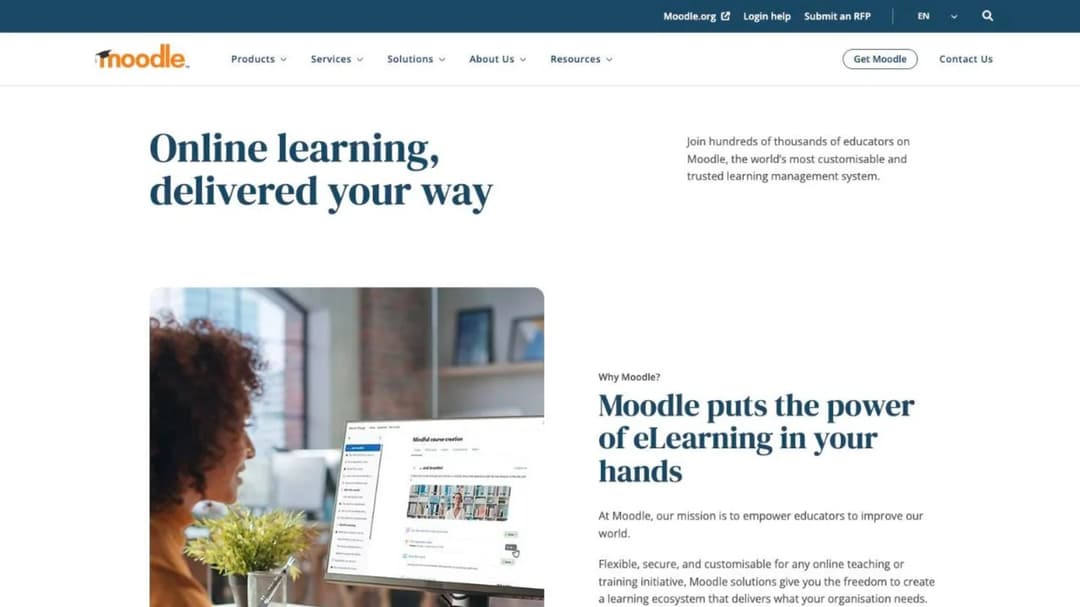
Start with what you’d be giving up, because it’s more than most switching advice admits. MoodleCloud and self-hosted Moodle both carry unlimited courses and activities, enrollment and gradebooks, quizzes and assessments, H5P interactive content and a plugin ecosystem nothing else here can match; the hosted plans add BigBlueButton video conferencing for up to 100 users on top. Moodle’s own site counter reports 146,317 registered sites and more than 525 million users across 236 countries — a figure Moodle itself describes as the product of regular bulk checking that sites are still active, so it moves down as well as up.
It also has WCAG 2.1 Level AA accreditation, stated in its own documentation, and a mobile app bundled on every hosted plan. If your Moodle site is running graded, semester-shaped courses with real assessment, most of this guide is a downgrade and you should say so to whoever asked you to look.
Here is the ladder Moodle publishes for the hosted version, which is the number the rest of this comparison is measured against.
| MoodleCloud plan | Per year | Users | Storage | What changes |
|---|---|---|---|---|
| Starter | A$230 (about US$170) | 50 | 1 GB | Mobile app, unlimited courses, BigBlueButton |
| Mini | A$380 (about US$280) | 100 | 2.5 GB | Same feature set, more room |
| Small | A$700 (about US$510) | 200 | 5 GB | Adds selling courses through Stripe |
| Medium | A$1,700 (about US$1,220) | 500 | 20 GB | Custom domain is a A$160-a-year add-on |
| Standard | A$3,000 (about US$2,160) | 750 | 50 GB | Custom domain included |
Plan prices as of September 2026. Quote the Australian dollar figure to your finance team, not the US one: MoodleCloud states that all plans are billed annually in Australian dollars, so the other currencies on the page are conversions that move week to week.
Four things stop where a small company’s training program starts.
The free software and the running site are two different bills
The license genuinely is free. Moodle is GPL software you can download, install and run on your own server with no license fee, and anyone who tells you otherwise is selling something. What isn’t free is the site: the server, the backups, the plugin updates, the upgrade every six months and the hours somebody spends on all of it.
So name which of the three bills you’re paying before you compare anything to it. Moodle’s own hosted price, a host’s invoice, or a portion of somebody’s salary. If the answer is the third and that person has gone, your current cost isn’t zero — it’s unowned, which is worse, because it shows up as a broken site in the middle of an audit. The nonprofit LMS comparison runs the same arithmetic on a tighter budget.
The upgrade clock is published, and it’s short
Moodle publishes its release calendar, and it’s the single most useful document for anyone who inherited a site. Major releases land every six months, in April and October. Point releases arrive every two months. A standard release gets twelve months of general support and eighteen months of security fixes in total, while a long-term-support release gets around three years of security cover.
What that means in practice: Moodle 5.1, released in October 2025, leaves general support on 5 October 2026. The shipping version is 5.2, from April 2026. Moodle 4.5 LTS holds security cover into October 2027, and 5.3 is scheduled as the next LTS with security cover running to October 2029.
If you have a two-person operations team and nobody with Moodle experience, there are only two defensible positions: run an LTS release deliberately and plan the jump years ahead, or stop self-hosting.
Billing is in Australian dollars, by card or PayPal
MoodleCloud shows prices in six currencies and then tells you what it actually charges: subscriptions are charged and invoiced in Australian dollars only. The billing system accepts Visa, Mastercard or PayPal, and subscriptions renew automatically each year unless you stop the recurring payment in the portal.
For a 30-person company this is a nuisance — an exchange-rate difference on the invoice and possibly a foreign transaction fee. For a company whose finance team requires a US dollar invoice against a purchase order, or pays by ACH, or won’t put a corporate card into an annual auto-renewal, it’s a procurement blocker that has nothing to do with the software. Check it with finance before you book the demo.
Moodle plays courses; it doesn’t build them
Moodle supports SCORM 1.2 and AICC natively. It does not support SCORM 2004 natively — its own documentation states that development on native SCORM 2004 support in Moodle has stopped, and full compliance needs a commercial third-party plugin talking to an external service. And in the same documentation: “Moodle does not generate scorm content.”
That last sentence reorganizes the whole decision. Whatever built the courses sitting in your Moodle site was a separate tool with a separate bill, and it may have left with the same person. So “replace Moodle” and “replace the authoring tool” are two projects, and pricing them as one is how this goes wrong. If the courses were authored in something you no longer license, look at authoring software as its own line item, and read the difference between SCORM versions before you assume the files move.
The AI is real, and it bills separately
Moodle’s AI subsystem arrived in 4.5 and expanded in 5.2, and it’s genuinely capable: text generation, course content summarization, image generation. It’s also provider-agnostic, which is the part that matters commercially. You connect your own API keys to Azure AI, Amazon Bedrock, DeepSeek, Google Gemini, Ollama or OpenAI.
So “Moodle has AI” is true and means a second vendor account, a second invoice, usage you have to forecast, and a key somebody has to rotate. Compare that honestly against a platform where AI sits inside the subscription under a stated monthly allowance — not unmetered, but one bill and one account. Where AI actually fits in a training program is a decision worth making before you buy either.
What to Check Before You Move
Six checks decide this. Run them in this order.
What are you actually replacing, the courses or the delivery?
Open one of your SCORM packages before you shortlist anything. The version is in the manifest file inside the zip, and it decides the size of the project. A 1.2 package moves into almost every platform here. A 2004 package doesn’t move as a file copy, because several of these platforms don’t take it, and Moodle’s own native support for it stopped.
If your library is SCORM 2004, treat the migration as a rebuild and price it that way. That changes which platform wins, because the winner becomes whichever one makes rebuilding cheapest rather than whichever one imports best. If the packages themselves were built in a tool nobody has a license for any more, the authoring tool comparison is the other half of this project.
How many people will actually take the training?
Not headcount. The number of people who will log in and complete something this year. Then check that number against what each vendor publishes, because several of the platforms recommended to small companies publish a floor above it.
iSpring publishes nothing below 100 users; its cheapest printed breakpoint is $6.91 per user per month at 100, and under that the page says “Less than 100 users? Let’s talk.” SkyPrep’s own comparison table gives its smallest published band as 100 active users on Lite and Premium, and 1,000-plus on the Enterprise Learning Suite. Tovuti publishes a single figure, $7,500 a year for your first 100 learners, then scaling — more than three years of MoodleCloud Standard, which carries 750 users. And 360Learning answers its own FAQ with “there is no minimum number of users required with 360Learning.”
Ask for the floor in the first email, not the third. iSpring, LearnUpon and SkyPrep each answer it on their own pricing pages, and the small business LMS comparison lines up the platforms that clear that bar.
Does the vendor publish a price at all?
Most guides on this subject name ten platforms and price none of them, which is why it’s worth stating vendor by vendor. Canvas publishes no price on any of its three tiers. Litmos shows “Contact for Pricing” under Foundation, Platinum and Platinum AI. Docebo’s pricing page offers “Custom pricing tailored to your organization’s needs.” Its master agreement renews for twelve months on sixty days’ written notice, allows up to a ten percent rise at renewal and won’t let contracted user thresholds go down mid-term, so a headcount forecast that doesn’t come true is still a bill. Ask for those clauses in writing before the demo; the Docebo comparison reads them one by one. Absorb’s pricing page is a form that asks which learner band you’re in and wants an email and a company name before a number appears.
None of that makes them bad platforms. It makes them slow ones. Coming off a free tool, a quote-only vendor adds weeks before you see a figure you can take to a director. Budget the calendar as well as the money, and if you need a realistic range before any of those calls, what an LMS actually costs is the arithmetic in one place.
Who runs the server after the move?
There are three answers and only three: you, the software vendor, or a specialist host.
The third rarely gets named, and it’s the one that changes the least about your site, because it keeps everything you already built. Open LMS describes its product first-party as an open-source platform based on Moodle™, is a Learning Technologies Group company, and was previously sold as Moodlerooms. Your courses, your plugin configuration and your course structure carry over because it’s the same codebase; what changes is that the upgrade and the server become somebody else’s job. It publishes no price and no seat minimum, so it’s a conversation rather than a checkout.
Choose the footing deliberately rather than by default. If you’re weighing self-hosting against a subscription with your own numbers, the real cost of building and running your own LMS is the honest comparison.
Will the replacement still be free?
Free software, free hosting and a free plan are three different things, and the gap between them is where most of the disappointment on this topic lives.
Moodle’s software is free. MoodleCloud hosting is not, and its trial runs 28 days. Canvas’s signup page states that new Free-for-Teacher accounts are no longer being registered, and the page names no replacement. TalentLMS runs a genuine free plan for up to 5 users and 10 courses with no time limit. LearnDash sells at $259, $399 and $599 a year with unlimited courses and unlimited learners on every tier, on a site you host yourself.
If $0 on an ongoing basis is the hard requirement, it isn’t this guide. The free LMS comparison is the page for it, and it leaves our own product off its ranked list for exactly that reason.
What leaves with you if you go?
Export the courses, the question banks and the completion records while the site is still running. A Moodle site nobody can log into is a Moodle site nobody can export.
Then ask each candidate the same question in reverse: what comes out, in what format, and at what point in the subscription. Some platforms import packages and never produce them; a few do both. Mini Course Generator, listed below, exports SCORM or PDF at any time, whatever the subscription status. If your completion evidence has to survive an audit, keep the records outside the platform too — a training matrix in a spreadsheet outlives every platform decision.
How the Moodle Alternatives Compare
Every price, plan limit and seat floor below comes from the vendor’s own pricing page, quoted as printed; where a vendor publishes nothing, the entry says so.
The order runs from the platforms a company of 25 to 200 people can buy this week at a published price, through the two that keep either the Moodle codebase or the classroom, to the ones that publish no number at all.
| Platform | Entry price as published | Seat floor | SCORM | Who runs it | Best for |
|---|---|---|---|---|---|
| Moodle, self-hosted | Free software | None | Plays 1.2 and AICC; doesn’t author | You | A team with somebody paid to run a server |
| MoodleCloud | A$230 a year, 50 users | 50-user plan | Same as Moodle | Moodle | Keeping Moodle with nobody to administer it |
| TalentLMS | Free to 5 users, then $119/mo | None published | Imports 1.2; no export | Vendor | The closest like-for-like swap |
| Mini Course Generator | Published on the pricing page | Yearly learner allowance | Exports dynamic SCORM; accepts a package | Vendor | Turning documents you already have into short courses |
| 360Learning | $8 per user a month | None, stated in its FAQ | Imports; version not stated | Vendor | Subject experts writing their own courses |
| LearnDash | $259 a year | None | Not SCORM compliant | You, on WordPress | An organization already running WordPress |
| Open LMS | Quote only | None published | Moodle’s | Vendor | Keeping the courses and plugins, losing the server |
| Canvas LMS | No price published | Not published | Not published | Vendor | A school, college or university |
| iSpring LMS | $6.91 per user a month at 100 | Nothing published below 100 | Imports 1.2 and 2004; no export described | Vendor | Slide-based course production |
| Absorb LMS | No price published | Not published | Imports 1.2 and 2004; exports | Vendor | A few hundred seats up, with a buying process |
| Litmos | No price published | Not published | Imports; version not stated | Vendor | Compliance training with a ready-made library |
| LearnUpon | No price published | From 100 users | Version not stated | Vendor | Internal and external audiences past 100 seats |
| SkyPrep | No price published | Smallest band, 100 active users | 2004 player named; no 1.2 | Vendor | Paying only for people who log in |
The 11 Best Moodle Alternatives
1. TalentLMS
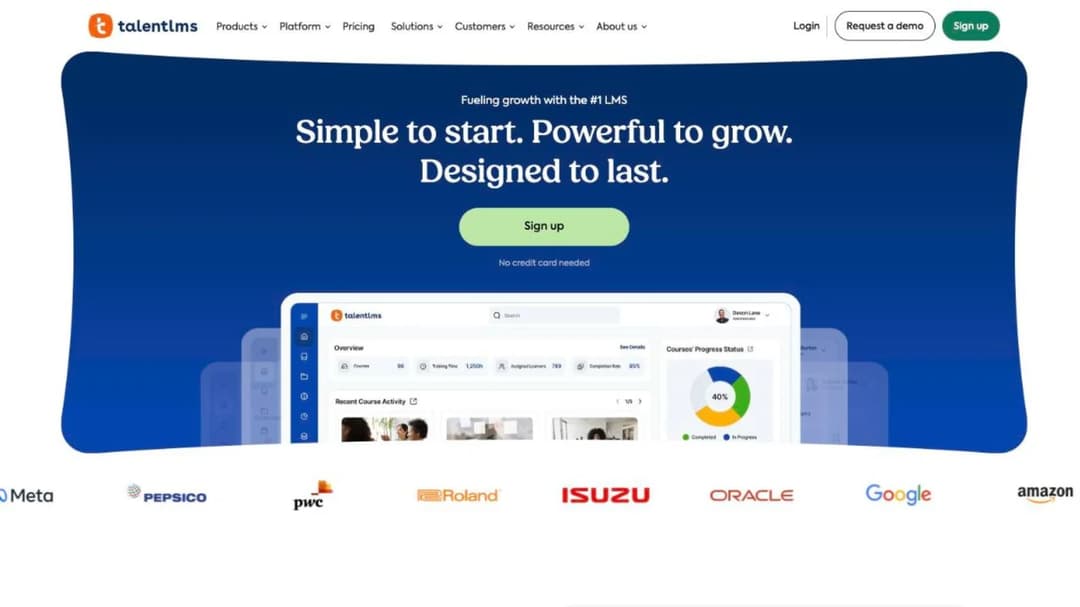
Best for: the 10-to-100-person company that wants the Moodle job done with nobody administering a server, and wants the whole price ladder on screen first.
Top features
- Four paid plans printed with their user bands, plus a free plan for up to 5 users and 10 courses with no time limit
- Certificate expiry with automatic re-assignment when a certification lapses
- SSO through SAML 2.0, Okta, OneLogin and LDAP, plus BambooHR, ADP Workforce Now and Sage People
- Native iOS and Android apps with offline completion for compatible content
- Zapier connection to over a thousand tools, plus Salesforce, Intercom, HubSpot and Zendesk
TalentLMS is the closest answer to “we had free Moodle, what’s the bill now.” It’s a hosted LMS of roughly the same shape — courses, assignments, completion, reporting — with none of the server underneath, and the pricing page shows every band without a form.
Two limits matter for somebody arriving from Moodle. SCORM is version 1.2 and import only, and TalentLMS’s own documentation says it isn’t possible to create SCORM files directly in the platform, so courses built inside it don’t leave as packages. And the Enterprise floor is printed two ways on the same page, as both 500 and 1,000 users, so ask which applies before anyone quotes you.
Pricing: free for up to 5 users and 10 courses. Core $119 a month for 1 to 40 users, Grow $229 for up to 70, Pro $449 for up to 100 and then $6 per additional user, Enterprise custom — printed on the same page as starting at both 500 and 1,000 users. Annual billing takes 20% off, and a 14-day premium trial runs alongside the free plan. Figures as of September 2026.
Pros
- Every user band and its price printed on the page, plus a free plan that doesn’t expire
- Certificate expiry that re-assigns the course automatically when a certification lapses
- Broad SSO and HR connections for a platform at this price
Cons
- SCORM 1.2 import only, and no SCORM export at all
- Both the plan and the user band move the price, and the Enterprise floor is printed inconsistently
- Offline completion carries the vendor’s own caveat: it applies to “offline compatible content”, not the whole library
2. Mini Course Generator
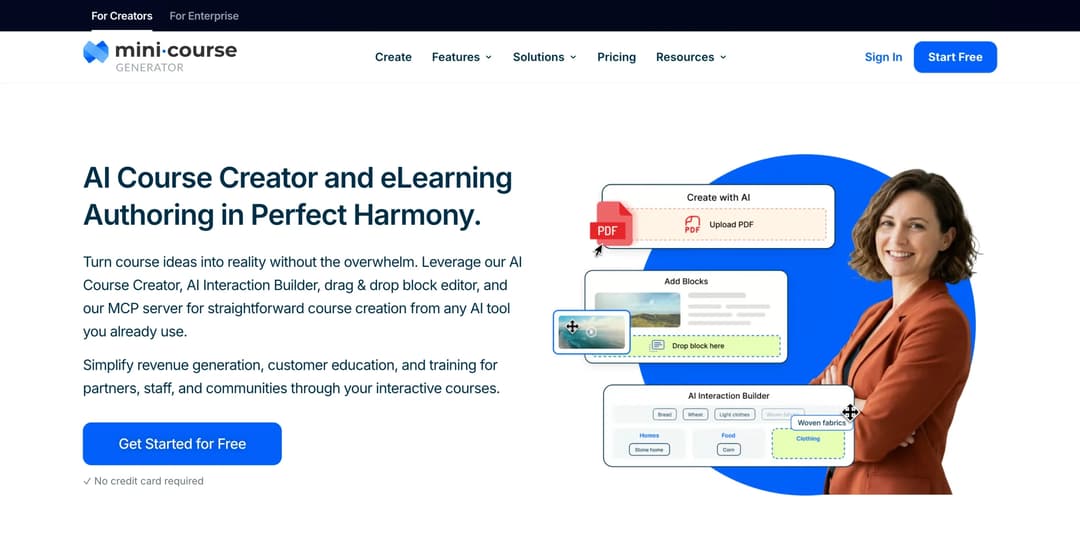
Mini Course Generator is our product; it is listed for the job it does, not ranked above the others.
Best for: the HR or operations lead who inherited Moodle for a handful of onboarding and compliance courses, whose source material is already sitting in PDFs, decks and policy documents.
Top features
- AI Course Creator and PDF to Course Creator draft a course from your own documents, with Hallucination-Proof generation that keeps the content to those resources
- AI Interaction Builder for Branching Scenarios, Dialogue Simulations, Flashcards and Drag-and-Drop Activities, plus an AI Quiz Builder for scored checks
- Two-way SCORM: dynamic SCORM export on the business plans, and a SCORM Upload Block that accepts a package you already have and reports on how learners interact with it
- Six Gateways and magic links, so a new hire opens a course without anybody provisioning an account
- The Mini Course Generator MCP Server for teams already working inside Claude or ChatGPT, plus Certificates & Badges and learning analytics
This is not a Moodle replacement in the sense of replacing a virtual learning environment, and pretending otherwise would waste your time. There’s no enrollment-and-gradebook model of the kind Moodle is built around. What it replaces is what a lot of small companies were actually using Moodle for: a short, tracked course that somebody has to finish, built from a document that already exists.
That’s the practical difference. Moodle plays back whatever a separate authoring tool produced; here the course is drafted from your own material in the same place it’s delivered and tracked, so a policy change becomes a re-issued course rather than a rebuild. If short-format training is new to you, there are worked examples here.
Buying works the way a small team needs it to: self-serve on the site, 14 days of full access with no credit card, no implementation or onboarding fees, and no minimum annual commitment. Plans are sized by a yearly learner allowance rather than permanent seats, and a learner is anyone who takes your courses, so an occasional visitor doesn’t push you up a tier. AI sits inside the subscription with a monthly credit allowance rather than a separate provider account and key of your own.
Pricing: published in full on the pricing page. Terms as of September 2026.
Pros
- Courses drafted from the documents you already have, with interactions and quizzes in the same tool
- SCORM in and SCORM out: export at any time, and an existing package can be dropped into a course and tracked
- Self-serve purchase with no sales call, and no implementation fee
- Learners open a course from a link with no account to provision
Cons
- Not a virtual learning environment: graded, semester-shaped courses with an enrollment-and-gradebook model should stay where they are
- Not open source and can’t be self-hosted, so if either is the requirement this is the wrong answer
- No permanently free option, only the 14 days of full access
- Publishes no SOC 2 report, ISO 27001 certificate or other compliance certification
- SSO for learners, the REST API and Headless LMS are Custom-plan features, and team seats are 3 on Growth and 10 on Scale
3. 360Learning
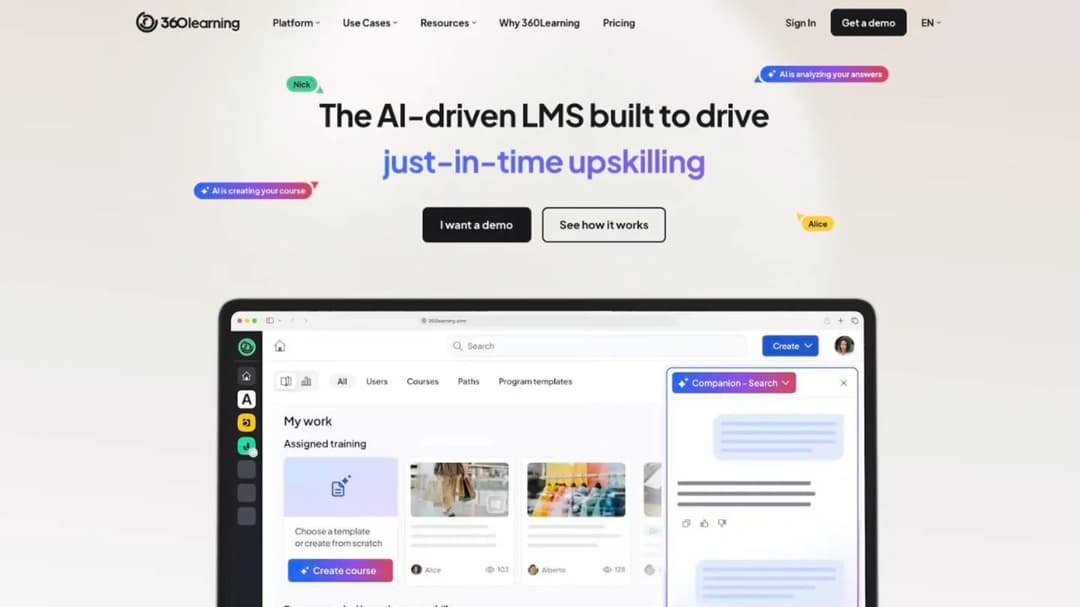
Best for: a company where the people who know the material are the ones who should be writing the courses, and where the training team is one person.
Top features
- AI Content Builder drafts a course from your documents or a prompt, with suggested quiz questions
- Collaborative authoring: subject experts write, one reviewer approves, and a per-course forum stays open after publish
- Native iOS and Android apps with offline access and shared-device mode
- Instructor-led and virtual sessions with self check-in, e-signature and waitlists
- An MCP server connecting ChatGPT, Claude, Gemini and Microsoft Copilot to your learning data
360Learning answers the size question on its own pricing page before you ask it: the FAQ states there is no minimum number of users required, and that you pay only for active users with no hidden fees or minimum volume commitments. At 25 people the Team plan is $200 a month, billed monthly, cancellable.
The collaborative model is the real difference from Moodle. Moodle assumes a course is built once by whoever administers the site; 360Learning assumes the person who knows the process writes it and the training lead just reviews. If the reason your Moodle site went stale is that only one person could edit it, that’s the mechanism worth testing. Two things to ask before signing: its own pages give two different integration totals, and enterprise onboarding is sold as professional services with no figure printed.
Pricing: Team is $8 per user per month for up to 100 users, billed monthly, and the FAQ says you can cancel any time. Business and Enterprise are custom and run on annual contracts. A 30-day free trial runs before any commitment. Figures as of September 2026.
Pros
- No minimum user count, and the entry plan cancels monthly
- 30-day trial before any commitment, with SOC 2 Type II and ISO 27001 published
- Built so subject experts author directly, which is how small teams keep content current
Cons
- Business and Enterprise prices are custom, and the annual notice terms aren’t published
- No SCORM version stated anywhere, and no SCORM export described
- Several assistant features are still marked “coming soon” on its own pages
4. LearnDash
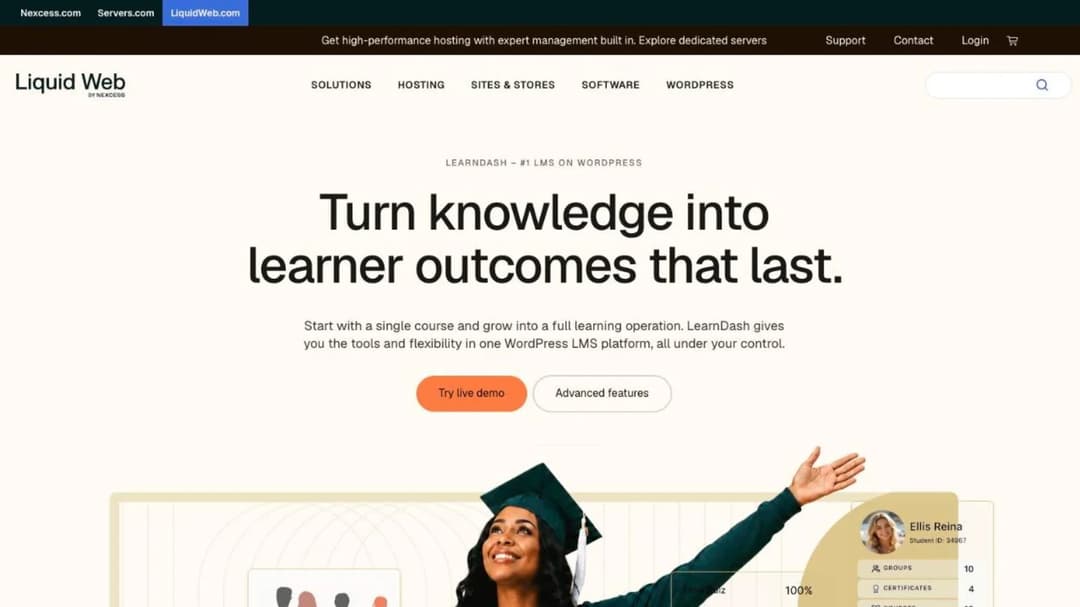
Best for: a small organization that already runs WordPress, wants the training on its own site, and is comfortable owning the hosting.
Top features
- Course, lesson, topic and quiz builder with eight question types
- MemberDash membership platform included on every tier
- Certificate builder, focus mode, video progression gating and plagiarism detection
- ProPanel reporting with completion drop-off points, on Pro and Elite
- Groups, seat selling and a front-end instructor role on Elite
LearnDash is a plugin rather than a platform: it turns the WordPress site you already run into the training site. One license covers unlimited courses and unlimited learners on every tier, so the bill doesn’t move when the headcount does — $259 a year at thirty people and $259 a year at three hundred. It’s sold by its parent Liquid Web as part of the StellarWP family.
Be clear about what it does and doesn’t solve. It removes the vendor and the per-seat cost; it does not remove the server, the updates or the backups, because the site is still yours. If the reason you’re here is that nobody can maintain a Moodle install, buying a plugin for a WordPress install you also have to maintain is the same problem in a cheaper wrapper. And content built in LearnDash isn’t SCORM compliant — SCORM playback needs a third-party add-on.
Pricing: Essentials $259 a year, Pro $399, Elite $599, billed annually, with unlimited courses and unlimited learners on every tier and a 48-hour trial. A mobile app add-on is sold separately at $1,199 a year. The product page says cancel any time while the terms state a one-year minimum initial term with non-refundable fees, so read both. Figures as of September 2026.
Pros
- No per-learner cost at any volume, on any tier
- Your site, your branding, your data, and the training lives with the rest of your content
- Membership and group features included rather than sold as add-ons
Cons
- You still own the hosting, the updates and the backups
- Content built in it isn’t SCORM compliant, and playback needs an add-on
- “Cancel any time” on the product page sits against a one-year minimum term in the agreement
5. Open LMS
Best for: the organization that wants to keep its Moodle courses, plugins and course structure exactly as they are, and stop being responsible for the server.
Top features
- An open-source platform the vendor describes as based on Moodle™, so the courses and the course structure carry over rather than being rebuilt
- Managed hosting and support, which moves the upgrade cycle and the server off your team
- A Learning Technologies Group company; the product was previously sold as Moodlerooms, so older documentation under that name refers to the same lineage
- No seat minimum published, which is unusual for a platform sold by quote
- Pricing is quote-only; no figure appears on its pricing page
Open LMS is the entry that asks you to move the least: same codebase, same courses, same plugin configuration, different hands on the server. If the site works, the courses are fine and the only real problem is that nobody on the payroll can upgrade it, then changing platforms is solving the wrong problem at ten times the cost. Changing who runs it solves the actual one.
The trade is visibility. You can’t price this before a conversation, and there’s no self-serve route in. So it belongs on a shortlist next to MoodleCloud rather than next to the platforms above it: both keep Moodle, one publishes a ladder and caps you at 750 users, the other publishes nothing and has no stated ceiling. Get the annual figure and the notice period in writing in the first call.
Pricing: quote only. No price and no seat minimum appear on its pricing page, as of September 2026.
Pros
- Keeps the codebase, the courses and the plugin configuration you already have
- The upgrade every six months stops being your team’s problem
- No published seat minimum, so a small site isn’t ruled out before the first call
Cons
- No published price at all, so it can’t be budgeted before a sales conversation
- No self-serve signup and no published trial
- You’re still on Moodle, with Moodle’s authoring limits, if that was part of the problem
6. Canvas LMS
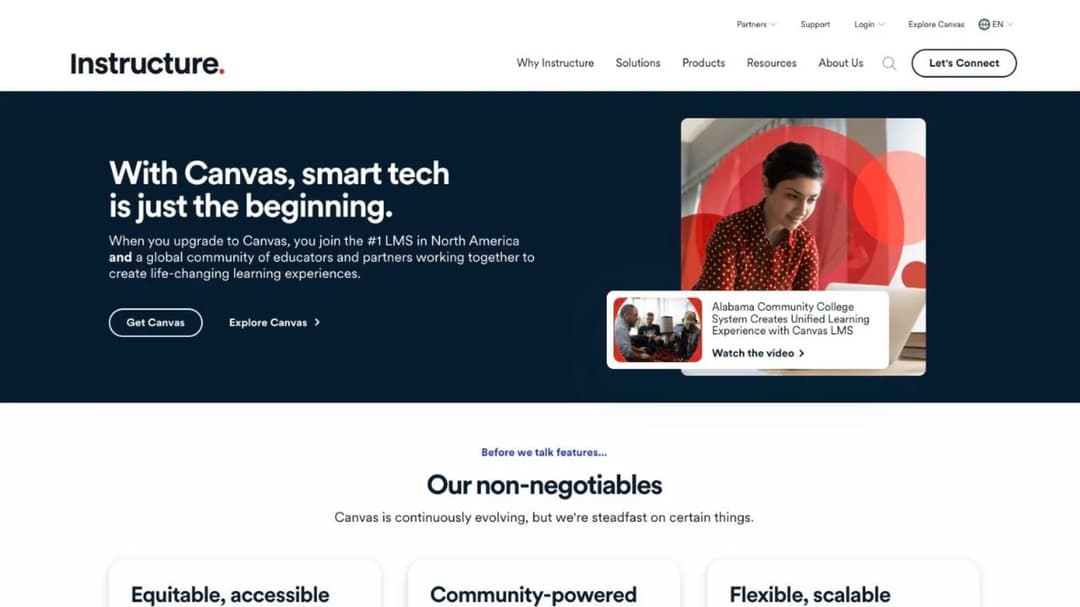
Best for: a school, college or university, where it’s the platform most often weighed against Moodle and usually the right shortlist.
Top features
- SpeedGrader for grading, commenting and annotating submissions in one place
- Gradebook with customizable views and weightings, and criteria-based messaging to students
- Blueprint Courses, which push a single curriculum change across every section at once
- Canvas Data for event-level export into a warehouse or dashboard
- IgniteAI across content creation, accessibility and grading support, with the features gated by tier
Canvas is here for honesty rather than as a recommendation to this reader. If you run graded courses on a term calendar with academic staff, Canvas and Moodle are the two names on the list and everything else in this guide is the wrong shape. Three tiers — Core, Plus and Next — sit behind a quote, and the only route in is a demo.
One fact matters to anybody who arrived here because Moodle was free: Canvas’s signup page states that it’s no longer registering new Free-for-Teacher accounts, and offers a tour instead. The page names no replacement. If you’re an individual teacher who wanted a free platform, that door is closed and no vendor on this page is going to be the answer.
Pricing: no price is published on any tier. The page directs you to contact the team for a personalized quote, and there’s no self-serve trial. As of September 2026.
Pros
- SpeedGrader, a weighted gradebook and criteria-based messaging in one assessment workflow
- Blueprint Courses make curriculum-wide changes a single action
- Mobile apps for students, teachers and parents, with a 99.9% uptime SLA published
Cons
- No price, no seat floor and no self-serve trial published anywhere
- Free-for-Teacher accounts are closed to new registrations, with no replacement named
- No SCORM version stated on its public pages, so ask before assuming your packages import
7. iSpring LMS
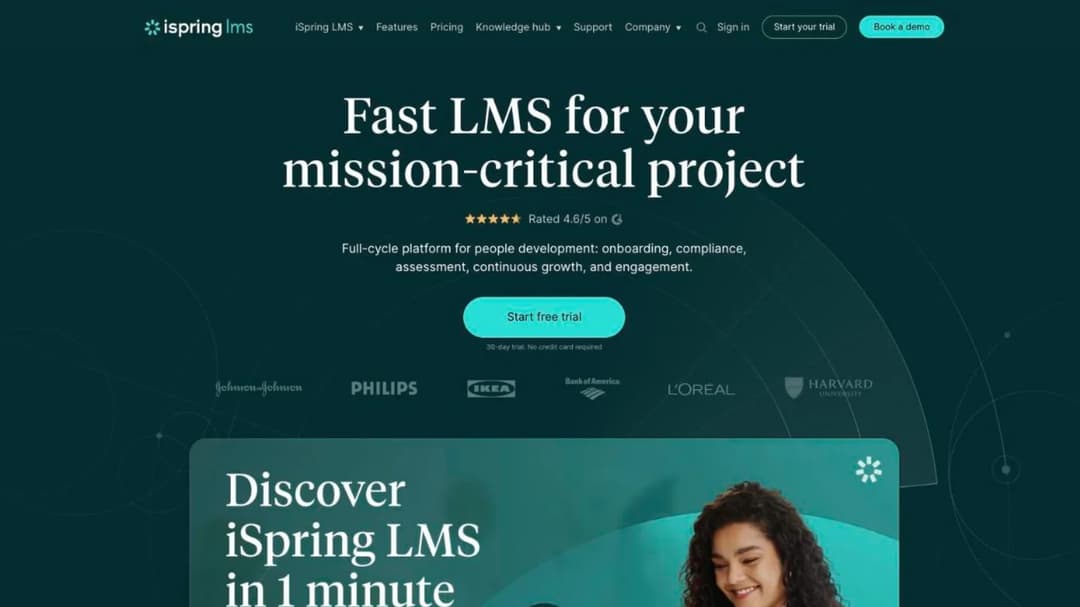
Best for: a company of 100 people or more that builds slide-based courses and wants the authoring tool and the LMS on one invoice.
Top features
- Business plans priced per active user at 100, 300 and 500 users, with the annual total printed beside each
- AI Course Creator builds a structure and a draft from your files, with an AI Quiz Generator
- iSpring Suite authoring bundled: courses, quizzes, simulations and video from PowerPoint
- Automated compliance assignment with re-enrollment and certificate-expiry tracking
- Native iOS and Android apps with offline learning and auto-sync
iSpring Learn became iSpring LMS in October 2025, so a quote or a review under the old name describes the same product. It’s the closest thing here to the Moodle plus authoring tool combination many inherited sites actually are, except that both halves come from one vendor with one renewal date.
The reason it sits this far down for a 40-person company is the floor. Nothing is published below 100 users, and the page says so directly: “Less than 100 users? Let’s talk.” A 60-person team has nothing to price at list and has to go and ask. The subscription agreement is also stricter than the marketing: subscriptions auto-renew, fees are non-cancelable and non-refundable except on proper early termination, and the agreement expressly disclaims any warranty about availability.
Pricing: $6.91 per user per month at 100 users, $4.46 at 300 and $3.97 at 500, counting anyone who logged in at least once in the month. Nothing is published below 100 users. A 30-day trial runs with no credit card. Figures as of September 2026.
Pros
- A per-active-user price printed by band, with the annual figure beside it
- Authoring and delivery in one subscription, which Moodle never had
- ISO 27001 and ISO 27701 published, with a 30-day trial and no card
Cons
- No plan published below 100 users, so a smaller company can’t buy at list
- Non-cancelable, non-refundable subscription with no availability warranty
- No SCORM export described, and no xAPI or cmi5 support stated
8. Absorb LMS
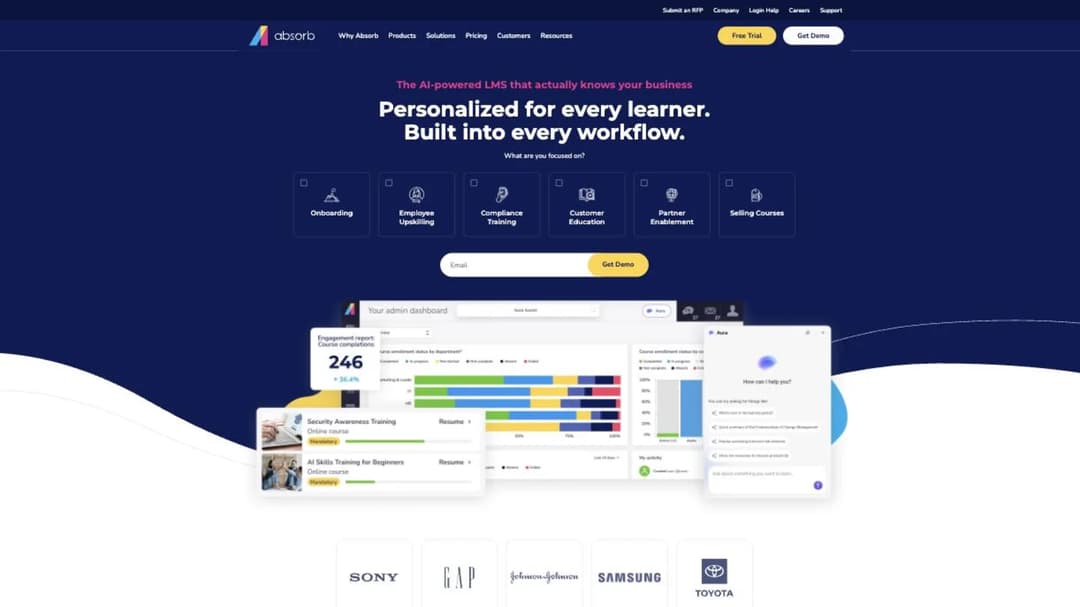
Best for: an organization of a few hundred seats and up that needs separate branded portals per brand, region or audience, and has a buying process to run.
Top features
- Multi-tenant portals: unique learner portals built on roles, locations, languages and other criteria
- SCORM 1.2 and SCORM 2004 import, with Absorb Create publishing to SCORM, xAPI and HTML5
- Native iOS and Android apps with offline access and progress sync
- HRIS connections named for three ADP products, BambooHR, Namely, Workday, SAP SuccessFactors, UKG Pro and Dayforce
- Content partners including Absorb Amplify, Traliant, Go1, MedTrainer and Skillsoft
Absorb is strong on the thing a Moodle migration cares about most: it takes both SCORM versions in, 1.2 and 2004, and Absorb Create publishes packages back out in SCORM, xAPI and HTML5. If your library is SCORM 2004 and rebuilding it is off the table, that matters more than any feature list. The site now leads with an AI-first message, though the product is still Absorb LMS.
What stops it for this reader is size and process. The pricing page is a lead form that asks which learner band you fall into, from 1 to 50 up through 25,000-plus, and takes your email and company name before anything appears. There’s no trial. The contract terms are published, and they’re worth reading before the demo rather than after: the agreement renews for twelve months unless you give thirty days’ notice, a price rise takes effect at renewal on the same thirty days’ notice, and the number of user subscriptions can’t be decreased during a term. Coming off a free tool with a director waiting on a number, that’s a slow start.
Pricing: no price is published. Both pricing pages are lead forms keyed to a learner band and require contact details before a figure appears. The master terms set a twelve-month auto-renewal on thirty days’ notice, allow a price rise at renewal on the same notice, and make fees non-refundable. As of September 2026.
Pros
- Both SCORM versions in, and SCORM, xAPI and HTML5 out
- Separate branded portals for brands, regions and audiences
- Named HRIS connectors and an offline-capable mobile app
Cons
- No price without giving up your contact details, and no trial published
- Seat counts can’t be reduced mid-term, and fees are non-refundable
- Built for a few hundred seats and up, so a 30-person rollout is below its shape
9. Litmos
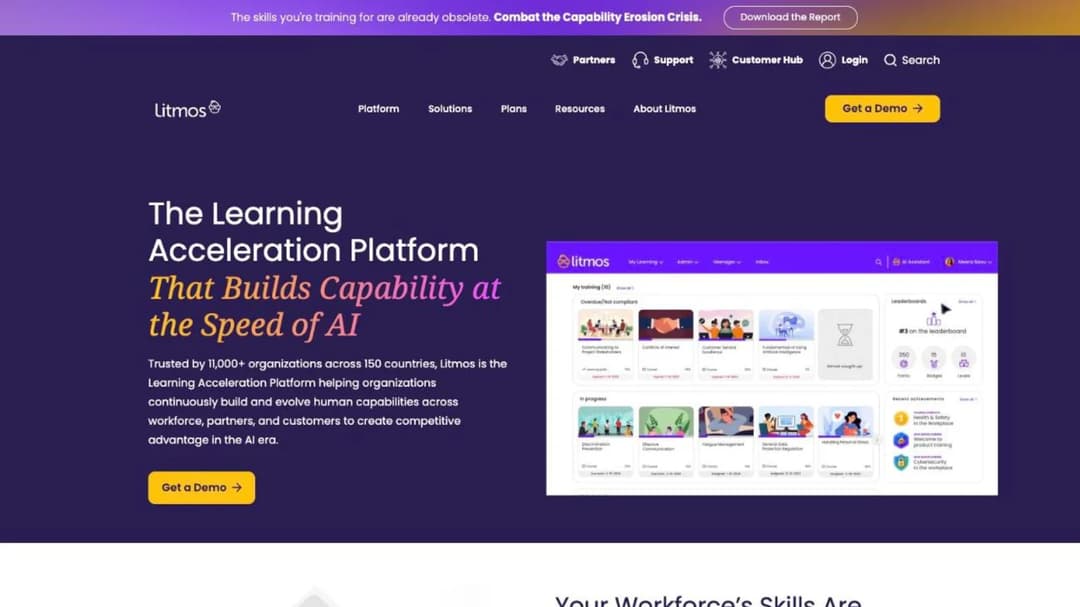
Best for: a compliance-heavy employer that wants a ready-made course library rather than building everything, and needs dated security documentation for procurement.
Top features
- AI Course Builder generates a structured course with module content and assessments from a topic
- A curated library of hundreds of ready-made courses across compliance, leadership, safety and service
- SCORM, xAPI and AICC import alongside AI-generated courses
- Data hosting selectable in the EU, Australia or the United States
- HRIS and identity connections named for Workday, ADP, BambooHR, Okta and Microsoft Entra ID
If the courses on your Moodle site are the standard compliance set — harassment, safety, data protection — the honest question is whether you should be maintaining them at all. Litmos is the entry here built around that answer: buy the library, assign it, report on it, and stop authoring the parts that every employer needs identically.
Its security documentation is the most precisely stated in this comparison: a SOC 2 Type II audit covering April 2024 to March 2025 with no exceptions noted, and ISO 27001:2022 certification issued in January 2025, both by the same auditor. Two cautions. Its plans page groups the AI features under the top tier rather than spreading them across the three, and its own pages give different customer counts, so treat any figure a salesperson quotes as something to confirm in writing.
Pricing: no price is published. Foundation, Platinum and Platinum AI each show only “Contact for Pricing,” and no minimum, term, trial or renewal rule appears on the plans page. As of September 2026.
Pros
- SOC 2 Type II with a stated audit period, plus ISO 27001:2022
- A ready-made compliance library alongside AI course building
- Regional data hosting and mobile apps for iOS and Android
Cons
- No price at any tier, no trial, and no published contract terms
- The AI features are grouped under the top tier on its own plans page
- No SCORM version stated, and its own pages disagree on customer numbers
10. LearnUpon
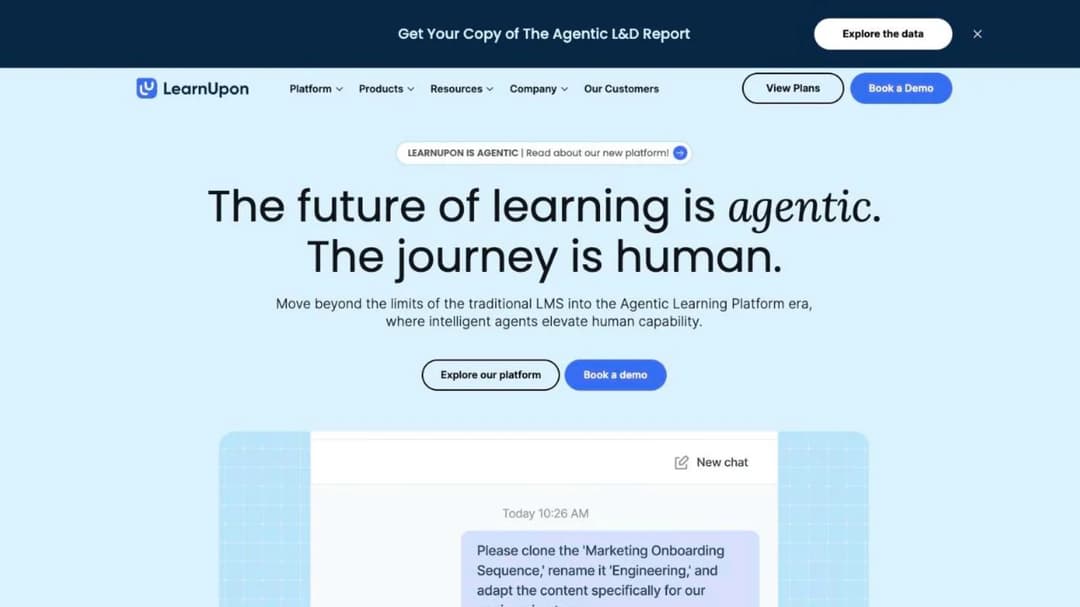
Best for: a company past 100 seats training employees, customers and members from one system, with separate portals per audience.
Top features
- Create+ builds a first draft from video, PDF, PowerPoint or a web link, with translation into 120-plus languages
- Learning Portals for separate audiences, and an embed product for putting training inside your own product
- An MCP server for ChatGPT, Claude and Gemini to question and act on learning data
- HRIS connections named for Paycor, ADP Workforce Now, Gusto, Paylocity, Dayforce and SAP SuccessFactors
- WCAG 2.2 AA for the learner experience, with a published VPAT
LearnUpon earns its place here for a sentence on its own pricing page that saves a lot of people a lot of time: “LearnUpon will not be a fit for companies looking for a solution for less than 100 users.” Nothing else in this comparison tells a small company so plainly that it isn’t the customer.
Above that line it’s a capable mid-market platform, and it publishes its entry points by product: from 100 users for employee training, from 150 for associations and from 300 for customer education. What it doesn’t publish is a dollar figure. Its terms auto-renew for twelve months on thirty days’ notice and allow a fee change at the next renewal on the same thirty days’ notice, with the current period non-refundable if you leave early. If you’re near the 100-user line and weighing it against its own peers, the LearnUpon comparison measures it against them directly.
Pricing: no dollar figure is published. Entry points are printed as from 100 users, from 150 and from 300 depending on the product, and the pricing FAQ states it won’t fit companies under 100 users. As of September 2026.
Pros
- Tells you the seat floor in plain words before you contact anybody
- Create+ authoring is live, with translation into 120-plus languages
- Accessibility documented to WCAG 2.2 AA with a VPAT published
Cons
- No price at any tier, and fees can change at renewal on thirty days’ notice
- Explicitly not a fit below 100 users, which rules it out for most of this guide’s readers
- No SCORM version stated and no mobile app stated on its pages
11. SkyPrep
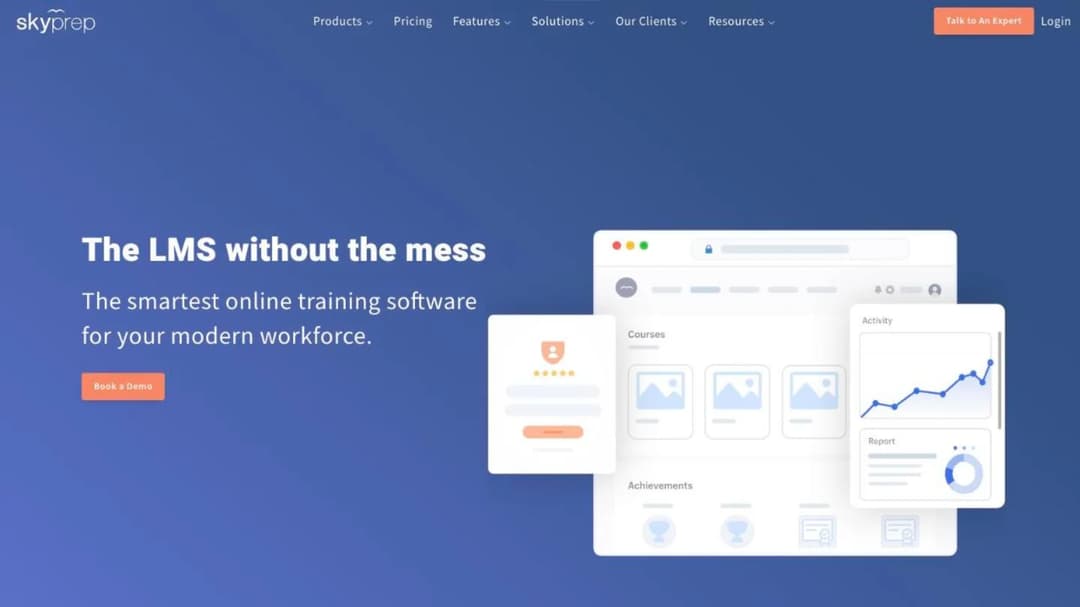
Best for: a Moodle site with years of registered accounts and a fraction of them still logging in.
Top features
- Metered per active user — somebody who logs in that cycle — quota reset each cycle
- SkyPrep Studio authoring with branching questions and journey blocks, plus AI course creation, voiceover and assessments
- Separate platforms for clients, brands and branches under one account, with custom branding and URL
- SSO through SAML 2.0, Okta, Azure AD and OneLogin, plus Workday, BambooHR, ADP, UKG and Dayforce
- SOC 2 Type II, PCI-compliant storage and TX-RAMP on its security page, plus a published accessibility report
The counting rule is why it earns a place from Moodle. An inherited site holds far more accounts than learners, and named-seat pricing puts every one of them on the invoice. SkyPrep counts a person only in a cycle where they log in, which suits training that arrives in bursts: an onboarding intake, an annual compliance push.
Two things bound it. Going over the cap brings an overage fee per extra person unless you upgrade before the bill is due, and the bands it publishes start at 100 active users on Lite and Premium and 1,000 on the Enterprise Learning Suite. Its pages name a SCORM 2004 player and nothing else, so if you’re carrying 1.2 packages off Moodle, ask first.
Pricing: no dollar figure at any tier; all three plans show features and a “Talk to an expert” button. A 14-day trial is offered; there is no free plan. The terms auto-renew for a term equal to the first unless either side gives sixty days’ notice, allow a rise of up to 15% at renewal and refund nothing on early termination. As of September 2026.
Pros
- You pay for the people who log in, not for every account you inherited
- The terms print both the notice period and the 15% cap on the rise
- A 14-day trial and a full plan comparison, without a price
Cons
- No price at any tier, a smallest published band of 100 active users (1,000 on Enterprise), and an overage fee in any month when more people log in than the plan allows
- Only a SCORM 2004 player named, no 1.2, xAPI or AICC, and two of its pages list different AI features
Which Moodle Alternative Fits Your Situation
Six situations cover almost everyone who inherits a Moodle site. Find yours, then do the one thing at the end of it.
If nobody on the payroll can run a server, decide who will — before you decide what to buy. MoodleCloud keeps everything you have and publishes a ladder from A$230 to A$3,000 a year, capped at 750 users. Open LMS keeps the same codebase with no published ceiling and no published price. A hosted LMS like TalentLMS or 360Learning drops the Moodle codebase entirely. Price all three footings at your own headcount and take the comparison to your director as three numbers, not one recommendation.
If you inherited Moodle for four onboarding courses, stop buying a virtual learning environment. A platform built for enrollment, gradebooks and terms is more system than a new-hire checklist needs, and the maintenance is the price you pay for the parts you don’t use. TalentLMS and Mini Course Generator both cover the onboarding job without a server, and if that’s the whole requirement, onboarding software is the shape to shortlist against — the onboarding platform comparison runs the same names for that narrower job.
If you’re under 100 people, the seat floors decide this before the features do. iSpring publishes nothing below 100 users, SkyPrep’s smallest published band is 100 active users, LearnUpon states outright that it won’t fit below 100, and Tovuti’s one published figure starts at 100 learners. That leaves TalentLMS, 360Learning, LearnDash, MoodleCloud and Mini Course Generator as the platforms that will actually sell to you, which is also the shortlist in the small business LMS comparison and on our own small business page.
If the requirement is $0 and open source, stay where you are. Nothing in this guide is both free and self-hostable except Moodle itself, and switching to a paid platform to save money you weren’t spending is not a plan. Keep the site, budget for somebody to run it, and read the free LMS comparison for the handful of genuinely free options and what each one costs you in other ways.
If you already run WordPress, LearnDash is the one price here that never moves with headcount. $259 a year, unlimited courses, unlimited learners, on the site you already maintain. The catch is the one you already know: you keep the hosting problem. Take it if your WordPress site is genuinely maintained by somebody; skip it if the Moodle server went stale because nobody maintains anything.
If you’re a school, college or university, this is the wrong guide and here’s the right shelf. Canvas, D2L Brightspace, Blackboard and Schoology are the platforms your peers compare against Moodle, and the comparison there turns on assessment, integrations with your student information system and accessibility, none of which this page has measured. Start there instead.
How to Move Off Moodle Without Losing the Courses
Do these in order. Only the first two are hard to do later, and the third is impossible once the site is gone.
- Find the version number and the date its support ends. It’s in the site administration notifications page, and it’s the only deadline on this project that somebody else set. A standard release gives you twelve months from its release date; an LTS release gives you roughly three years of security cover. Write the date down before anything else.
- Open one SCORM package and read its version. A 1.2 package moves almost anywhere. A 2004 package is a rebuild, and that changes the budget and the shortlist. Do it before you talk to a vendor, so you’re asking the right question when you do.
- Export the courses, the question banks and the completion records while the site is still up. Moodle never authored the content, so the source files may sit in a folder belonging to somebody who’s left — find those too. A training plan template is a reasonable place to record what exists and who owns it while you’re in there.
- Price the replacement at the headcount you’ll have in a year. Per-user pricing punishes growth and per-plan pricing punishes shrinking, and the tier boundary is usually where the cost jumps. If you’re between two bands on 360Learning or TalentLMS, model both.
- Ask every vendor two questions in writing: the seat floor and the export path. The floor decides whether there is anything to discuss at all, and the export path decides how bad the next migration will be. Both answers should arrive before a demo, not after.
- If you’re staying on MoodleCloud, check the currency and the renewal with finance. Plans are invoiced in Australian dollars, the billing system accepts Visa, Mastercard or PayPal, and subscriptions renew annually unless you stop the recurring payment in the portal.
- Trial the replacement with one real course, not the catalog. Rebuild your most-used course, assign it to five people and watch what the first two minutes look like for someone who isn’t you. Trials here run from 48 hours to 30 days.
- Move the learners last, once one real completion has been recorded on the new platform and you can produce the report. Then decommission the Moodle site, not before. If the new platform has to talk to your HRIS or your identity provider, connect it before the cutover rather than after.
Export first, decide second. Everything else on this list is recoverable.
Put your next compliance course together from the policy document itself — the refresher cycle is the part that outlives every platform decision you make this quarter.
Frequently Asked Questions
Is Moodle still a good LMS?
Yes, for the job it was built for. Unlimited courses, enrollment, gradebooks, quizzes, H5P, an open plugin ecosystem and WCAG 2.1 Level AA accreditation stated in its own documentation. The question is never whether Moodle is good software; it’s whether somebody is being paid to run it. A major release lands every six months, a standard release carries twelve months of general support, and if nobody owns that cycle, the software’s quality stops being the thing that decides your outcome.
What is the best free LMS platform?
It depends what you mean by free, and the three meanings cost very different amounts. Free software: Moodle, which you host and maintain yourself. Free hosting: nobody here, because MoodleCloud’s free period is a 28-day trial. A free plan: TalentLMS runs one for up to 5 users and 10 courses with no time limit, which is the only genuine permanently free tier among the platforms in this guide. Canvas’s Free-for-Teacher accounts are no longer open to new registrations. If $0 on an ongoing basis is the requirement, the free LMS comparison covers the shortlist properly, and our own product isn’t on it.
How much does Moodle cost?
The software costs nothing. MoodleCloud, the hosted version, publishes five annual plans: A$230 for 50 users, A$380 for 100, A$700 for 200, A$1,700 for 500 and A$3,000 for 750, with storage rising alongside. A custom domain is included on the top plan and costs A$160 a year on the one below it. All plans are billed annually in Australian dollars whichever currency the page displays. Self-hosting replaces those figures with a server, backups, plugin updates, two major upgrades a year and the hours somebody spends on them — and what an LMS costs in total is the honest way to compare the two.
Is there a Moodle alternative for a small business?
Several, and the filter is the seat floor rather than the feature list. TalentLMS starts free for 5 users and prints $119 a month at 40. 360Learning publishes $8 per user per month and states there’s no minimum. LearnDash is $259 a year with unlimited learners if you already run WordPress. Mini Course Generator is self-serve with a yearly learner allowance rather than permanent seats. The platforms to rule out early are the ones that publish a floor above you: iSpring below 100 users, SkyPrep’s 100-active-user band, LearnUpon’s stated 100-user limit. For the wider category view, the best employee training software comparison covers the same ground by job rather than by brand.
Is Brightspace better than Moodle?
For an institution, that’s a real comparison and it turns on assessment, student information system integration and accessibility — none of which this guide measured, because it’s written for a company rather than a campus. D2L Brightspace publishes no price and quotes by consultation, as does Canvas. If you’re choosing a platform for a school, college or university, compare those two and Moodle against your own assessment requirements and ignore everything written for corporate training, including this page.
What are the top 5 LMS systems?
The honest answer is that there isn’t one list, because the reader changes the answer. For a company of 25 to 200 people replacing an inherited Moodle site: TalentLMS, 360Learning, MoodleCloud, LearnDash and Mini Course Generator, because all five publish what they cost and all five will sell at that size. For a company of several thousand with procurement and multiple audiences: Docebo, Absorb, Litmos, LearnUpon and Cornerstone, none of which publish a price. For a university: Canvas, Moodle and D2L Brightspace. If you want to compare by hosting model rather than by name, cloud-based platforms are grouped separately.
Can I keep Moodle but stop hosting it?
Yes, and it’s the fork most people miss. Three routes: MoodleCloud, which is Moodle’s own hosting with a published ladder up to 750 users; Open LMS, whose product is an open-source platform based on Moodle™ with no published price and no published seat minimum; or one of the Moodle Partnerships, a network Moodle’s own documentation puts at over 104 worldwide. All three keep your courses and your course structure. What changes is who’s responsible when a release drops in April and again in October.
We’re actually selling courses, not training staff. Does this apply?
No, and the shortlist is different. Everything here is measured on running training for people who already work with you — completion, assignment, reporting, refresher cycles. If the courses are a product you sell to the public, checkout fees, branding tiers and what a platform takes from each sale matter far more, and the course platform comparison is written to those numbers instead.
Sources
Every figure in this guide comes from the vendors’ own published pages, read in September 2026.
- MoodleCloud standard plans page and billing terms
- Moodle developer documentation on releases and support windows
- Moodle SCORM documentation and Moodle AI subsystem documentation
- Moodle project documentation and the Moodle site statistics counter
- TalentLMS pricing page and SCORM documentation
- 360Learning pricing page and pricing FAQ
- LearnDash pricing and terms at Liquid Web
- Open LMS pricing page
- Canvas tier page and Canvas signup page
- iSpring pricing page and subscription agreement
- Absorb pricing and platform pages
- Litmos plans page and trust and security page
- LearnUpon pricing page, pricing FAQ and terms of service
- Docebo pricing page and Master Services Agreement
- SkyPrep pricing page, plan comparison table and terms; Tovuti pricing page
- Mini Course Generator pricing page and product documentation


