

The reason to leave Kajabi is rarely a missing feature, so the Kajabi alternatives worth your time are the ones that change what you’re paying for and what you keep from every sale. Kajabi’s entry plan is $179 a month billed monthly, and through Kajabi Payments it takes no percentage of what you sell, which is the inverse of how most platforms in this category make their money. This guide runs ten of them through one question: how much of Kajabi’s bundle you actually use, and what the parts you use would cost somewhere else.
Three fee shapes sit under the subscription line, and they decide more than the sticker price does. Teachable’s entry plan takes 7.5% of a sale, Podia’s takes 5%, Skool’s $9 plan takes 10%, and LearnWorlds’ entry plan charges a flat $5 for every paid enrollment. Against Teachable Starter, Kajabi Basic costs the same at roughly $1,870 a month in sales: below that the revenue share is cheaper, above it the subscription is.
Sell your program with no commission taken – the pay-wall sits on the course itself, and the money lands in your own account.
The Short Answer: Stay or Replace?
Moving a live program costs you a weekend at best and a month if you run a membership, so the test isn’t whether something else is nicer. It’s which of these three conversations you’re actually in.
If your problem is the $179 floor, do the arithmetic before you move. Below roughly $1,870 a month in course sales, Teachable Starter at $39 a month plus 7.5% costs you less than Kajabi Basic; above that figure, the subscription is the cheaper deal and a migration is a cost with no payback. That calculation uses monthly billing, each platform’s own checkout, and it ignores every feature difference between them.
If your problem is that you use a third of the bundle, count what you’d have to rebuild before you compare a single platform. Kajabi sells courses, coaching, communities, memberships, newsletters, podcasts and digital downloads in one subscription, wrapped in email marketing, funnels, a website builder and a contact CRM. Price the four or five replacements you’d actually need, add them up, and compare that total with $179. That total is the only honest version of the word “cheaper”, and it’s also the first thing to settle if you’re rethinking how you sell at all.
If your problem is a hard stop, price is irrelevant. Kajabi produces no course file that a company’s own training system can read, at any tier, and it publishes no single sign-on anywhere on its site. If a corporate client is plausible for you, those two answers end the conversation before the money does.
If none of the three describes you, stay. A platform your clients already log into, with a checkout that already works, beats a marginally better one you’d have to learn and teach. The rest of this guide is written for the case where one of them does describe you.
What Kajabi Does Well, and Where It Stops
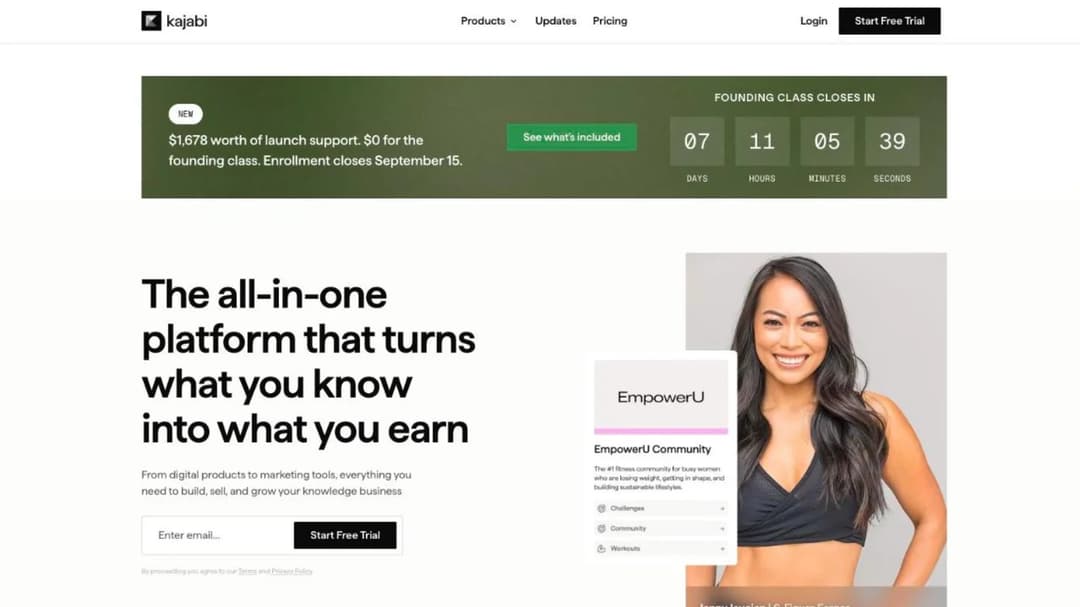
Start with what you’d be giving up, because it’s more than most switching guides admit. Kajabi isn’t a course platform with a high price. It’s a business stack sold as one subscription: courses, coaching, communities, memberships, newsletters, podcasts and digital downloads as seven product types, with unlimited marketing emails, landing pages and funnels on every tier, a website builder, a contact CRM, an ad network and a customer app around them. Very few platforms in this guide replace even half of that in one account.
Two things it publishes are worth staying for. Kajabi states in writing that its Cofounder assistant doesn’t learn from your material – “We do not use your Content to train the models that power Cofounder. It is not fed into a training pipeline or used to improve Cofounder for other people” – which is more than most platforms in this category put in writing at all. It also ships a Model Context Protocol server, so an assistant like Claude or ChatGPT can manage courses, offers, contacts, pages and emails inside the account; Mini Course Generator publishes an MCP server too, so if you already run your practice from an assistant, both of them connect to it.
Then the plan ladder, which is where the bundle turns into a bill.
| Plan | Billed monthly | Billed annually | Products | Contacts | Communities | Admin users | AI credits |
|---|---|---|---|---|---|---|---|
| Basic | $179/mo | $143/mo | 5 | 2,500 | 1 | 2 | 0 |
| Growth | $249/mo | $199/mo | 50 | 25,000 | 1 | 11 | 500 |
| Pro | $499/mo | $399/mo | Unlimited | 100,000 | 3 | 26 | 1,000 |
Six details inside that table change what the $179 actually buys.
The 0% only holds through Kajabi’s own checkout
Kajabi takes no percentage of your sales, and that sentence is only true through Kajabi Payments. On that route the single per-sale figure is card processing: 2.9% plus 30 cents on Basic, 2.8% on Growth and 2.7% on Pro for US entities, so the rate falls as the subscription rises.
Keep the processor you already use and the pricing table charges you anyway. The row is labeled “3rd Party Payment Provider Fees (not using Kajabi Payments)” and it reads 2% on Basic, 1% on Growth and 0.5% on Pro, footnoted “Excludes PayPal & Kajabi Payments. Subject to additional fees from selected payment provider.”
So the honest version is conditional. If your clients pay through Kajabi’s checkout, Kajabi keeps nothing beyond the card rate, and on a $2,000 program nothing in this guide takes less per sale. If you route payments through your own Stripe account instead, budget 2% on Basic on top of Stripe’s own rate, and model that number first, because it changes every comparison that follows.
Basic ships with no AI credits
Kajabi leads its marketing with AI agents and gives the entry plan none of them. Basic includes 0 AI Credits, Growth includes 500 and Pro includes 1,000, with top-ups sold at “$15/mo for 500 ai credits”. The assistant you’re shown in a demo is not the assistant you buy at $179.
Two more AI line items sit on the pricing table without prices. Backstage and Expert Agents are both sold as included plan features, and the table’s own footnote marks them “details on limits and pricing are to be determined”. Budget them as unknown rather than as included, and ask what a credit buys before you plan a launch around either.
One community until $499 a month
Basic allows 5 Products, 2,500 Contacts, 1 Website, 1 Community and 2 Admin Users. A coach with three programs, a workbook and a group offer is at the product cap on day one, and a VA plus a program manager is at the admin cap on day two.
The community cap is the one nobody sees coming. You get one community on Basic and one on Growth as well; the second doesn’t arrive until Pro at $499 a month. If you run two cohorts in separate rooms, that’s the $499 tier or a second tool, and it’s a decision you only meet after you’ve built everything.
The step between the first two tiers tells you what the ladder is priced for. Basic to Growth is $70 a month more, and it buys 45 more products and ten times the contacts, 2,500 up to 25,000. The ladder is built for a list that’s growing, not a catalog that’s growing, so if your email list outruns your program count the bill moves for a reason that has nothing to do with teaching.
The branded app is a Pro feature and a wait
Kajabi ships two mobile apps and they’re easy to confuse. The Kajabi Customer App is free on every plan and carries a stated “$199/mo value” on the pricing table. The Branded Mobile App, the one with your name and icon on it, is included only on Pro, and Kajabi’s help center prices it elsewhere as a $199 a month add-on with 1 to 8 weeks of app-store approval.
If the branded app is why you’re looking at Kajabi, your real entry price is $499 a month and up to two months before a client can download anything. Every comparison in this guide shifts at that price, and most of them shift toward leaving.
What Kajabi answers in writing, and what it does not
Kajabi’s trust center lists SOC 2, with a document titled “SOC 2 Type 1”, alongside PCI DSS, GDPR, UK GDPR and CPRA. It lists no ISO 27001 and no HIPAA, while Kajabi’s own audience statement says the platform is for “Coaches, educators, practitioners, clinicians, creators, and service professionals”.
Read those two facts together if you’re a therapist or a clinician running a group program that touches health information. There’s no BAA and no HIPAA claim from a platform that invites you by name, so the compliance work stays yours.
Kajabi also publishes no single sign-on, SAML or SCIM anywhere on its site. That’s fine while you sell to individuals and it’s a flat no the first time a company client asks to put your program behind their own login.
What the price on the page is not
List prices and the price a new account pays are different numbers. A site-wide “50% off Kajabi for 6 months” banner and a separate “Founding class” offer, “$1,678 worth of launch support, $0 if you start today”, ran in the same week as of September 2026, with nothing on either page saying whether the two stack. Budget from the list price, ask before you sign, and re-check the figure at renewal rather than assuming the promotional rate carries.
One more number in the pitch doesn’t survive contact with Kajabi’s own pages. Amplify, the ad network, needs “at least 1,000 email subscribers” according to Kajabi’s help center and “at least 100 email list subscribers” according to the FAQ on Kajabi’s own Amplify product page. Both are live, the requirement is the same one, and the threshold differs by ten times, so don’t put ad-network revenue in a plan you have to hit.
The platform-wide figures are Kajabi’s own too. Kajabi says experts have earned “$12B+” on it and that it has served “75M+” customers, while the Amplify page claims “551M+ paying customers” in its publishers’ audiences. Treat all three as marketing, because they’re marketing.
What to Check Before You Switch
Six checks decide this, and the first two decide more money than the other four combined. Run them in order on any platform you shortlist.
Work out your own break-even, not this guide’s
Kajabi’s money model is the inverse of most platforms here, so “expensive” is arithmetic against your own monthly sales rather than an opinion. Here’s where Kajabi Basic at $179 a month stops being the expensive option, on monthly billing, using each platform’s own checkout and ignoring every feature difference between them.
| The plan you’d move to | Its subscription | Its cut of a sale | Costs the same as Kajabi Basic at |
|---|---|---|---|
| Teachable Starter | $39/mo | 7.5% | about $1,870 a month in sales |
| Podia Mover | $42/mo | 5% | about $2,740 a month in sales |
| Skool Hobby | $9/mo | 10% | about $1,700 a month in sales |
| LearnWorlds Starter | $29/mo | $5 per paid enrollment | about 30 paid enrollments a month |
Read a row as a rule rather than a verdict. Teachable Starter and Kajabi Basic are $39 plus 7.5% against $179 plus nothing, so the two bills meet at about $1,870 of monthly sales; below it Teachable wins, above it Kajabi does. Switch both sides to annual billing, $29 against $143, and the crossover falls to about $1,520.
Card processing sits on both sides of every one of those sums at roughly the same rate, which is why it’s left out. Put your last three months of sales into the same arithmetic before you compare a single feature, and if you want the wider version of this calculation, the cost of running a learning platform breaks down the lines most pricing pages leave out.
Three fee shapes, not one
The shape of the fee, not its size, decides who wins at your price point.
- A percentage of the sale. Teachable Starter 7.5%, Podia Mover 5%, Skool Hobby 10%. It costs nothing when you sell nothing and it scales with your best month.
- A flat amount per sale. LearnWorlds Starter charges $5 for every paid enrollment. That’s nothing on a $2,000 program and 17% on a $29 one, which is the exact opposite of how a percentage behaves.
- A descending ladder. Kajabi’s third-party processor row runs 2% on Basic, 1% on Growth and 0.5% on Pro, and it’s a convention rather than a quirk: Circle publishes 2% / 1% / 0.5% across its three tiers and Mighty Networks publishes the identical three steps across its own.
So the question to ask isn’t “what’s the fee”. It’s “what does this fee do to the price I actually charge”. A high-ticket program is punished by percentages and barely notices a flat fee; a $29 pre-work course is the reverse.
Which parts of the bundle you would actually rebuild
Go through Kajabi’s product list and tick what you personally use. Then price the replacements, because that total is what you’re comparing with $179 a month, not one platform against another.
| The part of Kajabi you use | What replaces it in this guide |
|---|---|
| Courses and memberships | Every platform here, from Systeme.io’s free plan and Skool at $9 up to Circle at $89 a month |
| The community | Circle from $89, Skool at $9 or $99, Mighty Networks from $79 |
| Email marketing | Systeme.io and Podia include it at every tier; most of the rest here leave it to a separate tool and a separate bill |
| Funnels and landing pages | Systeme.io, or a course landing page on the platform you pick |
| The website | LearnWorlds ships a white-label site builder, Systeme.io and Podia a website and blog builder; LearnDash uses the WordPress site you already own |
| The contact CRM | Nothing here replaces it; that’s a separate tool and a separate bill |
| Follow-up and reminders | Automations and webhooks, on most platforms here |
| The checkout | Built in everywhere, and the storefront-versus-your-own-checkout trade is its own decision |
| The podcast host | Nothing in this guide hosts a podcast |
| The customer app | Teachable ships apps for you and your clients, Circle and Mighty Networks a branded mobile experience; Kajabi’s own is a “$199/mo value” by its own label |
| The ad network | Nothing here has one, and see the eligibility numbers above before you count on Kajabi’s |
Most coaches who run this exercise find three or four rows ticked and the rest empty. If that’s you, you’re paying a bundle price for a delivery tool, and the rest of this guide is the shortlist.
The caps that force the next tier
Count programs, contacts, communities and admin seats before you count features. A plan that fits three of the four is a plan you outgrow inside a quarter.
The cap people assume is a Kajabi quirk is standard. Teachable Starter caps products at 5, exactly as Kajabi Basic does, at $39 a month instead of $179. What differs between them is what you get inside the cap, not the cap itself.
The contact cap is the one with teeth. Kajabi’s help center says that when you hit 100% of your contact allowance it sends an email and shows an in-app banner, after which you have “30 days to update or remove your contacts before your account is locked”. That’s not a nudge toward an upgrade, it’s a clock, so know which number you’re near before a launch adds to it.
Whether your program ever has to leave the platform
Sooner or later a company wants to buy your program for its team and asks for a file their own training system can play. That file format is called SCORM, and the difference between SCORM and xAPI matters far less than whether a platform can produce one at all.
Kajabi can’t, in either direction. Its help center states plainly that “Kajabi does not support LMS formats like SCORM or HTML5 files”, and the feature pages and the pricing table agree by saying nothing about it anywhere. That blocks a corporate deal, and it also blocks moving an existing library in.
The rest of this guide is a spread. LearnWorlds gates packages to its $99 tier, 20 of them there and unlimited on Learning Center. Thinkific puts it on its quote-only Plus tier. Mighty Networks embeds SCORM-compliant content on all four of its tiers. Mini Course Generator exports SCORM or PDF at any time and accepts a package built somewhere else. Nobody else here publishes an answer, so ask the question in writing, and if a client asks today, how a program gets shared, embedded or exported is the part of the trial to run first.
What leaving costs, and what the contract says
Kajabi’s terms give new customers a full, no-questions-asked refund within 30 days of the first charge. After that window, “all payments are nonrefundable, and we do not offer refunds or credits for partially used subscriptions”.
That makes the 20% annual saving a commitment rather than a discount: you’ve bought the year whether you use it or not. Kajabi also commits to at least 30 days’ notice by email before a fee change, and every pricing card carries “No hidden fees. Cancel anytime.”
So time a move to the end of a term rather than the middle, and keep your material and your list exported on a schedule rather than on the day you need them. Nothing here is punitive; it’s just not refundable.
How the Kajabi Alternatives Compare
Every price, plan limit, fee and contract term below comes from the platform’s own pricing page and published agreements, quoted as printed; where a platform publishes nothing, the entry says so. The order runs from the platforms that replace most of Kajabi’s bundle to the ones that replace only the teaching, because whether you want the same shape of platform or a different one is the first fork in this decision.
| Platform | Entry price, monthly | What it takes per sale | The cap that bites first | Course file a company’s system can read | Best for |
|---|---|---|---|---|---|
| Kajabi | $179/mo | Nothing through Kajabi Payments, 2% through another processor | 5 products, 2,500 contacts, 1 community | None, at any tier | The coach who wants the whole business in one login |
| Systeme.io | Free, then $17/mo | “No transaction fees” on the free plan | 1 course on the free plan | Not published | The coach who wants Kajabi’s shape without Kajabi’s floor |
| Teachable | $39/mo | 7.5% on Starter, nothing above it | 5 products on Starter | Not published | Selling under about $1,800 a month |
| Thinkific | $54/mo | 2.9% processing, no platform cut | 1 community until the $219 tier | On the quote-only tier | Course tooling without the marketing suite |
| LearnWorlds | $29/mo | $5 per paid enrollment on Starter | The enrollment fee until the $99 tier | 20 packages on the $99 tier, unlimited above | Assessment, interactive video and a route out |
| Podia | $42/mo | 5% on Mover, nothing above it | The 5% until the $84 tier | Not published | One simple storefront and nothing else |
| Circle | $89/mo | 2% on Professional, 1% then 0.5% above | 3 admins and 10 moderators on Professional | Not published | When the room is the product |
| Skool | $9/mo | 10% on Hobby, 2.9% on Pro | Two plans, nothing in between | Not published | A paid community priced by its revenue |
| Mighty Networks | $79/mo | 2% on Launch, 1% then 0.5% above | The fee only falls when the tier rises | Embeds SCORM-compliant content on every tier | A branded community with cohort courses |
| Mini Course Generator | Published on the pricing page | No commission, no transaction fee | Yearly learner allowance | Exports and accepts course packages | The leaver whose bill is mostly course delivery |
| LearnDash | $259 a year | Your processor’s rate only | You supply the WordPress hosting | Not published | A program on a site you already run |
The 10 Best Kajabi Alternatives
1. Systeme.io
Best for: the coach who wants Kajabi’s shape – funnels, email and courses in one login – and can’t justify $179 a month for it yet.
Top features
- Funnels, email marketing, courses and an affiliate program in a single account
- A free plan that sells: 1 course, 2,000 contacts and 3 sales funnels
- Email campaigns and automation rules included at every tier
- Website and blog builder alongside the funnel builder
- Evergreen webinars from the mid tier up
Systeme.io is the closest thing here to Kajabi’s own idea of itself, at a fraction of the entry cost. It sells the marketing half and the teaching half together, which is exactly the trade Kajabi asks you to make, and it publishes a free tier that will actually take money from a client rather than expiring after a trial.
The free plan carries 1 course, 2,000 contacts, 3 sales funnels and the line “No transaction fees”, which makes it the only platform here you can test with a live program at no cost. Paid plans start at $17 a month for 5 courses, and the ladder tops out at $97. What you’re giving up against Kajabi is polish and depth in the course itself; what you’re gaining is the same bundle without the floor.
Pricing: Free plan with 1 course, 2,000 contacts and 3 funnels. Startup $17/mo with 5 courses. Webinar $47/mo. Unlimited $97/mo. The pricing page states no transaction fees.
Pros
- A genuinely free tier that includes selling, not a countdown trial
- Email marketing and funnels included, which no course platform below offers
- The paid ladder starts below the price of most single-purpose tools
- Nothing to reassemble: the marketing and the course live in one account
Cons
- Course structure is thinner than any dedicated course platform in this guide
- The free plan’s single course is a hard cap, not a soft one
- No published answer on course files a client’s own system can read
- A funnel builder is only an asset if you actually run funnels
2. Teachable
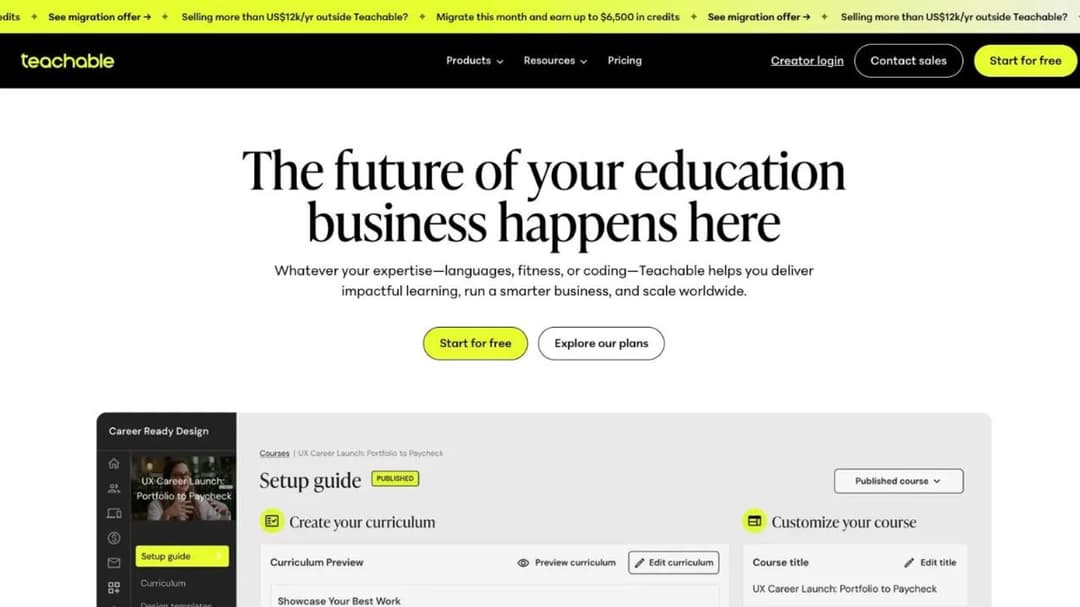
Best for: the coach selling under roughly $1,800 a month who’d rather pay a share of what sells than a subscription floor.
Top features
- Courses, coaching sessions, memberships and digital downloads in one account
- A mature checkout with global payments, tax handling and order bumps
- Built-in email, coupons, bundles and abandoned-cart recovery
- Native apps for creators and for the people who buy from you
- AI drafting tools for a curriculum and a sales page
Teachable is the platform this guide’s arithmetic is computed against, because its entry plan is the clearest example of the opposite money model. Starter is $39 a month and takes 7.5% of every sale; Builder at $89 and Growth at $189 take nothing at all. Card processing runs separately at 2.9% to 4.99% depending on the card and the country.
The trade is easy to state. Below about $1,870 a month in sales, Starter costs you less than Kajabi Basic even with the 7.5%; above it, you’re paying for your own success twice. Products are capped at 5 on Starter, the same cap Kajabi Basic sets at $179 against Teachable’s $39, so the constraint you’d be escaping isn’t the product count.
Pricing: Starter $39/mo, $29 billed annually, with a 7.5% transaction fee and 5 products. Builder $89/mo, $69 annually, no transaction fee, 10 products. Growth $189/mo, $139 annually, no transaction fee, 50 products. Custom is quote-only. Processing of 2.9% to 4.99% applies separately.
Pros
- The lowest entry price of any full course-and-commerce platform here
- The transaction fee disappears completely from the $89 tier up
- A checkout built for global sales, tax and payment plans
- Apps for your clients on every plan, which Kajabi reserves for Pro in branded form
Cons
- 7.5% on Starter is the steepest percentage of any subscription plan in this comparison
- 5 products on the entry plan, the same cap as Kajabi Basic
- No published answer on exporting a course file for a client’s own system
- Email and marketing tools are lighter than Kajabi’s, so a big list still needs its own tool
3. Thinkific
Best for: the coach paying for a marketing suite they never open, who would rather spend that money on deeper course tooling at roughly a third of Kajabi’s floor.
Top features
- Live cohorts, coaching, memberships, bundles and payment plans
- Communities with course-gated access
- Automated sales tax and VAT, plus multi-currency checkout
- Quizzes, assignments, certificates and drip scheduling
- Revenue and churn reporting built in
Basic is $54 a month, $40 billed annually, and Thinkific Payments takes 2.9% as a processing rate rather than a platform cut – roughly what Kajabi’s own checkout charges on Basic. On what a sale costs, then, these two barely differ. They differ on what else is in the box.
So the question against Thinkific is the bundle, not the fee. You’d be giving up email marketing, funnels, the CRM, the podcast host and the customer app, and keeping a stronger course builder for $125 a month less at the entry tier. Its own community cap bites at one until the $219 tier, which is the same shape of constraint Kajabi sets. If Thinkific is the platform you’re actually weighing, the Thinkific comparison puts its own field through the fee and exit questions.
Pricing: Basic $54/mo, $40 billed annually. Start $109/mo, $82 annually. Grow $219/mo, $164 annually. Plus is quote-only. No free plan; a 30-day trial. Thinkific Payments processing is 2.9%.
Pros
- Course structure, assessment and cohort tools deeper than anything on the community side of this guide
- A processing rate rather than a platform commission
- Tax, VAT and multi-currency handled inside the checkout
- Roughly a third of Kajabi’s entry price for the teaching half
Cons
- No email marketing, funnels or CRM, so the bundle has to be rebuilt elsewhere
- One community until the $219 tier
- Course files for a client’s own system sit on the quote-only tier
- No free plan, so the trial is the whole evaluation window
4. LearnWorlds
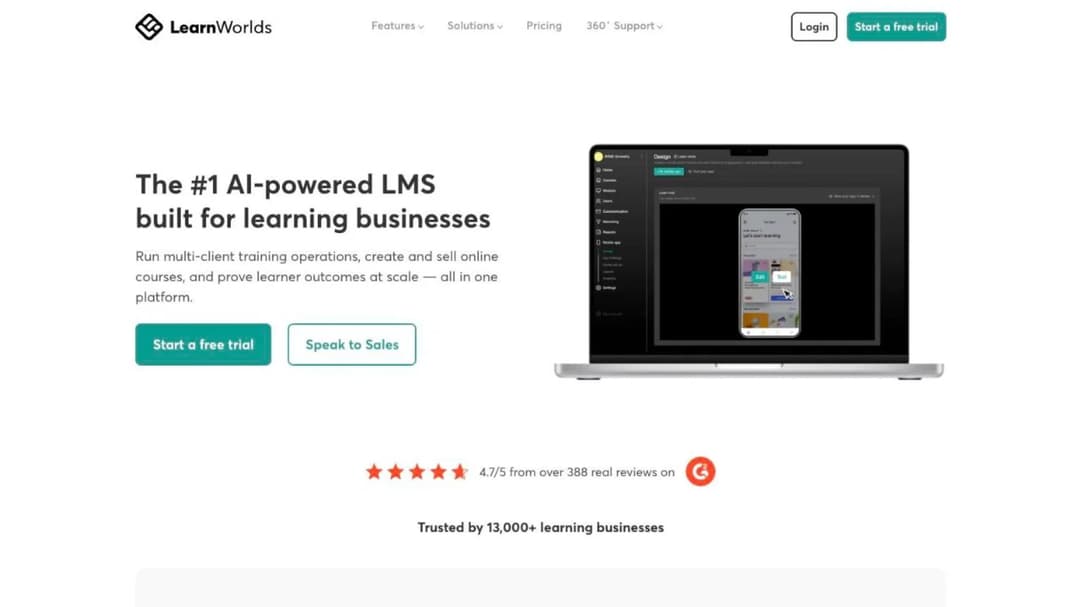
Best for: the coach whose program needs real assessment and interactive video, and who may one day have to hand a client a file Kajabi can’t produce.
Top features
- Interactive video with in-video questions and branching
- AI outline, assessment and ebook builders
- White-label website and landing-page builder
- SCORM package handling from the mid tier up
- Certificates, learning paths and detailed progress reporting
LearnWorlds is where the third fee shape lives. Starter is $29 a month, $24 billed annually, and charges a flat $5 for every paid enrollment; Pro Trainer at $99 and Learning Center at $299 state “No enrollment fees” instead. On a $997 program that $5 is noise, and on a $29 pre-work course it’s 17% of the price, which is the whole argument for reading the shape of a fee rather than its size.
It’s also the entry that answers the corporate question Kajabi can’t. SCORM packages are gated to Pro Trainer at 20 and unlimited on Learning Center, so the capability exists and is priced rather than absent. Against Kajabi Basic, $29 plus 30 enrollments at $5 each is exactly $179, so 30 paid enrollments a month is where the two bills meet and above it Starter is the dearer one. The LearnWorlds comparison covers its own field in the same terms.
Pricing: Starter $29/mo, $24 billed annually, with $5 per paid enrollment. Pro Trainer $99/mo, $79 annually, no enrollment fees, 20 SCORM packages. Learning Center $299/mo, $249 annually, unlimited SCORM. Corporate is quote-only.
Pros
- Interactive video and assessment design beyond anything else in this comparison
- The per-enrollment fee vanishes entirely from the $99 tier up
- Course files for a client’s system are available and priced, not missing
- A white-label site is part of the platform rather than an add-on
Cons
- $5 per paid enrollment on Starter punishes a low-priced program
- The package capability is gated, so the useful tier is $99 rather than $29
- More platform than a coach running one cohort needs
- No email marketing suite on the scale of Kajabi’s
5. Podia

Best for: the coach with a program, a workbook and a group to sell, who wants one plain storefront and nothing else to configure.
Top features
- Courses, digital downloads, coaching and a community in one storefront
- Email marketing included at every tier
- Website and blog builder
- Unlimited products on every plan
- Simple checkout with Stripe and PayPal
Mover is $42 a month and takes a 5% transaction fee; Shaker at $84 and Earthquaker at $150 state “no Podia fees”. Stripe or PayPal processing of 2.9% plus 30 cents applies on every tier regardless, and products are unlimited on all three. Podia spends its attention on selling rather than on structuring a course.
Against Kajabi Basic, Mover’s 5% and $42 subscription meet the $179 floor at about $2,740 a month in sales, which is a higher crossover than Teachable’s because a gentler fee takes longer to add up. Podia is deliberately thin on course structure: there’s no cohort scheduling to speak of and no assessment design worth the name, and that’s the point of it rather than an oversight.
Pricing: Mover $42/mo with a 5% transaction fee. Shaker $84/mo with no Podia fees. Earthquaker $150/mo with no fees. Stripe and PayPal processing of 2.9% plus 30 cents applies at every tier. No free plan; a 30-day trial.
Pros
- The simplest setup in this guide, which matters if you’d rather coach than configure
- Email marketing included rather than sold separately
- Unlimited products at every tier, so no cap forces an upgrade
- The transaction fee disappears from the $84 tier
Cons
- The 5% applies only to Mover, and the tier that removes it doubles the subscription
- Course structure is deliberately basic, so pre-work with branching isn’t its job
- No published answer on course files for a client’s own system
- Podia replaces neither Kajabi’s funnels nor its CRM
6. Circle
Best for: the coach whose product is really the room, with the program as the reason clients join it.
Top features
- Unlimited members on every tier
- Courses included at every tier rather than gated
- Live streams, events and threaded spaces
- Branded mobile experience and custom domains
- Paid memberships with the fee ladder built in
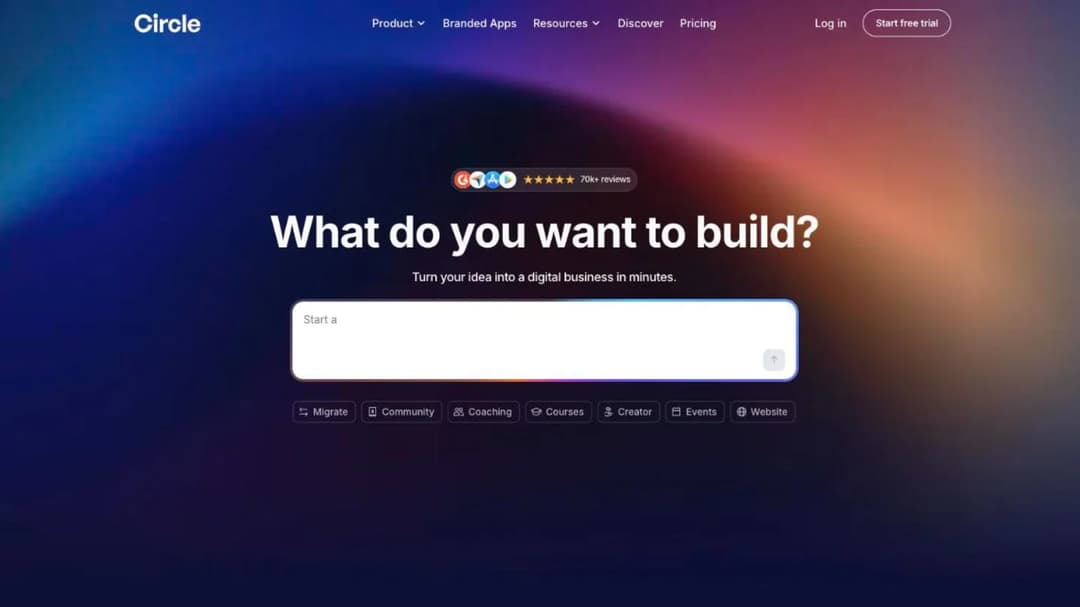
Circle is a community platform that carries courses, which is the inverse of what Kajabi is. Professional is $89 a month with 3 admins, 10 moderators and a 2% transaction fee; Business is $199 with 5 admins, 15 moderators and 1%; Circle Plus is quote-only with unlimited seats and 0.5%. Members are unlimited on all three.
That descending ladder is the same shape Kajabi charges when you route payments through your own processor, and Mighty Networks publishes it too, so treat it as the going rate on the community side rather than a penalty. The test for choosing Circle is simple: if your clients would keep paying with an empty course library, the room is the product and you’re buying the wrong category from Kajabi. A 30-day money-back guarantee covers the decision either way.
Pricing: Professional $89/mo with 3 admins, 10 moderators and a 2% transaction fee. Business $199/mo with 5 admins, 15 moderators and 1%. Circle Plus is quote-only with unlimited seats and 0.5%. Unlimited members and courses on every tier, with a 30-day money-back guarantee.
Pros
- Unlimited members at every price, so growth in the group doesn’t move the bill
- Courses are included rather than sold as a higher tier
- The transaction fee falls as the plan rises, ending at 0.5%
- A 30-day money-back guarantee rather than a trial that expires mid-launch
Cons
- Course structure is secondary: no branching, no assessment design
- Admin and moderator seats are capped at every tier, unlike members
- 2% on the entry plan on top of your processor’s own rate
- No published answer on course files for a client’s own system
7. Skool
Best for: the coach running a paid group whose revenue is either small enough that a percentage beats a floor, or big enough to sit on the $99 plan.
Top features
- Unlimited members, courses, videos and live calls on both plans
- One feed with the courses living inside it
- Built-in affiliate program
- Custom URL on both plans
- Two plans and nothing in between
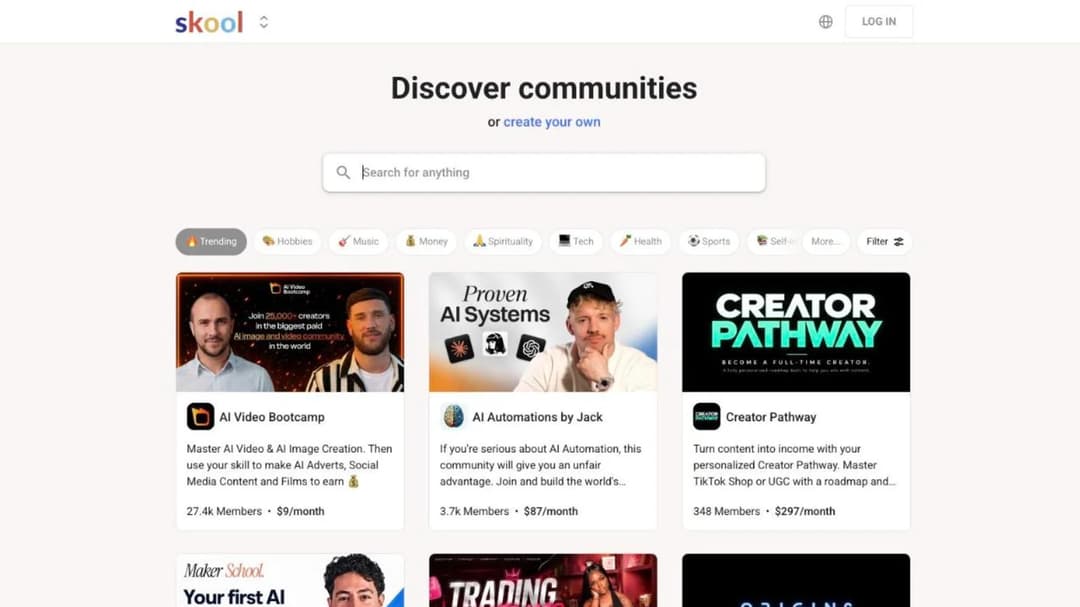
Skool’s $9 plan is the cheapest sticker in this guide and, above $1,700 a month in sales, the most expensive entry plan in it. Hobby costs $9 a month and takes 10% of what you sell; Pro costs $99 and takes 2.9%. The feature list is identical on both, so the choice is arithmetic rather than judgment.
Run it twice. Against each other, the two Skool plans meet at about $1,270 of monthly sales. Against Kajabi Basic, Hobby’s $9 plus 10% reaches the $179 floor at about $1,700 a month. Course structure is deliberately minimal here: no branching, no assessment design and no course file a client’s system could read, so if the program itself is the product rather than the group, this is the wrong aisle.
Pricing: Hobby $9/mo with a 10% transaction fee. Pro $99/mo with a 2.9% transaction fee. Both include unlimited members, courses, videos and live calls. Yearly billing is advertised as “2 months free”.
Pros
- The lowest entry price here by a wide margin
- Unlimited members, courses and live calls on both plans
- No tier ladder, so there’s nothing to be upsold into
- The group is the product rather than a tab nobody opens
Cons
- 10% on Hobby from the first dollar, which overtakes Kajabi Basic at about $1,700 a month
- Almost no course structure: no branching, no assessment design
- No published answer on course files for a client’s own system
- Two plans means no middle option when you outgrow the first
8. Mighty Networks
Best for: the coach building a branded community with cohort programs inside it, at the same price as Kajabi but with a fee ladder instead of a bundle.
Top features
- Courses, events, live streams and spaces on every tier
- Identical course features across all four plans
- Embedding of SCORM-compliant content at every tier
- Branded apps and white-label options higher up the ladder
- AI tools for community and content prompts
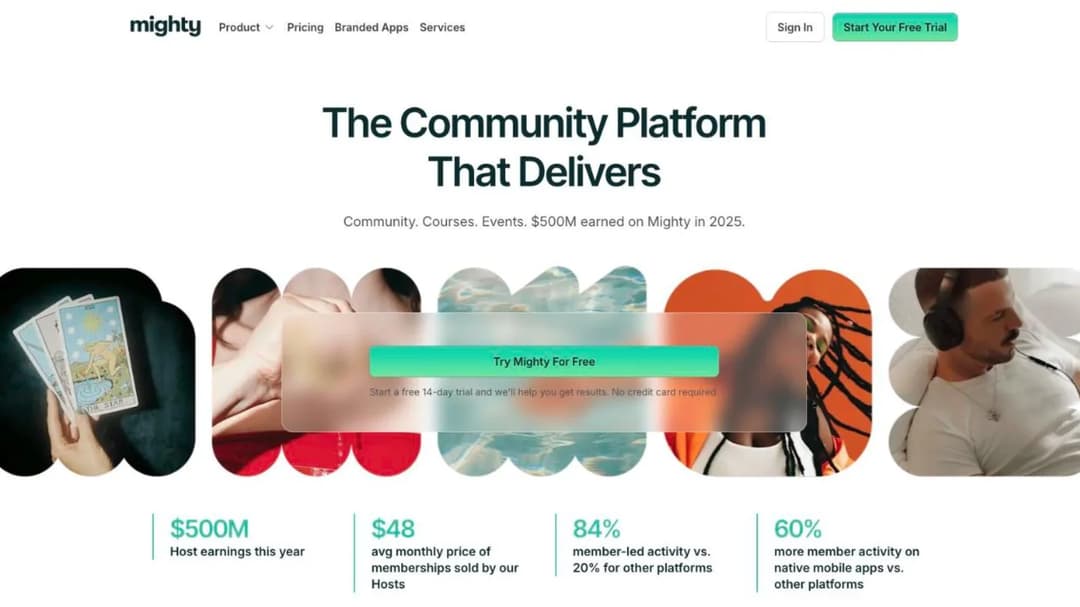
Mighty Networks sits at the same $179 a month as Kajabi on its Scale plan, and the comparison is instructive. Launch is $79 a month with a 2% transaction fee, Scale is $179 with 1%, Growth is $354 with 0.5%, and Mighty Pro is quote-only at 0.5%. Course features are identical on all four, which means you’re buying seats, scale and a smaller fee rather than a bigger course builder.
Two details are worth knowing before you sign. Launch is $79 a month on monthly billing and $950 a year on annual billing, under a label that reads “2 months free” – twelve monthly payments come to $948, so do the subtraction yourself. And Mighty embeds SCORM-compliant content on every tier, which means it can play a package somebody else made; it isn’t a route to producing one for a client.
Pricing: Launch $79/mo, or $950 a year on annual billing, with a 2% transaction fee. Scale $179/mo with 1%. Growth $354/mo with 0.5%. Mighty Pro is quote-only with 0.5%. Course features are identical across all four tiers.
Pros
- Course features don’t change with the tier, so the entry plan teaches as well as the top one
- Plays SCORM-compliant content at every tier, which Kajabi does at none
- The transaction fee falls to 0.5% rather than staying flat
- Branded community experience without Kajabi’s product caps
Cons
- The annual price is $2 more than twelve monthly payments under a “2 months free” label
- Embedding a package is not the same as producing one for a client
- 2% on the entry plan, on top of your own processor’s rate
- The same $179 as Kajabi buys a community platform, not a business stack
9. Mini Course Generator
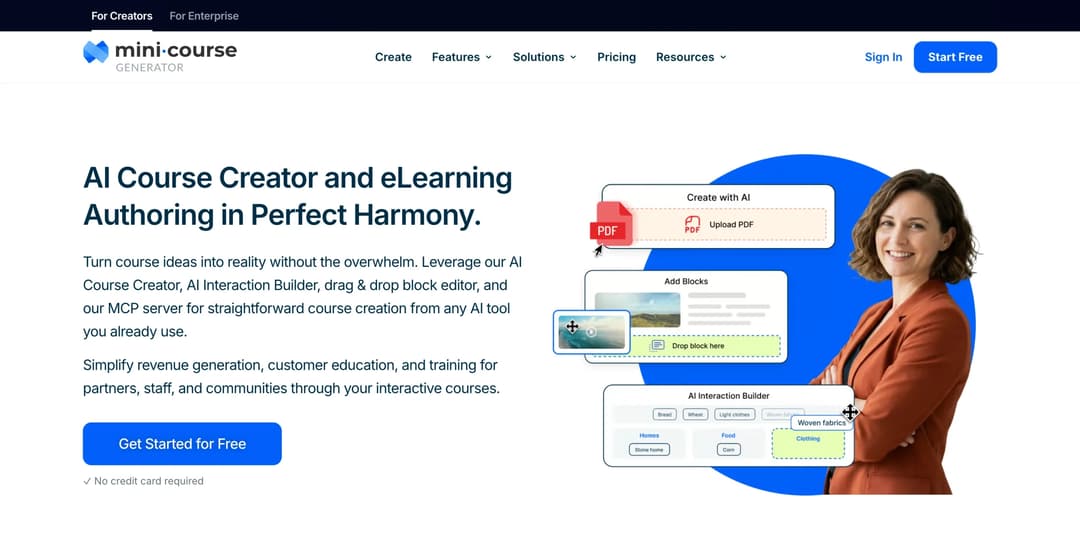
Mini Course Generator is our product.
Best for: the Kajabi leaver whose bill is mostly course delivery – who already has the email tool, the website and the checkout somewhere else and is paying a bundle price for the part of it they use least.
Top features
- AI Course Creator with Hallucination-Proof generation, drafting from your own material rather than the open internet
- PDF to Course Creator, which turns the workbook or deck you already give clients into a course
- AI Interaction Builder for Branching Scenarios, Simulations, Dialogue Simulations and Interactive Quizzes
- Gateways, six access options including a pay-wall and double opt-in, with magic links for password-free entry
- SCORM or PDF export at any time, plus a SCORM Upload Block that accepts a package built elsewhere
Kajabi assumes you want the whole business in one login. Mini Course Generator assumes the business already exists and the bottleneck is turning your method into something clients finish. The AI Course Creator drafts from your own documents, and if your material is already recorded it can build the course from your videos instead.
The money model is the part that answers this guide’s question directly. There are no commissions and no transaction fees taken from your revenue, funds transfer to your own account, and the platform states it doesn’t have access to your sales data at all. Plans are sized by a yearly learner allowance rather than a permanent seat count, and the platform’s own wording for it is that occasional visitors don’t force you into a bigger plan.
Two capabilities bear on the decisions above. Where Kajabi supports SCORM in neither direction, this AI LMS exports it – with dynamic SCORM export on the business plans – and the SCORM Upload Block accepts a package made elsewhere, which is what a corporate client’s request actually needs. And Community Boards with an AI Moderator sit inside the course rather than beside it, which is a different bet from a community platform. If short-format programs are new to you, worked examples are here and a format comparison is here.
Pricing: published in full on the pricing page, with 14 days of full access and no card, zero implementation or onboarding fees, no minimum annual commitment, and no commissions or transaction fees taken from your revenue.
Pros
- No commission and no transaction fee taken from a sale, and funds land in your own account
- Exports a course file a client’s own system can read, and accepts one built elsewhere
- Courses open from a share link or an embed, so a client goes from payment to lesson one without a password
- Plans sized by a yearly learner allowance rather than permanent seats
- Interaction types built for pre-work that people finish: branching scenarios, simulations, dialogue practice
Cons
- No email marketing, no funnels, no CRM, no podcast hosting, no ad network and no branded mobile app
- If you want the whole business in one login, this is not that, and Kajabi is better at being that than we are
- Publishes no SOC 2 report, ISO 27001 certificate or other compliance certification
- REST API, Headless LMS and SSO for learners sit on the Custom plan
See what it costs – the trial runs 14 days with full access and no card.
10. LearnDash

Best for: the coach already paying for WordPress hosting, who wants the program on their own domain with no platform in the middle.
Top features
- Course builder, drip content, quizzes and certificates inside WordPress
- One license covering unlimited courses and unlimited learners
- Your own payment gateway, so nobody sits between you and the money
- Membership and group features through its own add-ons
- Full control of the theme, the domain and the data
Licenses run $259, $399 and $599 a year, sold as part of Liquid Web, under a license line that reads “One license, unlimited courses, unlimited learners”, and you supply the WordPress hosting yourself. That’s an annual license plus a hosting bill rather than a monthly subscription with a fee on top – a change of model rather than a change of platform.
For a coach already running a WordPress site, that’s the cheapest long-run shape in this guide and the most work. There’s no platform commission at all, only your own processor’s rate, and equally there’s no support desk when a plugin update breaks the checkout at 9pm. If you’re mainly after the program on your own domain rather than the whole stack, the WordPress plugin route is a lighter version of the same idea.
Pricing: Essentials $259 a year, Pro $399 a year, Elite $599 a year, sold as part of Liquid Web. One license covers unlimited courses and unlimited learners, so nothing is charged per person on top. WordPress hosting is yours to buy and run separately.
Pros
- An annual license rather than a monthly subscription, with no cut of any sale
- Unlimited courses and unlimited learners on one license
- The site, the domain and the data are yours from the start
- Fits straight into a WordPress presence you already pay for
Cons
- You own the hosting, the updates and the outage
- No published answer on producing a course file a client’s own system can read
- Membership, group and app features arrive as separate add-ons with separate bills
- The setup work is measured in days, not the afternoon a hosted platform takes
Which Kajabi Alternative Fits Your Situation
Five forks, in the order they actually decide things.
If the $179 floor is the problem
Work out your crossover before you work out your shortlist. If your monthly course sales sit below about $1,870, a revenue-share plan costs you less than Kajabi Basic; if they sit above it, Kajabi is already the cheaper deal and the migration is a cost with no payback. Teachable Starter at $39 plus 7.5% is the cleanest version of that trade, and the Teachable comparison covers the field around it.
Two variations on the same sum are worth running. Podia Mover’s gentler 5% pushes the crossover up to about $2,740, and Skool Hobby’s 10% pulls it down to about $1,700. A cheaper sticker with a bigger percentage is a bet that your sales stay small.
If you only use the teaching half
Name what stays behind before you price anything. If email marketing, funnels, the CRM and the podcast are things you don’t use or already pay for elsewhere, you’re buying the delivery half at bundle prices and almost anything here is cheaper. Thinkific and Podia sell that half as a hosted platform; Mini Course Generator sells it as an authoring tool with a pay-wall and an export.
If you already have a website you like, check how the course gets onto it. Some platforms want to host your site; others let you embed the course on your own site or hand clients a link. And if you’re adding a self-serve tier below your premium program, the economics of a self-serve offer are a different calculation from the one-to-one work that funds it – AI-assisted coaching programs are usually where that starts.
If the room is the product
Ask one question: would your clients keep paying if the course library were empty? If the answer is yes, buy a community platform and stop paying for a course platform’s marketing suite; if the answer is no, the course is the product and the group is a feature. Circle at $89, Skool at $9 or $99 and Mighty Networks at $79 are all built the first way.
If you want both without changing category, note that Community Boards inside a course are a different thing from a standalone community: cohort discussion attached to the lesson, rather than a feed people visit on its own. One keeps clients moving through the material, the other keeps them subscribed.
If your clients are companies
Price is the second question here. If a client could ever ask you to run the program inside their own training system, choose a platform that produces a file their system can read – Kajabi produces none at any tier, and it publishes no single sign-on either. LearnWorlds handles packages from its Pro Trainer tier up, Mighty Networks plays a package somebody else made, and Mini Course Generator exports one and accepts one.
When the buyer is a company rather than a person, the shape of the whole deal changes: reporting, seats and access control matter more than the storefront. The Docebo comparison and the LearnUpon comparison cover platforms built for that from the start, the Skilljar comparison covers the customer-education end of it, and for the smaller firms that hire coaches most often, the small-business options are a better fit than any of them. If the client only wants the file, that’s an export requirement, not a migration.
If what you actually need is a funnel suite
Some people looking at Kajabi don’t want a course platform at all: they want funnels, upsells and campaigns, with a course as one product inside them. That’s a different category with its own fee shapes – Kartra’s $59 a month Essentials plan carries a 5% transaction fee, and the fee only reaches 0% at $119 a month – and ClickFunnels and GoHighLevel sit in the same aisle.
We don’t sell one, so take that seriously rather than as a throwaway. If the funnel is the thing you’re really buying, none of the platforms in this guide is your answer and you should shop that category properly.
How to Leave Kajabi Without Losing Your Members
Do these in order. Only the first one is impossible to do later.
- Export everything you’d have to rebuild while the account is still live. Videos, PDFs, lesson copy, quiz text, your contact list and your community posts. Nothing leaves Kajabi as a package, so this is a manual job, and it’s a five-minute habit while the account works and an impossible one the day after it doesn’t.
- Find your renewal date and put it in the calendar. The refund window is 30 days from your first charge and nothing after it, so the only cheap moment to move is the end of a term.
- Don’t plan around a refund. Kajabi’s terms state that after the first 30 days “all payments are nonrefundable, and we do not offer refunds or credits for partially used subscriptions”. Whatever’s left on an annual term is spent.
- Rebuild one small program on the replacement, not the catalog. Take your shortest paid offer, put it on the new platform, and run a real payment through the new checkout. Testing one program before you move the rest tells you more than any feature list will.
- Count what you’re rebuilding as you go. Products, contacts, communities, admin seats. If the new plan fits three of those four, you’ve found next quarter’s upgrade rather than this quarter’s answer.
- Move clients last, and cancel after that. Keep Kajabi live until the new checkout has taken a real payment and delivered a real lesson, then email the group with one link and no instructions. Cancel only once nobody needs the old login.
Export first, cancel second. Everything else on that list is recoverable.
Put your next program behind a pay-wall and keep the whole sale – the money lands in your own account, and nothing is taken on the way. If the program is a free one that feeds your practice instead, the double opt-in turns it into a list.
Frequently Asked Questions
Why is Kajabi so expensive?
Because you’re buying seven products, not one. The $179 entry plan carries courses, coaching, communities, memberships, newsletters, podcasts and digital downloads, wrapped in unlimited marketing emails, funnels, a website builder, a contact CRM and a customer app Kajabi prices on its own table at a “$199/mo value”. The trade is that Kajabi takes no percentage of sales made through Kajabi Payments, where Teachable’s entry plan takes 7.5% and Skool’s takes 10%. Above roughly $1,870 a month in sales, that makes Kajabi Basic the cheaper bill rather than the expensive one.
What are the downsides of Kajabi?
Four, stated flat. It produces no course file a company’s training system can read, in either direction, at any tier. Its entry plan includes zero AI credits while AI agents lead the marketing. You get one community on Basic and one on Growth, with the second arriving at $499 a month. And it publishes no single sign-on, SAML or SCIM anywhere, which ends the first corporate conversation that asks for one.
Is there anything better than Kajabi?
Better at what. Nothing here replaces the whole bundle at a lower price, and several platforms replace the part you use for a fraction of it: Thinkific or Teachable for courses and a checkout, Circle or Skool for a paid group, Mini Course Generator for delivery and export. If your problem is the floor, run the crossover arithmetic. If your problem is that you use a third of the bundle, price the three or four replacements you’d actually need and compare that total with $179.
Which is better, Thinkific or Kajabi?
On money, they’re closer than they look: Thinkific’s entry is $54 a month with 2.9% processing rather than a platform cut, and Kajabi’s own checkout charges 2.9% plus 30 cents on Basic. The difference is the bundle. Kajabi adds email, funnels, a CRM and a customer app for the extra $125 a month; Thinkific gives you deeper course tooling and expects you to buy the rest elsewhere. Thinkific also handles course files for a corporate client on its quote-only tier, where Kajabi handles them nowhere.
Which is better, Skool or Kajabi?
Skool if the group is the product and your revenue is small; Kajabi if the program is the product and your revenue isn’t. Skool Hobby costs $9 a month and takes 10% of what you sell, which overtakes Kajabi Basic’s $179 at about $1,700 a month in sales, so the cheapest sticker here becomes the most expensive bill above that line. Skool Pro is $99 with 2.9%. Neither Skool plan offers much course structure, so pre-work with branching and assessment isn’t what you’re buying.
Is Circle or Kajabi better?
Same test, different platform. Circle starts at $89 a month with a 2% transaction fee, gives you unlimited members at every tier and includes courses rather than gating them, and its fee falls to 1% at $199 and 0.5% on its quote-only plan. Kajabi gives you one community until $499 and a full business stack around it. If your clients would keep paying with an empty course library, buy Circle and stop paying for a marketing suite you don’t use.
Does Kajabi have a free plan?
No. Kajabi sells a 30-day free trial and three paid tiers starting at $179 a month, with promotional offers that come and go. Among the platforms here, Systeme.io publishes a genuinely free plan with 1 course, 2,000 contacts and 3 funnels, and it states no transaction fees on it; nobody else here publishes a free tier. If free is the constraint rather than the preference, the free options across learning platforms is the honest version of that list.
Sources
- Kajabi pricing page, Cofounder page, Amplify product page, help center articles on supported file formats, contact usage limits and the branded mobile app, trust center and terms of service
- Teachable pricing page
- Thinkific pricing page
- LearnWorlds pricing page
- Podia pricing page
- Circle pricing page
- Skool pricing page
- Mighty Networks pricing page
- LearnDash product and pricing page at Liquid Web
- Systeme.io pricing page
- Kartra plans and pricing page
- Mini Course Generator pricing page and product documentation
- All prices, plan limits and contract terms as published by each platform in September 2026


