Almost every onboarding checklist template you can find wants something from you first.
Some want your email address. Some want you to start using their spreadsheet product, their design tool, or their workspace.
This one is on the page. Copy it, paste it into whatever you already use, and change it until it fits your company. Nothing to download, nothing to sign up for.
Try Mini Course Generator free – turn the training half of this checklist into short courses new hires actually finish.
What Makes This One Different
Two things.
First, every item names its owner. Not “onboarding tasks” in one undifferentiated pile, but HR, IT, Manager or Training against each line. Unowned items are the ones that get missed, and in most companies the pattern is identical: HR items get done because HR has a system, IT items get done because someone raises a ticket, and the manager items quietly evaporate in a busy week.
Second, it separates admin from training, and counts them. Each stage below says how many of its items are actually teaching somebody something rather than filing something. That number is the single most useful thing on this page, because it tells you what a checklist tool can and cannot do for you.
The short version: about a third of a real onboarding checklist is training, and in week one it’s half. Ticking a box marked “Product fundamentals” does not teach anyone the product.
Stage 1: Before Day One
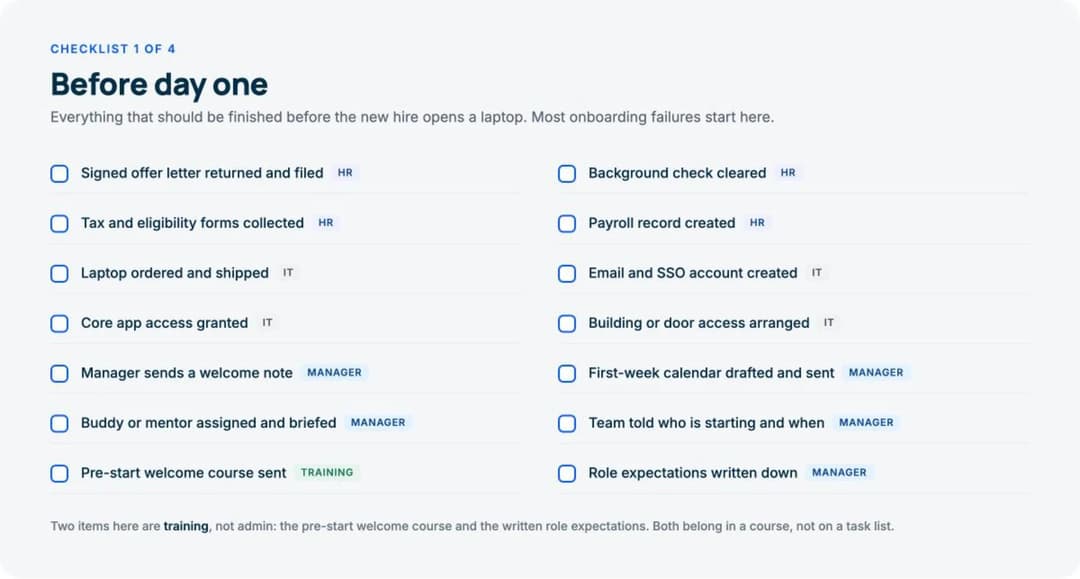
Everything that should be finished before the new hire opens a laptop. Most onboarding failures start here, and they’re the cheapest ones to prevent.
| # | Task | Owner |
|---|---|---|
| 1 | Signed offer letter returned and filed | HR |
| 2 | Background check cleared | HR |
| 3 | Tax and eligibility forms collected | HR |
| 4 | Payroll record created | HR |
| 5 | Laptop ordered and shipped | IT |
| 6 | Email and SSO account created | IT |
| 7 | Core app access granted | IT |
| 8 | Building or door access arranged | IT |
| 9 | Manager sends a welcome note | Manager |
| 10 | First-week calendar drafted and sent | Manager |
| 11 | Buddy or mentor assigned and briefed | Manager |
| 12 | Team told who is starting and when | Manager |
| 13 | Pre-start welcome course sent | Training |
| 14 | Role expectations written down | Manager |
Training items: 2 of 14. The pre-start welcome course and the written role expectations. Both belong in something a person can read and finish, not on a task list somebody else ticks.
Two notes on this stage. The laptop is the item most often late, and it’s late because it’s ordered after the start date is confirmed rather than after the offer is signed. And the welcome note from the manager, which costs four minutes, is the item new hires mention most often when asked what made a difference.
Stage 2: Day One
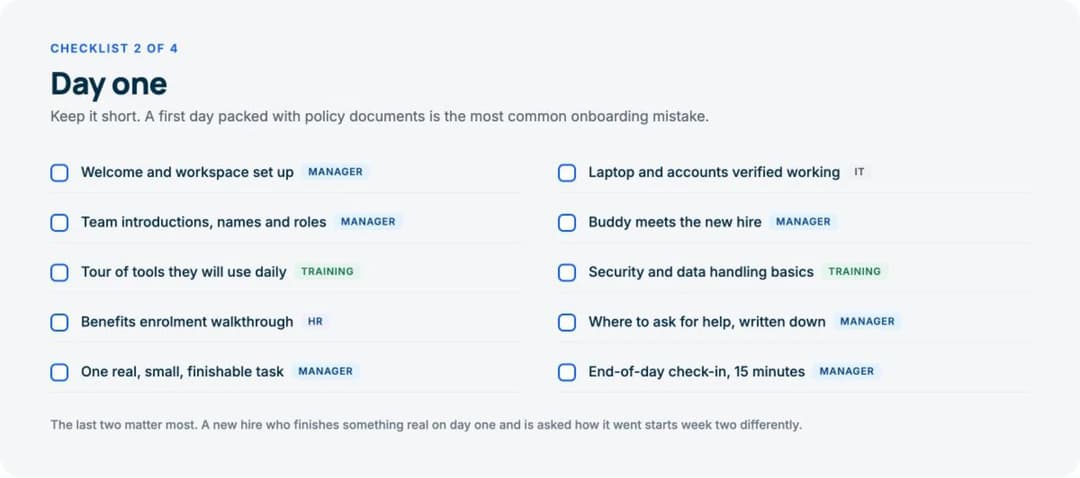
Keep it short. A first day packed with policy documents is the most common onboarding mistake, and it’s made almost entirely by well-organised companies trying to be thorough.
| # | Task | Owner |
|---|---|---|
| 1 | Welcome and workspace set up | Manager |
| 2 | Laptop and accounts verified working | IT |
| 3 | Team introductions, names and roles | Manager |
| 4 | Buddy meets the new hire | Manager |
| 5 | Tour of tools they will use daily | Training |
| 6 | Security and data handling basics | Training |
| 7 | Benefits enrolment walkthrough | HR |
| 8 | Where to ask for help, written down | Manager |
| 9 | One real, small, finishable task | Manager |
| 10 | End-of-day check-in, 15 minutes | Manager |
Training items: 2 of 10.
The last two items matter more than they look. A new hire who finishes something real on day one, and is then asked how it went, starts week two as a participant rather than an observer. Neither takes long. Both are the first things cut when the day runs late.
Item 8 is worth being literal about. “Ask me anything” is not an answer. Write down which channel, which person, and what to do when that person is unavailable.
Stage 3: The First Week
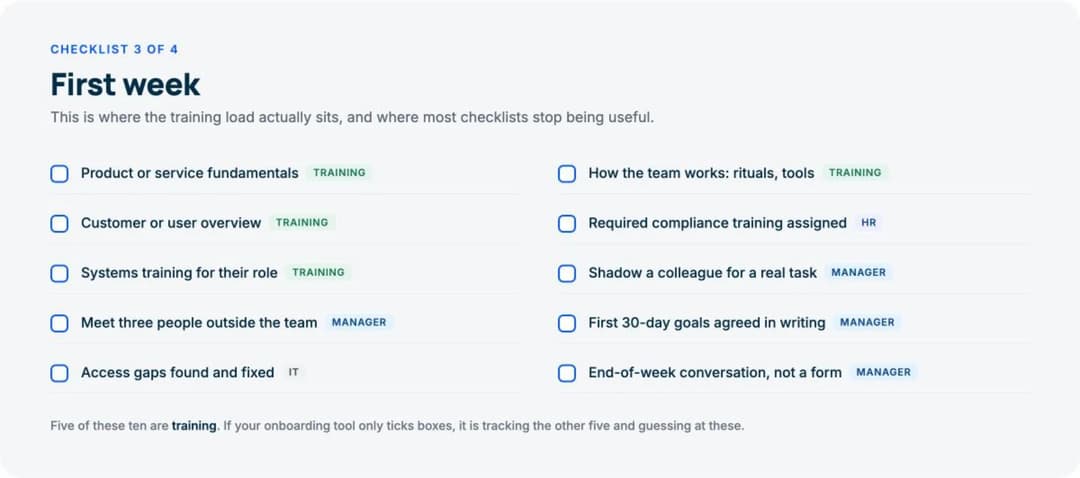
This is where the training load actually sits, and where most checklists stop being useful.
| # | Task | Owner |
|---|---|---|
| 1 | Product or service fundamentals | Training |
| 2 | How the team works: rituals, tools | Training |
| 3 | Customer or user overview | Training |
| 4 | Required compliance training assigned | HR |
| 5 | Systems training for their role | Training |
| 6 | Shadow a colleague for a real task | Manager |
| 7 | Meet three people outside the team | Manager |
| 8 | First 30-day goals agreed in writing | Manager |
| 9 | Access gaps found and fixed | IT |
| 10 | End-of-week conversation, not a form | Manager |
Training items: 5 of 10. Half.
That ratio is the reason this template exists in this shape. If your onboarding software only ticks boxes, it’s tracking the other five items and guessing at these. A tick against “Product fundamentals” tells you a manager believed a conversation happened. It doesn’t tell you the new hire can explain the product, and it produces no record anyone can audit.
Item 10 says “conversation, not a form” for a specific reason. A first-week survey generates a score. A first-week conversation generates the thing you actually need, which is the list of what nobody told them.
Stage 4: Days 30, 60 and 90
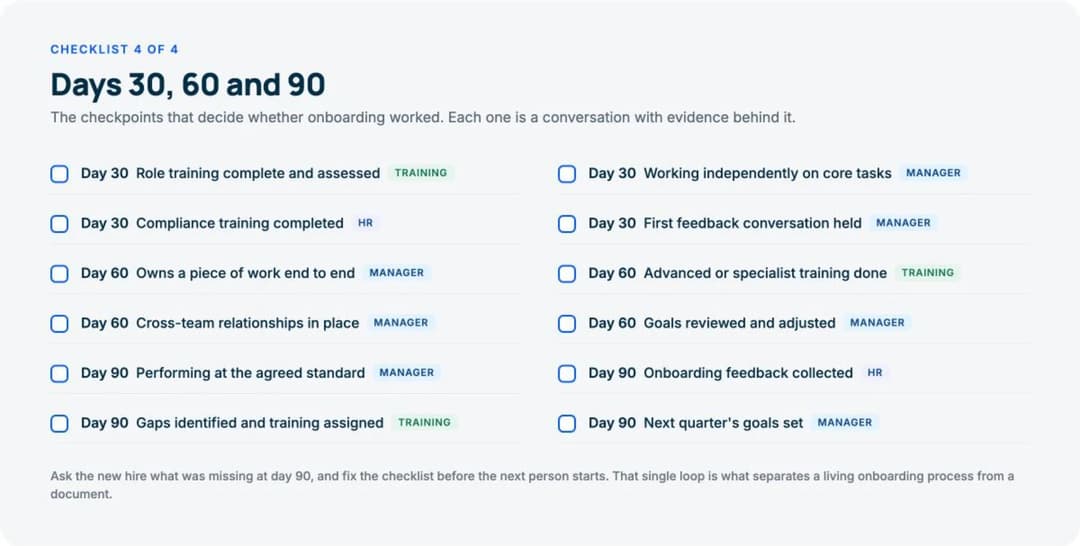
The checkpoints that decide whether onboarding worked. Each one is a conversation with evidence behind it, not a date that quietly passes.
| Checkpoint | Task | Owner |
|---|---|---|
| Day 30 | Role training complete and assessed | Training |
| Day 30 | Working independently on core tasks | Manager |
| Day 30 | Compliance training completed | HR |
| Day 30 | First feedback conversation held | Manager |
| Day 60 | Owns a piece of work end to end | Manager |
| Day 60 | Advanced or specialist training done | Training |
| Day 60 | Cross-team relationships in place | Manager |
| Day 60 | Goals reviewed and adjusted | Manager |
| Day 90 | Performing at the agreed standard | Manager |
| Day 90 | Onboarding feedback collected | HR |
| Day 90 | Gaps identified and training assigned | Training |
| Day 90 | Next quarter’s goals set | Manager |
Training items: 3 of 12.
Notice the word assessed on the day 30 line. “Role training complete” is a box. “Role training complete and assessed” requires somebody to know whether it worked, which is a different and more useful piece of information.
Ask the new hire at day 90 what was missing, and fix the checklist before the next person starts. That single loop is what separates a living onboarding process from a document somebody wrote in 2023.
The Whole Thing, Counted
| Stage | Items | Training items | Owned by manager |
|---|---|---|---|
| Before day one | 14 | 2 | 5 |
| Day one | 10 | 2 | 6 |
| First week | 10 | 5 | 4 |
| Days 30, 60 and 90 | 12 | 3 | 7 |
| Total | 46 | 12 | 22 |
Two numbers are worth sitting with.
Twelve of 46 items are training, and they’re clustered in the first week. That’s the part a checklist cannot do for you.
Twenty-two of 46 belong to the hiring manager, which is roughly half. Any onboarding programme that treats this as an HR project is handing HR responsibility for work HR cannot do.
What Is an Onboarding Checklist?
An onboarding checklist is the list of everything that has to happen between a signed offer and a fully productive employee, with an owner and a deadline against each item.
It exists for one reason: onboarding involves four groups of people who don’t otherwise coordinate. HR owns the record and the compliance. IT owns access and equipment. The hiring manager owns the work and the relationships. Whoever owns training owns whether the person can actually do the job. Nobody sees the whole sequence, so things fall between them.
The checklist is the shared view. That’s all it is, and it’s enough.
It is not the onboarding process. The employee onboarding process is what actually happens; the checklist is how you keep track of it.
How to Make an Onboarding Checklist
Five steps, in order. Most companies do the third one last, which is why their checklist stops being used after two hires.
1. Write down what happened for the last person who joined. Not what should have happened. Talk to them if they’re still around, and to their manager. You will find items nobody had written down and items on the official list that nobody has done in a year.
2. Assign every item an owner by name of role, not by department. “HR” is fine. “The business” is not. If an item cannot be assigned, it is not a real item.
3. Sort the training items out of the admin items. They’re managed differently, they take different amounts of time, and only one of the two can be finished by clicking a box. This is the step people skip.
4. Set the deadline relative to the start date, not to a calendar date. Day minus 7, day 1, week 1, day 30. Then the template survives the next hire.
5. Ask the newest person what was missing, and update it. Every time. A checklist that isn’t revised after each hire decays quietly, and you find out during the hire where it matters.
For the training half specifically, the same discipline applies at a level of detail a checklist can’t carry. That belongs in a new hire training plan, and the reusable version of it in an employee training plan template.
What Is the 30-60-90 Onboarding Rule?
It’s a planning convention rather than a rule. You define what the new hire should be able to do at three checkpoints:
- Day 30: trained on the role, working on core tasks with support, compliance training finished.
- Day 60: owning a piece of work end to end, specialist training done, relationships forming outside the immediate team.
- Day 90: performing at the agreed standard, gaps identified, next quarter’s goals set.
It works because 30 days is short enough that a problem surfaces while there’s still time to fix it, and 90 days is long enough for someone to have genuinely arrived. Stage 4 above is the checklist version of it.
No authority defines the intervals. If your ramp is genuinely six months, use 30-90-180 and stop apologising for it.
Adapting It
Three variations that come up constantly.
Remote hires. Two things change. The laptop item becomes a shipping deadline with a tracking number, and it moves two weeks earlier. And every informal item needs to be scheduled explicitly, because it will not happen by accident. “Meet three people outside the team” is automatic in an office and needs three calendar invitations remotely.
Hourly and shift-based staff. The 30-60-90 stage usually compresses to 30 days, and the training items move earlier because the person is doing the real job in week one. Compliance training tends to be the binding constraint rather than product knowledge.
Your first manager hire. Add one item to stage 4: at day 60, they should have run one full cycle of whatever their team does, with you watching rather than helping. Everything else stays the same.
Where Checklists Stop Working
A checklist is a coordination tool. It’s excellent at that and useless at everything else, and the gap shows up in the same place every time.
Stage 3 has five training items. A checklist can record that somebody believes those five things happened. It cannot tell you:
- whether the new hire actually understood the product,
- where in the material people consistently get stuck,
- whether the person who left last month ever completed the security module,
- or whether two hires in the same role received the same training at all.
That last one is the expensive one. Onboarding delivered by whichever manager is free that week is not a process, it’s a lottery, and the variation compounds across a growing team.
The fix is not a better checklist. It’s putting the training items into something that delivers them identically, records who finished, and shows where people stall. That can be a full employee training software platform, or it can be a handful of short courses built from documents your team already has. Costs vary more than most buyers expect, which we broke down in what an LMS actually costs. Our onboarding LMS page covers what that looks like in practice, and we compared the tools in our guide to the best employee onboarding software.
Keep the checklist for the other 34 items. It’s good at those. And where an item has to be renewed rather than simply done once, it belongs in a training matrix, which tracks current state instead of completion.
Frequently Asked Questions
Can you provide a free template for an onboarding checklist?
The four tables above are the template, in full, free, on this page. There is no gate and no download. Copy them into a spreadsheet, a document, a project tool or a wiki, and edit them. If you want the visual version, the four images on this page are the same content laid out as cards.
How long should an onboarding checklist be?
This one is 46 items across three months, which is a reasonable size for a company of 20 to 500 people. Shorter than about 25 items and you’ve probably left the training out. Longer than about 60 and people stop reading it, which is worse than not having one.
Who should own the onboarding checklist?
HR should own the document. The hiring manager owns roughly half the items on it, and should be told so explicitly before the hire starts. The most common failure in this whole category is an HR-owned checklist full of manager-owned tasks that nobody told the manager about.
Should the checklist be in a spreadsheet or a tool?
A spreadsheet is genuinely fine up to about one hire a month. Past that, the copying and the version drift start costing more than a tool would. The signal to move is not the number of employees, it’s the number of times somebody has asked “which version of the checklist is the current one”.
What is the difference between onboarding and orientation?
Orientation is the first day or two: introductions, accounts, the essentials. Onboarding is the whole arc from signed offer to independent work, usually 90 days. Stage 2 in this template is orientation. The other three stages are the rest of onboarding.
Does this work for onboarding customers too?
No. Use it for employees only. Bringing a customer to first value is a different sequence with different owners and a different definition of done, and it has its own template in our customer onboarding process guide.
Does a new hire need to see the checklist?
Show them stages 2, 3 and 4. Keep stage 1 internal, since most of it is happening to them rather than with them. New hires who can see what’s coming ask better questions and chase their own missing access, which saves everybody time.
The Bottom Line
A good onboarding checklist does two things: it names an owner for every item, and it tells the truth about which items are training.
Twelve of the 46 items here are training, they’re concentrated in week one, and no checklist will deliver them. Everything else on the list is coordination, and coordination is exactly what a checklist is for.
Copy it, assign it, and ask the next person who joins what it missed.
Build your onboarding courses free and turn the twelve training items into something people finish.