Most of what’s written about MCP use cases targets developers.
That’s not a complaint about developers. It’s a description of a real problem. The people whose work this changes most aren’t engineers – they’re the ones sitting on forty pages of process documentation with a mandate to turn it into training and no time to do it.
If you’ve read about MCP and come away with “a protocol for exposing tools to language models”, you didn’t fail to understand it. You read an article written for somebody else.
Here’s the version for people who make courses: what an MCP server actually is, and the six MCP use cases that survive contact with a real training team.
Try Mini Course Generator free – see what your assistant can build when it is connected to something.
Key Takeaways
- MCP is the plug standard that lets an AI assistant do things in other systems instead of only writing about them. For course work, that is the difference between getting text you have to rebuild and getting a published course.
- You do not install anything. You add a connector inside the assistant you already use, sign in once, and it appears as something you can ask for.
- The security model is simpler than it sounds: you authorize with OAuth, and the assistant acts through your account permissions. It cannot reach what you cannot reach.
- The six use cases that hold up in practice all share one shape: material you already own becomes training without a human retyping it.
- The genuine limit is that you need an assistant that supports MCP – Claude, ChatGPT in Developer Mode, Manus, Cursor. There is no standalone app, by design.
What an MCP Server Is, Without the Jargon
Think about what happens today when you ask an assistant to help with a course.
You paste in a policy document. It writes lesson text. You copy the lesson text out, open your course tool, create a lesson, paste, format it, decide the quiz questions were generic, rewrite two of them, and repeat five more times. The AI did the writing. You did the work.
The reason is that the assistant was in a box. It could read what you pasted and write back into the chat, and that was the entire extent of its reach.
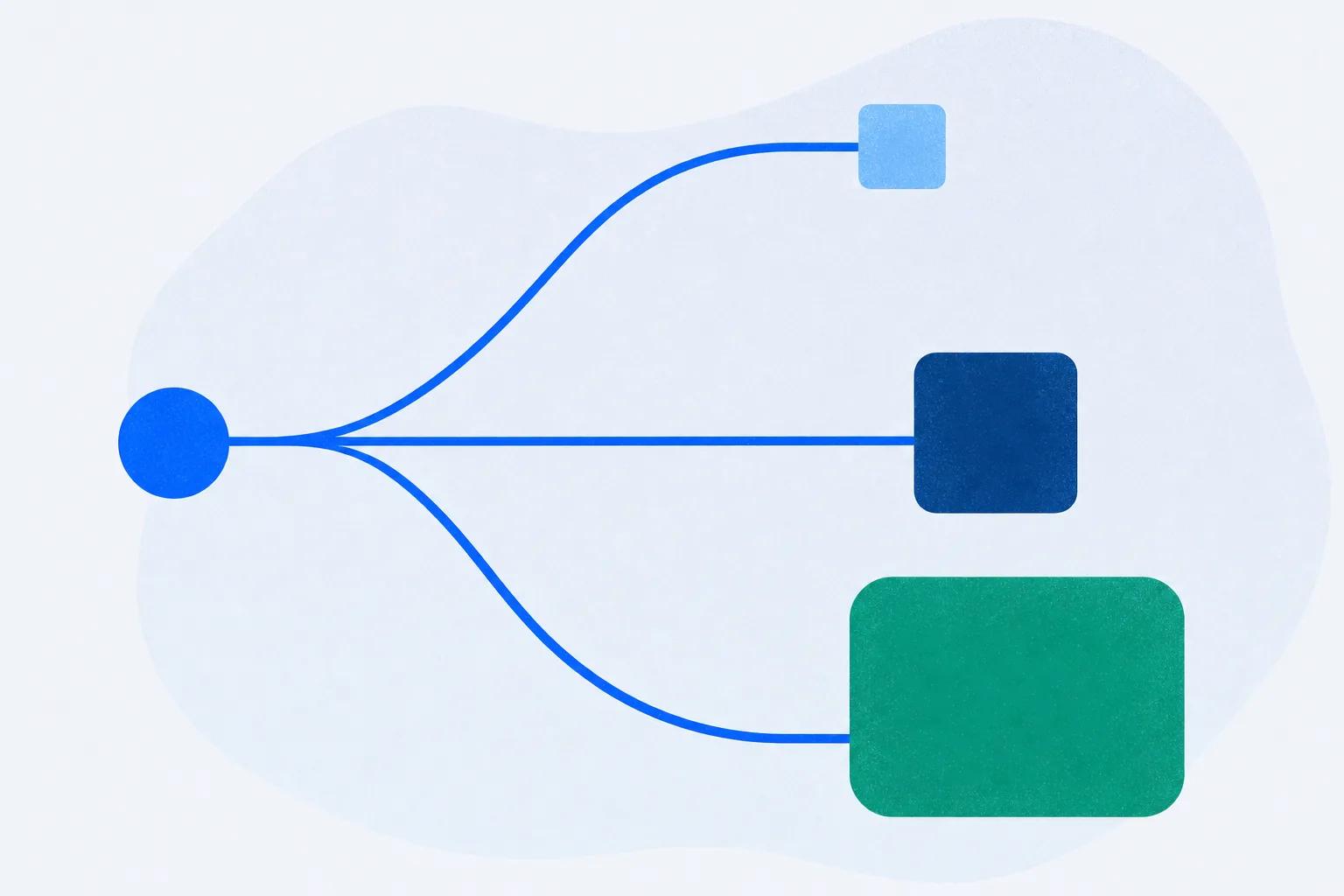
MCP – the Model Context Protocol – is the standard that opens the box. It is a shared way for an assistant to connect to an outside system and use it. When someone says “our MCP server”, they mean a connection point that offers a specific set of things an assistant is allowed to do: create a course, add a quiz, publish, read the results.
The comparison that works is a plug socket. Before a standard existed, connecting any AI tool to any other product meant a bespoke integration built by both sides.
MCP is the agreed shape of the plug. A platform builds one server, and every assistant that speaks MCP can use it.
What you actually notice, from the outside, is that the assistant stops handing you homework.
What This Changes for Course Work Specifically
The shift takes one sentence to describe and a quarter to get used to: the assistant moves from producing content to doing the job.
An unconnected assistant can write you a five-lesson outline about your refund policy. A connected one can read your refund policy where it already lives, build the five lessons inside a real course platform, add a quiz after each one, put in a branching scenario for the edge case that causes the most tickets, publish it at a link you can send, and then – a month later – tell you which quiz question everyone is getting wrong.
Side by side, on the same request:
| You ask for | Unconnected assistant | Connected over MCP |
|---|---|---|
| A course from your refund policy | Lesson text in the chat window | Five lessons live in a platform, at a link |
| A quiz after each lesson | Questions you copy out and rebuild | Quizzes attached to the lessons, scored |
| Something for the edge case | A description of a scenario | A branching scenario a learner can fail |
| “Is it working?” a month later | It can’t know | Reads the results and changes the question everyone gets wrong |
Notice what disappeared. Not the writing. The transcription. In most teams, the reason training doesn’t exist isn’t that nobody knows the material. It’s that moving what people know into a course is slow, unrewarding work that loses every scheduling fight it enters.
There is a longer argument about what it means when the whole create-run-update loop is available in conversation, and we made it in what is an agentic LMS. For now, the practical version is enough.
Six MCP Use Cases That Hold Up in L&D
Every one of these has the same shape: material that already exists becomes training without a person retyping it.
There are six rather than twenty because the subset that actually matters for L&D is genuinely smaller than it looks.
1. Documentation into onboarding
The most common starting point, and the one with the clearest before-and-after. A Confluence space, a Notion database or a Drive folder holds how the work is done.
It was written for reference, so nobody reads it end to end. New hires get it as a link on day one and never open it again.
Because your assistant is already connected to those tools, you do not export or paste anything. You name the space and ask for a course. We walked through this one properly in the Confluence recipe, including where it needs a human.
2. Product updates that ship with training
The part that matters here is timing. A feature changes on Tuesday; the training that describes it is accurate again on Tuesday, not in next quarter’s content refresh. When updating the course is a two-minute conversation rather than a ticket, it actually happens.
3. Support tickets into a refresher course
Your support inbox is a ranked list of what customers don’t understand, updated continuously, for free. An assistant that can read the recurring themes and build a short refresher closes a loop most teams never close, because the person who sees the tickets is not the person who makes the training.
4. Compliance content that gets scored, not skimmed
Compliance training fails in one specific way: it becomes a page somebody scrolls to the bottom of. Asking for scenarios instead of summaries – what do you do when a customer asks for X – produces something that can be assessed. And where a requirement renews, tracking the current state matters more than the completion record, which is what a training matrix is for.
5. Partner and customer education without a portal project
Training people outside your company stalls on access almost every time. A connected assistant can build the courses, and the platform handles delivery by link rather than by account creation – which removes the reason external training projects normally die.
6. Keeping the library honest
The least obvious one, and over twelve months the most valuable. Courses rot. Someone has to notice that the pass rate on module three dropped after a policy change. An assistant with a live connection can be asked, on a schedule or on a whim, and can act on the answer. That whole half of the job has its own piece: the agent doesn’t stop at publish.
What Connecting One Actually Involves
Less than you’d expect, and it’s worth being specific, because “connect an AI agent to our systems” sounds like a project with a steering committee.
You add it inside the assistant. In Claude it is a custom connector in settings. In ChatGPT it is a custom app in Developer Mode. Manus and Cursor have their own equivalents. You paste in the server’s address – for Mini Course Generator’s MCP server that is https://mcp.minicoursegenerator.com/mcp – and confirm.
You sign in once. The connection is authorized with OAuth, the same mechanism behind every “Sign in with Google” button you have ever used. You are not putting a password into the assistant.
Then you ask for things in plain language. There is no separate interface to learn. The capability shows up inside the assistant you were already using.
Setup runs a minute or two. What takes longer is deciding what your first course should be, and that’s a training question, not a technical one.
The Security Part, Since Somebody Will Ask
They should ask. You’re giving an AI assistant the ability to act in a system that holds your work.
Three things are true, and they’re worth knowing exactly.
It acts as you, within your limits. OAuth authorizes the connection against your account, and every action runs through your own permissions. An assistant connected to your workspace cannot see or change anything you could not see or change yourself. It is not an admin account.
It does not reach your other tools by itself. This one gets misread constantly. When an assistant builds a course from your Confluence space, the Confluence access belongs to your assistant’s connection to Confluence, which you set up and can revoke.
The course platform never holds those credentials and never sees that system.
You can disconnect it. The connector is removable from the same settings screen where you added it, and revoking the authorization ends the access immediately.
What we will not tell you is that this makes it appropriate for every kind of data. If you work with regulated records, the question to ask any vendor is what their own compliance posture is, and to get the answer in writing rather than from a blog post – including ours.
What MCP Doesn’t Do
Four limits, stated plainly. The gap between what a technology does and what its marketing implies is where projects go to die.
You need a compatible assistant. Claude, ChatGPT in Developer Mode, Manus, Cursor and others that support remote MCP servers. If your organisation has standardised on an assistant that does not support them, this is not available to you today.
It does not decide what to teach. It builds what you ask for extremely fast, so a vague request produces a polished course about nothing in particular.
Knowing that new hires stall in week two on one specific escalation path is a human judgement. That judgement is the input that decides whether any of this was worth doing.
It is not a substitute for reviewing the output. Content generated from your own documents is far more reliable than content generated from the open internet, and it’s still generated. Somebody who knows the subject reads it before learners do.
One connection is not an ecosystem. An MCP server does what its actions allow, and no more. Before assuming a capability exists, check that it’s listed.
That’s the same discipline you’d apply to any tool, and it’s why we keep a running review of MCP servers for education and L&D.
How to Tell Whether You Need One
A short test. If three or more of these are true, a connection changes how your week goes:
- There is more documented knowledge in your company than there is training, and the gap is growing.
- Something you shipped is not reflected in training anywhere, and you know roughly how long it has been that way.
- The reason a course has not been updated is that updating it is annoying, not that nobody knows what to change.
- You have asked an AI assistant for help with a course and thrown away most of what it gave you.
- Your training lives in one place and the answers to “is it working” live in another, and nobody joins them up.
If none of those land, an unconnected assistant is genuinely fine and you should keep your setup simple.
If three or four do, your bottleneck isn’t writing. It’s transcription, and that’s the one thing this removes.
The Short Version
MCP is a standard that lets AI assistants act inside other systems instead of only writing about them. For training work it means an assistant can read the material you already have, build a real course from it, publish it, and later act on how it performed.
Connecting one takes a minute inside the assistant you already use. It runs on your account permissions, so it cannot reach anything you cannot, and you can revoke it as easily as you added it. It does not decide what to teach, it does not remove the need for review, and it needs an assistant that supports the standard.
The teams this changes most are the ones sitting on a lot of documented knowledge and very little training. If that is a recognisable description of where you work, the MCP server for course creation is a one-prompt test rather than a project – and the honest way to evaluate it is to point it at a document you have been meaning to turn into a course for six months.
Frequently Asked Questions
What is an MCP server in simple terms?
A connection point that lets an AI assistant use an outside system rather than only writing text about it. For course creation, it means the assistant can build and publish a real course in a platform instead of returning lesson text you have to rebuild by hand.
What are the main MCP use cases for L&D teams?
Turning existing documentation into onboarding, keeping product training current with releases, building refresher courses from recurring support questions, converting compliance material into scored scenarios, standing up partner and customer education without a portal project, and reviewing a live course library for content that has gone stale.
Do I need to be a developer to use MCP?
No. You add a connector inside the assistant you already use, sign in once, and then ask for what you want in plain language. There is no code and no separate application. Developers can use the same server inside automated workflows, but that is an additional route, not the main one.
Is it safe to connect an AI assistant to our course platform?
The connection is authorized with OAuth and the assistant acts through your own account permissions, so it cannot reach anything you cannot, and you can revoke it at any time. For regulated data, ask any vendor for their compliance position in writing rather than relying on a general assurance.
Can the AI see our Confluence or Notion through the course platform?
No, and the direction matters. Those tools are connected to your assistant, not to the course platform. The assistant reads them with access you granted and control, and the course platform never holds those credentials.
What is the difference between MCP and Agent Skills?
MCP is a live connection to a system the assistant can act inside. A Skill is a self-contained package the assistant produces, which then runs on its own – often exported as SCORM into an LMS you already have. We compared them properly in Skills vs MCP for course creation.