Confluence to course is a conversion every documented company needs and almost none of them do.
The raw material is already there: a space that contains, genuinely, how the work gets done, and that nobody reads.
It gets sent to new hires on day one as a link. They open it, see 40 pages in a tree with no obvious order, skim two, and go ask somebody instead. Six months later the same team writes an onboarding course from scratch, in a document, from memory – re-deriving material that was already written down, one floor away, in more detail.
Going from Confluence to course used to be a week of work, which is why nobody did it. Here’s the version that takes one prompt, and the four things you fix afterwards.
Try Mini Course Generator free – point an assistant at a space you already have.
Key Takeaways
- Documentation and training fail differently. Docs are built for lookup – findable, unordered, complete. Training is built for sequence – ordered, assessed, finishable. Sending a doc space to a new hire is asking them to do the conversion themselves.
- With an assistant connected to both Confluence and a course platform, the conversion is one request: name the space, describe the structure you want, ask it to publish.
- Name 6 to 10 specific pages rather than pointing at the whole space. A 40-page space asked for wholesale comes back thin in the middle.
- Four things always need a human afterwards: the order, the tribal knowledge that was never written down, quiz questions that test recall instead of application, and anything with a compliance consequence.
- The rebuild is the real win. When the space changes in March, the course is a two-minute conversation instead of a project.
Why the Space Isn’t Already the Training
This is worth being precise about, because “just send them the docs” sounds reasonable and fails reliably.
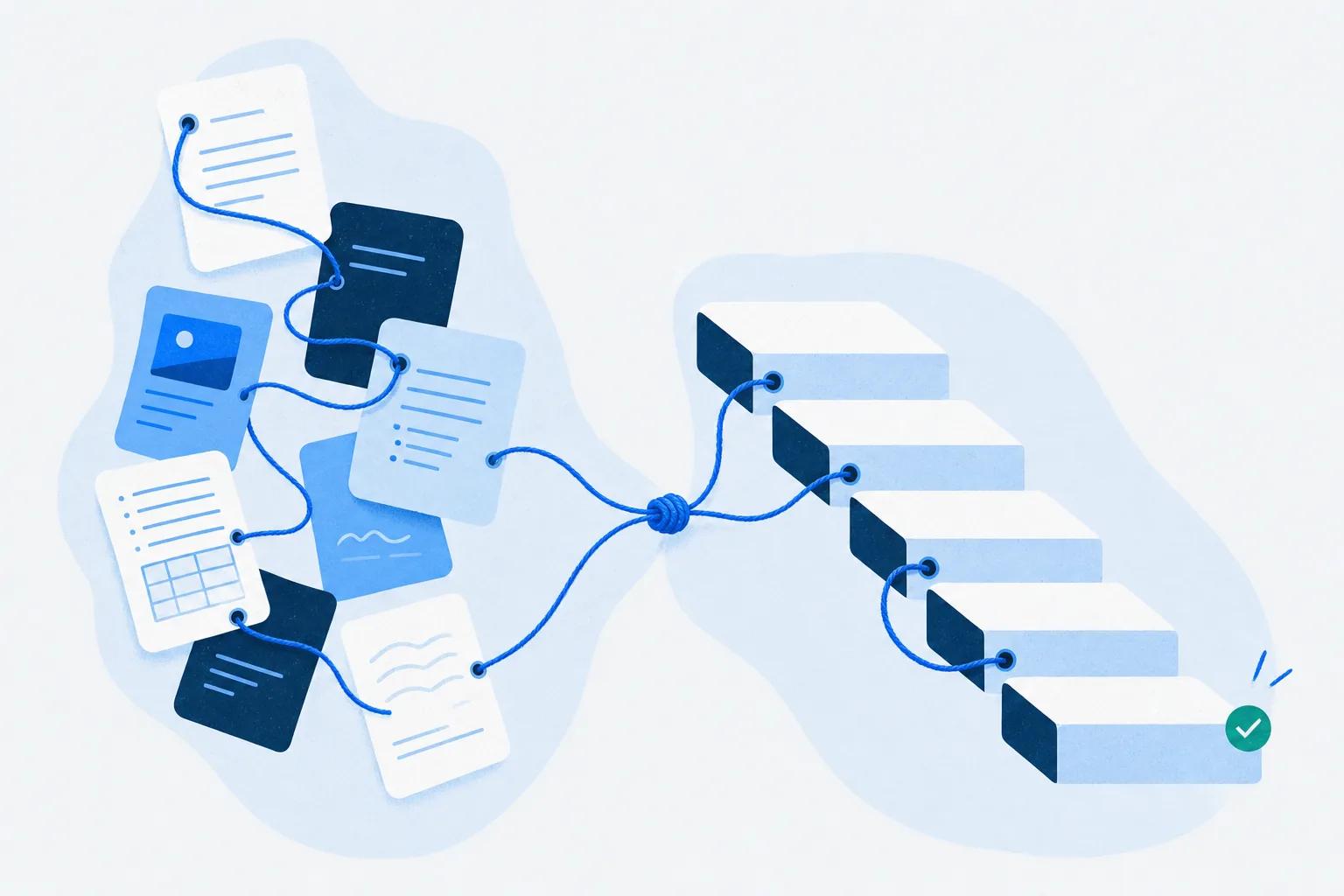
Documentation is optimised for lookup. You arrive knowing what you want, find the page, get the answer, leave. Good docs are complete and cross-linked, and their order is close to arbitrary because you were never meant to read them front to back.
Training is optimised for sequence. It starts where the learner is, introduces one thing at a time, checks they got it before moving on, and ends. Order is the whole product.
A new hire handed a documentation space is being asked to do that conversion in their head, on their first week, without knowing which of the 40 pages matters and which is a 2023 decision record nobody has deleted. Most give up and ask a colleague, which is the expensive outcome the documentation was written to prevent.
The Prompt
This assumes an assistant with two connections live: one to Confluence, one to a course platform over an MCP server. If you haven’t set the second one up, the four-step version is in the Claude connectors walkthrough or the ChatGPT Developer Mode one.
“Read these pages in the Onboarding Hub space in Confluence: [list 6-10 page names]. Build a course in Mini Course Generator with one lesson per major process, in the order a new hire would actually encounter them. After each lesson add a quiz question that tests whether someone could perform the step, not whether they read it. Add a branching scenario for the escalation path in the support section. Publish it and give me the link.”
Four instructions in there are doing real work:
“these pages” plus a list. The most common mistake is pointing at the whole space. A 40-page space produces 40 shallow lessons or an arbitrary summary of 8. You know which pages matter; the model doesn’t.
“in the order a new hire would actually encounter them.” Documentation order is usually alphabetical, historical or by team. Without this instruction you get the space’s order, which is the problem you were solving.
“tests whether someone could perform the step.” Left alone, generated quizzes check comprehension – questions about what the lesson said, which nearly everybody passes. Application questions are the ones worth scoring.
“Publish it and give me the link.” The instruction an unconnected assistant physically cannot execute, and the difference between this and a nicer wall of text.
What Comes Back
In Mini Course Generator’s own MCP demo, an 18-page space called Onboarding Hub comes back as a 6-section course. Expect roughly that ratio: pages collapse into lessons about 3 to 1, because a lot of documentation is reference detail that belongs in a link rather than a lesson.
What you get is a first draft that already exists in the right place – lessons in order, a quiz after each, interactive blocks where you asked for them, published at a URL. That’s a materially different starting position from a chat transcript, and it is not finished work.
The Four Things You Fix
Anyone who tells you this step doesn’t exist is selling something.
1. The order. The model infers sequence from the documentation and the documentation was not written in sequence. Expect to move one or two lessons. It takes about five minutes and it’s the highest-value edit on the list.
2. The tribal knowledge. The best material in any onboarding is the stuff that was never written down: the customer who always calls on Fridays, the approval that officially takes two days and actually takes ten. It isn’t in the space, so it isn’t in the course. Add it yourself – and while you’re there, add it to the space.
3. The quiz questions that slipped through. Even with the right instruction, a few questions come back as recall checks. The tell is a question you can answer from the phrasing alone. Rewrite those against the objective.
4. Anything with a compliance consequence. Content generated from your own documents is much more reliable than content generated from the open internet, and it’s still generated. If a course exists because a regulator or a contract requires it, somebody who owns that requirement reads it before learners do.
Budget half an hour for a six-lesson course. Against a week of building from scratch, that’s the trade.
Which Spaces Work and Which Don’t
Not every space converts, and the failures are predictable.
| Works well | Struggles |
|---|---|
| Process and runbook pages with clear steps | Decision records and meeting notes |
| Product and policy documentation | Pages that are mostly tables of links |
| Anything with a “how to” in the title | Architecture diagrams with little text |
| Spaces maintained in the last 12 months | Spaces last touched in 2023 |
| Pages written for a reader who doesn’t know the answer | Pages written as reminders for the author |
That last row is the real predictor. Documentation written as a note-to-self by the person who built the thing is compressed in a way that assumes context, and the generated course inherits the compression along with the gaps.
If your space fails most of those tests, the useful move is to fix six pages properly rather than to convert 40 badly. The course is downstream of the docs in both directions.
Keeping It in Sync
The first build is the part everybody talks about. Staying current is where the time actually goes.
When the process changes, the conversation is short:
“The escalation path in the support runbook changed. Re-read that page and update the matching lesson and quiz question in the onboarding course. Show me what changed before publishing.”
That “show me what changed before publishing” is worth keeping as a habit. It gives you a review step at the point where reviewing is cheap, and it stops silent edits to material somebody may have to account for later. The broader case for the post-publish half is in what an agent does after publish, which is where most of a course’s life happens.
Where the training is required rather than merely useful, track the requirement rather than the course – a training matrix answers “who is currently compliant”, which a completion report can’t.
The Short Version
A Confluence space is not training, and the gap isn’t content – it’s sequence, assessment and an ending. That conversion used to cost a week, so it mostly didn’t happen, and teams rebuilt from memory what was already written down.
Connected to both Confluence and a course platform, an assistant does the conversion in one request. Name 6 to 10 specific pages, ask for lesson order that matches a new hire’s experience rather than the space’s structure, ask for application-level quiz questions, and ask it to publish.
Then fix four things: the order, the tribal knowledge nobody wrote down, the recall questions that slipped through, and anything with a compliance consequence. About half an hour for a six-lesson course.
The part that compounds is the second build. If your onboarding documentation is good and your onboarding training doesn’t exist, that’s not a content problem – it’s a conversion problem, and it’s the one an onboarding LMS with a connected assistant is for.
Frequently Asked Questions
Can AI turn Confluence documentation into a course?
Yes, if the assistant is connected to both Confluence and a course platform. It reads the pages you name, structures them as sequenced lessons, adds quizzes and publishes. Without the second connection you get lesson text in a chat window that still has to be assembled by hand.
How many Confluence pages should I include?
Name 6 to 10 specific pages rather than pointing at the whole space. Documentation spaces contain a lot of reference material and stale decision records, and asking for everything produces either too many shallow lessons or an arbitrary summary.
Will the course be accurate?
It’s as accurate as the pages it was built from, which is the honest answer and the important one. Generating from your own documentation is far more reliable than generating from general knowledge, and it faithfully reproduces anything the documentation gets wrong.
How long does the human review take?
Around half an hour for a six-lesson course. Most of it is reordering lessons, adding the context that was never documented, and rewriting the quiz questions that test recall rather than application.
What happens when the documentation changes?
Ask the assistant to re-read the changed page and update the matching lesson and quiz, and to show you the diff before publishing. That’s a two-minute conversation, which is the difference between training that stays current and training that gets rebuilt every eighteen months.
Does this work with Notion or Google Drive instead?
Yes – the pattern is the same wherever your documentation lives, because the reading happens through your assistant’s connector to that tool. Only the source changes. We wrote up the Notion version, where database properties do the scoping for you, and the Google Docs version, where the hard part is working out which file is the real one.