How MCG’s AI Course Creator Turns Any Source into Interactive Training
Mini Course Generator is an AI course creator that turns any PDF, YouTube video, or topic into an interactive, gamified mini course in about two minutes. Built for training teams, course creators, SMEs, coaches, and B2B companies running onboarding, customer education, and partner enablement, it pairs source-grounded AI generation with a drag-and-drop block editor and an AI Interaction Builder, so you keep full control over every page.
Microlearning is no longer optional. According to eLearning Industry, micro-courses reach an average 80% completion rate compared to just 20% for long-form modules, and they lift employee engagement by up to 50%. The problem is that traditional course platforms are too slow to keep up with this demand.
“A revolution in corporate learning begins… much of corporate training still operates like an old publishing industry — slow, hand-crafted, and unable to keep up.”
Hallucination-proof AI, embedded interactivity, and 80% faster time-to-course.
Built on YOUR Sources, Not Generic Prompts
Unlike generic AI text tools that simply dump text, our AI Course Creator is grounded in your specific materials. From course language and audience to image style, the entire journey stays under your control.
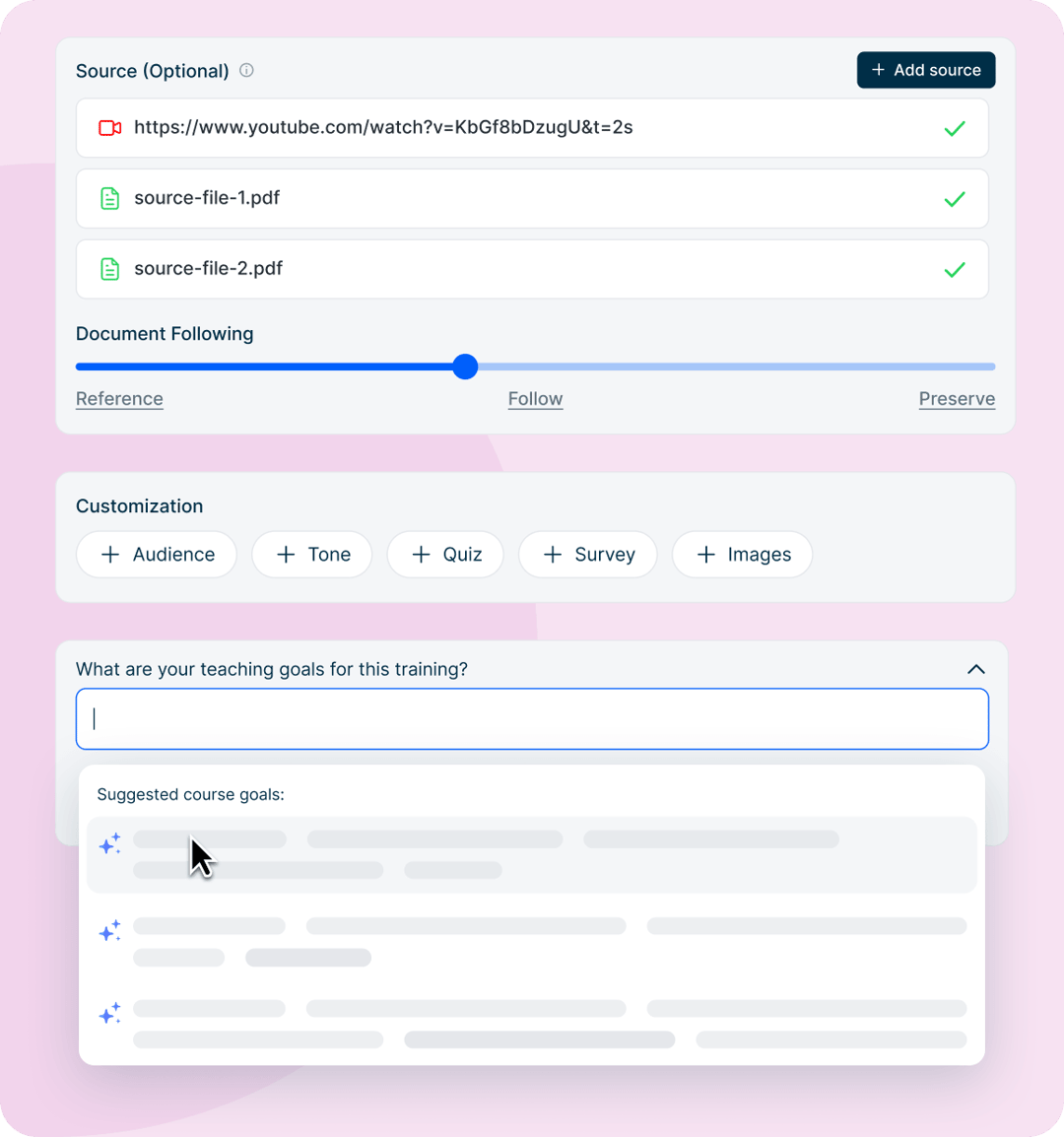
- 95% Hallucination-Proof: AI proposes a chapter-by-chapter outline showing the exact source section each lesson maps to, before any content is generated. Reorder, edit, or trim with confidence.
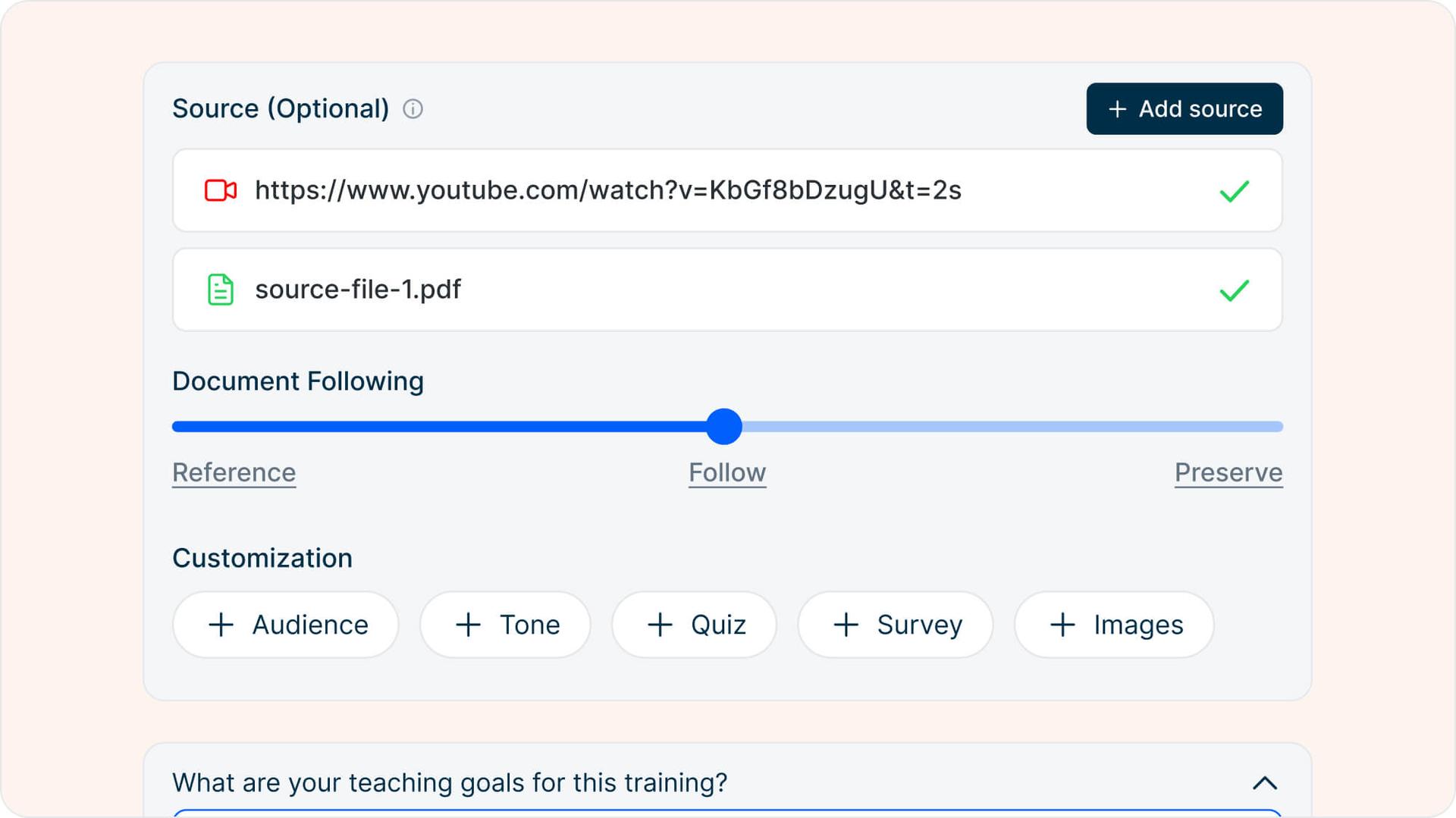
- Real Source Types: Upload a PDF (up to 100MB and 100 pages), paste a YouTube link for transcript analysis, or skip sources entirely and build from just a topic and teaching goals.
- Customization Switches: Set audience, tone, quiz logic, surveys, and image style with dedicated controls before generation starts.
Turn Static Text into Engaging Activities
Don’t get stuck in the repetitive “video + text” loop. Our AI Interaction Builder analyzes your source material and generates context-aware interactive activities that are not built from random templates, but tuned to what drives the best learning outcome for that specific content.
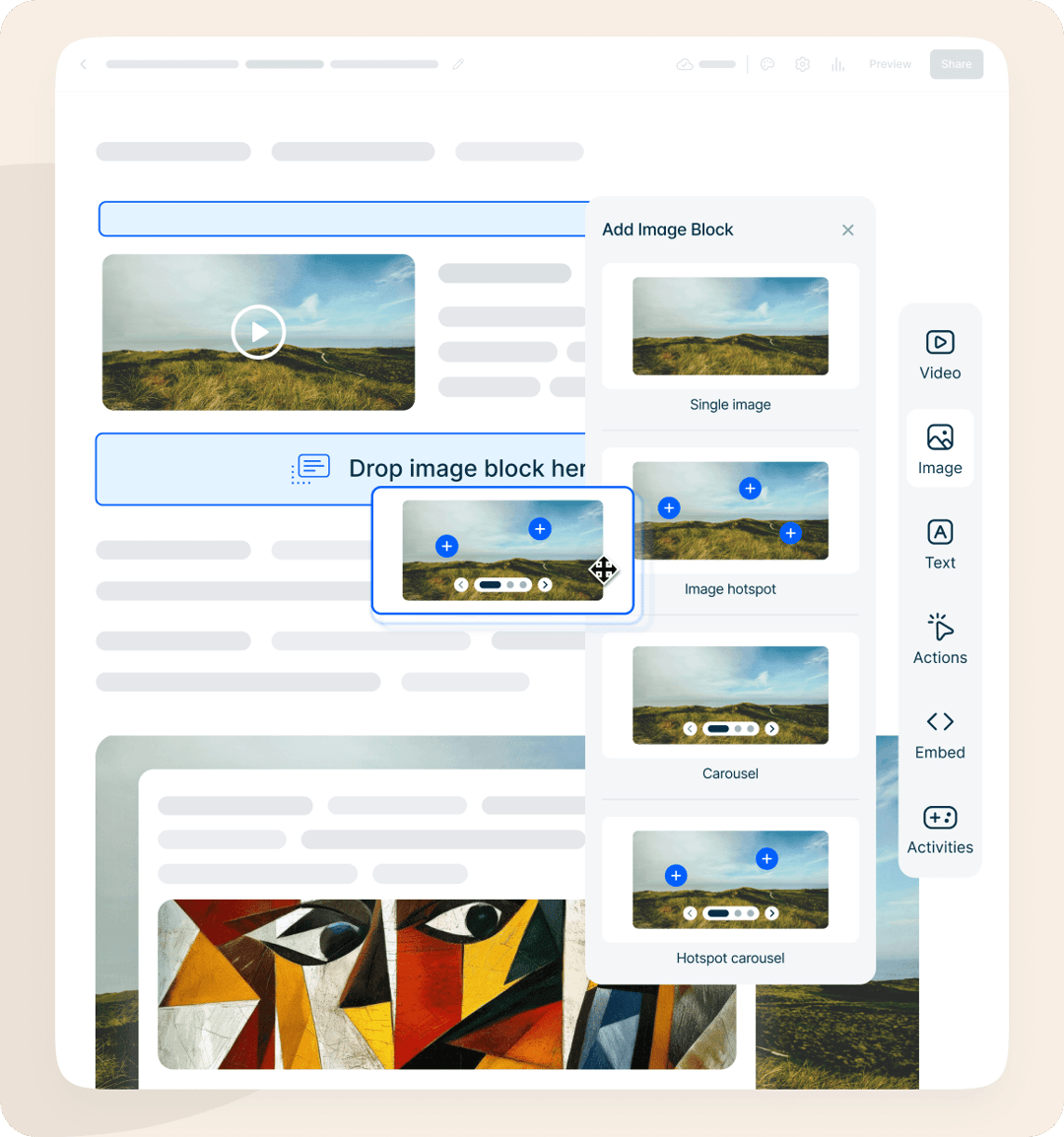
Building courses with AI is only part of the story; AI without “you” misses the essence. The super-simple drag-and-drop block editor keeps you in control of every page, while the in-page AI Assistant lets you tweak text, refine explanations, and instantly apply changes to the right content blocks without ever leaving the editor.
Games
Timelines, matching games & simulations
Paths
Scenario-based learning & branching logic
Editor
Image hotspots, flashcards & knowledge checks
Best AI Course Creator Tools Compared (2026)
See how Mini Course Generator compares to traditional course creation platforms like Teachable, Thinkific, and Kajabi. The right tool depends on whether you need long-form video cohorts or fast, AI-generated micro-courses for onboarding and training.
| Tool | AI Course Generation | Gamification (Badges & Games) | YouTube-to-Course | Free Plan | Best For |
|---|---|---|---|---|---|
| Mini Course Generator | Topic, PDF, or Video to course in 2 min | Native badges & AI Interaction Builder | Direct URL import | 14-Day Free Trial | Quick, gamified mini courses for trainers & creators |
| Teachable | Basic outline generator only | No native games | No | Yes (Starts at $39/mo) | Traditional, long-form video cohort courses |
| Thinkific | Limited AI assistance | Third-party integration needed | No | Yes (Starts at $49/mo) | Large scale academies and memberships |
| Kajabi | AI course outline only | No native games | No | No (Starts at $149/mo) | All-in-one marketing & heavy course businesses |
← Swipe to see all columns →
B2B Use Cases: From Onboarding to Customer Success
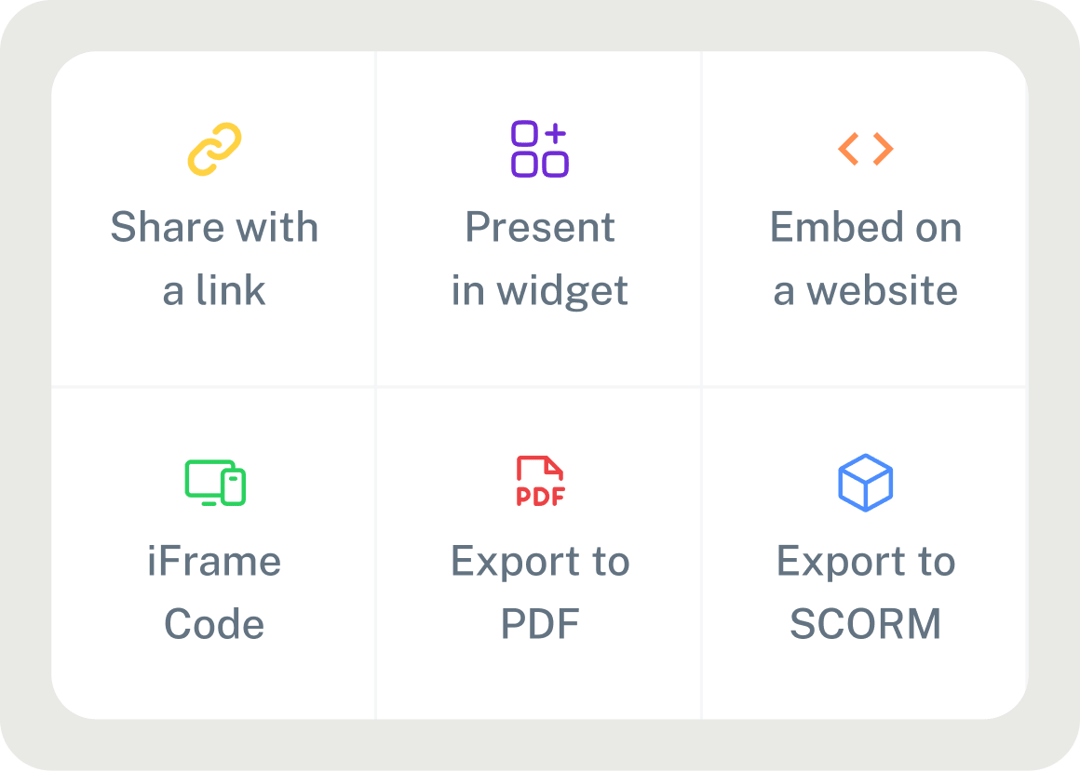
Mini Course Generator scales with your business needs. Deliver your training anywhere: share via direct links without sign-up, embed on any webpage, or export as SCORM packages for your existing LMS.
🤝 Employee Onboarding
💡 Customer Education
📈 Sales Enablement
Employee Onboarding & Internal Training
Turn internal wikis, SOPs, and training guides into interactive onboarding paths. Help new hires reach peak productivity faster through bite-sized, gamified micro-learning that fits into their first weeks on the job.
Customer Education & Product Training
Build “just-in-time” learning modules that help customers master your product. Embed courses directly into your SaaS app, knowledge base, or onboarding emails to reduce support tickets and lift activation.
The Holistic Approach to Course Creation
Unlike generic tools, MCG adopts a comprehensive approach where AI handles the heavy lifting, while you refine the experience.
-
1
Generate with AI
Upload a PDF, paste a YouTube link, or describe your topic. Review the AI-proposed, source-cited outline before generating the full mini course.
-
2
Enrich & Refine
Layer in interactivity with the AI Interaction Builder and fine-tune every page with the drag-and-drop block editor and in-page AI Assistant.
-
3
Deliver Anywhere
Share via direct links, embed on any webpage, export as SCORM for your existing LMS, or distribute as a PDF.
Common Questions
How is Mini Course Generator different from Teachable or Thinkific?
Teachable and Thinkific are built for long-form video cohort courses you record from scratch. Mini Course Generator specializes in bite-sized, gamified micro-learning modules generated by AI in minutes from your PDFs, YouTube videos, or topics.
Is the AI course generation hallucination-proof?
Yes. The AI strictly uses your uploaded PDF or YouTube source to build content, with up to 95% accuracy. Before any course is generated, you see a chapter-by-chapter outline showing exactly which source section each lesson maps to, so you can verify, reorder, or trim before committing.
Can I edit the courses after AI generates them?
Absolutely. The drag-and-drop block editor lets you modify any element, rearrange pages, or add image hotspots, nested accordions, flashcards, and knowledge checks. The in-page AI Assistant rewrites or refines text without leaving the editor.
Can I export my AI-generated course to my existing LMS?
Yes. You can export any mini-course as a SCORM package and plug it directly into your existing Learning Management System for delivery and tracking. You can also share via direct link, embed on any webpage, or distribute as a PDF.
What kind of interactive elements does the AI build?
The AI Interaction Builder analyzes your source and generates context-aware activities: timelines, matching games, decision-based simulations, scenario-based branching, drag-and-drop activities, and complex quizzes. Each suggestion is tuned to the learning outcome for that specific content.
Remove the Authoring Bottleneck
The modern learner wants bite-sized, contextual information, and the modern creator needs a tool that moves at the speed of their ideas.
Ready to build your first AI-generated learning path? Try it in MCG and experience the fastest way to create micro-courses.