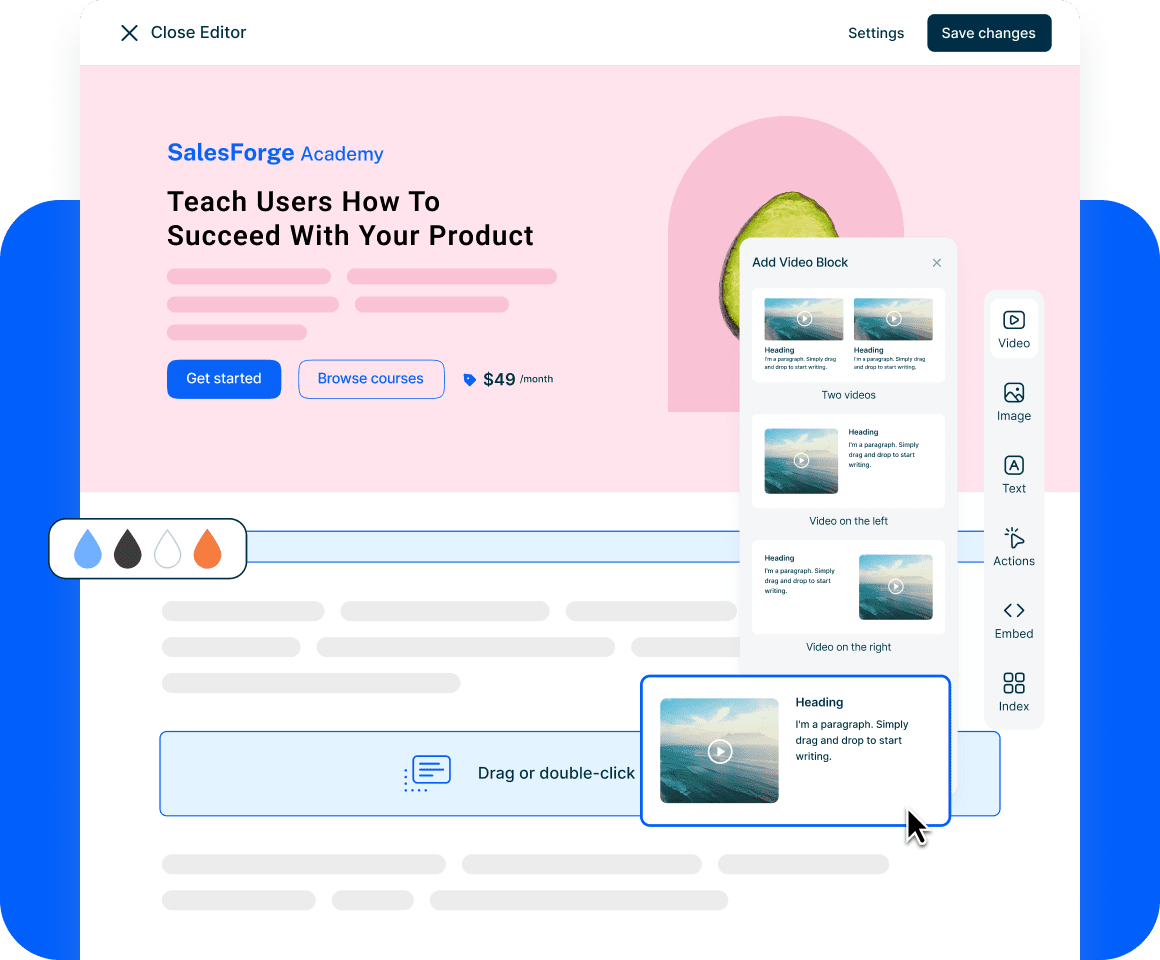
The course landing page builder that’s as flexible as you need and as simple as you want.
Use our intuitive drag-and-drop block editor to launch high converting online course landing pages, whether you’re selling courses, building customer academies, or launching partner training hubs.
✓ No credit card required
Finally, creative freedom without the "tech headache".
Build your vision exactly as you see it, without fighting against rigid templates or hiring an expert to fix your layout.
A true drag-and-drop experience
Stop settling for "fixed sections." Our block-based editor gives you the complete freedom to move any element, adjust placement, and stack content exactly where it makes sense for your brand.
Rich set of blocks
Use the same powerful interface as our e-learning authoring tool. Every block, including interactive elements—is available for your landing pages. No new dashboards to learn and no technical hurdles to jump.
Optimized for mobile & SEO
Your pages will look stunning on mobile and tablets automatically. Plus, with a clean, SEO-friendly structure, your landing page is suitable to be discovered by search engines.
Landing pages at every level
Create a landing page for a single mini-course, a collection of courses, or even a full showcase page to display your entire library. They can all be managed coherently with the structure in your mind.
One builder, endless possibilities.
From selling to individuals to scaling customer education, our builder adapts to your specific business goals.
Create high-converting sales pages that turn visitors into learners with ease.
See an exampleBridge the gap between your product and your users. Build branded entry points for customer education that reduce support tickets and increase adoption.
See an exampleScale your impact with dedicated hubs for external stakeholders. Launch professional portals that look like bespoke websites in minutes.
See an exampleFrequently Asked Questions About Creating Course Landing Pages
How do I create a landing page for an online course?
To create an online course landing page, you need a builder that combines course delivery with web design. Start by choosing a platform like Mini Course Generator that offers a drag-and-drop block editor. Define your course’s value proposition, add a compelling hero section, embed a trailer video or sample lesson, and include a clear “Enroll” button. Because our landing page builder uses the same blocks as our course authoring tool, you can build your page in minutes without needing separate web design expertise.
How do I sell a course online through a landing page?
The most effective way to sell a course is to use a high-converting landing page that bridges the gap between your marketing and your content. First, capture interest with a strong headline. Second, use conversion-ready blocks to showcase testimonials and pricing tiers. Finally, integrate your payment gateway directly into the page. A dedicated landing page builder ensures that your sales funnel is seamless, mobile-responsive, and optimized for “Buy Now” actions.
What is the best landing page builder for course creators?
The best builder is one that balances flexibility with simplicity. While many platforms offer rigid templates, Mini Course Generator provides a block-based course landing page builder that allows for total customization without coding. It is ideal for creators who want to launch quickly without the steep learning curve of complex LMS platforms or the limitations of standard templates.
Do I need a separate website to host my course landing page?
No, you do not need a separate website or hosting service. Mini Course Generator allows you to build and host your landing pages directly on our platform. You can use our intuitive editor to create a professional presence that functions as a standalone sales page, a customer academy, or a partner training hub, all under one roof.
Can I customize my course landing page without coding?
Yes. Our builder is designed for “zero-code” customization. By using a drag-and-drop block editor, you can move, stack, and edit elements like images, text, videos, and buttons exactly how you want. This gives you the flexibility of a professional web designer with the simplicity of a standard text editor.